Best AI Tools for Studying Students in 2026: 8 Tools Compared
Compare the best ai tools for studying students in 2026, with flashcards, tutoring, notes, research help, and free plans for school and college work today.
- Editor's choice
 Quizlet
Flashcards and spaced recall
Starts atFreeVisit quizlet.comFull review - Great alternative
 ChatGPT
AI tutoring and explanations
Starts atFreeVisit chatgpt.comFull review - Also consider
 Notion
Organized study notes with AI help
Starts atFreeVisit notion.comFull review
TL;DR:
- Quizlet remains the strongest choice for flashcards and spaced practice, now with AI help to build sets from notes.
- ChatGPT works best as a tutor that explains ideas and tests you, not as a shortcut that writes your homework for you.
- Notion AI and Grammarly help most with organizing notes and cleaning up drafts, which saves time across every subject.
- Khan Academy and Wolfram Alpha are the most reliable for math and science, because they show steps and sources rather than only an answer.
- Our pick for most students is a small stack: Quizlet for recall, Khan Academy for math, and one AI tutor for explanations.
Quick comparison
| Tool | Best for | Starts at | Free plan? | |
|---|---|---|---|---|
| Quizlet | Flashcards and spaced recall | Free | Yes | Visit |
| ChatGPT | AI tutoring and explanations | Free | Yes | Visit |
| Notion | Organized study notes with AI help | Free | Yes | Visit |
 Grammarly | Clearer essays and drafts | Free | Yes | Visit |
 Khan Academy | Free math and science lessons | Free | Yes | Visit |
 Wolfram Alpha | Step-by-step math and science answers | Free | Yes | Visit |
 Elicit | Research paper search and summaries | Free | Yes | Visit |
 StudyFetch | Turning notes into quizzes and tutors | Free | Yes | Visit |
The best ai tools for studying students
We compared official feature pages, pricing pages, and app listings for tools students actually use for studying, not only for writing. The list below favors tools with a usable free tier, clear academic use, and features that support learning rather than replacing it.
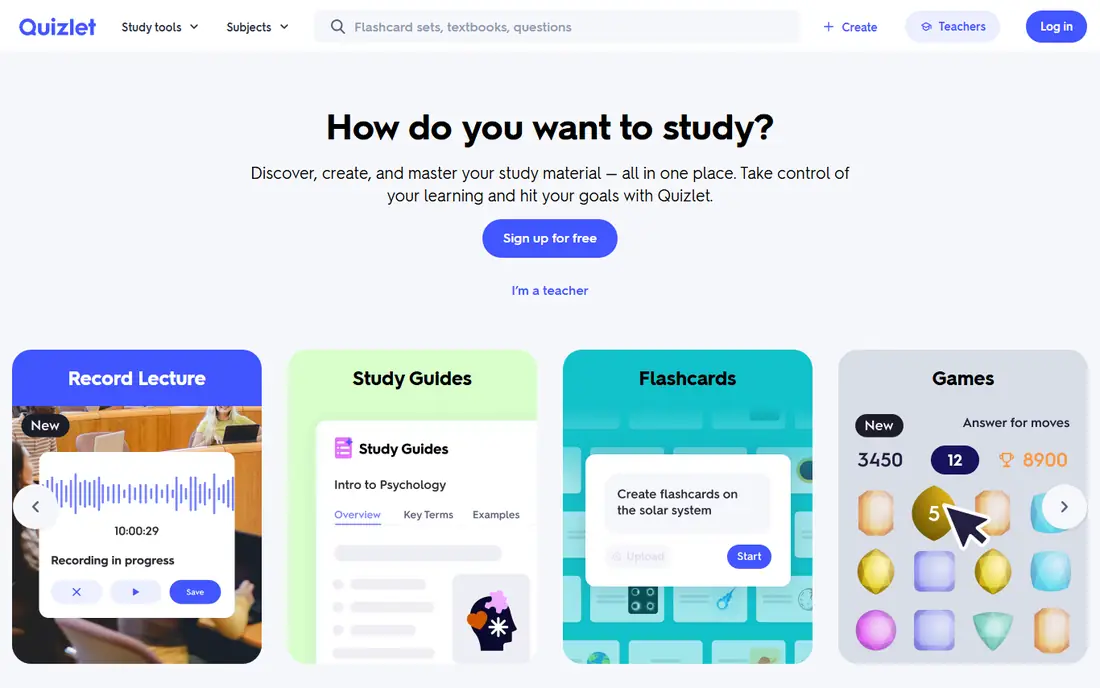
Quizlet is still the workhorse for recall. You can build your own flashcard sets, use sets shared by other students and teachers, and study with Learn mode, which repeats cards you miss and spaces out review. That method fits exams better than re-reading notes, because it forces you to recall an answer before you see it.
The newer AI tools can turn uploaded notes or text into flashcards and practice questions, which saves setup time at the start of a unit. Check any AI-made set before you trust it, since it can misread a note or oversimplify a definition. The free tier covers core flashcards and Learn mode for many users, while Plus adds more AI help and offline study.
- Huge library of shared study sets
- Learn mode uses spaced practice
- AI can build sets from notes
- Some shared sets contain errors
- Full AI features need a paid plan
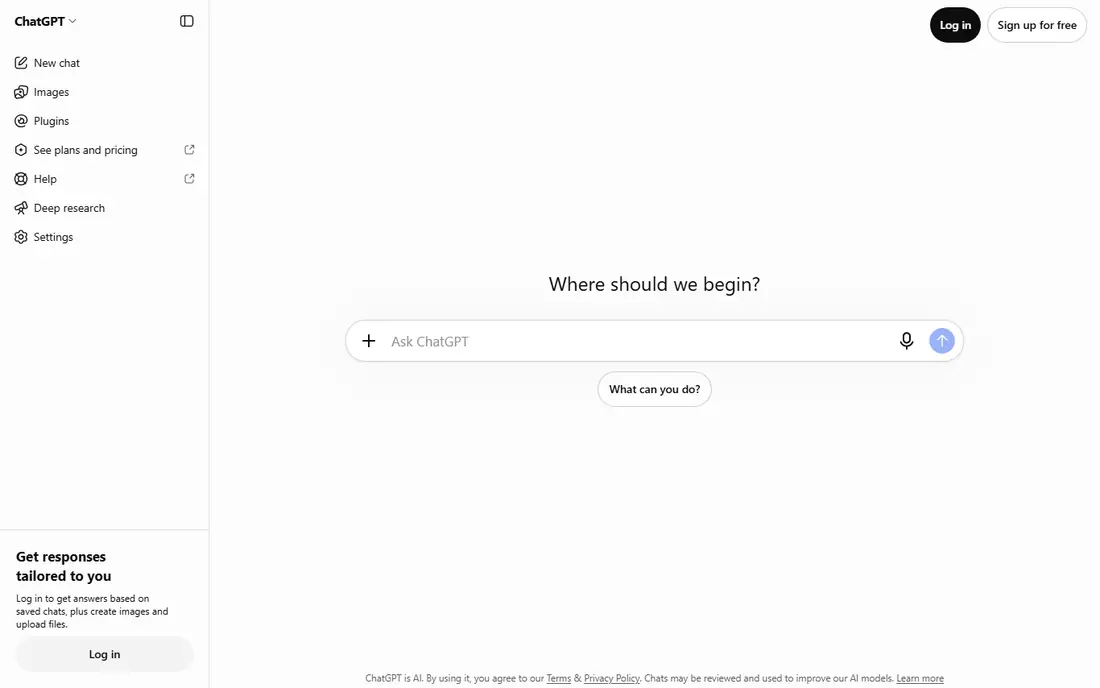
ChatGPT works best when you treat it like a tutor, not an answer machine. Ask it to explain a concept in simple terms, then ask it to quiz you, then ask it to point out where your answer went wrong. That loop builds understanding in a way that copying an answer never will. It also helps with brainstorming essay outlines and rephrasing a tough paragraph in your own words.
The risk is accuracy. ChatGPT can state a wrong date, formula, or citation as if it were certain, so verify facts against your textbook, class notes, or a source such as Khan Academy or Wolfram Alpha. Students should also follow school rules on AI use and cite or disclose AI help where a teacher asks for it. The free tier is enough for daily explanations and practice.
- Explains ideas at your level
- Can quiz you and give feedback
- Works across subjects
- Can give wrong answers with confidence
- Paid tier gives faster and stronger models
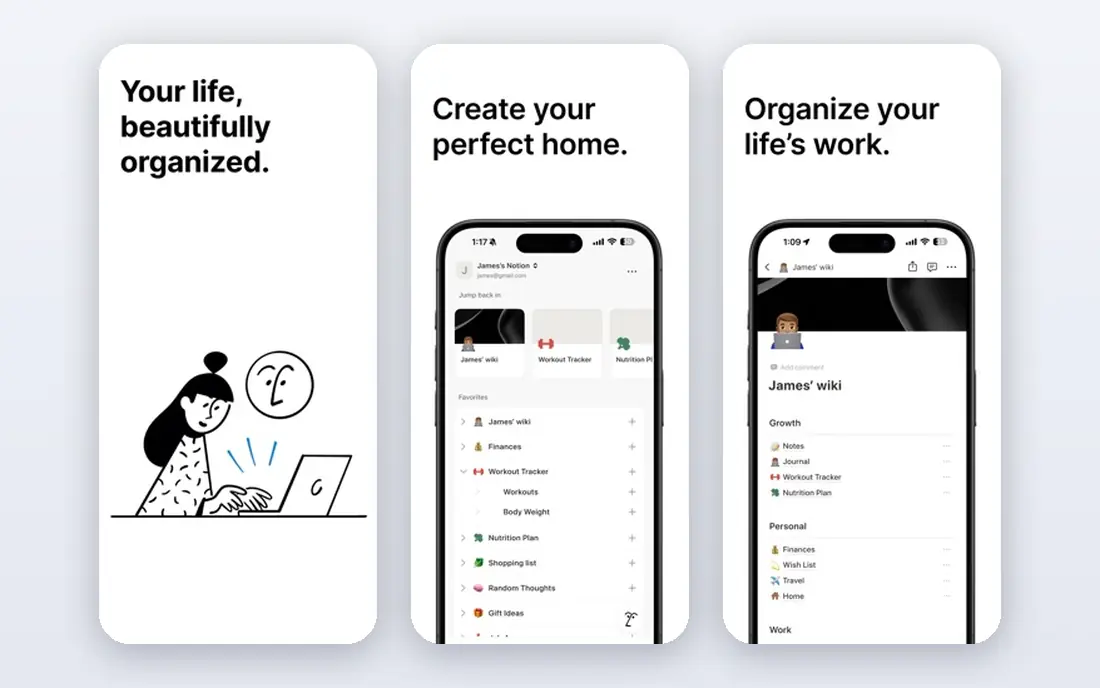
Notion suits students who juggle several subjects and want one home for notes, deadlines, and revision plans. You can keep lecture notes, build a revision tracker, link related pages, and store past papers in one workspace. Templates for student planners and class notes make setup faster than starting from a blank page.
Notion AI can summarize long notes, pull out action items, and help rewrite a messy draft into a clearer structure. That is useful before an exam, when you need a short version of a long unit. The catch is learning curve. Spend an hour setting up a simple system with one page per subject, and resist adding complex databases until the basics feel natural.
- Notes, tasks, and databases in one place
- AI can summarize and tidy notes
- Free for students with education plan
- Can feel complex at first
- AI features are a paid add-on for many users
Grammarly is a proofreading partner, not a writer. It flags grammar slips, awkward sentences, and unclear wording as you type in documents, email, and browser tools. For students writing essays in a second language or under time pressure, that instant feedback helps clean up drafts before submission.
Use it with judgment. Accept fixes for clear errors, but keep your own voice and check suggestions that change meaning or tone. Academic writing often needs a formal tone and precise terms, and Grammarly can push toward simpler wording that loses nuance. The free tier covers core grammar and spelling, which is enough for most school work.
- Catches grammar and clarity issues in real time
- Works in docs and browsers
- Tone suggestions help formal writing
- Suggestions are not always right for academic style
- Full features need a paid plan
Khan Academy remains one of the most trustworthy free study resources. Its math, science, and computing courses use short videos, worked examples, and practice exercises that adapt to what you get wrong. Teachers often assign it for homework support because the explanations follow a clear sequence and link back to core skills.
For studying, use Khan Academy to fill gaps before you move to harder problems. Watch a lesson, do the practice set, and note the topics where you still miss questions. That map of weak spots is more useful than watching videos passively. Khan Academy also offers test prep for exams such as the SAT, which makes it a strong companion to AI tutors that explain ideas but do not track a full curriculum.
- Completely free lessons and practice
- Step-by-step videos
- Tracks progress by topic
- Coverage is strongest in math and science
- AI tutor features vary by access
Wolfram Alpha is a computational tool, not a chat bot. Type in an equation, a chemistry problem, or a data question, and it computes an answer with steps where available. That makes it strong for checking homework and for understanding where a calculation went wrong, since you can compare its steps with your own working.
The free version answers many questions, but full step-by-step solutions for some problem types sit behind a Pro plan. Use it to verify, not to replace practice. Work a problem first, then check it here, and if the answer differs, trace the step where your method diverged. That habit builds skill faster than copying a final answer.
- Shows steps for many math problems
- Handles units, chemistry, and data
- Reliable for computation
- Free version limits step-by-step detail
- Interface is less friendly than a chat tutor
Elicit helps college students who need to find and compare research papers. Ask a research question, and it returns relevant papers with short summaries and key details in a table you can sort. That speeds up the early stage of an essay or project, when you need to see what studies exist before you pick a thesis.
Treat its summaries as a starting point. Open the papers that look most relevant, read the abstract and methods, and cite only what you have verified in the source itself. Elicit is strongest for literature discovery, and weaker for deep analysis, where your own reading and judgment still matter most. The free tier covers basic searches and credits for regular use.
- Searches academic papers by question
- Summarizes findings in tables
- Helps find relevant sources fast
- Summaries can miss nuance
- Not a replacement for reading full papers
StudyFetch targets the gap between messy notes and test-ready practice. Upload lecture slides, PDFs, or notes, and it creates flashcards, quizzes, and an AI tutor that answers questions based on your material. That is useful when a course gives you dense slides and you need practice questions fast.
The output is only as good as the input. Clean, complete notes produce better quizzes, while partial notes produce shallow questions. Review generated cards for errors, and mix StudyFetch practice with your own recall and with textbook problems. The free tier lets you test the workflow, while paid plans add more AI credits and features.
- Builds flashcards and quizzes from uploads
- AI tutor chats about your material
- Supports video and document notes
- Quality depends on the quality of your uploads
- Some features need a paid plan
How we picked these
We compared official feature pages, pricing pages, and education plans, and we favored tools with a usable free tier for students, clear study features, and honest limits. We left out general writing tools that only generate essays, since the goal here is studying: recall, understanding, organization, and research. We also weighed accuracy, because a study tool that gives confident wrong answers can hurt exam prep.
We checked school and college relevance across subjects, from math and science to essays and research. Tools that only cover one narrow task made the list only if they do that task very well, such as Wolfram Alpha for computation and Elicit for paper search. Where a tool offers a student discount or education plan, we note it, but prices change, so confirm the current offer on the vendor site.
How to use AI study tools without hurting your learning
Use AI for explanation, practice, and feedback, and keep the thinking work for yourself. A good routine is to try a problem or question first, then ask an AI tool to explain the part you missed, then test yourself again without help. That cycle builds memory, while copying answers builds only a finished assignment.
Build a simple weekly routine
Pick one tool for recall, one for explanations, and one for organization, and stick with them for a term. Too many tools split your notes and waste setup time. For example, use Quizlet for daily recall, Khan Academy for math gaps, and Notion for notes and deadlines. Add ChatGPT for tutoring when you get stuck, not as a first step for every question.
Check accuracy and school rules
Verify AI answers against textbooks, class materials, and trusted sources, especially for dates, formulas, and citations. Follow your school or college policy on AI use, and be honest about help you received when a teacher asks. If a task is meant to test your own writing or reasoning, do that work yourself and use AI only for proofreading or brainstorming where allowed.
Protect your time and attention
Set short, focused study blocks with a clear task, such as finishing one Quizlet set or one Khan Academy practice unit. Turn off notifications during those blocks, and end each session by writing down what you still do not understand. That short note becomes the next session plan, and it stops study time from turning into passive scrolling through AI chat.
FAQ
What are the best ai tools for students studying for exams?
Quizlet for recall, Khan Academy for math and science gaps, and ChatGPT as a tutor for explanations form a strong exam stack. Add Wolfram Alpha to check calculations and Notion to track revision. The best mix depends on your subject, but recall plus practice beats re-reading notes in most cases.
Are there best ai apps for studying students that are free?
Yes. Quizlet, ChatGPT, Notion, Grammarly, Khan Academy, and Wolfram Alpha all offer free tiers that cover daily studying. Paid plans add more AI credits, offline access, or full features, but most students can start free and pay only for a feature they use often.
Can AI tools write my homework for me?
They can draft text, but using that draft as your own work may break school rules and it will not help you learn the material for exams. Use AI to explain ideas, outline an essay, or check a draft, and write the final work yourself. When in doubt, ask your teacher what help is allowed for that assignment.
Is ChatGPT good for studying?
ChatGPT is good for explanations, quizzes, and feedback when you use it as a tutor. Ask it to explain a concept, quiz you, and correct your answers. Verify facts it gives, since it can be wrong, and do not rely on it alone for math steps or citations.
What is the best ai tool for studying science and math?
Khan Academy is the best free starting point for structured math and science lessons, with practice that tracks progress. Wolfram Alpha is best for checking computations and seeing steps. Together they cover both learning a topic and verifying your working.
How do I pick one AI study tool to start with?
Start with your biggest gap. If you forget facts, start with Quizlet. If you do not understand concepts, start with Khan Academy or ChatGPT as a tutor. If your notes are scattered, start with Notion. Use that tool for two weeks before adding another, so you can tell what actually helps.