Best AI Tools for Coaches for 2026: Our 5 Vetted Picks
5 best AI tools for coaches, with entry costs, free tiers and the buyer each one serves. Each listing flags where it falls short. Skim the table first.

- Editor's choice
 Canva
Designing social posts and presentations
Starts atSee websiteVisit canva.comFull review - Great alternative
 Descript
Editing video and audio by text
Starts at$16 per person a monthVisit descript.comFull review - Also consider
 Jasper
Marketing content and campaign workflows
Starts at$59 per seat a monthVisit jasper.aiFull review
Direct answer
Start with Canva if you need designing social posts and presentations. Listed starting prices: Descript from $16 per person a month, Jasper from $59 per seat a month and Fireflies.ai from $10 per seat a month, billed annually. If your case is different, Descript suits editing video and audio by text and Jasper suits marketing content and campaign workflows. Details, prices and limits for the rest of the 5 tools are below.
TL;DR:
- This list starts with Canva, which is built for designing social posts and presentations.
- Check the limits for Canva before you commit: templates can look familiar across users.
- Only 3 of the 5 tools have a free plan (Descript, Fireflies.ai, Otter.ai), so check the caps.
- Otter.ai suits live session transcription and summaries.
Last checked November 2026. Prices and plan details were read from the vendors' own pages in November 2026; vendors change plans often, so confirm the current price on the vendor site before you buy.
Quick comparison
| Tool | Best for | Starts at | Free plan? | |
|---|---|---|---|---|
| Canva | Designing social posts and presentations | See website | Not stated | Visit |
| Descript | Editing video and audio by text | $16 per person a month | Yes | Visit |
| Jasper | Marketing content and campaign workflows | $59 per seat a month | Free trial | Visit |
 Fireflies.ai | Meeting notes across video products | $10 per seat a month, billed annually | Yes | Visit |
 Otter.ai | Live session transcription and summaries | $8.33 per user a month | Yes | Visit |
The best AI tools for coaches
If you are comparing AI tools for coaches, this page covers 5 tools in one place: what each is best for, what it costs to start, whether it has a free plan, and the main limit to know about.
Think of Canva for designing social posts and presentations. Canva bills itself as a visual suite for everyone, a free-to-use online graphic design tool for social media posts, presentations, posters, videos, logos and more.
Points against: Templates can look familiar across users.
Complicated brand systems may outgrow the editor. No starting price is listed for Canva here; confirm pricing on the vendor site. Free access: Not stated.
- Presentations and videos
- Free-to-use online design tool
- Deep brand control takes effort
Descript is aimed squarely at editing video and audio by text. Coaches who record sessions, webinars or short videos can cut mistakes by deleting words from a transcript.
Choose it when recorded content is central to how you reach clients. On top of that, advanced editing still takes practice, and large projects benefit from tidy file organization. On cost, Descript starts like this: $16 per person per month. A free plan is available with Descript.
Best features of Descript: Edit media by editing text. Points against: Ramp-up time for advanced edits.
- Handy for repurposing recordings
- Edit and publish in one tool
- Long projects need organized files
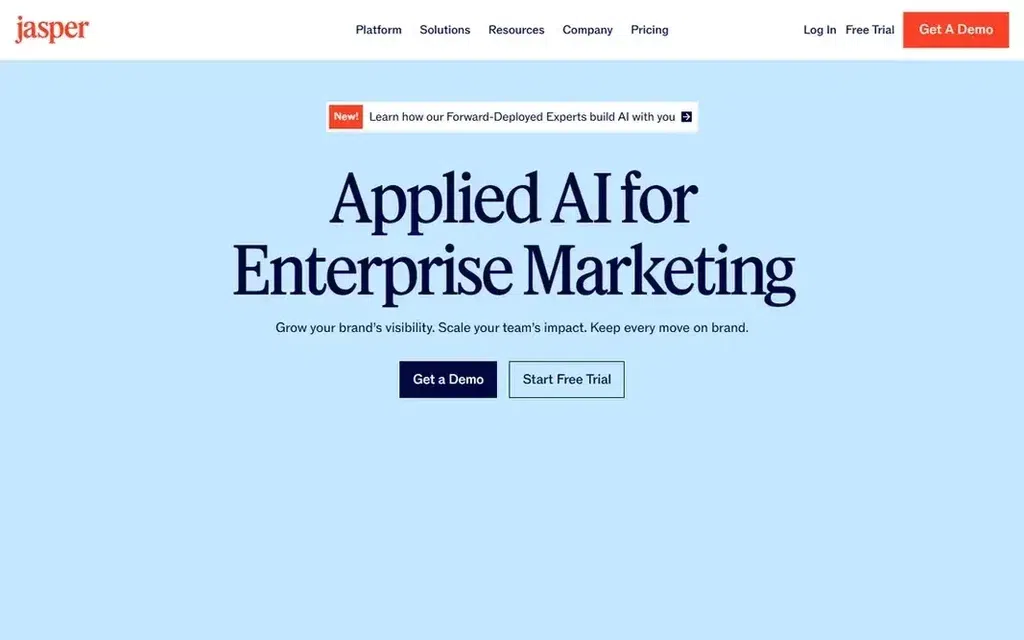
Pick Jasper if this describes you: marketing content and campaign workflows. Jasper positions itself as a system for putting AI agents to work on marketing, orchestrating intelligent agents to run marketing workflows with speed, control and measurable impact.
For coaches who publish consistently, that means support for campaign content and repeatable marketing processes instead of one-off drafts. Beyond that, the system is oriented toward marketing, so coaches seeking transcription, design or grammar help will need separate tools. On cost, Jasper starts like this: $59 per seat per month. Free plan details: Free trial.
Where it falls short: Marketing focus may not fit other tasks.
- Targeted at speed and control
- Built around orchestrated AI agents
- Needs setup to match your voice
Fireflies.ai serves meeting notes across video systems. Results rely on how well the tool links to each system and on audio quality, and summaries of long sessions may need trimming. It is a meeting-focused tool, so content marketing and design tasks fall outside its scope.
Points against: System coverage varies by setup.
Fireflies.ai describes an AI teammate that transcribes, summarizes and examines meetings, using generative AI to create transcripts and smart summaries for Zoom, Google Meet, Microsoft Teams, Webex and multiple other products. Coaches who meet clients across different video tools can keep one note-taking approach. In practice, choose a broader writing product if notes are not your primary gap. Fireflies.ai starts at: $10 per seat per month, billed annually. Free access exists with Fireflies.ai.
- Uses generative AI for meeting capture
- Teams and Webex
- Summary depth relies on meeting length
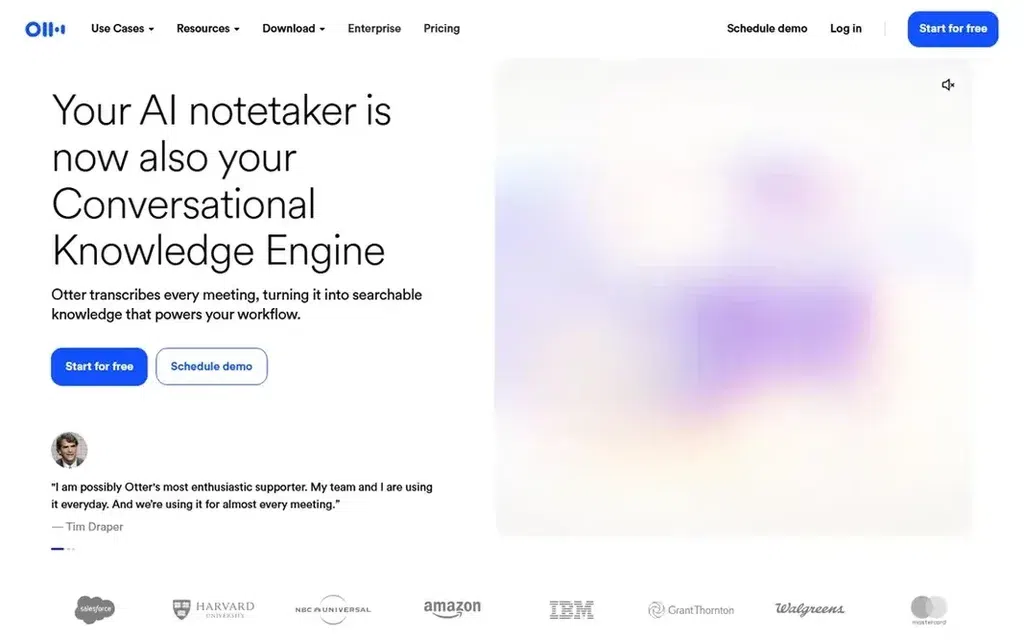
In short, Otter.ai is for live session transcription and summaries. Review outputs before sharing anything with clients.
Downsides: Accuracy relies on audio quality.
As for the details, transcript quality relies on clear audio and decent microphone setup, and automatic summaries can miss nuance in sensitive coaching conversations. What you pay to start with Otter.ai: $8.33 per user per month. Free access exists with Otter.ai.
- Live transcription
- Automatic summaries and action items
- Summaries still need a human check
Selection criteria
Before you commit
- Get a written quote from Canva; the list shows no starting price for them.
- Read the fine print on the free plans from Descript, Fireflies.ai and Otter.ai; seat, project and feature caps differ.
- Take the trial from Jasper and push a live task through it before you pay.
- Read the limits listed for Canva first: templates can look familiar across users.
- Verify that exporting from Canva is possible on your plan and covers all your records.
- Look at which plan of Descript unlocks the features you need; entry tiers are often cut down.
FAQ
Is Canva the right pick for everyone comparing AI tools for coaches?
No single tool suits every team. Canva comes first because it fits designing social posts and presentations, while Descript suits editing video and audio by text and Jasper suits marketing content and campaign workflows. Match the tool to your own size, budget and workflow before deciding.
Do these tools publish their prices?
Not all of them. Canva publishes no starting price, so expect a quote request for it. The rest, Descript included, show a starting price, though seats and billing terms still change the final cost.
What is the cheapest option for AI tools for coaches in this list?
On published monthly entry prices, Otter.ai is the lowest here at $8.33 per user per month. Entry price is only part of the cost, because seats, add-ons and billing terms can change the total. Each of the 5 options in this AI tools for Coaches guide has its own card above with the price, free plan and limits.
Which options for AI tools for coaches have a free plan?
Descript, Fireflies.ai and Otter.ai offer a free plan in this list. Free plans usually cap users, projects or features, so check the limits on the vendor page. One other tool offers a trial instead.
Which AI tool is best for taking notes during coaching sessions?
Canva is the pick this page puts first, mainly for designing social posts and presentations. If your situation differs, Descript suits editing video and audio by text, and Jasper suits marketing content and campaign workflows. Compare price and limits before you decide.
Do I need design skills to use Canva?
Canva is described as a free-to-use online design tool for social posts, presentations, posters, videos and logos, which fits people without a design background. Customizing templates helps avoid generic-looking output. Complicated brand systems may need more control than templates offer.
Sources
- https://www.canva.com
- https://www.descript.com
- https://www.jasper.ai
- https://fireflies.ai
- https://otter.ai