Best AI Tools for Business in 2026: 8 Tools Compared
Compare the best AI tools for business, including chatbots, writing, automation and meeting tools, with business pricing, data controls and honest limits.
- Editor's choice
 ChatGPT Business
General business AI assistant
Starts at$20 per user per monthVisit openai.comFull review - Great alternative
 Claude Team
Long documents and careful writing
Starts at$20 per seat per monthVisit claude.comFull review - Also consider
 Gemini for Workspace
Google Workspace teams
Starts atSee websiteVisit gemini.google.comFull review
TL;DR:
- The best AI tool for business depends on where your team already works, with Microsoft 365 and Google Workspace tools winning inside those suites.
- ChatGPT Business is our pick for most teams that want a general AI assistant, while Claude Team suits long documents, writing and coding work.
- Notion AI, Grammarly, Jasper and Zapier add value on top of a chatbot, for docs, writing quality, marketing copy and automation.
- Check data controls before you buy, including whether business plans train on your data, plus admin controls and seat minimums.
Quick comparison
| Tool | Best for | Starts at | Free plan? | |
|---|---|---|---|---|
| ChatGPT Business | General business AI assistant | $20 per user per month | Yes | Visit |
| Claude Team | Long documents and careful writing | $20 per seat per month | Yes | Visit |
| Gemini for Workspace | Google Workspace teams | See website | Yes | Visit |
 Microsoft 365 Copilot | Microsoft 365 teams | $21 per user per month | Yes | Visit |
 Notion AI | Docs, wikis and project notes | See website | Yes | Visit |
 Grammarly | Writing quality and tone | See website | Yes | Visit |
 Jasper | Marketing copy at scale | See website | Free trial | Visit |
 Zapier | AI automation across apps | See website | Yes | Visit |
The best AI tools for business
We compared official pricing pages, business plans, data controls and integration options for AI tools that serve small and mid sized businesses. These eight cover chatbots, docs, writing and automation.
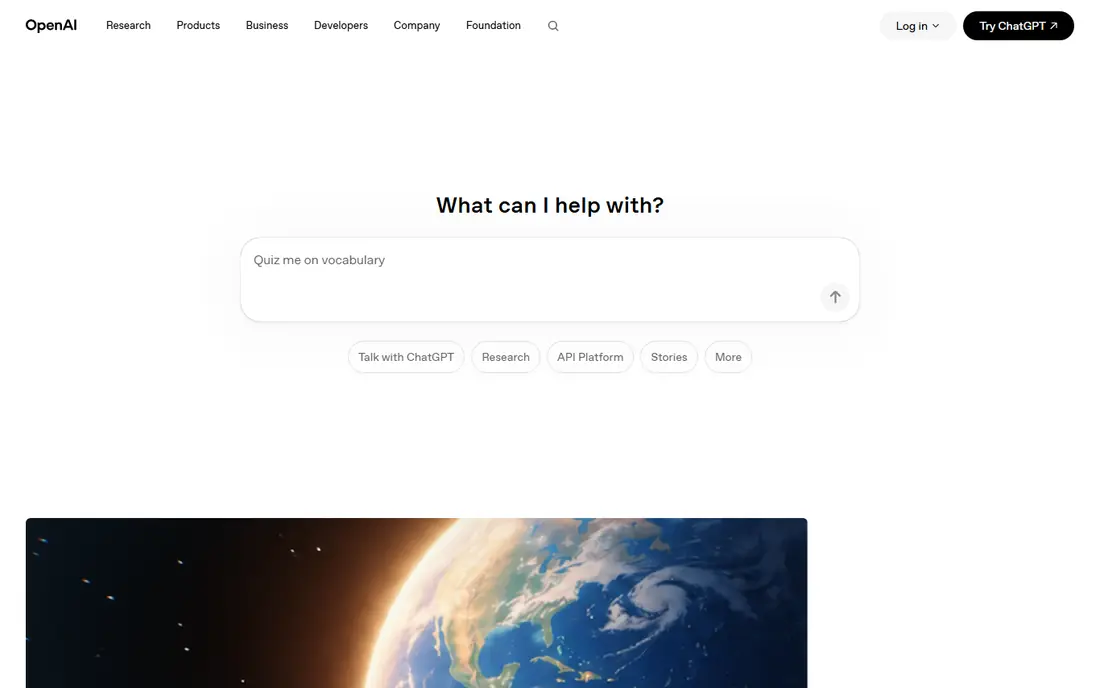
ChatGPT Business is our pick for most teams that want one general AI assistant, because it covers writing, analysis, brainstorming, images, file work and simple agents in a single app. Business plans are commonly listed at 20 dollars per user per month when billed yearly, or 25 dollars monthly, with a two seat minimum, and they include admin controls, single sign on and a promise not to train on business data by default. Custom GPTs let a team build a focused assistant for a repeat task, such as drafting replies from a style guide, without building custom software. Connectors to Google Drive, SharePoint, Slack and other tools also help ChatGPT work with files your team already uses.
The catch is that ChatGPT is a general tool, not a specialist for every job. Usage limits also apply, and heavy teams may need Enterprise plans. For most small businesses, though, ChatGPT Business gives the widest useful range for the price. Start with one team, set clear rules on what data staff may paste into AI tools, and track which tasks actually save time before you roll it out company wide.
- Broadest general assistant features
- Custom GPTs and agents
- No training on business data by default
- Connectors to common tools
- Business plan has a two seat minimum
- Heavy use may need higher tiers

Claude Team suits businesses that work with long documents, policies, contracts, reports and code, where careful reading matters more than flashy features. Team plans are commonly listed at 20 dollars per seat per month when billed yearly, or 25 dollars monthly, with projects that keep a client file, a policy set or a codebase in one workspace. Claude is known for clear, structured writing and for following detailed instructions, which helps with drafting, editing and summarizing work that must be accurate. Coding help, including code review and debugging, is another strength for small development teams and agencies.
The limit is breadth. For a business that mainly needs writing and analysis, that narrower focus is a benefit, not a drawback, because the tool stays focused on the job. Claude Team is best for consultancies, law and finance adjacent teams, agencies and product teams that live in documents. Try it with a real long report and a set of editing instructions, and compare the output with ChatGPT on the same task.
- Strong long document handling and projects
- Careful, clear writing
- No training on team data by default
- Coding help
- Fewer image and app features than ChatGPT
- Team plan seat rules vary by tier

Gemini for Workspace is the natural AI choice for a team that already runs on Google Workspace. It works inside Gmail for drafting and summarizing threads, Docs for writing and editing, Sheets for organizing data, Meet for notes, and Drive for finding files, all under Workspace data protections that state Workspace data is not used to train models. That inside the tools design saves time, because staff do not need to copy text between apps to get AI help. Workspace plans that include Gemini vary, with Business Starter commonly listed from about 7 dollars per user per month before AI add ons, and Gemini Enterprise plans quoted separately.
The catch is that Gemini shines inside Workspace, not as a standalone general assistant for every task. Check which Workspace plan includes the Gemini features you need, since plan names and bundles have changed over time. Gemini for Workspace is best for Google based teams that want AI help where they already write email, docs and sheets. Test it on a real inbox thread and a real Doc before you judge it on a demo alone.
- Works inside Gmail, Docs, Sheets, Meet and Drive
- Workspace data protections
- Simple admin in Workspace
- Best value only inside Google Workspace
- Standalone features are thinner than ChatGPT for some tasks
Microsoft 365 Copilot is the AI assistant for teams that live in Microsoft 365. It drafts in Word, summarizes in Outlook and Teams, analyzes in Excel, and builds presentations in PowerPoint, using your email, meetings and files in context, under Microsoft 365 data protections. That context is the main value, because Copilot can find a file, summarize a meeting and draft a follow up without staff hunting through folders. Copilot Business is commonly listed at about 21 dollars per user per month when paid yearly, in addition to a qualifying Microsoft 365 license, with a bundled option for some Business Standard plans. Copilot Studio also lets teams build agents for repeat tasks.
The cost and license needs are the main drawback. Teams that do not use Microsoft 365 daily will not get full value. Microsoft 365 Copilot is best for Microsoft based businesses, especially professional services, finance and operations teams that work in Outlook, Teams and Excel all day. Pilot it with one department, measure time saved on meetings and document work, and only expand when the pilot shows clear gains.
- Works inside Word, Excel, Outlook, Teams and PowerPoint
- Data stays in your Microsoft 365 tenant
- Copilot Studio for agents
- Needs a Microsoft 365 license in addition to the Copilot add on
- Business add on pricing varies by billing term
Notion AI adds AI help inside Notion, where many small teams keep wikis, project notes, meeting notes and product docs. It can draft pages, summarize long notes, turn meeting notes into tasks, and search across a workspace with questions in plain language. That inside the docs design helps teams that already use Notion as a hub, because AI works on the knowledge the team has already written, rather than on a blank chat window. Notion offers a free plan for individuals, with paid plans and an AI add on for teams, so check the current Notion pricing page for the combined cost.
The limit is that Notion AI only pays off if your team actually lives in Notion. Notion AI also works best on written knowledge, not on email or spreadsheet analysis. Notion AI is best for startups, agencies and remote teams that run projects and wikis in Notion and want AI to draft, summarize and organize that work. Test it on a messy meeting note and a long wiki page to see whether it saves real editing time.
- AI inside docs, wikis and project pages
- Summarizes, drafts and organizes team knowledge
- Strong for small team hubs
- AI is an add on to Notion plans, so total cost includes Notion
- Less useful if your team does not use Notion daily
Grammarly is a different kind of business AI tool, focused on writing quality rather than general chat. It checks grammar, clarity, conciseness and tone as staff write in email, docs, browsers and many apps, with business plans adding style guides, admin controls and team analytics. That everyday help matters for client facing teams, because a clear proposal, a polite support reply and a clean report build trust in ways a chatbot draft alone may not. Grammarly also offers AI drafting and rewriting features on paid plans, which help staff start a message or tighten a paragraph.
The catch is scope. Pricing varies by plan, with a free tier for basic checks and business plans quoted per user. Grammarly is best for sales, support, marketing and operations teams that write to customers daily and want consistent tone and fewer errors. Pair it with ChatGPT or Claude for drafting and analysis, and use Grammarly as the final quality check before a message goes out.
- Grammar, clarity and tone checks across apps
- Business admin and style guides
- Works in email, docs and browsers
- Not a general chatbot for analysis or research
- AI writing features vary by plan
Jasper is an AI writing platform built for marketing teams that need blogs, ads, social posts, product descriptions and email campaigns at volume. It offers templates for common marketing tasks, brand voice controls that learn a company tone, and tools for campaigns and SEO briefs, which help a small marketing team produce more drafts in less time. Jasper also integrates with tools like Surfer for SEO content, and it offers business plans with admin controls and collaboration features. For a team that publishes often, that marketing focus can be more useful than a general chatbot prompt each time.
The honest weakness is that Jasper output still needs human editing, fact checking and brand review, especially for claims, prices and technical details. Pricing is also higher than a single chatbot subscription, with plans based on users and features. Jasper is best for marketing teams and agencies that publish at scale and want brand voice controls and templates. Use it to draft faster, not to publish without review, and track whether it actually saves editing time.
- Built for marketing copy, blogs and ads
- Brand voice controls
- Templates for common marketing tasks
- Output still needs human editing and fact checks
- Pricing is higher than a general chatbot alone
Zapier is an automation tool that has added AI actions and agents, and it suits businesses that want AI to do repeat work across apps, not just answer questions in chat. A Zap can watch a form, a sale, an email or a sheet, then use AI to draft a reply, summarize a lead, update a CRM, or create a task, without staff copying data by hand. That automation saves time for sales, support and operations teams, especially in small businesses where one person handles many tools. Zapier offers a free plan for simple automations, with paid plans based on task volume and features.
The catch is that automation needs careful design. Costs also rise with task volume, so a high volume workflow can cost more than expected. Zapier is best for small businesses that use many SaaS apps and want to automate repeat steps between them, with AI handling drafting and summarizing inside the flow. Start with one simple workflow, measure time saved, and expand only when that workflow runs cleanly.
- Connects thousands of apps with no code automation
- AI actions and agents for repeat workflows
- Strong for small business operations
- Complex workflows need planning and testing
- Costs rise with task volume
How we picked these
We compared official pricing pages, business plans, data controls, admin features and integration options for AI tools that serve businesses, not just individual consumers. We also favored tools that fit into suites teams already use, such as Microsoft 365 and Google Workspace, because adoption matters more than feature lists. We did not claim hands on productivity tests, and pricing changes often, so check the vendor pricing page before you buy.
How to roll out AI tools without wasting money
Start with one team and one clear use case, such as drafting support replies, summarizing meetings, or writing first drafts for marketing. Set a rule on what data staff may paste into AI tools, especially customer data, financial data and health data, and check the business plan data controls for each tool. Train staff on checking AI output, because AI drafts can contain errors, outdated prices and invented facts. Measure time saved and output quality for a month, then decide whether to expand, switch or cancel.
Also avoid paying for overlapping tools. A team that buys ChatGPT Business, Claude Team, Gemini and Copilot for the same staff will pay four times for similar chat features. Pick a primary assistant based on your main suite, add one specialist tool for your biggest need, such as Grammarly for writing quality or Zapier for automation, and drop tools that duplicate the primary assistant. Review seats every quarter, remove unused accounts, and keep a short list of approved tools so staff do not sign up for unvetted apps with company data.
FAQ
What is the best AI tool for business?
ChatGPT Business is our pick for most teams that want a general AI assistant, because it covers writing, analysis, images and agents in one app. Claude Team suits long documents and careful writing, while Microsoft 365 Copilot suits Microsoft teams and Gemini suits Google Workspace teams. The best tool depends on your main suite and your daily tasks.
What is the best AI platform for business with a small team?
ChatGPT Business or Claude Team are strong small team picks, with business plans commonly listed at about 20 dollars per user per month when billed yearly. Both offer admin controls and data protections that free plans lack. Start with one tool for one team, measure time saved for a month, and only add a second tool for a specific need.
Which AI business platform is the best for Microsoft 365 users?
Microsoft 365 Copilot is the best choice for Microsoft 365 users, because it works inside Word, Excel, Outlook, Teams and PowerPoint using your files and meetings in context. It requires a qualifying Microsoft 365 license plus the Copilot add on, so check the total per user cost. Google Workspace teams should look at Gemini for Workspace instead.
Do business AI tools train on my company data?
Business plans from OpenAI, Anthropic, Google and Microsoft state that business data is not used to train models by default, but terms vary by plan and by product, so read the current data policy for the plan you buy. Free consumer plans may have different terms. Check admin controls, data retention and audit logs before you roll a tool out to staff.
How much do AI tools for business cost?
General business chatbot plans commonly cost about 20 to 25 dollars per user per month, with Copilot and Gemini costs depending on base suite plans and add ons. Specialist tools like Grammarly, Jasper and Zapier add separate per user or task based costs. Total cost depends on seats, usage and which tools you combine, so pilot one tool first and track real use.