Best AI Tools for Content Creation in 2026: 8 Tools Compared
Looking for the best AI tools for content creation? We compared 8 tools for writing, design, video and audio, with free plans, pricing and tips for 2026.
- Editor's choice
 ChatGPT
general drafting, outlining and ideas
Starts at$20 per monthVisit chatgpt.comFull review - Great alternative
 Claude
long form writing and document work
Starts at$20 per monthVisit claude.comFull review - Also consider
 Jasper
brand voice marketing copy
Starts at$59 per monthVisit jasper.aiFull review
TL;DR:
- Start with one general assistant, like ChatGPT or Claude, before paying for specialist tools, since it covers drafting, outlining and ideas.
- Jasper is the best specialist writing tool for teams that need brand voice and long form output at scale.
- Canva is the best design tool for non designers, while Descript is the best for editing audio and video from a transcript.
- AI output always needs human editing, fact checking and a final review, especially for published articles and client work.
- Free plans are good for testing, but credit limits, watermarks and export limits decide the real cost for regular creators.
Quick comparison
| Tool | Best for | Starts at | Free plan? | |
|---|---|---|---|---|
| ChatGPT | general drafting, outlining and ideas | $20 per month | Yes | Visit |
| Claude | long form writing and document work | $20 per month | Yes | Visit |
| Jasper | brand voice marketing copy | $59 per month | Free trial (7 days) | Visit |
 Copy.ai | short copy and repeatable workflows | $24 per month | Free trial | Visit |
 Canva | design and social graphics | $12.99 per month | Yes | Visit |
 Descript | transcript based audio and video editing | $16 per month | Yes | Visit |
 Synthesia | AI avatar videos without filming | $18 per month | Yes | Visit |
 Grammarly | editing, tone and clarity | $12 per month | Yes | Visit |
The best AI tools for content creation
Content creation covers writing, design, video and audio, so no single tool wins every job. The tools below cover the full workflow, from first draft to final edit, with a mix of general assistants and specialist apps.

ChatGPT is the best starting point for most creators, because it handles brainstorming, outlining, drafting, rewriting and summarising in one place. It is also useful for titles, social captions, email drafts and script outlines, which makes it a daily tool rather than a niche app. Paid Plus at $20 per month adds higher limits and newer models.
The main limit is accuracy. ChatGPT can invent facts, quotes and sources with confidence, so every factual claim needs checking against a reliable source before publication. It also needs clear prompts to produce good work, and vague prompts give vague drafts. Used as a drafting assistant with human editing, it saves real time.
- Versatile for writing, research and code
- Image generation included
- Large user community and guides
- Output needs fact checking
- Free tier has usage limits
- Quality varies by prompt

Claude suits creators who work with long documents, research notes and detailed briefs. It handles large inputs well, follows style instructions closely, and produces structured drafts that are easier to edit than a wall of text. For blog posts, reports and scripts that need a consistent tone, Claude is often the better writing assistant.
It does not match ChatGPT for image generation or for a broad app ecosystem, so creators who need visuals will pair it with Canva or another design tool. Paid Pro at around $20 per month, or $17 per month on annual billing in some listings, adds higher limits. For writing first creators, Claude is a strong pick.
- Strong on long documents and careful writing
- Good at following detailed instructions
- Clear, structured output
- Fewer built in design and video features
- Free tier has usage limits
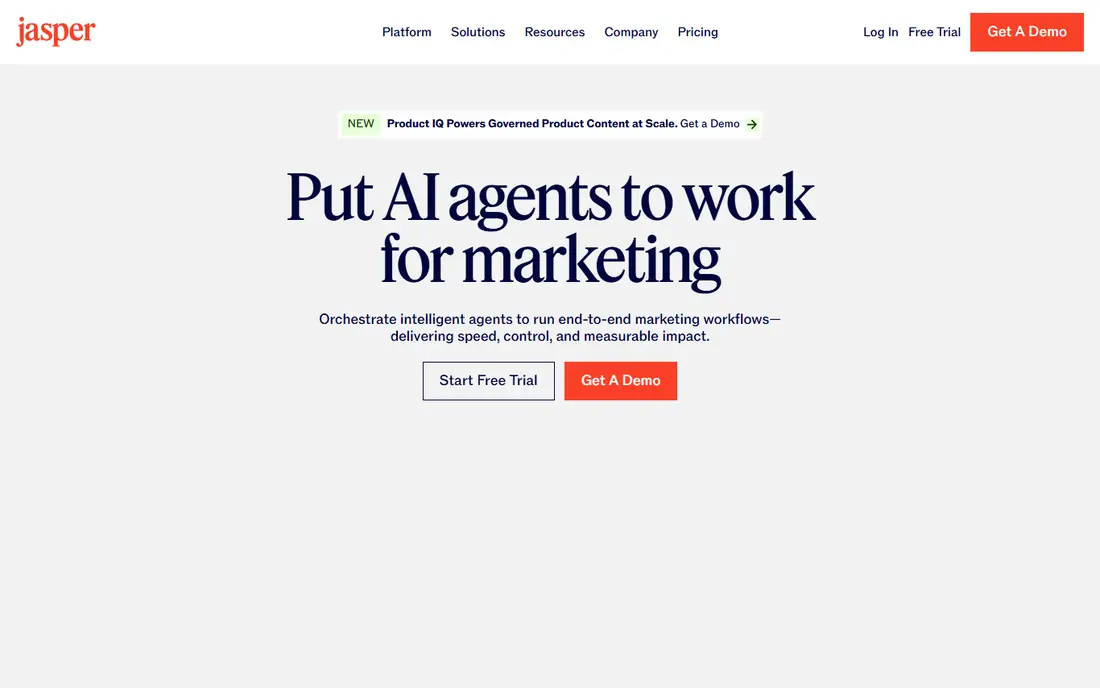
Jasper is built for marketing teams that publish a lot and need a consistent brand voice across writers. You train it on your existing content, then use templates for blog posts, product descriptions, social copy and emails. Team workspaces, approvals and shared brand settings help larger teams keep output consistent.
Price is the barrier, with Pro at $59 per month on annual billing or $69 per month monthly, and only a seven day trial instead of a free plan. Solo creators who mainly need short copy will get similar results from ChatGPT or Claude for less. For agencies and marketing teams, Jasper's structure and brand controls justify the cost.
- Brand voice training
- Templates for blogs, ads and emails
- Team workspaces
- Highest writing tool price here
- Overkill for solo creators who only need short copy
Copy.ai focuses on short form copy and repeatable workflows, which suits social media managers and sales teams who need many variations fast. Its workflow tools let you turn a brief into a set of captions, subject lines or ad variants without starting from scratch each time. That repeatability is its main advantage over a general chatbot.
Long form writing is not its strength, so bloggers should look at Jasper or Claude instead. Pricing has changed several times, with recent listings showing a chat plan at around $24 per month on annual billing. Check the current pricing page and trial terms before you commit, and test it on your real briefs.
- Good for captions, ads and email variations
- Workflow automation for repeatable tasks
- Team features
- Weaker for long form articles
- Pricing and free plan terms have changed often
Canva is the best design tool for creators who are not professional designers. Templates for social posts, presentations, thumbnails and documents make starting fast, and Magic Studio adds AI image generation, background removal and text tools inside the same editor. The free plan covers a lot, and Pro at around $12.99 per month adds premium templates and brand tools.
AI generated images can look generic if you use default prompts, so add specific details about style, colour and composition. Canva also cannot match Photoshop or Illustrator for advanced editing, but for social graphics and presentations, it is faster and far easier to learn. For most creators, Canva plus a writing assistant covers the bulk of content work.
- Huge template library
- AI image and text tools in Magic Studio
- Easy for non designers
- AI images can look generic
- Advanced design control is limited compared with Adobe tools
Descript changes how editing feels, because you edit a transcript and the audio or video follows. Delete a sentence from the text, and it disappears from the recording. That workflow is a huge time saver for podcasts, tutorials and talking head videos, and filler word removal cleans up speech in seconds.
Traditional video editors may miss timeline precision at first, and heavy users need higher plans. Paid plans start at around $16 per month in recent listings, with a free tier for testing. For podcasters and course creators, Descript is one of the most useful AI tools on this list, because it cuts editing time more than any writing tool cuts drafting time.
- Edit audio and video by editing text
- Filler word removal
- Good for podcasts and tutorials
- Learning curve for traditional video editors
- Higher plans needed for heavy use
Synthesia lets you turn a script into a presenter video with an AI avatar, without cameras, lighting or editing skills. That suits training videos, internal updates and product demos, where speed and consistency matter more than a personal on camera presence. Many languages and avatars make it useful for global teams.
For public social content, avatar videos can feel less authentic than a real presenter, and viewers may engage less. Free use is limited, and paid plans start at around $18 per month on annual billing. Use Synthesia where a clear, consistent presenter helps, and film yourself where trust and personality are the point.
- Create presenter videos from text
- Many languages and avatars
- Good for training and internal videos
- Avatar videos can feel less authentic than a real presenter
- Limited free use
Grammarly is the finishing tool in this stack, catching grammar, spelling, tone and clarity issues across email, docs and browsers. The free plan covers basic checks, and Pro at around $12 per month on annual billing adds full sentence rewrites, tone adjustments and more detailed suggestions. For creators who publish daily, that safety net is worth the cost.
AI rewrites can change meaning if accepted without reading, so review every suggestion, especially for technical or sensitive topics. Grammarly also does not replace fact checking or a human editor for important work. As a final pass before publishing, it is one of the most practical AI tools a creator can own.
- Grammar, spelling and tone checks everywhere you write
- AI rewriting suggestions
- Plagiarism and citation tools on higher plans
- AI suggestions need review
- Full features need a paid plan
How we picked these
We compared official pricing pages, feature pages and public reviews for AI content tools that are still available in October 2026, and we kept tools with a clear content job, a usable free tier or trial, and a large user base. We covered writing, design, video and audio separately, since no single tool leads in all four areas. We did not claim hands on studio testing, and we treated pricing summaries as a guide, since vendor pages change often.
How to build an AI content workflow that stays honest
Start with a human brief. Write down the audience, the main point, the facts that must be correct, and the tone you want, before you open any AI tool. A clear brief gives better drafts and makes editing faster, because you can check the output against the brief instead of accepting whatever the tool produced.
Next, separate drafting from publishing. Use AI for outlines, first drafts and variations, then edit for accuracy, originality and voice. Check every factual claim, quote and statistic against a primary source, and rewrite passages that sound generic. For client work, disclose AI use where your contract or platform requires it, and never present AI output as original research you did not do.
Finally, watch costs and rights. Credit based tools can get expensive on large projects, and image tools vary in their commercial use terms. Read the licence for any image, video or audio you publish, and keep a human editor in the loop for anything that represents your brand. AI should speed up your work, not replace your judgement.
FAQ
What is the best AI tool for content creation?
For most creators, ChatGPT or Claude for writing plus Canva for design covers the bulk of content work. Teams that need brand consistency should add Jasper, while podcasters and video creators should add Descript.
What are the best AI content creation tools for beginners?
ChatGPT, Claude and Canva are the best beginner tools, because they all offer free plans and need no specialist skills to start. Begin with one writing assistant and Canva, learn what you actually use weekly, and only add specialist tools after that.
Is Jasper better than ChatGPT?
Jasper is better for marketing teams that need brand voice, templates and shared workspaces at scale. ChatGPT is better for general creators who want flexibility, lower cost and a free plan. For solo creators, ChatGPT or Claude usually offers better value.
Can AI tools replace human content creators?
No. AI tools draft, vary and polish content, but they cannot replace human judgement, original reporting, fact checking or a distinctive voice. The best results come from a human brief, AI drafting, and careful human editing before publication.
What is the best free AI content creation tool?
ChatGPT and Claude both offer useful free plans for writing, and Canva offers a strong free plan for design. Free tiers have usage limits, so test them on real projects for two weeks before deciding whether a paid plan is worth it.