Best AI Tool for Resume Writing in 2026: 8 Tools Compared
Compare the best AI tools for resumes, with ATS checks, templates, keyword matching and pricing, so you can build a resume that gets read before you apply.

- Editor's choice
 Teal
Managing a full job search
Starts atFreeVisit tealhq.comFull review - Great alternative
 Rezi
ATS-optimized resumes
Starts atFreeVisit rezi.aiFull review - Also consider
 Kickresume
Designed templates on a budget
Starts atFreeVisit kickresume.comFull review
TL;DR:
- Teal is the best all-round pick because it pairs resume building with job tracking and keyword matching for each posting.
- Rezi and Jobscan are the strongest choices when passing applicant tracking systems is your main worry.
- Kickresume and Enhancv suit candidates who need a polished design without learning layout rules.
- Free plans are useful for a first draft, but check download limits and trial renewal prices before you enter payment details.
Quick comparison
| Tool | Best for | Starts at | Free plan? | |
|---|---|---|---|---|
| Teal | Managing a full job search | Free | Yes | Visit |
| Rezi | ATS-optimized resumes | Free | Yes | Visit |
| Kickresume | Designed templates on a budget | Free | Yes | Visit |
 Resume.io | Guided building for beginners | See website | Yes | Visit |
 Enhancv | Creative layouts that stand out | See website | Free trial | Visit |
 Jobscan | Matching a resume to a job post | Free | Yes | Visit |
 Novoresume | Clean one-page resumes | Free | Yes | Visit |
 Zety | Step-by-step writing help | See website | Free trial | Visit |
The best AI tools for resumes
We compared these tools on template quality, AI writing help, keyword and ATS checks, download options and price transparency. A good resume tool should help you write clearly and keep the file readable by both people and hiring systems.
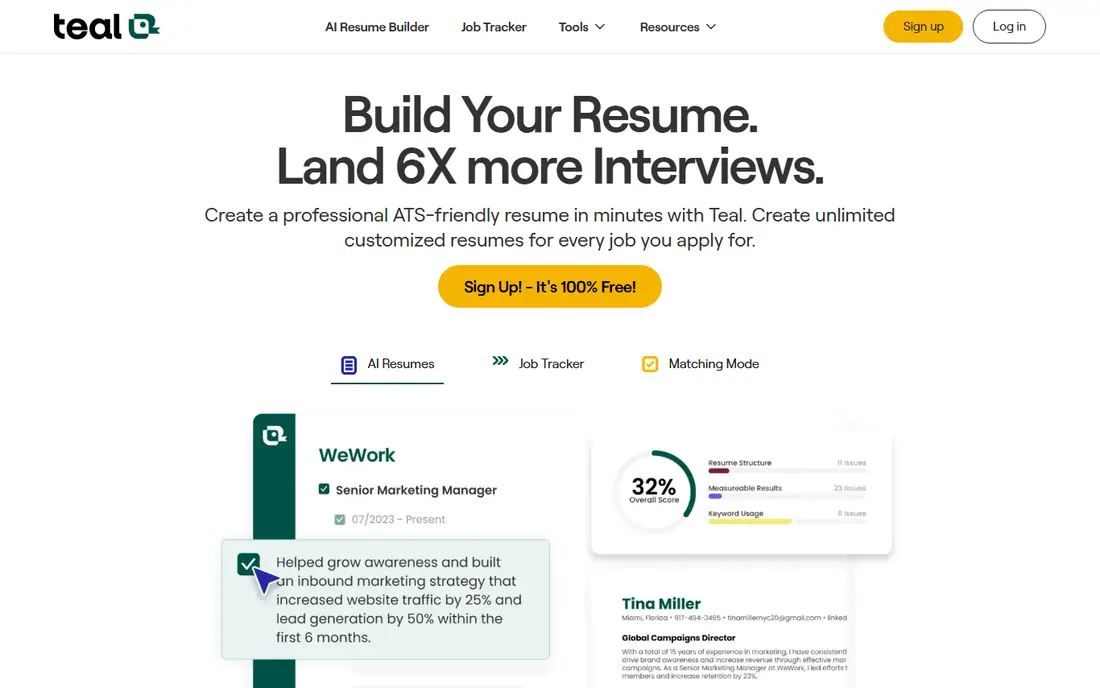
Teal is more than a resume builder, and that is why it leads this list. You can track applications, save job postings and build a tailored resume for each role from one account. The keyword tool shows which terms from a posting are missing from your resume, which helps you adjust wording without rewriting the whole document.
The free plan is genuinely useful, with unlimited resumes and PDF downloads. Teal+ at $29 per 30 days adds unlimited keyword matching and more AI help. If you are applying to many jobs, the tracker alone can save you from spreadsheet chaos.
- Unlimited resumes on the free plan
- Job tracker built in
- Keyword matching for specific postings
- Unlimited keyword matching needs Teal+
- Some advanced AI features are paid
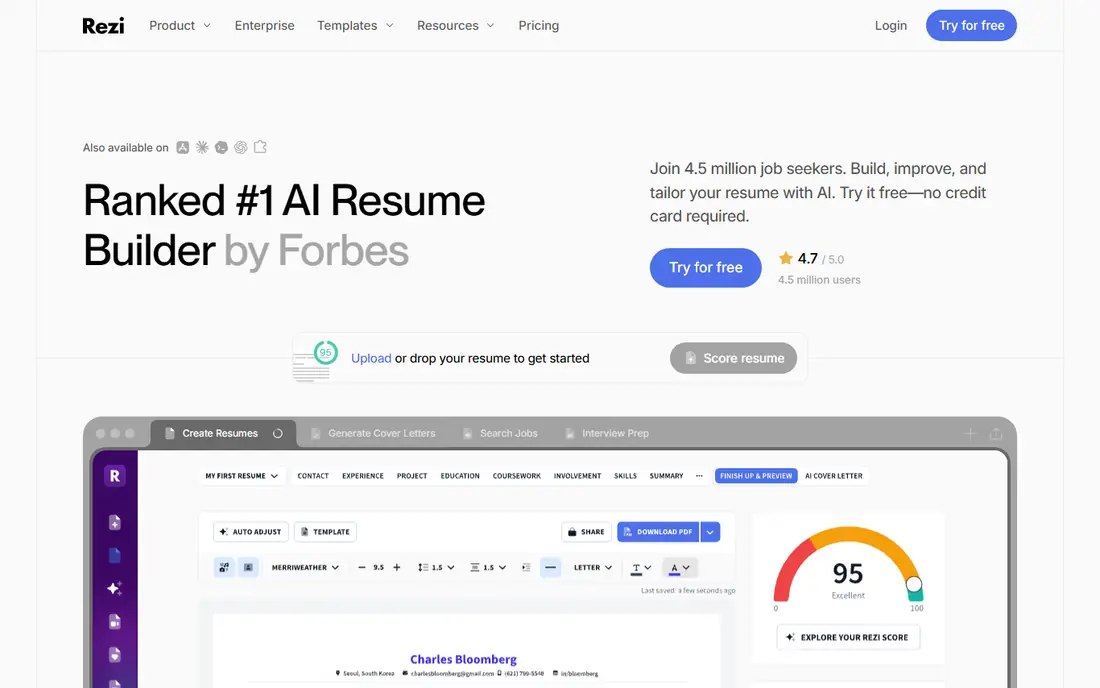
Rezi focuses on one job: getting your resume past applicant tracking systems and in front of a person. As you write, it scores your resume and highlights missing keywords from the job description. That feedback loop is useful for corporate roles where an online portal is the first gatekeeper.
The free plan includes one resume and limited downloads, while Pro costs $29 per month or $149 for lifetime access. If you will be job hunting for months, the lifetime option can cost less than repeated monthly payments. Check the download limit on the free plan before you rely on it for many applications.
- Real-time resume scoring
- Keyword targeting
- Clean ATS-friendly templates
- Design options are narrower than Enhancv
- Full AI features need Pro
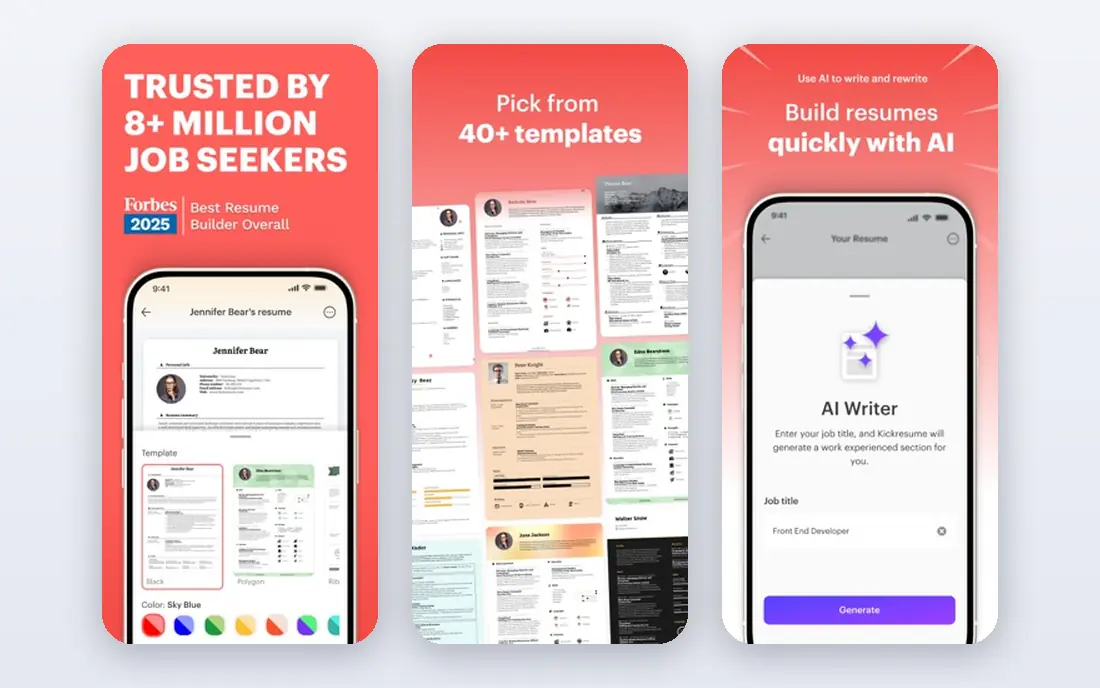
Kickresume is a good middle ground between design and function. Its templates look modern without using complex columns that can confuse hiring systems, and the AI writer helps turn a rough job history into clear bullet points. Premium costs $24 per month, or less per month when billed quarterly or yearly.
The free plan includes four basic templates, which is enough to test the style. If you need the ATS checker or the full template library, you will need Premium. Always export a PDF and check that headings, dates and bullet points still read in order.
- Attractive templates
- AI writer and grammar help
- ATS checker on Premium
- Free plan limits templates
- Monthly price is higher than the annual rate
Resume.io is one of the easiest builders for a first resume. It walks you through each section, suggests wording for common roles and lets you preview several templates quickly. That guidance helps if you are not sure what belongs in a summary, skills section or work history.
Read the pricing carefully. The free plan allows text export, while a full PDF download needs a paid plan, and trial offers can renew at a monthly rate. Set a reminder if you start a trial, and cancel promptly if you only need one resume.
- Very guided step-by-step builder
- Many templates
- Cover letter builder included
- Free export is limited to text
- Paid access renews as a subscription
Enhancv suits candidates in creative, marketing and product roles where a plain resume may blend into a pile. Its templates use color, icons and varied sections in a way that still looks professional, and the builder suggests stronger wording for achievements. You can move sections around without breaking the layout.
The caution is parsing. A very visual layout can look great to a person and still confuse an applicant tracking system, so keep one clean version for online portals. Use Enhancv for direct applications and networking, and keep a simpler version for large corporate systems.
- Distinctive modern templates
- Helpful content suggestions
- Easy section customization
- Some layouts risk ATS parsing problems
- Paid plan needed for full downloads
Jobscan answers a different question from the other tools here: how well does this resume match this exact posting. Paste a job description, upload your resume and it shows missing keywords, skills and formatting issues. That report is useful before you submit to a role you really want.
The free plan includes five scans per month, while paid access costs $49.95 per month or less on a quarterly plan. Use the free scans for your top roles, and use a builder such as Teal or Rezi for the actual writing and formatting.
- Detailed match report against a job description
- Resume and LinkedIn checks
- Free scans each month
- Monthly price is high for casual users
- It is a checker more than a full builder
Novoresume is ideal if your resume has grown too long or too cluttered. Its templates favor clear headings, short bullets and one page, which forces you to keep only the strongest achievements. The content optimizer also flags weak phrasing and missing details.
The free plan covers a basic one-page resume, which suits students and early-career candidates. Experienced candidates who need two pages or more templates will need a premium plan. If you have ten years of experience, do not force it onto one page just because the free plan allows only that.
- Clean, readable templates
- Content optimizer
- One-page focus keeps resumes tight
- Free plan limits you to a one-page resume
- Some premium templates are paid
Zety is built for people who know their work history but struggle to phrase it. Its builder offers pre-written bullet examples for many roles, which you can adapt rather than copying word for word. That help is useful for career changers who need to translate experience into a new field.
As with Resume.io, check the trial terms. A low trial price can renew at a higher monthly or four-week rate, so note the renewal date when you sign up. Use Zety to draft and refine, then save a final PDF and keep a plain text copy for online forms.
- Large library of bullet examples
- Guided builder
- Many templates
- Trial and subscription pricing needs careful reading
- Full downloads need a paid plan
How we picked these
We compared official pricing pages, template libraries, ATS and keyword features and download limits. We favored tools with a usable free tier or trial, clear templates and honest pricing pages, and we included both builders and checkers because a strong resume often needs both. Prices change often, so confirm the current plan on the vendor site before you pay.
How to use an AI resume tool without sounding generic
Start with your real achievements, not the AI output. List each role, what you were responsible for, what changed because of your work and any numbers you can honestly support, such as revenue, time saved or team size. Then let the AI tool tighten the wording and check keywords. That order keeps your resume truthful and specific.
Next, tailor for each role, but do not invent skills you do not have. Match the job description wording where it is true, such as using the same job title language or tool names, and remove details that do not fit that role. A tailored one-page resume usually beats a long general resume that tries to cover every job you might ever want.
Finally, check the file itself. Export a PDF, open it on a phone and read it aloud. Check that dates line up, contact details are correct and no template text remains. Paste the text into a plain document to see if an applicant tracking system would read the sections in a sensible order. That five minute check catches more problems than any AI score.
FAQ
What is the best AI tool for resume writing?
Teal is our overall pick for active job seekers because it combines building, tracking and keyword matching. Rezi is best for ATS optimization, Kickresume and Enhancv are best for design, and Jobscan is best for checking a resume against a specific posting.
Are AI resume builders good for ATS?
They can help, if you choose a clean template and check the output. Tools such as Rezi and Jobscan focus on keyword matching and readable formatting, which helps with applicant tracking systems. Avoid complex columns, graphics and unusual fonts for portal applications, and test the exported text.
Can I build a resume for free with AI tools?
Yes, Teal, Rezi, Kickresume, Jobscan and Novoresume all offer free plans or free scans, but each limits downloads, templates or AI credits in some way. For one strong resume, a free plan may be enough. For many tailored versions, a short paid plan can be worth it.
What is the best AI resume tool for beginners?
Resume.io and Zety are the most guided options, with step-by-step builders and example bullets. Teal is also beginner friendly and adds a job tracker, which helps if you are applying to many roles at once.
How do I tailor my resume with AI for a job posting?
Paste the posting into a keyword tool such as Teal or Jobscan, note the missing skills and terms that you honestly have, and adjust your bullets to use that language. Then rewrite the summary for that role and remove unrelated detail. Do not add skills you cannot discuss in an interview.
Is it safe to put personal details in an AI resume tool?
Use only the details needed for the resume, such as name, contact details and work history, and avoid sensitive data such as full addresses, ID numbers or salary history. Read the privacy policy, delete old drafts you no longer need, and never upload a resume with information you would not share with an employer.