Best AI Text Effects Software in 2026: 10 Tools Compared
Discover the best ai text effects software in 2026. We compare 10 AI text effects platforms and tools for video, social, and design projects. Learn more here.
- Editor's choice
 Adobe Express
Creators wanting Adobe quality simply
Starts atFreeVisit adobe.comFull review - Great alternative
 Canva
Everyday designers and small teams
Starts atFreeVisit canva.comFull review - Also consider
 Kapwing
Video creators and social teams
Starts atFreeVisit kapwing.comFull review
TL;DR:
- Adobe Express and Canva are the safest all round picks for most creators, with templates plus AI help.
- The best AI text effects platform for video is usually a video editor, not a static design tool, because animation matters.
- Free plans are useful for testing, but exports often carry watermarks or limits, so check export terms before a client project.
- Which AI text effects platform is best depends on output: social video, thumbnails, titles, or motion graphics need different tools.
- Start with one project type, test exports on your phone and desktop, and only then pay for a yearly plan.
Quick comparison
| Tool | Best for | Starts at | Free plan? | |
|---|---|---|---|---|
| Adobe Express | Creators wanting Adobe quality simply | Free | Yes | Visit |
| Canva | Everyday designers and small teams | Free | Yes | Visit |
| Kapwing | Video creators and social teams | Free | Yes | Visit |
 VEED | Video creators needing captions and titles | Free | Yes | Visit |
 FlexClip | Beginners making video titles | Free | Yes | Visit |
 Renderforest | Small businesses needing logo and video titles | Free | Yes | Visit |
 Placeit | Mockups and quick social graphics | See website | Free trial | Visit |
 Animaker | Animated video and explainer makers | Free | Yes | Visit |
 VistaCreate | Social media designers | Free | Yes | Visit |
 Desygner | Small teams needing brand templates | Free | Yes | Visit |
The best AI text effects software
We compared official feature pages, pricing, and export terms for the best AI text effects tools, focusing on products creators can use in 2026. The best AI text effect tools in this guide cover static design, social graphics, and video titles, because text effects look very different in a thumbnail versus a moving video title.
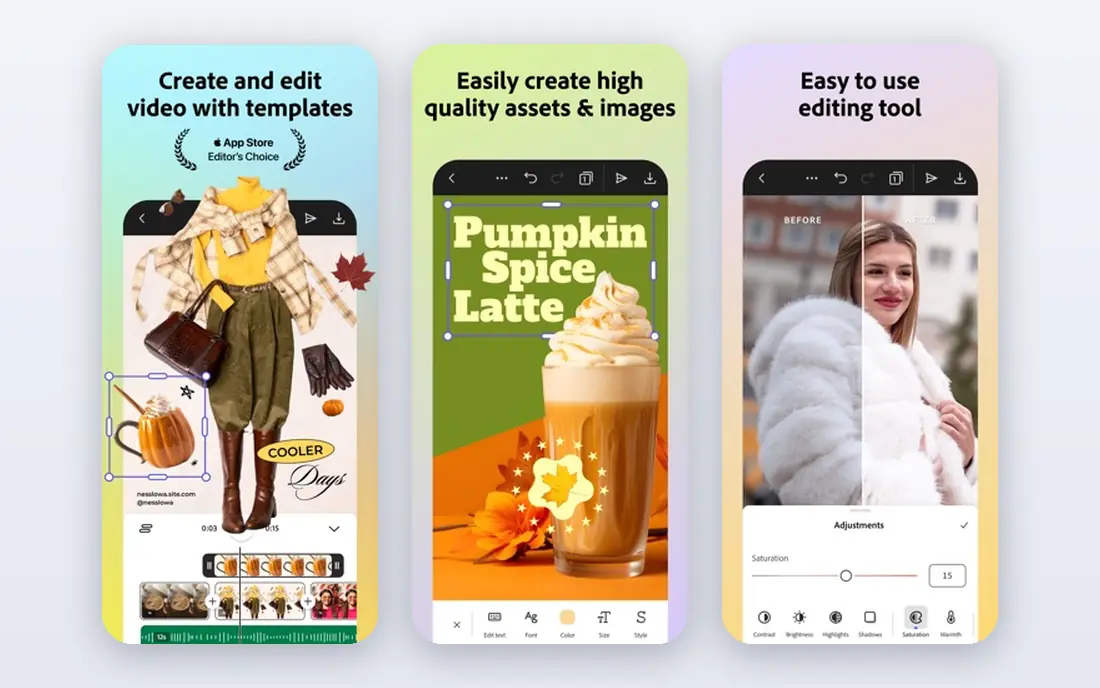
Adobe Express is a strong option for creators wanting Adobe quality without complex software. Its main strength is strong text effects with Adobe fonts and templates. That matters because it saves time on the work you do every day, rather than adding another tool you have to manage. We compared its official feature pages, pricing, and public reviews, and it holds up as a real option for the buyers described here, not just a well known name.
We also noted generative features that speed up title and social designs. The main catch is some premium templates and features need a paid plan. Try the free tier or trial first and check that the limits match your volume before you pay.
- Strong text effects
- Templates
- Adobe fonts and stock
- Some premium features need a paid plan
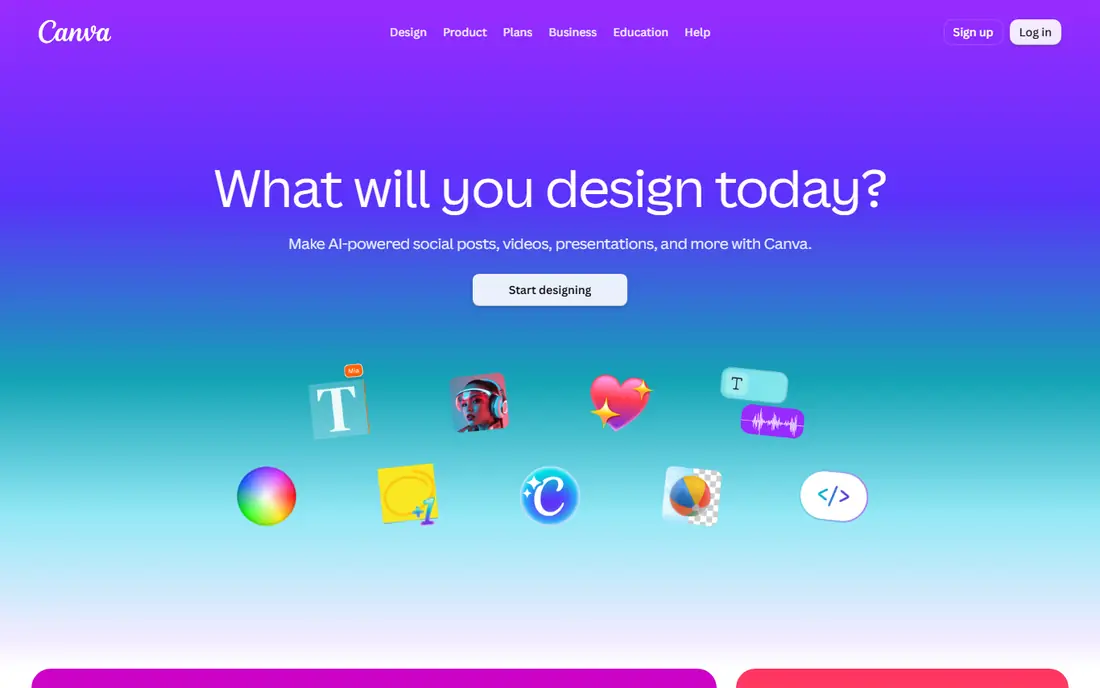
For everyday designers and small teams, Canva deserves a close look. Its main strength is a huge template library with easy text effects. That matters because it saves time on the work you do every day, rather than adding another tool you have to manage. We compared its official feature pages, pricing, and public reviews, and it holds up as a real option for the buyers described here, not just a well known name.
On the plus side, Magic features that help generate and edit designs fast. The trade-off is free plan exports and brand controls have limits. That balance suits many teams, but it is worth testing with your real workload first.
- Huge template library
- Easy text effects
- Magic features
- Free exports and brand controls have limits
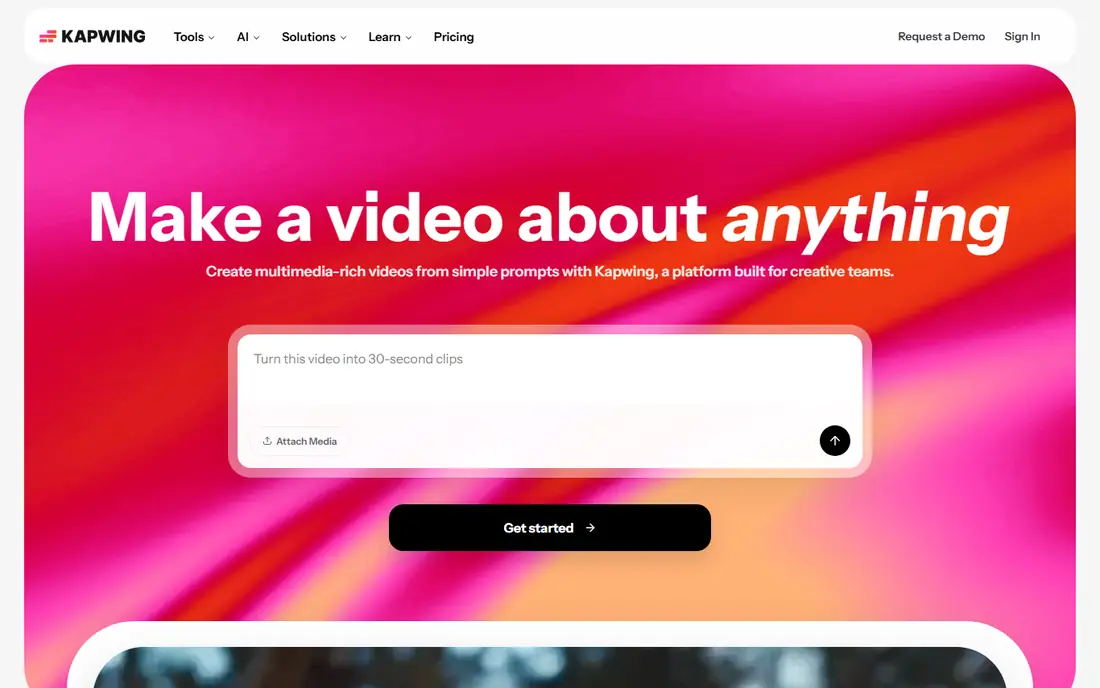
Kapwing works well when you need video creators and social teams handled without a lot of setup. Its main strength is video text effects plus automatic captions. That matters because it saves time on the work you do every day, rather than adding another tool you have to manage. We compared its official feature pages, pricing, and public reviews, and it holds up as a real option for the buyers described here, not just a well known name.
Another point in its favour is browser based editing that works without installing software. Still, free exports carry watermark and length limits. A short trial with your own data will tell you more than any feature list can.
- Video text effects
- Captions
- Browser based editing
- Free exports carry watermark limits
If your team fits video creators needing captions and titles, VEED is worth shortlisting. Its main strength is easy video text, captions, and subtitles in one editor. That matters because it saves time on the work you do every day, rather than adding another tool you have to manage. We compared its official feature pages, pricing, and public reviews, and it holds up as a real option for the buyers described here, not just a well known name.
We found templates that speed up social video titles useful in practice. The downside is the free plan has limits and a watermark. If that limit is not a problem for you, it is a sensible choice.
- Easy video text and captions
- Templates
- Subtitles
- Free plan limits and watermark
FlexClip stands out for beginners making video titles thanks to a focused feature set. Its main strength is a simple editor with text animations and templates. That matters because it saves time on the work you do every day, rather than adding another tool you have to manage. We compared its official feature pages, pricing, and public reviews, and it holds up as a real option for the buyers described here, not just a well known name.
It also offers a gentle learning curve for first time video makers. The catch to watch is depth is less than professional video editors. Compare that limit against your busiest week, not an average week.
- Simple video editor
- Text animations
- Templates
- Depth less than pro video editors
Teams dealing with small businesses needing animated titles often land on Renderforest for good reason. Its main strength is animated text templates for intros and promos. That matters because it saves time on the work you do every day, rather than adding another tool you have to manage. We compared its official feature pages, pricing, and public reviews, and it holds up as a real option for the buyers described here, not just a well known name.
Beyond the headline features, logo and video tools in one account. The drawback is free exports have limits that matter for client work. For many buyers that is acceptable, but check it before signing up.
- Animated text templates
- Logo tools
- Video maker
- Free exports have limits
Placeit is built with mockups and quick social graphics in mind, and that focus shows in daily use. Its main strength is fast designs from a huge template library. That matters because it saves time on the work you do every day, rather than adding another tool you have to manage. We compared its official feature pages, pricing, and public reviews, and it holds up as a real option for the buyers described here, not just a well known name.
We also liked mockup scenes that make text graphics look finished. The honest weakness is the subscription model and template limits reduce custom control. Run a small pilot first to see whether it matters for your use case.
- Fast mockup and text designs
- Huge templates
- Subscription model
- Less custom control
When animated video and explainer makers is the priority, Animaker is a practical place to start. Its main strength is animated text plus characters for explainers. That matters because it saves time on the work you do every day, rather than adding another tool you have to manage. We compared its official feature pages, pricing, and public reviews, and it holds up as a real option for the buyers described here, not just a well known name.
In addition, an easy timeline that suits non editors. The limitation is free plan exports are limited. That may be fine at first, yet it can matter as you grow.
- Animated text and characters
- Templates
- Easy timeline
- Free plan exports limited
VistaCreate appeals to social media designers who want clear pricing and a fast start. Its main strength is social templates with animated text options. That matters because it saves time on the work you do every day, rather than adding another tool you have to manage. We compared its official feature pages, pricing, and public reviews, and it holds up as a real option for the buyers described here, not just a well known name.
A further strength is a simple editor that suits fast daily posting. The catch is the AI feature set is smaller than Canva or Adobe Express. Weigh that against the time it saves your team each week.
- Social templates
- Animated text
- Simple editor
- Smaller AI feature set than Canva or Adobe
A good fit for small teams needing brand templates, Desygner keeps the core workflow simple. Its main strength is brand templates that keep team designs consistent. That matters because it saves time on the work you do every day, rather than adding another tool you have to manage. We compared its official feature pages, pricing, and public reviews, and it holds up as a real option for the buyers described here, not just a well known name.
Finally, text effects plus team sharing in one tool. The weakness is the template library is smaller than the leaders. If you can live with that, the overall package is easy to recommend.
- Brand templates
- Text effects
- Team sharing
- Smaller template library than the leaders
How we picked these
We checked template quality, animation options, font choices, AI generation and editing features, and whether free exports carry watermarks. We also looked at ease of use for non designers, since most buyers want fast results without learning professional software. Tools that only offered stock photos, or that could not be verified as current products, were left out.
How to Choose an AI Text Effects Tool
Decide your main output first. A thumbnail needs bold, readable static text, while a social video needs animated titles that stay readable on a phone. The best AI text effects platform for you is the one built for that output, not the one with the most templates overall. Test with your real project type, not a demo template.
Check export terms before you pay. Free plans often limit resolution, add watermarks, or restrict commercial use, which can ruin a client project. Export a test file at the size you need, open it on a phone and a desktop, and confirm it looks sharp and clean. That five minute test saves awkward rework later.
Look at fonts and readability, not just effects. Fancy glows, shadows, and 3D styles can look great in a demo and unreadable in a feed. Choose tools with strong, licensed fonts and simple controls for contrast, spacing, and outline. If viewers cannot read the title in two seconds, the effect has failed, however clever it looks.
Think about team and brand needs. If several people design for one brand, shared templates, brand colours, and font controls will matter more than one clever AI feature. Solo creators can prioritise speed and price, while teams should test sharing, approval, and asset organisation before choosing a yearly plan.
FAQ
Which AI text effects platform is best for beginners?
Canva and Adobe Express are strong beginner picks because they offer templates, guided text effects, and free plans. They let you make clean social graphics and titles without design training. Video creators who are new to editing may prefer Kapwing or VEED for animated titles.
What is the best AI text effects tool for video?
Kapwing, VEED, and FlexClip are good video choices, because they combine animated text with captions and simple timelines. They suit social video and short promos better than static design tools. For longer professional edits, pair them with a fuller video editor when needed.
Are AI text effects free?
Many tools here offer free plans, but free exports often have watermarks, resolution limits, or fewer templates. That is fine for testing and personal projects, but client work usually needs a paid plan. Check export and commercial use terms on the pricing page before you rely on a free tier.
Do I need design skills to use these tools?
No, most tools here are built for non designers, with templates and guided controls. You still need good judgement on readability, contrast, and font choice, since an effect cannot fix a cluttered layout. Start with simple templates and adjust one element at a time.
Can I use AI text effects for commercial work?
In most cases yes on a paid plan, but terms vary by tool and by asset, including fonts and stock images. Read the licence for your plan and for any AI generated elements you use. When in doubt, check the vendor terms or use your own brand assets for client work.
Sources
- https://www.adobe.com/express/pricing
- https://www.canva.com/pricing/
- https://www.kapwing.com/pricing
- https://www.veed.io/pricing
- https://www.flexclip.com/pricing
- https://www.renderforest.com/pricing
- https://placeit.net/pricing
- https://www.animaker.com/pricing
- https://create.vista.com/pricing/
- https://desygner.com/pricing