Best AI Test Management Platforms in 2026: 8 Platforms Compared
Compare the best ai test management platforms for 2026, with AI case generation, risk-based ranking, pricing, and honest limits for QA teams today, in detail.

- Editor's choice
 TestRail
Large QA teams needing structure
Starts at$22 per user per monthVisit testrail.comFull review - Great alternative
 Qase
Modern teams wanting AI case creation
Starts atFreeVisit qase.ioFull review - Also consider
 Testmo
Unified manual and automated testing
Starts at$99 per monthVisit testmo.comFull review
TL;DR:
- Qase and TestRail offer the clearest AI help for drafting cases and ranking risky tests first.
- Testmo and PractiTest suit teams that want manual, exploratory, and automated results in one place.
- Katalon and mabl go further into running tests, while the rest focus mainly on organizing them.
- Credit-based AI pricing can change the bill fast, so check what each AI action costs before you commit.
Quick comparison
| Tool | Best for | Starts at | Free plan? | |
|---|---|---|---|---|
| TestRail | Large QA teams needing structure | $22 per user per month | Free trial (30 days) | Visit |
| Qase | Modern teams wanting AI case creation | Free | Yes | Visit |
| Testmo | Unified manual and automated testing | $99 per month | Free trial (21 days) | Visit |
 PractiTest | Traceability and reporting | $49 per user per month | Free trial (14 days) | Visit |
 Zephyr | Teams living inside Jira | See website | Free trial | Visit |
 Xray | Jira-native test management | See website | Free trial | Visit |
 Katalon | Mixed web, mobile, and API testing | $70 per month | Free trial | Visit |
 mabl | Low-code AI test automation | See website | Free trial | Visit |
The best ai test management platforms
AI test management is less about replacing testers and more about cutting the busywork around them. The tools below help draft cases, rank what to run first, link results to defects, and show release readiness in one view. We compared official feature pages, pricing pages, and public documentation, and we favored tools that keep a human in charge of approving AI output.
TestRail remains the safe default for teams with large suites and strict release evidence. Cases, suites, plans, runs, and milestones sit in a clear hierarchy, and reports show coverage, progress, and failed tests without a separate reporting tool. Its AI-assisted authoring can draft cases and scenarios, and newer releases add risk-based prioritization, which helps large teams decide what to run when time is short.
The trade-off is weight. TestRail feels like a system of record first and a fast modern app second, and smaller teams may find the setup and administration heavier than they need. AI output still needs review before it joins a live suite, and that review step should be part of your process rather than an afterthought. For regulated work and large regression suites, that discipline is a strength rather than a flaw.
- Mature case organization
- Strong reporting and traceability
- Cloud and on-premise options on higher plans
- No permanent free plan
- AI features are newer than some rivals
- Per-seat cost rises at scale
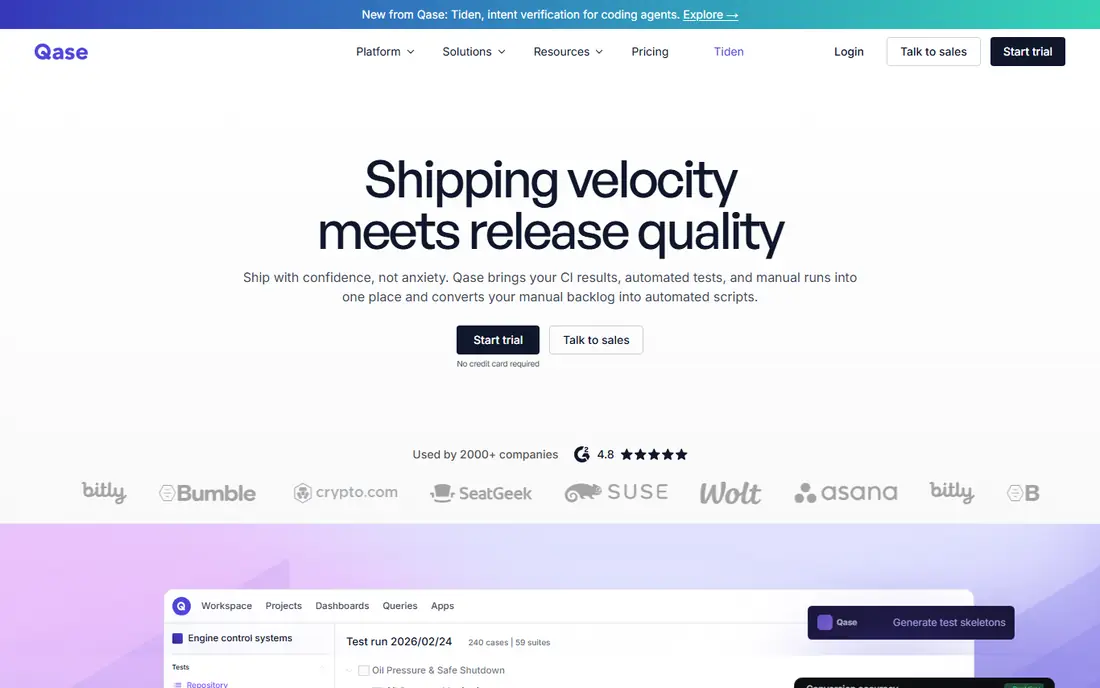
Qase is our pick for teams that want a modern workspace without enterprise complexity. Shared steps cut duplication, defect tracking links issues to runs, and integrations cover Jira, Linear, GitHub, and common automation frameworks. The AI designer can turn requirements from tools such as Jira or Confluence into draft manual cases, and a separate AI feature can convert cases into automation code for frameworks such as Playwright.
The free plan is genuinely useful for up to four users, which makes a trial low risk. Paid plans start at $35 per user per month when billed annually, and AI credits need watching if your whole team generates cases at once. If you need self-hosting or very deep custom reporting, look at TestRail or PractiTest instead.
- Free plan for small teams
- AI test designer from requirements
- Clean, fast interface
- No on-premise option
- AI credits are metered
- Free plan limits projects and history
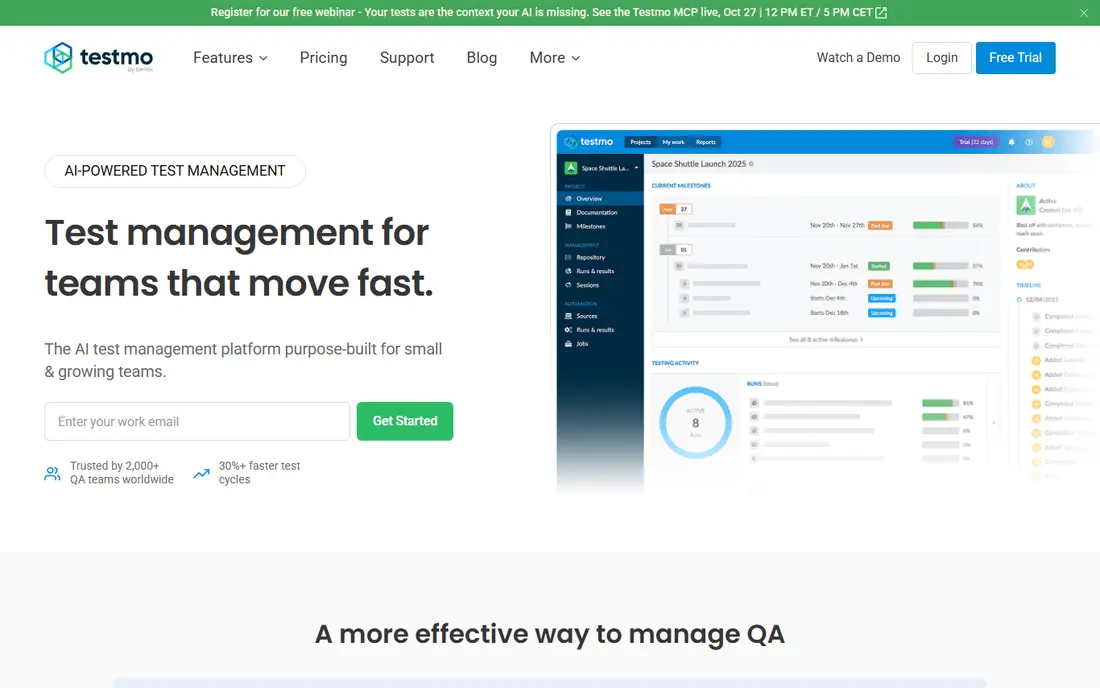
Testmo appeals to teams tired of checking three places for test status. Manual runs, exploratory sessions, and automated results land in one project view, with reports that show progress over time rather than a single snapshot. That unity matters during a release week, when managers need one answer about readiness and testers need detail about what failed and where.
Pricing is bundled rather than per seat at the entry level, which can be good value for a team of up to ten users and less attractive for a team of two. Testmo does not try to be an automation runner, so you still need frameworks for execution. Choose it when organization and visibility matter more than AI generation.
- Manual, exploratory, and automation results together
- Clear bundle pricing
- Strong integrations
- Cloud only
- Bundle pricing can overshoot very small teams
- Fewer AI authoring features than Qase
PractiTest suits QA leads who answer to product and compliance teams as well as developers. Requirements, test sets, runs, issues, and reports connect in one chain, so you can trace a defect back to the requirement it was meant to cover. Custom fields, filters, and dashboards let different teams see the same data in different ways, which helps when one team cares about coverage and another cares about release risk.
The price is the main barrier. At $49 per user per month, it costs more than Qase or TestRail entry plans, and the interface rewards teams that invest time in setup. For small teams with simple suites, that investment may not pay off. For mid-size and larger teams that need audit-ready evidence, it often does.
- End-to-end traceability from requirements to defects
- Flexible dashboards
- Mature integrations
- Higher per-seat price
- Minimum seat counts on some plans
- Interface takes time to learn
Zephyr, from SmartBear, is built for teams that already plan work in Jira and do not want a second home for testing. Test cases, execution, and defects stay close to the issues developers already use, which reduces context switching and keeps traceability visible in the project itself. Reusable components help larger Jira organizations avoid rewriting the same cases for every project.
The catch is lock-in by design. If your team leaves Jira, Zephyr loses much of its appeal, and pricing through the Atlassian Marketplace depends on your Jira user count rather than just your tester count. Jira administration also matters, since permissions and project setup shape the testing experience. For committed Jira shops, it is a strong fit.
- Native Jira workflow
- Reusable test libraries
- Cross-project reporting on higher tiers
- Value depends on staying in Jira
- Pricing varies by Jira user tier
- Admin work falls on Jira admins
Xray takes the Jira-native idea further by treating tests as Jira issues with their own workflows. That approach gives teams native traceability between requirements, tests, and defects, plus support for behavior-driven development workflows that link plain-language scenarios to automated tests. Teams that already think in Jira issues tend to pick it up quickly.
New testers sometimes find the model confusing at first, because a test case is not a separate object in a separate tool. It is a Jira issue with specific fields and statuses. Pricing also follows the Atlassian model, so budget for your full Jira user tier rather than only QA seats. If Jira is your center of gravity, Xray is a serious alternative to Zephyr.
- Tests as Jira issue types
- Behavior-driven development support
- Automatic traceability
- Requires Jira
- Can feel complex for new testers
- Pricing scales with Jira users
Katalon is different from the tools above because it both manages and runs tests. Teams can record tests, write them in code, or mix both, and cover web, mobile, API, and desktop apps from one project. AI features help with authoring and self-healing locators, which reduce breakage when an interface changes. That breadth suits mixed-skill teams where some testers code and others do not.
The free desktop tool is a useful starting point, but serious team features, reporting, and cloud execution sit on paid plans, so the total cost needs a careful look. Katalon also asks more setup effort than a pure cloud test manager. Pick it when you need execution as well as organization, not when you only need a case library.
- Web, mobile, API, and desktop testing in one platform
- Low-code and code options
- Self-healing locators
- Paid tiers rise quickly
- Desktop tool setup takes effort
- Some advanced features sit on higher plans
mabl focuses on keeping automated browser tests alive as products change. Its AI-based auto-healing repairs tests when the interface shifts, and failure summaries point to likely causes instead of leaving testers to read raw logs. Low-code authoring makes it accessible to testers who do not write code every day, while API and accessibility testing extend coverage beyond the browser.
Pricing is the main drawback. mabl does not publish a simple per-seat price, and cloud runs consume credits, so budgeting requires a sales conversation tied to your run volume. Native mobile testing is an add-on rather than a core inclusion. For teams with frequently changing interfaces and heavy regression maintenance, the time saved can justify that sales cycle.
- AI auto-healing and failure insights
- Low-code authoring
- Cloud, API, and accessibility testing
- Quote-only pricing
- Cloud runs use credits
- Native mobile testing costs extra
How we picked these
We compared official product pages, pricing pages, and documentation, plus public reviews, and we kept only tools that are actively sold and maintained in 2026. We favored platforms that cover test organization, execution results, and reporting in a coherent way, and we gave extra weight to AI features that a tester can review and approve, such as case generation and risk ranking. We did not count marketing claims about AI as proof, and we noted where pricing is metered, quote-only, or tied to another platform such as Jira.
What to check before you buy
Start with your execution model. If you only need to organize manual cases and collect automation results, a test manager such as Qase, Testmo, or TestRail is enough. If you also need to run browser, mobile, or API tests, add Katalon or mabl to the shortlist and compare their run costs against your current frameworks.
AI features worth testing in a trial
Run AI generation on your own requirements, not a vendor demo. Check how often drafts need major rewrites, how clearly the tool explains a healed test, and how easy it is to reject bad output. A tool that generates plausible but wrong cases can cost more time than it saves.
Pricing traps to model
Model three numbers: seats, AI credits, and run volume. A low per-seat price can hide credit limits, and a bundled price can hide seat limits. Ask each vendor what happens when you exceed credits or runs mid-month, and get that answer in writing before an annual contract.
Migration and integrations
Import a real slice of your current suite during the trial, including shared steps, custom fields, and defect links. Check Jira, GitHub, and CI integrations with your actual tools, and confirm who owns data export if you leave. Migration pain often decides long-term satisfaction more than a feature list.
FAQ
What is an AI test management platform?
It is a tool that organizes test cases, plans, runs, and results, and uses AI to help draft cases, rank risky tests, or explain failures. It does not replace test strategy, and a tester should review AI-generated cases before they become part of a release suite.
Do AI test tools replace QA engineers?
No. They reduce drafting and maintenance work, but someone still designs coverage, reviews AI output, and investigates real failures. Teams that treat AI output as final tend to ship weaker suites, not stronger ones.
How much do AI test management platforms cost?
Entry prices in this list range from free plans to about $99 per month for a small team bundle, while per-seat plans run from about $22 to $49 per user per month. Quote-only tools such as mabl depend on run volume and credits, so ask for a quote based on your actual usage.
Which platform is best for Jira teams?
Zephyr and Xray are the strongest Jira-native choices, because tests live inside Jira workflows and traceability is automatic. TestRail, Qase, Testmo, and PractiTest also integrate with Jira, but they remain separate tools with their own workspaces.
Is a free plan enough for a small team?
Qase offers a free plan for up to four users, which can work for a very small team. Most teams outgrow free limits on projects, history, or AI credits, so treat a free plan as a trial for your real workflow rather than a permanent home.
Should AI-generated tests be approved before use?
Yes. Review every AI-generated case for correct steps, expected results, and coverage of edge cases. AI tools are good at drafting structure and common paths, and weaker at judging business risk and unusual inputs.