Best AI Test Automation Platform in 2026: 8 Platforms Compared
Compare the best ai test automation platform options in 2026, from mabl and Testim to Katalon and Applitools, with pricing, strengths and honest limits.
- Editor's choice
 mabl
Self-healing web and API tests
Starts atSee websiteVisit mabl.comFull review - Great alternative
 Tricentis Testim
AI-assisted enterprise web tests
Starts atSee websiteVisit tricentis.comFull review - Also consider
 Functionize
Agentic testing for changing UIs
Starts at$20 per monthVisit functionize.comFull review
TL;DR:
- mabl and Testim lead on self-healing tests for web apps that change often, but both are quote based, so budget for a sales conversation.
- Katalon and LambdaTest are easier to start with, because they publish entry pricing and cover web, mobile and API testing in one place.
- Applitools is a visual testing specialist, not a full test platform, so pair it with a functional tool rather than judging it alone.
- Functionize, Testsigma and testRigor suit teams that want plain-language or low-code authoring, but you should check how portable your tests are.
- AI features only help if they cut real maintenance time, so trial each tool on your own changing screens before you sign.
Quick comparison
| Tool | Best for | Starts at | Free plan? | |
|---|---|---|---|---|
| mabl | Self-healing web and API tests | See website | Free trial | Visit |
| Tricentis Testim | AI-assisted enterprise web tests | See website | Yes | Visit |
| Functionize | Agentic testing for changing UIs | $20 per month | Yes | Visit |
 Applitools | Visual regression testing | $667 per month | Free trial | Visit |
 Testsigma | Low-code AI test authoring | See website | Free trial | Visit |
 Katalon | Mixed teams testing everything | See website | Yes | Visit |
 LambdaTest | Device grid plus AI authoring | $15 per month | Yes | Visit |
 testRigor | Plain-English test authoring | See website | Free trial | Visit |
The best AI test automation platforms
AI test automation tools use AI to create tests, fix broken locators, analyse failures and reduce the manual work of keeping a suite green. We compared official feature pages, pricing pages and public documentation, and we kept platforms that are actively sold in October 2026. The best AI tool for test automation depends on what breaks most often in your suite, so we note that strength for each platform.
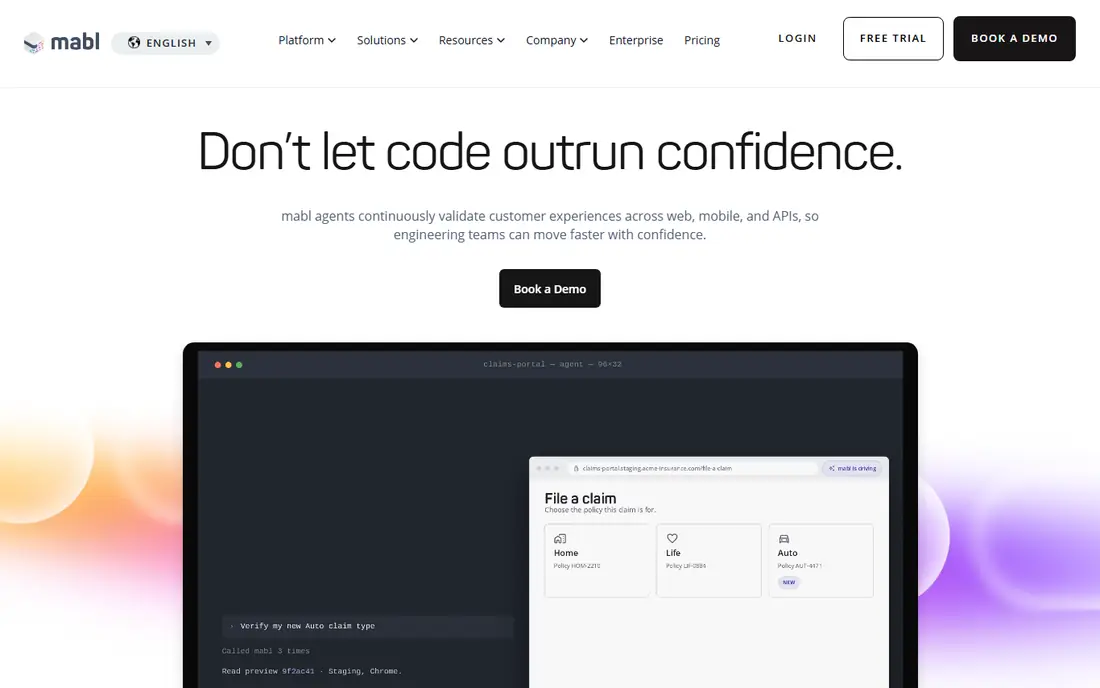
mabl is built around the idea that tests should survive normal product changes. When a button label, layout or element changes, its AI tries to adapt the test rather than failing it, and it explains what changed so you can review the fix. That is valuable for teams whose main pain is test maintenance, not test creation. It also covers API and mobile tests, so you are not limited to one surface.
The catch is pricing transparency. Plans are quote based and cloud runs are credit metered, so you need a written quote tied to your run volume and parallel needs. Start with the trial on your most fragile tests, measure how many failures are healed versus how many still need manual work, and use that result to judge value.
- Auto-healing for changing UIs
- Covers web, mobile and API tests
- Built-in visual checks and failure analysis
- Pricing is quote based and credit metered
- Can be costly for very large suites
- Learning curve for advanced features

Testim, part of Tricentis, uses AI locators that rely on many attributes of an element, rather than a single selector, so tests are less likely to break when one attribute changes. That approach suits enterprise web apps, including Salesforce, where releases change the interface regularly. A free community plan lets you try the core authoring experience before talking to sales.
Paid pricing is quote based, which makes budgeting harder until you have a proposal. It also sits inside a larger Tricentis suite, which is a plus if you already use Tricentis tools, and a heavier decision if you do not. Trial it on a real enterprise workflow, not a demo page, to see how it handles your actual changes.
- Community plan for getting started
- AI locators based on many element attributes
- Strong fit for Salesforce and enterprise web apps
- Paid plans are quote based
- Enterprise setup can be heavy
- Mobile testing is a separate package in some cases
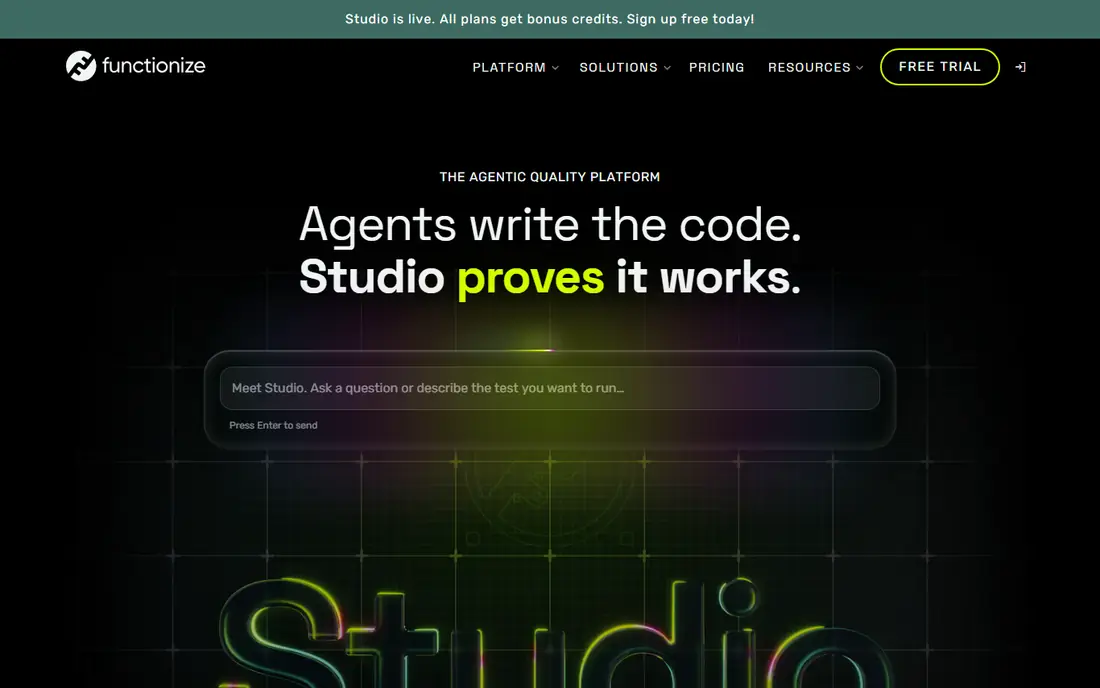
Functionize stands out in this list for publishing a low entry price. Its Growth plan starts at $20 per month, with a free tier for trying the product, which makes it easier to test than most quote-only rivals. Its agentic testing approach aims to create and maintain tests with less manual scripting, which suits teams with fast-changing single-page apps.
The honest check is whether agentic creation produces tests you can trust and maintain. Run the same regression scenario you already know well, compare Functionize results with your current suite, and check what happens when you export or move tests. Low entry price is only a win if the tests stay reliable over several releases.
- Published Growth plan from $20 per month
- Free tier for trying it
- Agentic approach to test creation and maintenance
- Newer approach needs validation on your stack
- Enterprise features are higher tiers
- Test portability needs checking
Applitools Eyes is a visual testing specialist. Instead of comparing screenshots pixel by pixel, its Visual AI tries to judge changes the way a person would, so a small shift in rendering does not flood you with false failures, while a real layout break still gets caught. That matters for teams with many pages, components and device sizes, where visual checks are otherwise noisy.
It is not a replacement for functional testing. You still need a tool to drive clicks, forms and API calls, and Applitools adds the visual layer on top. At $667 per month for Starter billed annually, it is priced for teams where visual quality is a core risk, not for a team that only needs an occasional screenshot check.
- Visual AI that reduces false positives from minor pixel shifts
- Works across browsers and devices
- SDKs for common frameworks
- Starter at $667 per month billed annually is steep for small teams
- Not a full functional test platform
- Needs pairing with another tool
Testsigma lets teams write tests in plain language and low-code steps, which helps when testers are not full-time coders. Its newer AI platform adds agents for generating tests, healing broken steps and analysing failures, which aims to cut the maintenance burden that low-code tools sometimes create. It also covers web, mobile and API testing, plus a device cloud on higher plans.
Pricing is the main friction. Current plans are shown as custom pricing, so you will need a quote tied to your team size, device needs and run volume. Before you commit, check how tests are stored, whether you can export them, and how parallel runs are counted, because those details decide the real monthly cost.
- Natural-language test authoring
- Covers web, mobile and API
- AI agents for generation, healing and analysis
- Pricing is quote based on current pages
- Breadth can add complexity
- Check device and parallel limits before buying
Katalon suits teams where testers and engineers share the same platform but have different skill levels. Less technical testers can record and build tests visually, while engineers can work in script mode and use the same project. Its StudioAssist AI helps generate tests and summarise results, and the platform covers web, mobile, API and desktop in one place.
The free tier is useful for local recording and learning, but team features, cloud execution and advanced AI are paid. Because published prices have varied across sources, check the vendor pricing page for your plan and seat count rather than relying on a third-party figure. If your team tests many surfaces, that breadth is the reason to pick Katalon over a web-only tool.
- Free tier for local recording
- Covers web, mobile, API and desktop
- AI assistant for test generation and summaries
- Paid pricing varies by plan and needs confirmation on the vendor site
- Breadth can feel complex
- Some advanced features are paid only
LambdaTest, now also known for TestMu AI, combines a large browser and device grid with AI-assisted test authoring. That pairing suits teams that need to check their app on many devices and browsers, and also want AI help to create tests faster. The Live plan from $15 per month makes it one of the cheapest entry points in this list, with a free tier for trying the basics.
Grid pricing still depends on parallels and plan level, so a team running many tests at once will pay more than the entry figure. It is also worth checking whether you need its full test management features or mainly its grid, because the answer changes which plan you should compare. For device coverage on a budget, it is a strong starting point.
- Live plan from $15 per month
- Large real-device and browser grid
- AI test authoring under its TestMu AI work
- Grid strength is not the same as full test management
- Higher plans rise with parallels
- AI features vary by plan
testRigor lets you write tests in plain English, such as describing a login step in words rather than code. That lowers the barrier for business analysts and manual testers, and it covers web, mobile, desktop and API surfaces, which is broader than many plain-language tools. For teams where the bottleneck is who can write tests, that accessibility is the main selling point.
Pricing is quote based, so you need a proposal tied to your execution volume. Because tests run on the vendor platform, also check how you export, version and move tests if you later change tools. Trial it with a tester who does not code, on a real workflow, to see whether plain English really stays plain when the workflow gets complex.
- Tests written in plain English
- Covers web, mobile, desktop and API
- No-code authoring for business testers
- Pricing is quote based
- Execution model is vendor-run, so check portability
- Complex logic may still need technical input
How we picked these
We compared official feature pages, pricing pages and public documentation, and we kept platforms that are actively sold in October 2026 and truly use AI for test creation, healing or analysis, rather than just adding an AI label to a record-and-playback tool. We looked for a real execution model, a clear audience, and a trial or free tier you can actually use. We did not rank on marketing claims about accuracy, and we treated quote-only pricing as a real cost in time, not just money.
How to trial AI testing tools fairly
Pick one regression scenario that breaks often, and run it in two tools for a month. Count how many tests you wrote, how many broke after a product change, how many were healed automatically, and how long failures took to diagnose. That four-number test beats a demo, because demos use stable pages that hide the maintenance problem.
Also check test ownership. Ask how tests are stored, whether you can run them in your own CI, and what happens to them if you cancel. A tool that heals well but locks your tests away is a risky long-term bet. Finally, model cost on your real run volume, including parallels and cloud minutes, not just the headline seat price.
FAQ
What is the best AI test automation platform?
mabl is a strong pick for self-healing web tests, Testim suits enterprise web teams, and Katalon suits mixed teams that test web, mobile and API. The best platform depends on which surface you test most and how often your UI changes, so trial two on your own app before you choose.
What are the best AI test automation tools for non-coders?
Testsigma and testRigor are the clearest low-code and plain-English options in this list, with Functionize also aiming at low-effort authoring. All three still need a trial on your real workflows, because plain language gets harder as logic gets more complex.
Is Applitools a full test automation platform?
No, Applitools is a visual testing specialist. It excels at catching layout and visual regressions across browsers and devices, but you still need a functional tool to drive actions and check behaviour. Pair it with mabl, Katalon or another functional platform.
How much does mabl cost?
mabl pricing is quote based, with cloud runs metered by credits and a free trial for evaluation. Ask for a written quote tied to your run volume, parallel needs and team size, and compare it on the same volume you would give every other vendor.
Can AI testing replace manual QA?
AI testing can cut repetitive regression work and catch regressions faster, but it does not replace exploratory testing, usability judgment or domain knowledge. The best teams use AI tools to cover repeatable checks, and keep human testers for new features, edge cases and user experience.
What is self-healing in test automation?
Self-healing means the tool tries to adapt a test when an element changes, for example when a label or locator changes, rather than failing the test outright. Good self-healing explains what changed and lets you review it. It reduces maintenance, but it does not remove the need to review healed tests, because a healed test can hide a real product change.