8 Best AI Personal Assistant Apps for 2026
Compare the best ai personal assistant apps for daily tasks, writing, search, and device help, with free plans, prices, and honest limits for work in 2026.
- Editor's choice
 ChatGPT
A general daily assistant for writing, planning, research, and app tasks
Starts atFree, Plus from $20 per monthVisit chatgpt.comFull review - Great alternative
 Google Gemini
Android users and people who live in Google apps
Starts atFree, paid plans see websiteVisit gemini.google.comFull review - Also consider
 Microsoft Copilot
Windows users and Microsoft 365 teams
Starts atFree, paid plans see websiteVisit copilot.microsoft.comFull review
TL;DR:
- ChatGPT and Gemini suit most users as general assistants, with broad app and device links.
- Microsoft Copilot suits Windows and Microsoft 365 users, while Claude suits long writing and careful reasoning tasks.
- Perplexity suits research first users who want sources with answers, and Pi suits a calmer conversational style.
- Voice assistants like Alexa and Google Assistant still win for hands-free home and phone tasks.
- Check privacy, data retention, and connected app permissions before linking an assistant to email, calendar, or files.
Quick comparison
| Tool | Best for | Starts at | Free plan? | |
|---|---|---|---|---|
| ChatGPT | A general daily assistant for writing, planning, research, and app tasks | Free, Plus from $20 per month | Yes | Visit |
| Google Gemini | Android users and people who live in Google apps | Free, paid plans see website | Yes | Visit |
| Microsoft Copilot | Windows users and Microsoft 365 teams | Free, paid plans see website | Yes | Visit |
 Claude | Long documents, careful writing, and analysis | Free, Pro from $20 per month | Yes | Visit |
 Perplexity | Research questions where sources matter | Free, Pro from $20 per month | Yes | Visit |
 Pi | Users who want a calm, conversational assistant for daily life | Free | Yes | Visit |
 Amazon Alexa | Hands-free home control, routines, timers, and music | Free with device, paid options see website | Yes | Visit |
 Google Assistant | Android and Google Home users who want fast voice help | Free | Yes | Visit |
The best AI personal assistant apps
ChatGPT
Best for: A general daily assistant for writing, planning, research, and app tasks
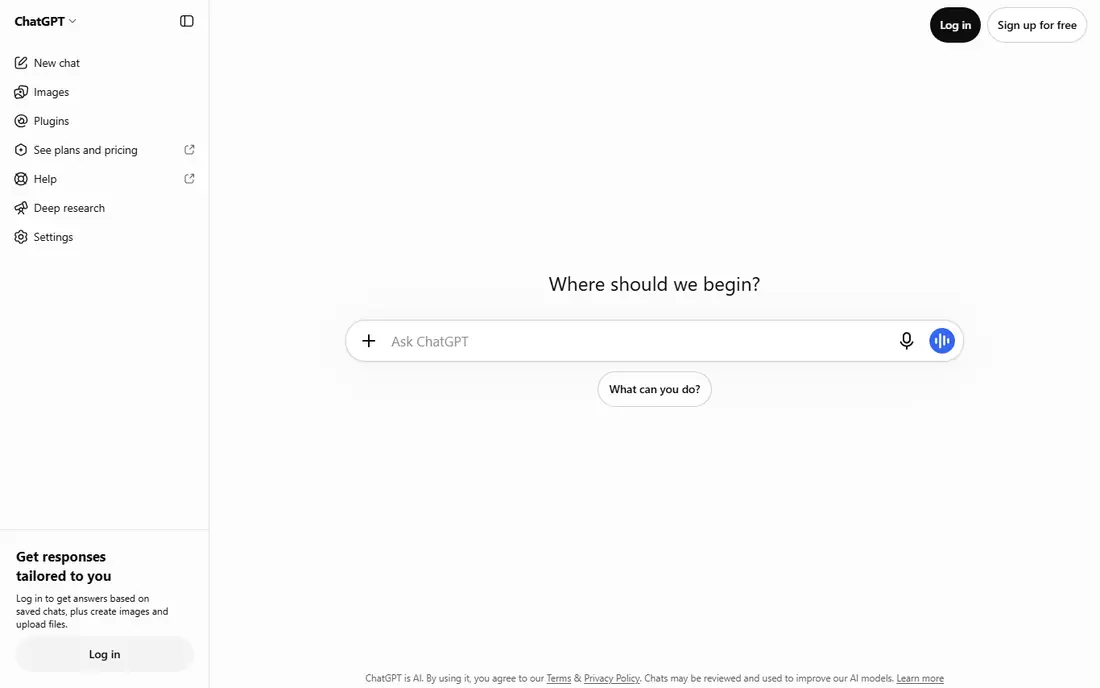
ChatGPT is the most flexible personal assistant for most people. It can draft emails, plan a week, explain a topic, summarize a document, and help with code, all in one chat. Voice mode makes it useful on the move, and app connections let it work with calendars, files, and other tools depending on your plan and settings. That breadth means you rarely need a second assistant for a basic task. The free tier covers everyday use, but advanced models, higher limits, and some tools sit behind Plus. Answers can also sound confident while being wrong, so check facts, prices, and dates before acting on them. ChatGPT fits best as a daily helper for drafting and planning, with human review for anything important.
- Broad skills, app and web tools, voice mode, large ecosystem
- Free tier limits on advanced models, and answers need fact checking
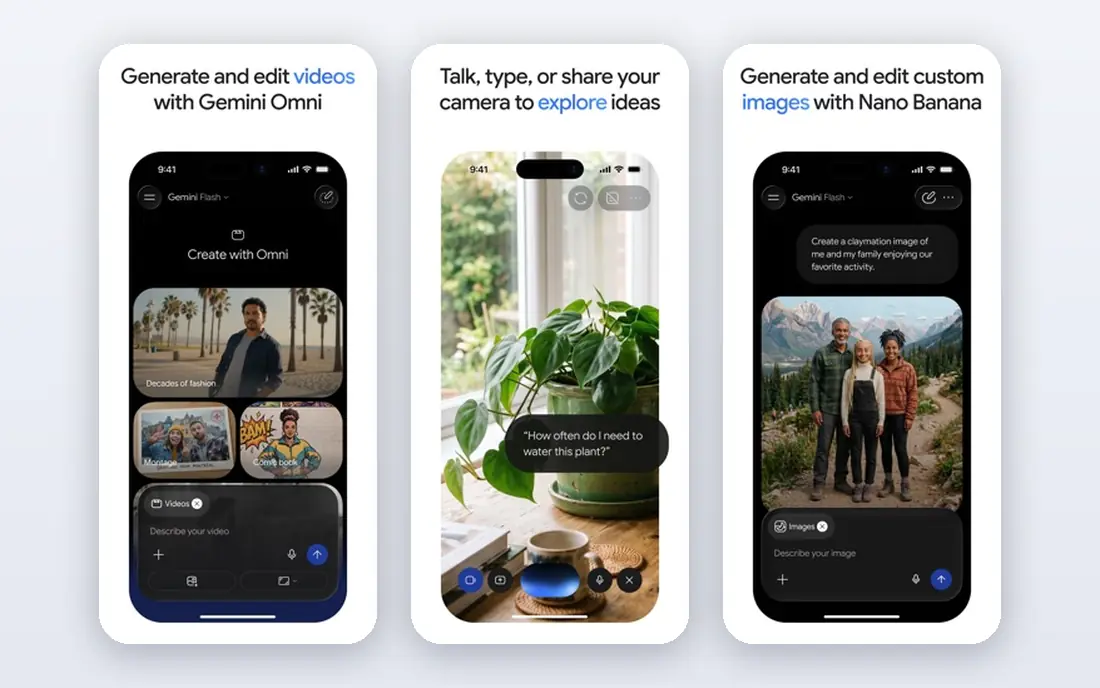
Gemini shines when your daily life runs through Google. On Android it can help with messages, calendar, email summaries, and on-screen tasks, and on the web it works with Docs, Gmail, and Drive in useful ways. It also handles images, voice, and longer documents well, which makes it a good assistant for research and planning, not just quick questions. Availability is uneven. Some features arrive first on Pixel or newer Android phones, and some Google Workspace links depend on your account type. Gemini also needs the same fact checking as any AI assistant, especially for local details and prices. For Google centered users, it is often the most convenient choice because it is already close to the apps they use.
- Deep Google app links, Android integration, strong search and multimodal help
- Feature availability varies by device, region, and plan
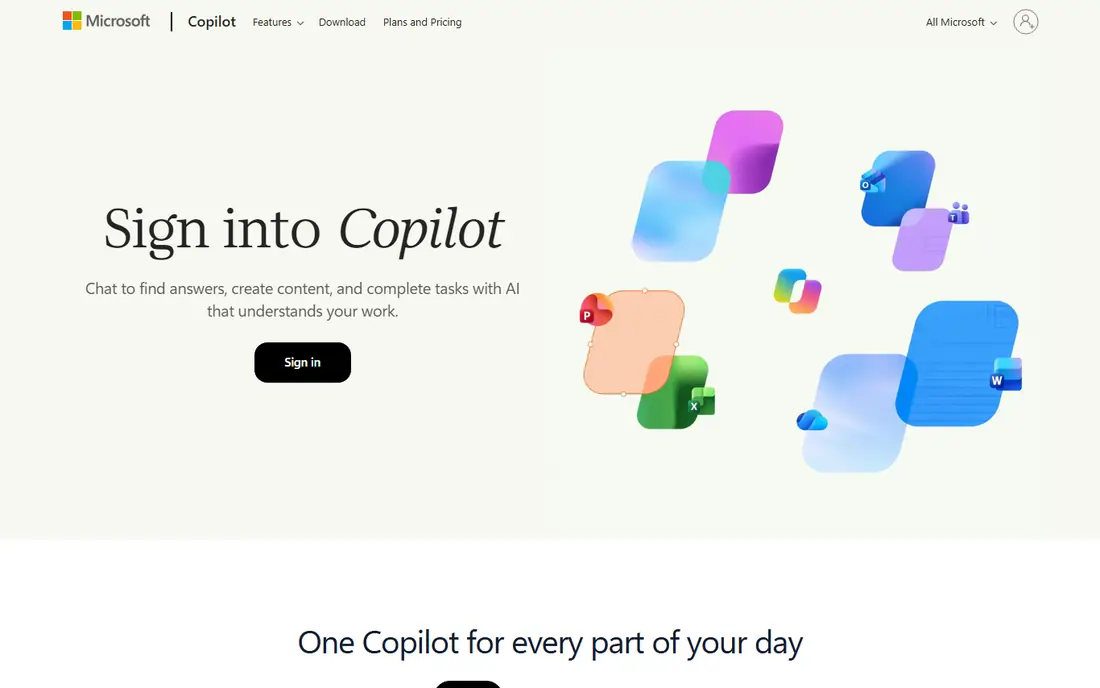
Copilot is the natural assistant for Windows and Microsoft 365 users. It can help draft in Word, summarize in Outlook, build tables in Excel, and answer questions from the web, all with Microsoft account links. On Windows it can also help with settings and system tasks, which saves time for users who spend their day in Microsoft tools. The free version covers chat and basic help, while deeper Microsoft 365 integration needs a paid Copilot plan. That tier decision should follow actual use: if you rarely use Word, Excel, or Teams, a general assistant may be enough. For office heavy users, Copilot can cut small daily tasks into a single prompt.
- Windows integration, Microsoft 365 help, web search with sources
- Fullest Microsoft 365 features need a paid plan
Claude is a strong pick for readers and writers. It handles long documents, keeps tone consistent across a draft, and explains its reasoning in a clear, structured way. That makes it useful for reports, essays, lesson plans, and careful email drafts where clarity matters more than speed. Many users also find its style less salesy than other assistants. Consumer integrations are thinner. Claude does not match ChatGPT or Gemini for device control, shopping, or broad app connections. It fits best as a thinking and writing partner, used alongside a device assistant for alarms, messages, and home control. If your main assistant job is writing and analysis, Claude deserves a trial.
- Strong long-form writing, clear reasoning, large document handling
- Fewer consumer app links than ChatGPT or Gemini
Perplexity is built for answers you can check. Ask a question, and it searches the web, summarizes sources, and links to them, so you can open the original page and verify a claim. Follow-up questions keep the thread going, which helps for product research, news, and learning a new topic. That source first design sets it apart from assistants that answer from memory alone. It is not the best tool for long creative drafts or for controlling a phone or home. Perplexity also depends on web sources, so recent or niche topics may have thin coverage. Use it as a research assistant, then move a verified answer into ChatGPT, Claude, or a document tool for writing and planning.
- Answers with citations, web search focus, follow-up questions
- Less suited to long creative writing or device control
Pi, from Inflection, takes a gentler approach. It is designed for conversation, advice, brainstorming, and daily planning, with a tone that feels more like a thoughtful helper than a search engine. Voice chat works well for walks and commutes, and the free core app makes it easy to try without a subscription decision. The tool set is smaller. Pi does not offer the same app links, document tools, or device control as ChatGPT, Gemini, or Copilot. It fits best for users who want a low pressure assistant for thinking through a day, a decision, or a message, rather than a full productivity platform. Keep a second assistant for research with sources or for office work.
- Friendly conversational tone, voice chat, free core use
- Smaller tool set and fewer app integrations than major rivals
Alexa remains the most practical voice assistant for many homes. It controls lights, plugs, thermostats, and speakers, runs routines with one phrase, and handles timers, reminders, shopping lists, and music without a screen. Echo devices are widely available, and the app helps manage devices and routines from a phone. Chat depth is less consistent than ChatGPT or Claude, and some advanced AI features sit behind paid options or device limits. Privacy settings also deserve attention, including voice history and data retention controls. Alexa fits best as a home assistant, used alongside a chat assistant for writing and research. For a home full of smart devices, that pairing works well.
- Strong smart home support, routines, wide device range
- AI chat depth varies, and privacy settings need review
Google Assistant
Best for: Android and Google Home users who want fast voice help
Google Assistant is still the quick voice layer for many Android phones and Google Home devices. It sets alarms, sends messages, checks calendars, controls smart home gear, and answers factual questions with Google search behind it. On many devices it now works alongside or through Gemini, which adds stronger AI chat while keeping voice commands simple. That transition creates variation. Features, wake words, and Gemini links differ by phone, region, and account, so two users may see different behavior. Google Assistant fits best for fast, hands-free tasks rather than long writing or deep research. For Android users, it remains a useful daily layer, even as Gemini takes on more complex assistant work.
- Fast voice answers, Google app links, broad Android support
- Transition to Gemini varies by device, so features differ
How we picked these
We chose assistants that work as personal apps today, with a current homepage and real daily use on phones, computers, or voice devices. We mixed general chat assistants, research assistants, a conversational assistant, and voice assistants, so readers can pick by device and task rather than by hype. We weighted free tier quality, app links, voice support, and honest limits. An assistant that only answers chat questions is not the same as one that controls a home or drafts in office apps, and we noted that difference in each write-up. We avoided assistants that had shut down, required invite access, or lacked a clear consumer app in October 2026.
How to set up an AI assistant without giving away too much
Start with one assistant and one job, such as daily planning or email drafts. Turn on only the app links you need, and check what the assistant can read, such as calendar, email, or files. Review data retention, chat history, and voice history settings in the first week, and turn off history or auto-saving if you prefer a tighter setup. Keep a habit of checking important answers. Verify dates, prices, addresses, and medical or financial claims before you act on them, and avoid pasting passwords, ID numbers, or highly sensitive personal data into any chat assistant. A good assistant saves time on routine work, but it should not become the sole source for decisions that affect health, money, or safety.
FAQ
What is the best AI personal assistant app?
ChatGPT suits most users as a general assistant, while Gemini suits Android and Google users and Copilot suits Microsoft 365 users. The best ai personal assistant app depends on your devices and daily tasks. Try the free tier of two assistants for a week, using the same tasks in each, before paying.
Are AI personal assistant apps free?
Many offer useful free tiers, including ChatGPT, Gemini, Copilot, Claude, Perplexity, Pi, and Google Assistant. Paid plans add higher limits, advanced models, and deeper app links. Start free, then pay only if you hit limits or need a feature you use weekly.
Can an AI assistant manage my calendar and email?
Yes, with limits and permissions. Gemini links to Google Calendar and Gmail, Copilot links to Microsoft 365, and ChatGPT offers app connections depending on plan. Check which actions need approval, review connected apps regularly, and keep sensitive email out of prompts when possible.
Is ChatGPT or Gemini better?
ChatGPT offers a broader general ecosystem and app tools, while Gemini offers tighter Google and Android links. If you live in Google apps and Android, Gemini is often more convenient. If you want one assistant across many platforms and tasks, ChatGPT is often the safer default.
Do AI assistants replace Siri or Alexa?
Not fully. Siri and Alexa still handle device and home tasks well, while chat assistants handle writing, research, and planning better. Many users pair them, using voice for alarms and home control and chat for drafts and research. Check your device to see which assistant is set as the default.
How do I keep my data safer with an AI assistant?
Use strong account security, review connected apps, check chat and voice history settings, and avoid sharing passwords or ID numbers. Turn off data options you do not need, and delete sensitive chats when finished. Read the privacy policy for the assistant you choose, since retention rules differ by vendor and plan.
Sources
https://chatgpt.com https://gemini.google.com https://copilot.microsoft.com https://claude.ai https://www.perplexity.ai https://pi.ai https://www.amazon.com https://assistant.google.com