Best AI Assistant Apps in 2026: 8 Apps Compared
Compare the best AI assistant apps in 2026, with chat, search, voice, pricing and privacy limits to help you pick the best AI assistant app for work and study.
- Editor's choice
 ChatGPT
Most people as a general assistant
Starts atFreeVisit chatgpt.comFull review - Great alternative
 Claude
Long documents and careful analysis
Starts atFreeVisit claude.comFull review - Also consider
 Google Gemini
Users who live in Google apps
Starts atFreeVisit gemini.google.comFull review
TL;DR:
- ChatGPT suits most users as a general assistant, while Claude suits long writing and careful analysis.
- Google Gemini suits users in Google Workspace, and Microsoft Copilot suits users in Microsoft 365.
- Perplexity suits research with cited sources, while Pi suits a calm, conversational assistant.
- Free plans cover many daily tasks, but paid plans add faster models, larger context and better file handling.
Quick comparison
| Tool | Best for | Starts at | Free plan? | |
|---|---|---|---|---|
| ChatGPT | Most people as a general assistant | Free | Yes | Visit |
| Claude | Long documents and careful analysis | Free | Yes | Visit |
| Google Gemini | Users who live in Google apps | Free | Yes | Visit |
 Microsoft Copilot | Users who live in Microsoft 365 | Free | Yes | Visit |
 Perplexity | Research with cited sources | Free | Yes | Visit |
 Pi | A calm, conversational assistant | Free | Yes | Visit |
 Meta AI | Users already on WhatsApp, Instagram or Facebook | Free | Yes | Visit |
 Poe | Trying many AI models in one place | Free | Yes | Visit |
The best AI assistant apps
AI assistants now handle writing, research, planning, coding help and everyday questions. The apps below differ in model quality, search, file handling and ecosystem links. Pick the one that fits your main job, and keep a second app for tasks where the first is weak.
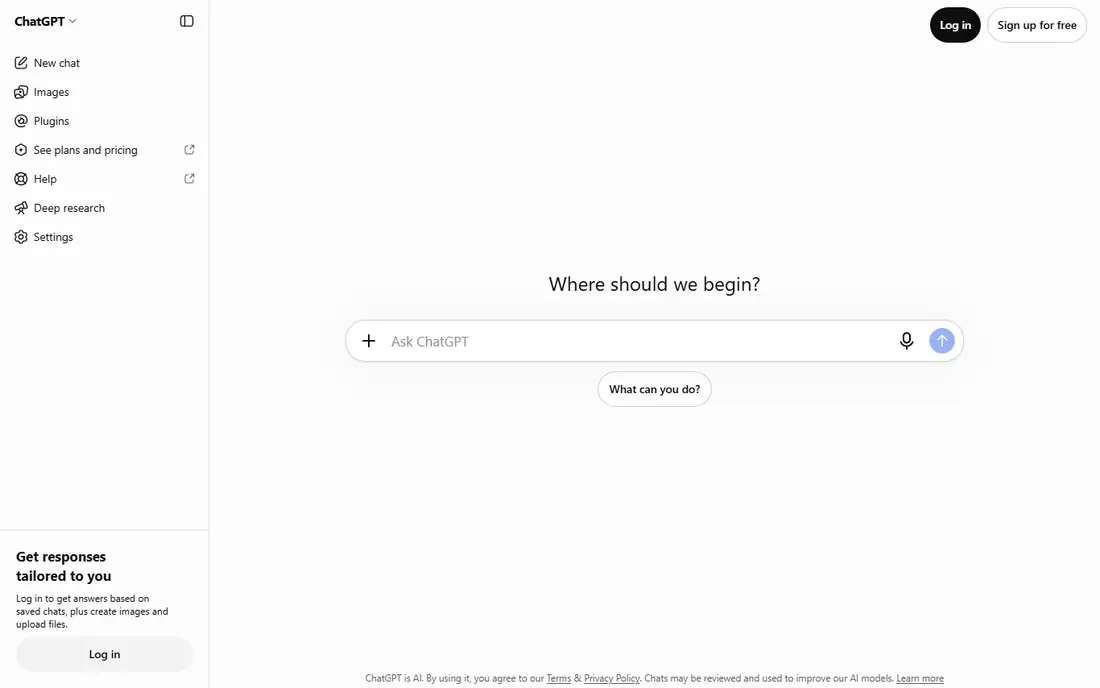
ChatGPT, from OpenAI, is the most versatile assistant in this list. It drafts emails, explains concepts, helps with code, plans trips and summarizes documents, with voice and image input on supported plans. The free plan covers many daily tasks, while paid plans add faster models, larger context and priority access. That breadth makes it our pick for most people who want one assistant. The main caution applies to every AI tool here. ChatGPT can sound confident while being wrong, especially on prices, dates and niche facts, so verify anything important from an official source before you act on it.
- Strong general model
- Voice and image tools
- Huge app and plugin range
- Free plan has usage limits
- Answers can be wrong, so check important facts

Claude, from Anthropic, suits writers, students and analysts who work with long documents. It handles large files, summarizes dense reports and edits drafts with a careful tone. Many users prefer Claude for rewriting, brainstorming structure and checking logic in an argument. The free plan covers everyday use, while paid plans raise limits and add faster models. Claude has fewer ecosystem links than Gemini or Copilot, so a user deep in Google or Microsoft tools may still need those assistants for file work. For writing and analysis alone, Claude is a top pick.
- Strong writing and editing
- Large context for long files
- Clear, careful tone
- Free plan has usage limits
- Fewer built-in app links than Google or Microsoft tools
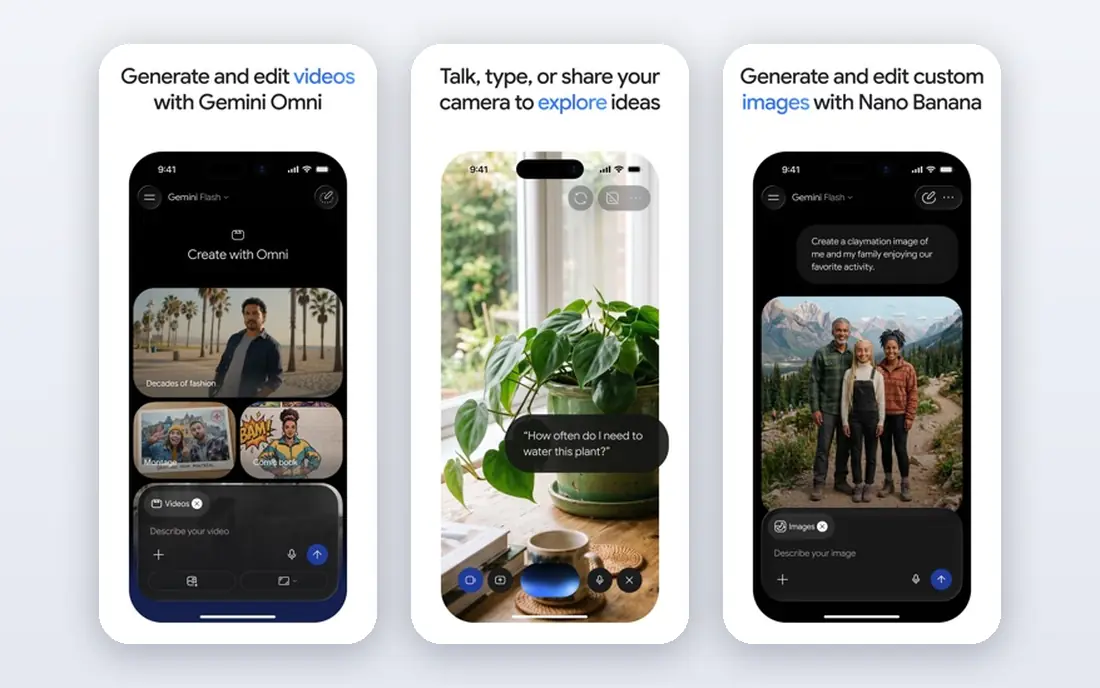
Google Gemini suits anyone who already uses Gmail, Google Docs and Drive. It can summarize emails, draft docs, find files and answer questions with web grounding, all inside Google apps on supported plans. That link saves time when your work already sits in Google. The free plan covers general chat and search, while paid plans add deeper Workspace features and larger models. Gemini is strong on current events and search-linked questions, but it still makes errors, so check key facts. For a Google household, Gemini is the most convenient assistant in this list.
- Gmail, Docs and Drive links
- Strong search grounding
- Voice on mobile
- Free plan has limits
- Quality varies by task and plan
Microsoft Copilot suits Windows and Office users. The free web chat answers questions and drafts text, while Copilot in Microsoft 365 can summarize Outlook mail, draft Word docs, analyze Excel data and prepare Teams meetings on paid plans. That depth helps office workers who spend the day in Microsoft apps. The catch is plan complexity. Free Copilot and paid Copilot in Microsoft 365 differ sharply, and business controls vary by account. Check which Copilot your account includes before you expect Word or Outlook features. For a Microsoft shop, Copilot is the natural pick.
- Word, Excel and Outlook links
- Web chat free
- Business controls on paid plans
- Best features need a paid Microsoft 365 plan
- Setup varies by account type
Perplexity is the best AI assistant platform in this list for research, because it shows sources for its answers. You can open the cited pages, check whether the source supports the claim, and follow up with a focused search. That habit reduces the risk of trusting a confident but wrong answer. Focus modes let you search the web, academic sources or social posts, depending on the question. The free plan covers everyday research, while the paid plan adds more Pro searches and model choice. For news, product research and fact checks, start with Perplexity, then verify the key source yourself.
- Answers include sources you can open
- Strong current-events coverage
- Focus modes
- Free plan limits Pro searches
- Deep analysis is lighter than Claude for long docs
Pi, from Inflection, is designed as a personal assistant you can talk to. Its tone is calm and supportive, and voice conversation feels natural on mobile. Pi helps with brainstorming, planning, learning and everyday questions, and it is free to use. That simplicity is the appeal for users who find other assistants busy or technical. The trade-off is tool depth. Pi has fewer file, app and research tools than ChatGPT, Claude or Perplexity, so it is less suited to heavy document work or cited research. For daily conversation and thinking through a problem, Pi is a pleasant pick.
- Friendly conversational tone
- Voice-first design
- Free to use
- Fewer file and app tools than ChatGPT or Copilot
- Less suited to heavy research
Meta AI is built into WhatsApp, Instagram, Facebook and Messenger, so many users already have it without installing a new app. It answers questions, generates images, summarizes chats and searches the web from inside those apps. That convenience matters for quick questions while messaging friends or browsing. The limits are depth and privacy. Meta AI is less strong than ChatGPT or Claude for long writing and analysis, and users should review privacy settings and avoid sharing sensitive personal data in chat. For quick, in-app help, Meta AI is handy. For serious work, pick ChatGPT, Claude or Perplexity.
- Built into Meta apps
- Free
- Image generation and search features
- Privacy controls need care
- Depth is below ChatGPT and Claude for long work
Poe, from Quora, lets you chat with many AI models in one app, including ChatGPT, Claude and other leading models, depending on current availability. That makes it a good way to compare answers and find which model suits a task, without juggling several apps and accounts. Poe also hosts task-specific bots for writing, coding and learning. The free plan covers light use, while a paid subscription raises message limits for top models. The catch is that model availability and limits change, so check which models your plan includes today. For a user who wants to test models side by side, Poe is a useful hub.
- Access to many models in one app
- Easy model comparison
- Bots for specific tasks
- Free plan has message limits
- Paid plan needed for heavy use of top models
How we picked these
We compared official product pages, model access, search and file features and pricing for AI assistant apps sold in 2026. We favored apps with a real free plan, a current model range and a clear use case, and we included both general assistants and research-focused tools. We left out narrow single-purpose AI tools and apps that are no longer actively sold. Prices shown are starting prices, and free plans carry usage limits that change by model and demand.
How to use an AI assistant safely
Start with the right job for the tool. Use ChatGPT or Claude for drafting and analysis, Perplexity for research with sources, and Gemini or Copilot when your files already live in Google or Microsoft apps. Always verify important facts, such as prices, medical guidance, legal rules and news, from an official or primary source. AI assistants can invent details that look plausible, and that risk is highest for niche or fast-changing topics.
Next, protect your privacy. Do not paste passwords, financial account details, medical records or other sensitive personal data into a chat assistant unless you understand how that provider stores and uses data. Review privacy settings, use a separate account for work where possible, and delete sensitive chats when you are done. Finally, keep human judgment in the loop for decisions that affect money, health, safety or other people. An assistant can draft and suggest, but the final check and decision should stay with you.
A simple daily workflow
Use Perplexity to research a topic and open its sources. Use Claude or ChatGPT to draft from those sources, in your own words. Use Gemini or Copilot to pull related files from your workspace. Then read the draft yourself, fix errors and add your own judgment before you send or publish it. That workflow uses each assistant for what it does best, while keeping you in control.
FAQ
What is the best AI assistant app?
ChatGPT suits most users as a general assistant, while Claude suits long writing and analysis. Google Gemini suits Google users, Microsoft Copilot suits Microsoft 365 users, and Perplexity suits research with sources. The best AI assistant app depends on your main job and the apps you already use.
Are AI assistant apps free?
Yes, most apps in this list offer a free plan, including ChatGPT, Claude, Gemini, Copilot, Perplexity, Pi, Meta AI and Poe. Free plans carry usage limits, and paid plans add faster models, larger context and more file tools. Many users can start free and upgrade only if they hit limits often.
Can AI assistants search the web?
Yes, many can, including Perplexity, Gemini, Copilot and ChatGPT on supported plans. Web search helps with current events and prices, but answers still need checking against the cited source. For research, Perplexity is a strong pick because it shows sources you can open.
Is it safe to share personal data with an AI assistant?
Treat AI chat as a shared service, not a private notebook. Avoid pasting passwords, bank details, medical records or other sensitive data into an assistant. Review the provider privacy settings, use strong account security, and delete sensitive chats when you can. When in doubt, leave the detail out.
Can an AI assistant replace search engines?
Not fully. AI assistants are good for summaries, explanations and drafting, but search engines are better for browsing many sources, checking official pages and comparing options yourself. Use an assistant to start and summarize, then use search to verify key facts from primary sources before you decide.