Best AI Assistant Apps in Japan in 2026: 8 Apps Compared
Our guide to the best ai assistant apps in japan covers ChatGPT, Gemini, Claude, and more, with Japanese support, pricing, and privacy notes. for 2026 now.
- Editor's choice
 ChatGPT
Most popular AI assistant in Japan
Starts atFreeVisit chatgpt.comFull review - Great alternative
 Google Gemini
AI assistant for Google users in Japan
Starts atFreeVisit gemini.google.comFull review - Also consider
 Claude
Thoughtful assistant for work and writing
Starts atFreeVisit claude.comFull review
TL;DR:
- ChatGPT and Google Gemini are the most downloaded AI assistant apps in Japan in 2026, with strong Japanese language support.
- Claude and Microsoft Copilot suit work use, with document help, coding support, and business plans.
- Perplexity stands out for cited web answers, while Meta AI and Grok suit social and casual chat.
- Free tiers cover most daily questions, but paid plans add faster models, higher limits, and voice features.
Quick comparison
| Tool | Best for | Starts at | Free plan? | |
|---|---|---|---|---|
| ChatGPT | Most popular AI assistant in Japan | Free | Yes | Visit |
| Google Gemini | AI assistant for Google users in Japan | Free | Yes | Visit |
| Claude | Thoughtful assistant for work and writing | Free | Yes | Visit |
 Microsoft Copilot | AI assistant for Microsoft 365 users | Free | Yes | Visit |
 Perplexity | AI assistant with cited web answers | Free | Yes | Visit |
 Meta AI | Free assistant inside Meta apps | Free | Yes | Visit |
 Grok | AI assistant inside X | See website | No | Visit |
 DeepSeek | Low-cost assistant for coding and chat | Free | Yes | Visit |
The best AI assistant apps in Japan
AI assistants in Japan need strong Japanese language support, not just an English app with a translated menu. The eight apps below all run in Japan, support Japanese input and replies, and cover chat, writing, coding, and voice help. We compared free tiers, paid plans, Japanese quality, and privacy controls, and we kept the focus on apps you can actually download and use in Japan in October 2026.
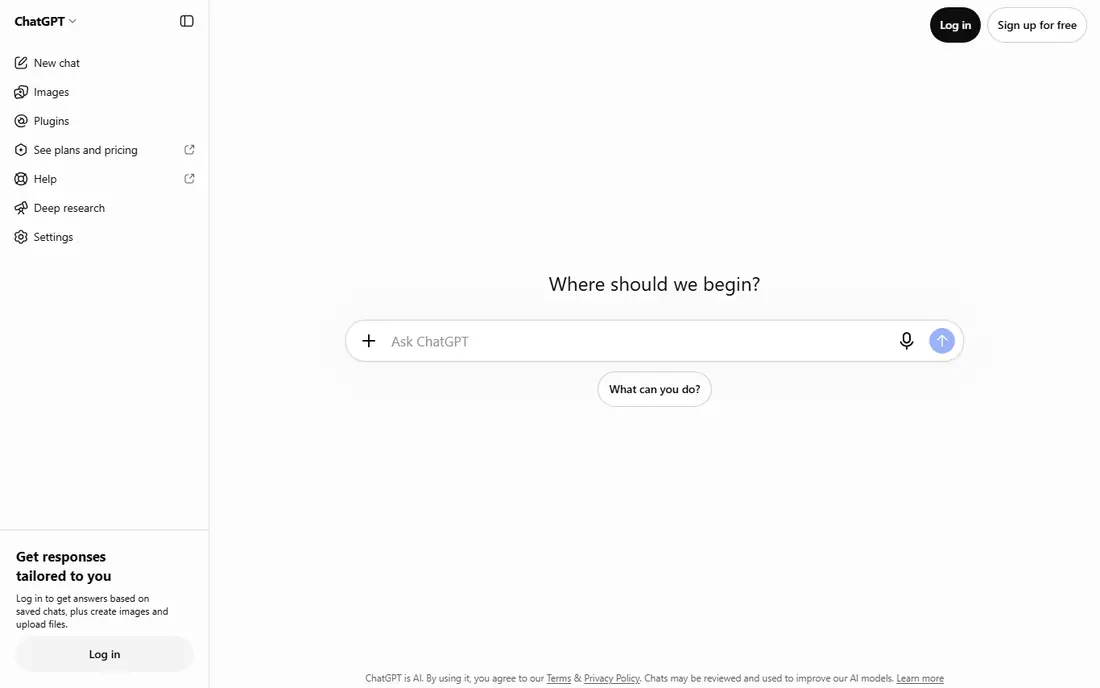
ChatGPT is the most downloaded AI assistant app in Japan in the first half of 2026, and it shows in the Japanese support: prompts, replies, and voice mode all work well in Japanese, and the app handles mixed Japanese and English well. It covers writing, coding, study help, and image generation, and it runs on iPhone, Android, and the web.
The free tier is generous for casual use, but the best models, higher limits, and advanced voice features sit behind ChatGPT Plus. Answers can also be wrong, so check important facts before you act on them. For most users in Japan, ChatGPT is the safest first install.
Before you settle on this one, check the official site for the current plan details and device support, since catalogs and prices change during the year. The free tier or trial, where one exists, is the cheapest way to confirm it fits your daily routine. If it passes that short test, it is worth keeping for a full month before you pay for anything.
- Strong Japanese support
- Voice mode
- Large app ecosystem
- Paid plan needed for best models and higher limits
- Answers can be wrong
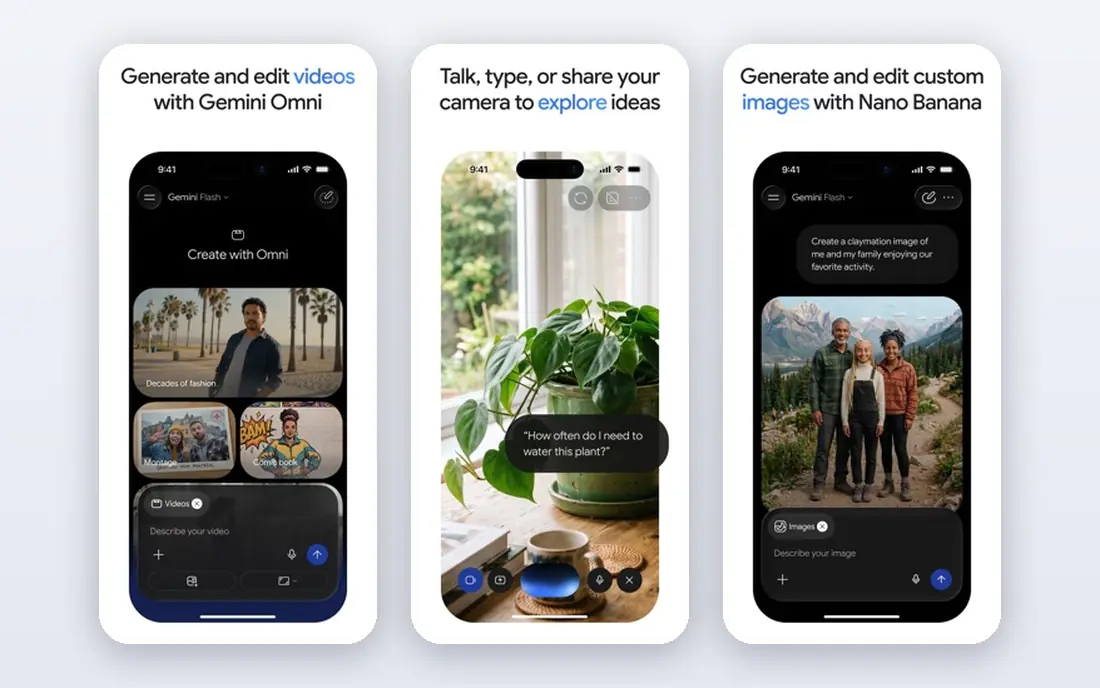
Google Gemini is the second most downloaded AI assistant in Japan, and it fits naturally if you already use Gmail, Docs, Calendar, and Maps. Gemini can summarize email threads, help plan trips with Maps data, and answer in Japanese with natural voice through Gemini Live. It also supports image and video generation on paid plans.
The free tier covers daily chat, but Deep Research, higher model access, and larger storage need a Google AI plan. You also need a Google account for full use. If your life runs on Google apps, Gemini will feel more connected than a standalone chatbot.
We suggest starting with the free option and testing it on the device you use most, whether that is a phone, a TV, or a laptop. Look at how often you actually open it in the first two weeks, and check whether the features you need sit behind a paywall. That simple check saves more money than any feature list, and it keeps the choice grounded in real use.
- Deep Google app integration
- Strong Japanese voice
- Gemini Live
- Best features need a paid plan
- Google account required

Claude, from Anthropic, suits work writing, editing, coding, and research, especially with long documents. It handles Japanese prompts well, and its replies tend to be careful and structured, which helps for business emails, reports, and study notes. File uploads, image analysis, and project folders make it useful for ongoing work.
The consumer app has fewer playful extras than ChatGPT or Gemini, and the best model access needs a paid plan. If you want an assistant for serious writing and analysis in Japan, Claude is a strong second app beside ChatGPT.
A quick way to judge this option is to try one ordinary task end to end, from setup to the result you wanted, and note where it slows you down. If the setup is clear and the result arrives without extra steps, the service earns its place. If you hit a paywall or a missing feature early, move on rather than working around it.
- Strong long document help
- Careful tone
- Good Japanese writing
- Fewer consumer extras than rivals
- Paid plan for best model access
Microsoft Copilot helps inside Microsoft tools, which matters for many office workers in Japan. It can draft Word documents, summarize Teams meetings, build Excel summaries, and answer web questions with sources. The free web and mobile app covers chat and image help, while Copilot Pro and business plans add deeper Office features.
The catch is that the full Office integration needs a paid Microsoft 365 plan, and free use has limits on the best models. If your work runs on Outlook and Teams, Copilot will save more time than a generic chatbot. If not, ChatGPT or Gemini may be simpler.
Check the vendor page for current pricing and for any limits on the free plan before you commit, because those details shift often. Test it with your own content and your own schedule for a week, and keep notes on what frustrated you. The best choice is usually the one with the fewest daily frictions, not the longest feature list.
- Works inside Word, Excel, and Teams
- Web search answers
- Voice mode
- Full Office integration needs Microsoft 365
- Free limits apply
Perplexity is the best pick when you need answers you can check. Most replies include sources you can open, which helps for news, product research, and study in Japan. The app supports Japanese questions, and it can search the web in real time rather than relying only on training data.
The free tier limits Pro searches, and the best models need a paid plan. Perplexity is also less suited to long creative writing than ChatGPT or Claude. Use it when accuracy and sources matter most, and keep another assistant for drafting and brainstorming.
Before you settle on this one, check the official site for the current plan details and device support, since catalogs and prices change during the year. The free tier or trial, where one exists, is the cheapest way to confirm it fits your daily routine. If it passes that short test, it is worth keeping for a full month before you pay for anything.
- Cited sources for most answers
- Good for news and research
- Japanese support
- Paid plan needed for best models and unlimited Pro searches
Meta AI is built into WhatsApp, Instagram, Facebook, and Messenger, so many users in Japan can try it without a new install. It answers questions, helps write messages, and generates images, all inside apps people already open daily. The standalone web app also offers chat and voice features for free.
Features vary by app and by region, and users should review Meta privacy settings, since chats inside social apps follow Meta data policies. Meta AI is best for quick questions inside social apps, not as a primary work assistant. It is still a useful free extra if you already use Meta apps.
We suggest starting with the free option and testing it on the device you use most, whether that is a phone, a TV, or a laptop. Look at how often you actually open it in the first two weeks, and check whether the features you need sit behind a paywall. That simple check saves more money than any feature list, and it keeps the choice grounded in real use.
- Free
- Built into WhatsApp, Instagram, and Facebook
- Voice and image help
- Availability and features vary by app and region
- Privacy controls need review
Grok, from xAI, lives inside X and offers real-time answers drawn from posts on X, plus chat, image generation, and voice features. That makes it useful for breaking news and social trends in Japan, where X remains widely used. The tone is more casual and humorous than Claude or Gemini.
Access needs an X account, and the fullest features often need a paid X plan. Grok is also less steady for formal work writing. Use it for trends and quick takes, and keep ChatGPT or Claude for work documents.
A quick way to judge this option is to try one ordinary task end to end, from setup to the result you wanted, and note where it slows you down. If the setup is clear and the result arrives without extra steps, the service earns its place. If you hit a paywall or a missing feature early, move on rather than working around it.
- Real-time X data
- Witty tone
- Image generation
- Needs an X account and often a paid plan
- Tone can be uneven
DeepSeek gained attention for strong reasoning and coding help at a lower cost than many rivals. The chat app and web version support Japanese prompts, and the API pricing appeals to developers who want to build AI features without a high bill. For coding questions and math, it often gives clear step-by-step answers.
The app ecosystem in Japan is thinner than ChatGPT or Gemini, and users should read the privacy terms before sharing sensitive work. DeepSeek is a good budget extra for developers and students, but most general users will still start with ChatGPT or Gemini.
Check the vendor page for current pricing and for any limits on the free plan before you commit, because those details shift often. Test it with your own content and your own schedule for a week, and keep notes on what frustrated you. The best choice is usually the one with the fewest daily frictions, not the longest feature list.
- Strong coding help
- Low-cost API
- Good reasoning on paid tiers
- App support in Japan is thinner than rivals
- Privacy terms need review
How we picked these
We compared official feature pages, pricing pages, and app store listings, and we checked that each product is still offered in October 2026. We favored options with a clear free tier or trial, current device support, and honest limits stated on the vendor site. We left out products we could not verify, and we noted where a paid plan is needed for the full feature set.
How to choose an AI assistant in Japan
Start with language: type a real question in Japanese, including polite forms and local terms, and check whether the reply sounds natural. Then check the apps you already use: Google users gain most from Gemini, Microsoft users from Copilot, and social app users from Meta AI. Check privacy next: avoid pasting passwords, health details, or unpublished work into any assistant, and review data retention settings. Finally, test the free tier for a week before paying, since most daily questions do not need a paid model.
FAQ
Which AI assistant is best in Japan for Japanese language?
ChatGPT and Gemini lead for Japanese quality and voice support, with Claude close behind for formal writing. Test all three with your own Japanese prompts, since quality varies by topic and by formality level.
Are AI assistant apps free in Japan?
Yes, most apps here offer a free tier for daily chat. Paid plans add faster models, higher limits, voice features, and larger file handling. Start free, and upgrade only if you hit limits often.
Can I use these apps for work in Japan?
Yes, but check your company policy first, and avoid sharing confidential data. Claude and Copilot suit work use best, while Perplexity helps when you need sources for a report.
Do AI assistants give correct answers?
Not always. AI assistants can invent facts, dates, and citations, so verify important claims on official sites or primary sources. Perplexity helps by linking sources, but you should still open the source before you cite it.
Which app is best for voice chat in Japanese?
ChatGPT voice mode and Gemini Live both support natural Japanese voice conversation. Try a short spoken question in each app, and pick the voice that understands your accent and speaking pace best.