Best AI Job Application Tool in 2026: 8 Tools Compared
Looking for the best ai job application tool? We compare 8 AI tools for job applications, resumes, autofill, and tracking, with prices and limits here.
- Editor's choice
 Sonara
Auto-applying at volume
Starts atSee websiteVisit sonara.aiFull review - Great alternative
 LazyApply
One-click applying on job boards
Starts atSee websiteVisit lazyapply.comFull review - Also consider
 Simplify
Autofill and application tracking
Starts atFreeVisit simplify.jobsFull review
TL;DR:
- Sonara and LazyApply suit high-volume applying, while Teal and Jobscan suit careful, targeted applications with tailored resumes.
- No AI tool should send applications without your review, since errors, wrong roles, and generic answers hurt your chances.
- Autofill saves time, but tailoring your resume to each job posting matters more than applying to hundreds of roles.
- Check whether a tool applies on your behalf, only drafts applications, or only optimizes resumes, since those are very different products.
Quick comparison
| Tool | Best for | Starts at | Free plan? | |
|---|---|---|---|---|
| Sonara | Auto-applying at volume | See website | Free trial | Visit |
| LazyApply | One-click applying on job boards | See website | Free trial | Visit |
| Simplify | Autofill and application tracking | Free | Yes | Visit |
 Teal | Tailored resumes and tracking | Free | Yes | Visit |
 Jobscan | Resume matching to job posts | See website | Free trial | Visit |
 LoopCV | Automated job search and applying | See website | Free trial | Visit |
 JobCopilot | Auto-apply with AI matching | See website | Free trial | Visit |
 Huntr | Organizing a job search | Free | Yes | Visit |
The best ai job application tool options
We compare tools that draft, tailor, autofill, or auto-submit applications, with clear notes on what each one actually does for you.

Sonara is built for job seekers who want to apply at scale. You set your target roles, locations, salary range, and experience, and Sonara searches job boards and submits applications to matches on your behalf. That volume can help when you are open to many similar roles and time is short, since manual applying to hundreds of posts takes weeks. The dashboard tracks where you applied, so you can follow up and prepare for replies.
The risk is fit. Auto-applying works best for roles with clear, repeatable requirements, such as entry-level or standard professional roles. For senior, niche, or creative roles, a generic application rarely stands out, and a hiring manager can spot it quickly. Use Sonara with tight filters, review the roles it targets in the first week, and pause it if matches drift from your goals. Volume helps only when the roles are right.
- Applies to many matched jobs automatically
- Tracks applications
- Saves search time
- High volume can mean lower fit per role
- You must review matches and settings closely
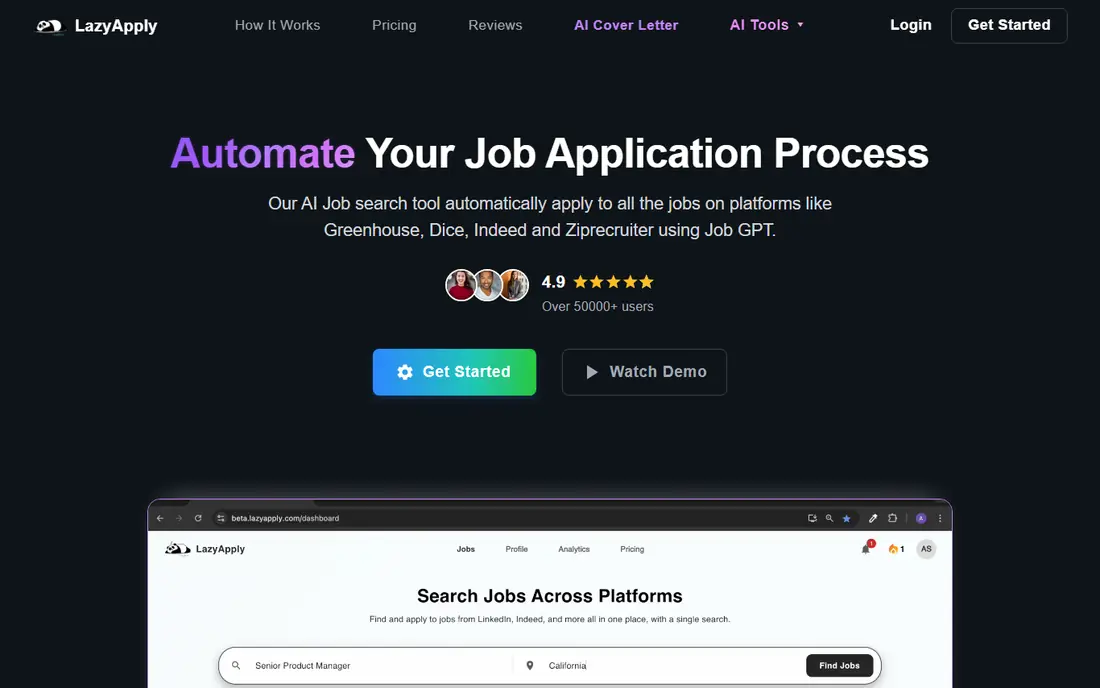
LazyApply is a browser tool that fills and submits applications on job boards with fewer clicks. Instead of retyping your work history on every site, you set up a profile once and apply from LinkedIn, Indeed, and other boards with a streamlined flow. That saves the most tedious part of job searching, which is repeating the same form fields dozens of times. For active seekers applying daily, the time saved is real.
LazyApply does not replace judgment. You still need a strong resume, good answers to screening questions, and a sense of which roles fit. Some job boards also limit or block automated tools, so check the terms for each board and do not rely on LazyApply alone for a role you care deeply about. For those key roles, apply by hand and tailor your materials, and use LazyApply for the broader set of solid fits.
- One-click apply on major job boards
- Works inside the browser
- Saves repetitive form time
- Still needs your resume and answers ready
- Some boards limit automated applying
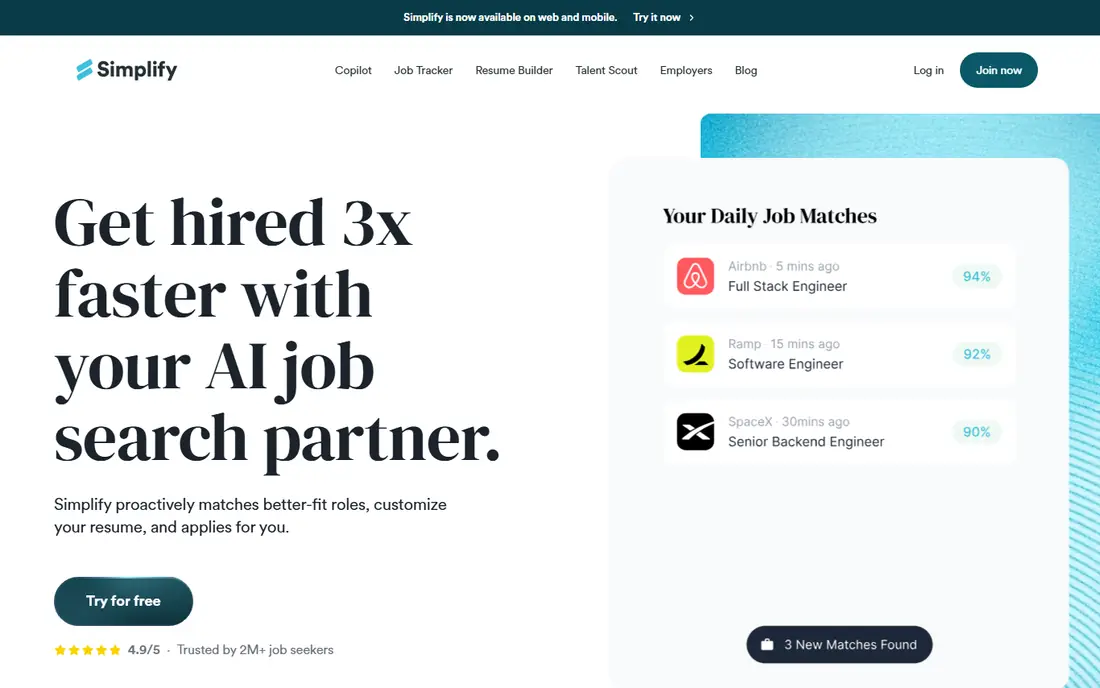
Simplify started as a tool for students and early-career job seekers, and its free autofill extension remains its strongest feature. Install the extension, fill your profile once, and apply faster across supported job boards without retyping details. The tracker records where you applied, interview stages, and follow-up tasks, which helps when you juggle dozens of applications. Simplify also runs a job board with roles aimed at students and recent graduates.
The limit is tailoring. Autofill speeds up submission, but it does not rewrite your resume for each posting or coach you on answers. Early-career seekers in tech, business, and similar fields get the most value, while senior seekers may need a stronger tailoring tool alongside Simplify. Use Simplify to save time and stay organized, and pair it with Jobscan or Teal when a role deserves a custom resume.
- Free autofill extension
- Application tracker
- Job board with student and early-career roles
- Autofill does not tailor resumes
- Best for early-career seekers in some fields
Teal is our pick for job seekers who want quality over volume. Its resume builder lets you keep one master resume, then tailor a version to each job posting by matching keywords and skills from the posting. The tracker organizes applications, contacts, and interview stages in one place, and the job board surfaces roles that fit your profile. The free tier covers the tracker and basic resume tools, which is enough to run a careful search.
Teal does not focus on auto-applying at scale, and that is a strength for targeted searches. Full AI tailoring and advanced features sit on paid plans, so check the pricing page if you want those tools. For seekers applying to a focused list of roles, where each application deserves a tailored resume, Teal gives the best balance of free tools and thoughtful design in this list.
- Resume builder with job matching
- Strong tracker
- Free tier is genuinely useful
- Paid features needed for full AI tailoring
- Auto-apply is not the main focus
Jobscan answers a specific question: how well does your resume match this job posting? Paste a posting, upload your resume, and Jobscan shows a match score, missing keywords, and sections to improve. That feedback helps you tailor a resume without guessing which terms an applicant tracking system might look for. Jobscan also offers LinkedIn profile optimization, which matters since recruiters search LinkedIn as well as job boards.
Jobscan does not submit applications, so it pairs well with Simplify, Teal, or manual applying. The free trial lets you test a few matches, but regular use needs a paid plan, so check the price before you run dozens of postings through it. Use Jobscan for roles you care about most, where a tailored resume can move you from a first screen to an interview.
- Compares your resume against a posting
- Clear match score and keyword gaps
- LinkedIn optimization
- Does not apply for you
- Paid plans needed for regular use
LoopCV automates the search and apply loop for job seekers who want steady volume without daily manual work. You set job titles, locations, and filters, and LoopCV searches boards, applies to matches, and sends you updates. That steady flow suits seekers in roles with many openings, such as sales, support, marketing, and junior tech roles. Email alerts keep you in the loop without checking five boards a day.
As with Sonara, settings decide results. Broad filters bring many applications but lower fit, while narrow filters bring fewer, better matches. Review the first batch of matches closely, tighten titles and locations, and exclude companies or role types you do not want. LoopCV works best as a volume engine with human oversight, not a set-and-forget tool.
- Automates search and applying across boards
- Email alerts for matches
- Tracks outreach
- Fit depends on search settings
- Review matches early to avoid wasted applications
JobCopilot uses AI matching to find roles that fit your profile and applies on your behalf, with a dashboard to track submissions. The pitch is similar to Sonara and LoopCV: save hours of manual applying and keep a steady pipeline of applications. For seekers in high-volume fields, that pipeline can lead to more first screens than manual applying alone, simply because more applications go out.
The trade-off is track record. JobCopilot is newer than Teal, Jobscan, and Simplify, so long-term reviews and outcomes are thinner. AI matching also works better for standard roles with clear titles than for hybrid or senior roles where fit is harder to judge from a posting. Test it with a free trial, review matches in week one, and keep manual applying for your top target companies.
- AI matching to roles
- Auto-apply across boards
- Application tracking
- Newer tool with less track record than rivals
- Quality varies by role type
Huntr is the organizer in this list, not an auto-applier, and that distinction matters. Its board view lets you move jobs from wishlist to applied to interview to offer, with notes, contacts, and deadlines for each role. A browser extension saves jobs from boards into Huntr with one click, and resume tools help you keep versions straight. The free plan covers the core tracker, which is enough for most seekers.
If you want a tool that applies for you, Huntr is not the pick, and you should pair it with Simplify for autofill or Sonara for volume. If your problem is losing track of applications, follow-ups, and interview stages, Huntr solves that problem cleanly. Many seekers use Huntr as the home base for their search, even when another tool handles applying.
- Visual job tracker with board view
- Resume tools
- Browser extension for saving jobs
- Does not auto-apply
- Best as an organizer, not an applier
How we picked these
We compared official feature pages, pricing pages, and help pages for AI job tools, and we grouped them by what they actually do: auto-apply, autofill, resume tailoring, or tracking. We favored tools with a live free plan or trial, clear disclosure of whether they apply on your behalf, and a track record with US job seekers. Where a price varies by plan or is quoted on request, we wrote See website rather than guessing, and we noted where a tool is best for early-career, volume, or targeted searches.
How to use AI job tools without hurting your chances
AI tools save time, but hiring managers still read resumes and answers, so use them with care. First, keep a strong master resume with real achievements, numbers, and skills, since AI tailoring can only polish what you give it. Second, review every auto-applied role in the first week, and tighten filters if matches drift. Third, never let a tool answer screening questions about salary, work authorization, or experience without your review, since a wrong answer can disqualify you.
For roles you care about most, apply by hand. Tailor your resume with Jobscan or Teal, write a short note that names the team or product, and follow up with the hiring manager or recruiter on LinkedIn when appropriate. Use auto-apply tools for the broader set of solid fits, and reserve manual effort for your top ten targets. That mix gives you volume without sacrificing quality where it counts most. Also keep a record of where you applied, since duplicate applications to the same company through different tools can look careless.
FAQ
What is the best AI tool for job applications?
Teal is best for targeted, tailored applications, while Sonara is best for high-volume auto-applying. Simplify is best for free autofill and tracking. The right pick depends on whether you need volume, tailoring, or organization most, and many seekers use two tools together.
Do AI job application tools really work?
They save time and can increase the number of applications you submit, which can lead to more first screens in high-volume fields. They do not guarantee interviews, and generic applications perform worse than tailored ones for senior or niche roles. Treat AI tools as a time saver, not a replacement for a strong resume and good targeting.
Is it safe to let AI apply for jobs on my behalf?
It is generally safe when you use a known tool, review its matches, and keep your data current, but read the privacy policy and board terms first. Do not share passwords for accounts you do not want a tool to access, and review screening answers before submission. For top target roles, apply by hand to keep full control.
What is the best free AI job application tool?
Simplify and Teal offer the most useful free tiers in this list, with autofill and tracking on Simplify and resume building and tracking on Teal. Huntr also offers a free tracker. Free tiers cover organization and basic tools, while full AI tailoring and auto-applying usually need a paid plan.
Can AI tools tailor my resume for each job?
Yes, Teal and Jobscan help tailor resumes by matching keywords and skills from a posting to your resume. That tailoring helps with applicant tracking systems and first screens, but you should still read the final resume for accuracy. AI suggestions can add a skill you do not have or phrase experience in a misleading way, so edit before you submit.