Best AI IT Agents Software in 2026: 8 Tools Compared
Compare the best ai it agents software in 2026, from ServiceNow and Moveworks to Freshservice, with pricing, limits and buying advice for busy IT teams.

- Editor's choice
 ServiceNow AI Agents
Large enterprises already running ServiceNow
Starts atSee websiteVisit servicenow.comFull review - Great alternative
 Moveworks
Employee support across many systems
Starts atSee websiteVisit moveworks.comFull review - Also consider
 Aisera
Auto-resolution across IT, HR and customer service
Starts atSee websiteVisit aisera.comFull review
TL;DR:
- The best ai it agents software now does more than answer questions, it resets passwords, provisions access and closes routine tickets with an audit trail.
- Large enterprises get the most from ServiceNow, Moveworks and Aisera, while mid-size teams often get faster value from Freshservice, SysAid and Atomicwork.
- Pricing is rarely public at the enterprise end, so ask for the full cost of seats, AI usage and implementation before you sign.
- Keep a human approval step for access changes, refunds and anything that touches production systems.
- Our pick for most teams starting out is Freshservice, because its AI add-on sits on a complete service desk rather than a separate agent layer.
Quick comparison
| Tool | Best for | Starts at | Free plan? | |
|---|---|---|---|---|
| ServiceNow AI Agents | Large enterprises already running ServiceNow | See website | No | Visit |
| Moveworks | Employee support across many systems | See website | No | Visit |
| Aisera | Auto-resolution across IT, HR and customer service | See website | No | Visit |
 Freshservice | Mid-size teams wanting AI plus a full service desk | $19 per agent per month | Free trial | Visit |
 SysAid | IT teams that want AI without a separate meter | $89 per agent per month | Free trial | Visit |
 Atomicwork | Modern teams replacing an older service desk | See website | Free trial | Visit |
 Kore.ai | Building custom agents across channels | See website | Free trial | Visit |
 ManageEngine ServiceDesk Plus | Budget teams and on-premises deployments | $13 per technician per month | Free trial | Visit |
The best ai it agents software
We compared official feature pages, pricing pages and public documentation for tools that resolve IT work, not only chat about it. The list below covers enterprise platforms, mid-market service desks and agent builders.

ServiceNow is the safest choice when your company already runs ITSM, HR service delivery or customer service on the Now Platform. Its AI agents can summarize tickets, draft replies, take guided actions and hand work to a person with full context. Because the agents sit inside existing workflows, approvals, permissions and records stay in one place.
The catch is commitment. ServiceNow is a platform purchase, not a quick add-on, and implementation, licensing tiers and AI usage can add up fast. Smaller teams may find the admin load heavy for simple password resets and software requests. Ask for a scoped pilot on two or three high-volume ticket types before you expand.
- Deep workflow automation across IT, HR and customer service
- Strong governance and audit controls
- Large integration catalog
- High total cost and long implementation
- Pricing is not published
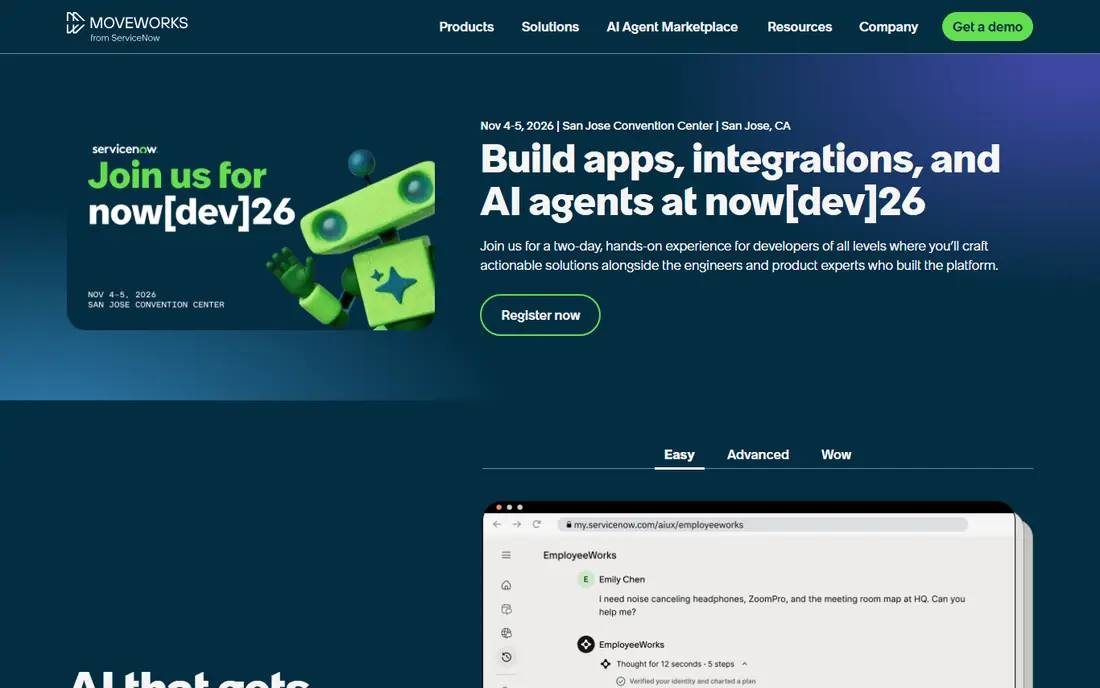
Moveworks gives employees one place to ask for help in plain language, whether the request is IT, HR or facilities related. It can interpret intent, pull information from knowledge bases and trigger actions in connected systems. That breadth matters in large companies where staff otherwise have to guess which portal to use.
Moveworks joined ServiceNow in late 2025, so buyers should confirm the roadmap for standalone use and for ServiceNow customers. It is not a low-cost tool for a small help desk. It fits best when ticket volume is high, requests span departments and deflection has a clear business case.
- Strong conversational front door for employees
- Works across ServiceNow and other business systems
- Good multi-language support
- Enterprise pricing with no public price list
- Best suited to larger employers
Aisera positions itself as an agent platform for the whole service operation, not only IT. It can answer from knowledge sources, run workflows and escalate with context when confidence is low. Companies with fragmented tools often like the idea of one AI layer sitting over them.
The trade-off is effort. Aisera works best when you give it clean knowledge, clear workflow rules and owners who review resolved cases. Without that care, answers can drift and staff lose trust. Budget for tuning time, not only license cost, and track auto-resolution with human review for the first months.
- Wide channel coverage including chat, email and voice
- Automation across many back-end systems
- Focus on auto-resolution rates
- Sales-led enterprise pricing
- Implementation needs tuning and governance
Freshservice is our pick for most mid-size teams because you get a working service desk first and AI second. The base plans start at $19 per agent per month, and the Freddy AI copilot is available as an add-on. Agents get summaries, suggested replies and help drafting knowledge articles, while managers keep reporting and asset data in the same tool.
Freshservice will not match ServiceNow for deep enterprise workflow depth. It also charges per agent, so a large support team should model the full seat count. For teams that need to replace spreadsheets and shared inboxes with a governed desk, the balance of price, speed and AI help is hard to beat.
- Published per-agent pricing
- Freddy AI copilot add-on
- Complete ITIL processes and asset tracking
- AI copilot costs extra on top of the base plan
- Advanced automation sits on higher tiers
SysAid appeals to IT leaders who dislike surprise AI usage bills. Its pricing page has listed $89 per agent per month, with AI capabilities positioned as part of the platform rather than a separate consumption meter. That makes budgeting simpler, even if the entry price is higher than Freshservice.
SysAid covers incident, problem, change and asset management, so it suits teams that want process discipline. The design is functional rather than pretty, and smaller teams may not use all of its depth. Try it with your real ticket categories before judging it on a demo alone.
- AI features included in its published agent pricing
- Asset management and automation in one tool
- Long track record in ITSM
- Higher starting price than budget rivals
- Interface feels dated in places
Atomicwork is built for companies that want a fresh service desk with AI agents at the center, not bolted on later. Employees can ask for help through chat and other channels, and agents can handle routine requests or route complex work with context. The interface is clean, which helps adoption among staff who hated older ITSM tools.
Because Atomicwork is newer than ServiceNow or BMC, check its integrations against your exact stack, especially identity, device management and HR systems. Pricing is quote-based, so get a written price for your agent count and any AI usage. It is a strong shortlist option when speed and employee experience matter more than a huge marketplace.
- Modern interface and AI-first design
- Strong focus on employee experience
- Fast setup for mid-market teams
- Newer vendor with a smaller ecosystem
- Pricing requires a quote
Kore.ai suits teams that need to build agents for specific processes rather than buy a fixed IT desk. You can design conversations, connect systems and set guardrails for when an agent must stop and ask a person. That flexibility helps companies with unusual workflows or regulated approval steps.
The cost is complexity. You need people who can design, test and maintain agents, and a ready-made ITSM may be faster if your needs are standard. Kore.ai is worth it when off-the-shelf agents cannot cover your channels, languages or back-end systems. Run a proof of concept on one workflow and measure containment before scaling.
- Flexible agent builder for chat, voice and enterprise apps
- Strong controls for large deployments
- Supports IT, HR and customer use cases
- Platform effort is higher than a ready-made service desk
- Pricing is custom
ManageEngine ServiceDesk Plus
Best for: Budget teams and on-premises deployments
ManageEngine ServiceDesk Plus is a practical choice when budget or data residency rules limit your options. Published on-premises tiers have started around $13 per technician per month, with higher tiers adding more automation and AI. It covers incident, asset, change and project work in one system.
The tool rewards careful configuration. Out of the box it can feel dense, and teams that skip process design may end up with messy queues. For schools, local government and mid-size firms that need control over where data lives, the price and deployment choice make it a serious contender.
- Low starting price
- On-premises editions available
- AI features included on some tiers rather than metered separately
- Setup and customization take care
- Interface is less modern than newer rivals
How we picked these
We compared official pricing pages, feature documentation and public vendor statements for tools that take action in IT work, not only generate text. We favored products with live deployments, clear escalation paths, audit trails and controls for sensitive actions. Where a vendor does not publish pricing, we say so rather than repeating a third-party estimate as fact. Prices change often, so confirm the current price on the vendor site before you buy.
What to check before you buy AI IT agents
Start with ticket data, not vendor demos. Pull your top 20 ticket types for the past 90 days and mark which ones are safe to automate, which need approval and which must always reach a person. Password resets, software installs and status checks are usually safe early wins. Access grants, payroll systems and production changes need stricter rules.
Set guardrails and measure trust
Require an audit log for every agent action, a clear handoff to a human and a way to roll back a change. Review a sample of auto-resolved tickets each week at first, and track reopen rates alongside deflection. A high deflection rate means little if customers reopen the same issue or lose access they need.
Price the whole rollout
Compare seat costs, AI usage charges, implementation fees and the staff time needed to maintain knowledge and workflows. A cheap seat price can turn expensive when AI actions are metered. Ask each vendor for a total cost at your expected ticket volume, and get the renewal terms in writing.
FAQ
What is the best ai it agents software for a small IT team?
Freshservice or ManageEngine ServiceDesk Plus are usually the best starting points. Both give you a complete service desk at a published price, so AI helps a real queue rather than floating over a separate tool. Larger teams with complex workflows should also look at SysAid and Atomicwork.
Do AI IT agents replace help desk staff?
No, they change the work. Agents handle repetitive requests and gather context, while people handle judgment calls, incidents and unhappy users. Plan for staff to review agent work, maintain knowledge and own escalations, especially in the first months.
How much does AI IT agent software cost?
Mid-market service desks publish prices from about $13 to $89 per agent or technician per month, with AI sometimes extra. Enterprise platforms such as ServiceNow, Moveworks and Aisera use custom quotes that depend on seats, volume and implementation. Always ask for AI usage and implementation costs in the same quote.
Is it safe to let an AI agent reset passwords or grant access?
It can be safe with strict rules. Use identity verification, limit the agent to approved systems, require manager approval for privileged access and log every action. Never let an agent grant broad admin rights without a human check.
What should we pilot first?
Start with password resets, software requests, status updates and knowledge answers. These are high volume, low risk and easy to measure. Add access and provisioning only after the pilot shows low reopen rates and clean audit logs.
Do we need ServiceNow to use Moveworks?
Moveworks now sits within ServiceNow after its acquisition, but it has historically integrated with ServiceNow and other systems. Confirm current standalone availability and support terms with the vendor before you plan a deployment around it.