Best AI Tools for Job Seekers in 2026: 8 Tools Compared
We compared the best ai tools for job seekers for 2026, covering resume help and job matching, so applicants can search smarter and apply with confidence.

- Editor's choice
 Teal
All-in-one job search
Starts atFreeVisit tealhq.comFull review - Great alternative
 Jobscan
Resume to job matching
Starts atSee websiteVisit jobscan.coFull review - Also consider
 Rezi
ATS friendly resumes
Starts atSee websiteVisit rezi.aiFull review
TL;DR:
- Teal suits job seekers who want one place to track applications, resumes, and job matches.
- Jobscan suits applicants who want to match a resume to a specific job posting before applying.
- Rezi and Kickresume suit resume building, with templates and AI drafting for different roles.
- Huntr and Careerflow suit organized tracking, so no application or follow-up slips through.
- Free tools help a lot, but always review AI resume text for accuracy, since invented experience harms a job search.
Quick comparison
| Tool | Best for | Starts at | Free plan? | |
|---|---|---|---|---|
| Teal | All-in-one job search | Free | Yes | Visit |
| Jobscan | Resume to job matching | See website | Yes | Visit |
| Rezi | ATS friendly resumes | See website | Yes | Visit |
 Kickresume | Resume and cover letters | See website | Yes | Visit |
 Huntr | Application tracking | See website | Yes | Visit |
 Careerflow | LinkedIn and job tracking | See website | Yes | Visit |
 Sonara | Automated applications | See website | Free trial | Visit |
 Simplify | Job matching and autofill | Free | Yes | Visit |
The best AI tools for job seekers
Job search tools help with resumes, matching, tracking, and applications, but they work best when the job seeker stays in charge of facts and final wording. The tools below cover each stage of a search.

Teal brings the messy parts of a job search into one workspace. Save jobs from boards, track each application stage, build tailored resumes, and see matches based on your profile. That single view helps when you are applying to many roles at once and need to remember who replied, who asked for a follow-up, and which resume version you sent.
The free tier covers tracking and basic resume work well, while advanced AI features sit behind a paid plan. Teal suits active job seekers who want organization first and AI help second, rather than a tool that applies on its own without review.
- Job tracker, resume builder, and matching in one place
- Free tier is useful
- Chrome extension for saving jobs
- Paid plan needed for advanced AI features
- Interface has many features to learn
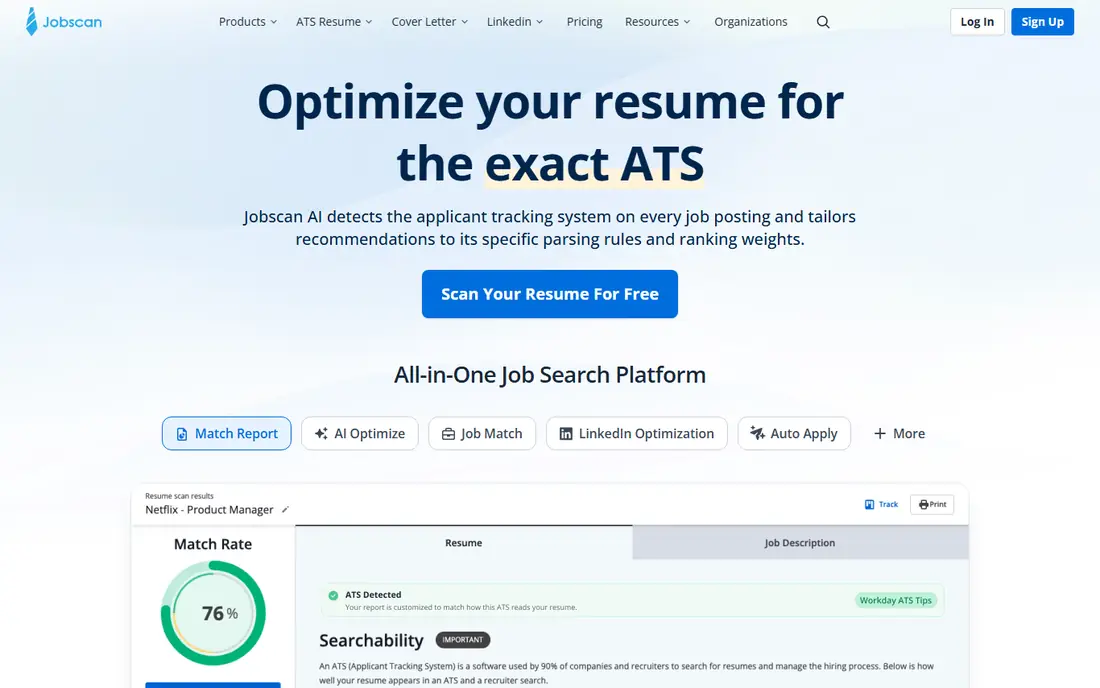
Jobscan compares your resume with a specific job posting and shows how closely they match on keywords, skills, and format. That is useful before you apply, since many large employers use applicant tracking systems to sort resumes. A quick Jobscan check can show a missing skill you do have, or a formatting issue that hurts parsing.
The risk is overfitting. A resume should stay truthful and readable, not become a list of keywords copied from a posting. Use Jobscan to spot gaps and improve wording, then read the final resume as a human hiring manager would, and keep only skills and experience you truly have.
- Matches resume to a job posting
- Shows missing keywords and skills
- Helps with ATS style resumes
- Paid plan needed for full reports
- Keyword focus can tempt users to overstuff a resume

Rezi focuses on resumes that parse well in applicant tracking systems. Its templates use clean formatting, its AI helps draft achievement bullets, and it makes tailoring a resume for each role faster. For corporate, finance, tech, and operations roles where ATS screening is common, that focus is a real advantage.
Design is restrained by intent, so creative professionals who need a portfolio style resume may prefer Kickresume or Canva alongside Rezi. For most office and technical roles, though, a clean, well parsed Rezi resume is a strong starting point.
- Templates built for ATS parsing
- AI drafting and bullet help
- Easy to tailor per role
- Free tier has limits
- Design options are more restrained than creative resume tools
Kickresume covers resumes, cover letters, and a simple personal website, which suits job seekers who want a consistent application package. Its templates range from clean corporate to more creative styles, and its AI writer helps draft summaries and bullets from your work history. That breadth helps when you need a resume and a cover letter for the same role.
The free tier is enough to test templates and build a basic resume, while full AI features need a paid plan. As with all AI resume tools, review every bullet for accuracy, dates, and numbers before sending, since AI can smooth over gaps in ways that misstate your history.
- Resume, cover letter, and portfolio tools
- Many templates
- AI writing help
- Paid plan needed for full AI features
- Template choice can take time
Huntr is a visual tracker that turns a job search into a board of stages, from wishlist to applied to interview to offer. That view helps job seekers who juggle many applications, since it shows at a glance where each role sits and what follow-up is due. Its Chrome extension makes saving jobs from boards fast, and notes keep interview details with the right role.
AI features are lighter than Teal, so Huntr suits seekers who mainly need organization, not heavy AI drafting. For a long search with many applications, that simple, visual tracking can be the difference between a missed follow-up and a timely reply.
- Visual job board for tracking
- Chrome extension
- Resume and notes in one place
- AI features are lighter than Teal
- Paid plan needed for advanced features
Careerflow combines a job tracker with LinkedIn optimization and AI resume help. That mix suits job seekers who get a large share of opportunities through LinkedIn, since profile wording, headline, and activity matter there as much as a resume. Its tracker also helps keep applications and networking contacts in one place.
Job seekers who rarely use LinkedIn will get less from the LinkedIn features, but the tracker and resume tools still hold value. Check the free tier first, and use LinkedIn features only if that channel is part of your search plan.
- LinkedIn optimization tools
- Job tracker
- AI resume and cover letter help
- LinkedIn focus may suit some seekers more than others
- Paid plan for full AI features
Sonara automates parts of a high volume job search, matching your profile to jobs and applying on your behalf within rules you set. That can save hours when you are applying to many similar roles, and it keeps a record of applications made. For seekers in a broad market with many suitable postings, that scale is appealing.
Automation also carries risk. An automated application to the wrong role, with a generic resume, can waste a good opportunity. Set tight role, location, and salary rules, review matches regularly, and keep a human check on any role you truly care about. Sonara works best as a volume helper, not as a replacement for targeted applications.
- Automates job matching and applications
- Saves time on high volume searches
- Tracks applications
- Automated applications need careful review
- Pricing and limits vary by plan
Simplify offers free job matching and an autofill extension that speeds up application forms. It is popular with students and new graduates, who often apply to many entry level roles and need to cut repetitive form filling. Its job board also highlights roles suited to early career seekers.
Autofill still needs a check on each form, since a wrong field can send a bad application. Use Simplify to save time on repetitive fields, then review education, work history, and location before submitting. For a free tool, its time saving is strong, especially in a high volume search.
- Free job matching
- Autofill for applications
- Useful for students and new graduates
- Autofill needs a check for each form
- Job coverage varies by field
How we picked these
We compared official feature pages, pricing pages, and app listings for tools built for job seekers, not for employers. We favored tools with a current product, a free tier or trial where possible, and a clear use such as resume building, matching, tracking, or autofill, and we left out tools that only serve recruiters. We checked that each homepage belongs to the named product.
How to use AI in a job search without hurting your chances
Use AI for drafts, structure, and matching, but keep facts in your own hands. AI can suggest a stronger bullet, but it cannot know your real results, dates, or tools unless you tell it. Write your achievements first, let AI improve wording, then check every number and claim before you send.
Tailor, but do not invent
Tailoring a resume for a role is good practice. Inventing a skill, a job title, or a result to match a posting is not, and it can end a candidacy at background check or interview stage. If you lack a required skill, say so honestly and show related experience or a plan to learn it.
Track follow-ups and stay organized
A tracker like Teal, Huntr, or Careerflow helps you follow up on time, prepare for interviews with the right resume version, and avoid applying twice to the same role. Set a weekly review to check replies, update stages, and note what worked, so your search improves instead of just growing longer.
FAQ
What is the best ai tool for job seekers?
The best ai tool for job seekers depends on stage. Teal suits all-in-one tracking, Jobscan suits matching a resume to a posting, Rezi and Kickresume suit resume building, and Huntr suits tracking. Most seekers benefit from one tracker plus one resume tool, rather than many tools at once.
What are the best free ai tools for job seekers?
The best free ai tools for job seekers include Teal, with a useful free tracker, Simplify, with free matching and autofill, and the free tiers of Rezi, Kickresume, Huntr, and Careerflow. Free tiers have limits on AI features, so test them with a real application before paying.
Can AI write my whole resume?
AI can draft a resume, but you should not send an AI draft without review. Check every job title, date, skill, and result for accuracy, and rewrite the summary in your own voice. Hiring managers and background checks will catch invented details, and a truthful resume builds trust.
Will an ATS reject my resume if I use AI?
An ATS does not reject a resume simply because AI helped draft it. It parses format, keywords, and skills, so a clean template, standard headings, and truthful keywords matter more than the drafting method. Use Rezi or Jobscan to check parsing and matching before applying.
Should I let AI apply to jobs for me?
Automated applications can help in a high volume search, but review the roles and resumes first. Use automation for broad, suitable roles, and apply by hand to roles you care most about, with a tailored resume and cover letter. That mix saves time without losing quality where it matters.