Best AI Email Assistant for Executive Scheduling for 2026: Our 6 Vetted Picks
Searching for the best AI email assistant for executive scheduling? Here are 6 options with prices and free plans. Plus the drawbacks of each tool. Start here.
- Editor's choicex.ai
Teams building on AI models
Starts at$8 a monthVisit x.aiFull review - Great alternative
 Motion
All-in-one AI work system
Starts at$19 per seat a monthVisit usemotion.comFull review - Also consider
 Reclaim.ai
Auto-scheduling tasks and habits
Starts at$10 per seat per monthVisit reclaim.aiFull review
Direct answer
x.ai comes first here, mainly for teams building on AI models. Listed starting prices: x.ai from $8 a month, Motion from $19 per seat a month and Reclaim.ai from $10 per seat per month. Look at Motion for all-in-one AI work product, and at Reclaim.ai for auto-scheduling tasks and habits. Details, prices and limits for the rest of the 6 tools are below.
TL;DR:
- The list opens with x.ai, aimed at teams building on AI models.
- x.ai has the lowest monthly starting price in this list: $8 per month.
- A free plan is available from 2 of the 6 tools: x.ai, Reclaim.ai.
- Superhuman is the one to check for AI help across mail and docs.
- One limit worth knowing about Clara: narrow focus on scheduling.
Last checked November 2026. Prices and plan details were read from the vendors' own pages in November 2026; vendors change plans often, so confirm the current price on the vendor site before you buy.
Quick comparison
| Tool | Best for | Starts at | Free plan? | |
|---|---|---|---|---|
| x.ai | Teams building on AI models | $8 a month | Yes | Visit |
| Motion | All-in-one AI work system | $19 per seat a month | Free trial | Visit |
| Reclaim.ai | Auto-scheduling tasks and habits | $10 per seat per month | Yes | Visit |
| Clara | Delegated meeting booking by email | $80 a month | Free trial | Visit |
| Clockwise | Calendar coordination across teams | See website | Not stated | Visit |
 Superhuman | AI help across mail and docs | See website | Not stated | Visit |
Every option for AI email assistant for executive scheduling explained
If you are comparing AI email assistant for executive scheduling, this page covers 6 tools in one place: what each is best for, what it costs to start, whether it has a free plan, and the main limit to know about.
x.ai
Best for: Teams building on AI models
x.ai makes the most sense for teams building on AI models. The x.ai site now presents Grok, frontier AI models for reasoning, voice and image generation, with API access for builders.
What to check first: Needs development work.
Starting cost for x.ai: $8 per month. x.ai offers a free plan.
- API access for builders
- Associated with frontier AI models
- Not positioned as a scheduling assistant
Choose Motion for all-in-one AI work system. Motion markets itself as an AI-powered superapp for work, bundling projects, tasks, calendar, meetings, docs, notes and reports.
Trade-offs to know: May overlap with existing tools.
In practice, teams seeking a light email or calendar helper may prefer a narrower choice, and anyone with entrenched workflows should trial it carefully before switching. The breadth of Motion means more setup and potential overlap with tools you already run. Motion pricing: $19 per seat per month. Free plan details: Free trial.
- Merges calendar
- Wide feature footprint
- Broad scope needs setup effort
Where Reclaim.ai fits: auto-scheduling tasks and habits. For an executive, that means defensive calendar management: focus time and routines get placed without manual negotiation.
Worth adding: executives whose central pain is message overload should combine it with an email-focused tool or pick a broader suite instead. Reclaim.ai centers on the calendar rather than the inbox, so it will not triage email on its own. On cost, Reclaim.ai starts like this: $10 per seat per month. Reclaim.ai includes a free tier.
Where it is weaker: not an email client.
- Auto-schedules tasks
- AI calendar for work and life
- Calendar-first
Clara
Best for: Delegated meeting booking by email
Think of Clara for delegated meeting booking by email. Clara describes itself as the original AI scheduling assistant: copy it into an email thread and the meeting gets booked privately without further handling.
Points against: Narrow focus on scheduling.
As for the details, for executives, this is delegation in its simplest form, removing the back-and-forth of finding a time. Clara concentrates on booking meetings, so it does not handle inbox volume or prioritize messages. Entry price for Clara: $80 per month. Trial and free access: Free trial.
- Hands-off coordination
- Books meetings from email threads
- No inbox triage features
Clockwise
Best for: Calendar coordination across teams
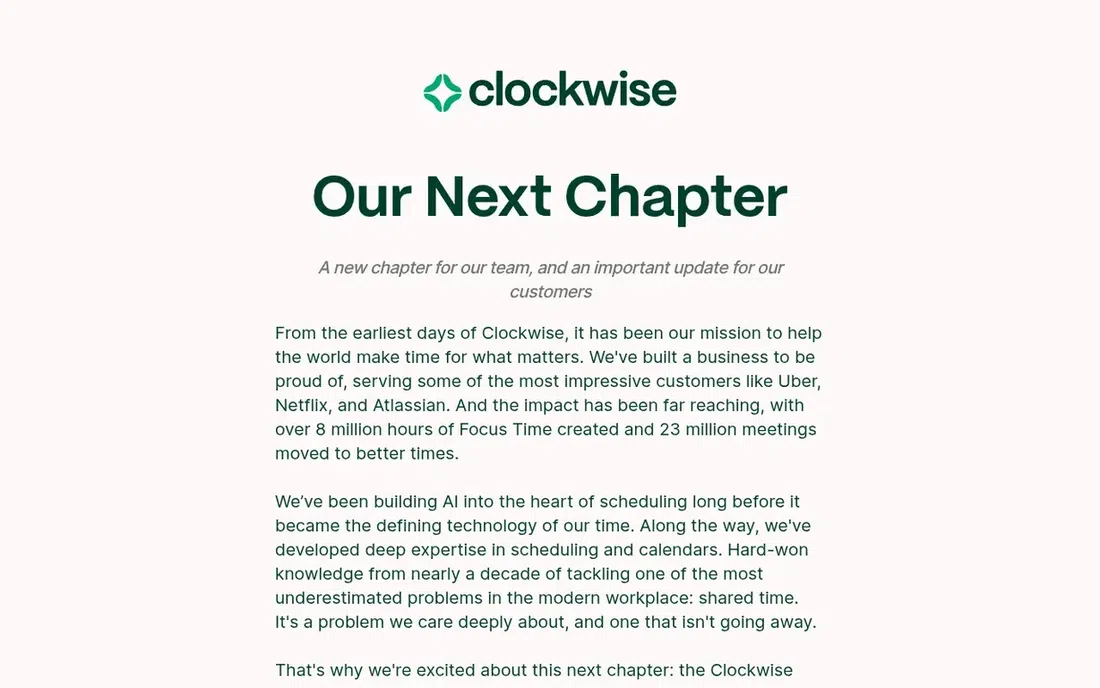
Clockwise serves calendar coordination across teams. Given the transitional messaging on its site, the product's current direction and feature set deserve a direct check before you plan around it.
If you need a stable, plainly documented scheduling assistant today, compare the other choices here and confirm Clockwise's status with the vendor. Pricing for Clockwise is not stated here, so ask the vendor for current figures. Free options: Not stated.
Limits to weigh: Site messaging is in transition.
- Known for calendar optimization
- Geared toward team scheduling
- Details should be confirmed straight

Superhuman serves AI help across mail and docs. For executives, the appeal is consolidation: mail, docs and AI assistance sit in one environment instead of being stitched together from separate apps.
Also, since Superhuman spans multiple areas, teams that only need inbox filtering or pure calendar automation may find it broader than necessary. Those wanting a narrow, single-purpose scheduling delegate should compare the more focused choices below before committing. Superhuman shows no starting price here, so confirm the cost on the vendor site. As for free access: Not stated.
Honest limits: Wide suite may be more than some need.
- Positioned for speed and focus
- Docs and AI in one suite
- Scheduling depth varies by workflow
How we built this list
Pricing pages, product documentation and feature lists were the main sources, and every entry carries at least one honest drawback. Figures are shown as the vendors publish them. Billing terms, seat minimums and add-ons can change the real cost. The order reflects how well each tool fits the most common buying scenario for AI email assistant for executive scheduling, then price clarity, then free plan access. It is a starting point, not a verdict.
Questions to settle before buying
- Get a written quote from Clockwise and Superhuman; the list shows no starting price for them.
- Look at free plan limits closely: x.ai and Reclaim.ai have one, and the caps decide whether it is usable for real work.
- Take the trial from Motion and Clara and push a live task through it before you pay.
- Read the limits listed for x.ai first: not positioned as a scheduling assistant.
- Look at the renewal terms for x.ai: auto-renewal, notice periods and price changes can matter more than the first-year price.
- Confirm that Motion connects to the apps your team already uses, on the plan you would actually buy.
FAQ
Is x.ai the right pick for everyone comparing AI email assistant for executive scheduling?
No single tool suits every team. x.ai comes first because it fits teams building on AI models, while Motion suits all-in-one AI work platform and Reclaim.ai suits auto-scheduling tasks and habits. Match the tool to your own size, budget and workflow before deciding.
How are the tools for AI email assistant for executive scheduling ordered?
The order follows typical fit for AI email assistant for executive scheduling, with x.ai first and Superhuman last, then price clarity and free access. It is editorial judgement, not a score, so another team could rank the tools differently.
Can I try these tools before paying?
Often, yes. x.ai and Reclaim.ai have a free plan and Motion and Clara offer a free trial. Use your own data and a real task during the test, and check what the free tier or trial limits before you rely on it.
What should an executive look for in an AI email assistant?
Prioritize whether you need inbox triage, calendar automation or delegated meeting booking, since few tools do all three equally well. Then confirm supported email and calendar services, privacy handling and setup effort before committing.
What is the cheapest option for AI email assistant for executive scheduling in this list?
On published monthly entry prices, x.ai is the lowest here at $8 per month. Entry price is only part of the cost, because seats, add-ons and billing terms can change the total.
Sources
- https://x.ai
- https://www.usemotion.com
- https://reclaim.ai
- https://claralabs.com
- https://www.getclockwise.com
- https://superhuman.com