Best 3D Parts Catalog Software in 2026: 7 Tools Compared
Compare the best 3D parts catalog software, from CADENAS and TraceParts to PartGrid, and publish catalogs engineers can find, view, and configure easily.
- Editor's choice
 eCATALOG 3Dfindit
Publishing catalogs to engineers
Starts atSee websiteVisit cadenas.deFull review - Great alternative
 TraceParts
CAD content publishing and leads
Starts atSee websiteVisit traceparts.comFull review - Also consider
 Components Engine
Spare parts and aftermarket catalogs
Starts atSee websiteVisit components-engine.comFull review
TL;DR:
- CADENAS eCATALOG 3Dfindit and TraceParts lead for publishing manufacturer catalogs to engineers who already search those networks.
- Components Engine and PartGrid suit aftermarket and spare parts teams that need exploded views, supersession, and dealer access.
- Intelli Catalog adds AI assisted search and hotspot illustrations for OEM dealer networks that handle many models and variants.
- CAD format coverage matters more than a pretty viewer: check the formats your customers actually download, from STEP to native CAD files.
- A catalog that is not kept current will hurt trust, so check who updates models, prices, and superseded parts, and how often.
Quick comparison
| Tool | Best for | Starts at | Free plan? | |
|---|---|---|---|---|
| eCATALOG 3Dfindit | Publishing catalogs to engineers | See website | No | Visit |
| TraceParts | CAD content publishing and leads | See website | No | Visit |
| Components Engine | Spare parts and aftermarket catalogs | See website | Free trial | Visit |
 PartGrid | Web-based spare parts catalogs | See website | Free trial | Visit |
 Intelli Catalog | OEM dealer parts lookup | See website | Free trial | Visit |
 pCon.catalog | Furniture and interior product data | See website | No | Visit |
 3D ContentCentral | Free CAD model library for users | Free | Yes | Visit |
The best 3D parts catalog software
A 3D parts catalog lets engineers, dealers, and customers find a part visually, view it in 3D, check compatibility, and download a CAD model or order the part. The tools below serve manufacturers, distributors, and aftermarket teams, with different strengths for marketing, sales, and service.
CADENAS eCATALOG 3Dfindit, from CADENAS, helps manufacturers publish searchable 3D catalogs that engineers can configure, view, and download in many CAD formats. The 3Dfindit network gives a manufacturer reach beyond its own website, because engineers already search there for components. For a parts vendor, that discovery value is a major reason to choose this platform over a catalog that only lives on one site.
The drawback is that eCATALOG projects are enterprise efforts. Product data must be structured, variants must be modeled, and pricing is quoted based on scope. A manufacturer with messy part data should clean it first, or the catalog will expose those gaps. For firms ready to invest in catalog data, eCATALOG 3Dfindit is a strong, proven publishing route.
- Large engineer audience through 3Dfindit
- Broad CAD format output
- Configurator and catalog publishing tools
- Pricing is quoted
- Setup rewards a clean product data model
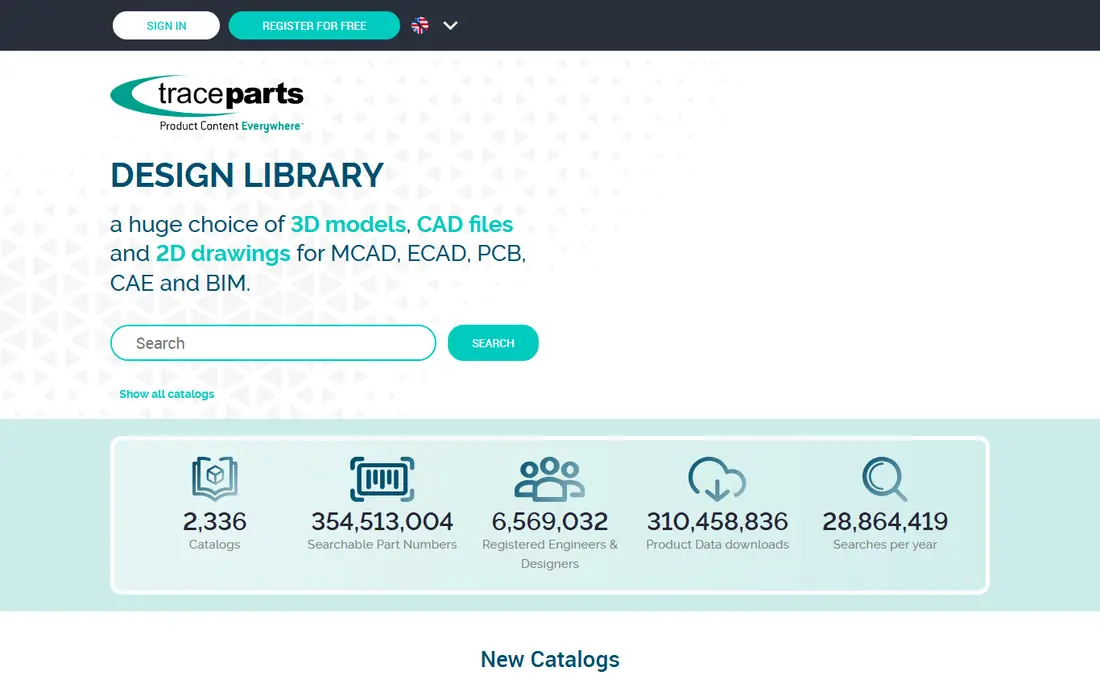
TraceParts is a CAD content platform where manufacturers publish products and engineers search, view in 3D, and download models for use in designs. Its publishing network extends beyond its own site to partner applications, which helps a component vendor reach design engineers early, when a part is being specified. An API lets a manufacturer embed TraceParts hosted 3D content into its own website with a custom browsing experience.
The honest limit is that a listing alone does not guarantee sales. Catalogs with incomplete attributes, missing formats, or outdated models will underperform, and pricing is quoted rather than published. Treat TraceParts as a marketing and specification channel that needs ongoing data care, not as a one-time upload. Done well, it is one of the most visible catalog platforms in this list.
- Large CAD content platform and partner network
- API for embedding 3D content
- Downloads in many CAD formats
- Pricing is quoted
- Lead quality depends on catalog completeness and targeting
Components Engine, from Quanos, is built for spare parts management rather than general marketing catalogs. It turns structured parts data, drawings, and bills of materials into searchable catalogs that service teams and dealers can use to identify the right part. Exploded views, part relationships, and revision handling matter here, because a wrong spare part creates a return, a delay, and an unhappy customer.
The trade-off is data discipline. Components Engine works best when parts lists are clean and linked to models and serial ranges. Teams with scattered PDFs and spreadsheets will need a data project first. For OEMs and aftermarket teams that live or die by correct spare parts identification, that focus is exactly the point.
- Spare parts catalog focus
- Exploded views and structured parts data
- Dealer and service workflows
- Pricing is quoted in many cases
- Implementation needs structured parts lists
PartGrid converts exploded-view diagrams, drawings, PDFs, and structured parts lists into searchable, interactive web catalogs. Customers can find a part visually, click a callout, and move to a quote or cart workflow, which shortens the path from a broken machine to an ordered part. Dealer access, currencies, and localization help manufacturers serve dealer networks across regions from one catalog system.
The weakness is that automated diagram linking is an aid, not a replacement for review. AI assisted detection of callouts still needs a person to check exceptions, especially for older drawings. For teams that want a modern, web-first spare parts catalog without a heavy on-premise project, PartGrid is a practical and focused option.
- Web-based catalogs from drawings and parts lists
- Visual lookup with quote or cart routing
- Dealer access and localization options
- Pricing is quoted
- AI assisted diagram linking still needs human review
Intelli Catalog is an electronic parts catalog for OEMs and dealer networks, with search by VIN, serial number, model, figure, and natural language. Interactive illustrations highlight the selected part, which reduces the guesswork that causes wrong orders. Supersession management tracks part history, so a dealer can see the correct replacement when a component changes due to an engineering update.
The limit is audience. Intelli Catalog is built for OEM scale, with dealer networks, multilingual needs, and ERP links, so a small shop with one product line may find it oversized. For an OEM with many models, variants, and dealers, its search and supersession features address the exact errors that cost aftermarket teams time and money.
- Search by VIN, serial, model, or natural language
- Interactive illustrations with hotspots
- Supersession tracking
- Pricing is quoted
- Best value is for OEM dealer networks, not single product shops
pCon.catalog, from EasternGraphics, serves manufacturers and dealers in furniture, office, and interior design, where product data must flow into planning and configuration tools. It helps vendors publish structured catalogs with variants, materials, and pricing that planners can use in real projects, rather than just browsing images. That planning link is why pCon.catalog matters in its niche: a catalog that cannot be planned with is often ignored by specifiers.
The drawback is niche focus. A general industrial parts maker will get more value from CADENAS or TraceParts, while a furniture maker will get more from pCon.catalog. Check whether your dealers and planners already use pCon tools before choosing, because network fit drives adoption in this category.
- Strong fit for furniture, office, and interior products
- Configurator and planning integrations
- Structured product data for dealers
- Narrower fit outside furniture and interiors
- Pricing is quoted
3D ContentCentral, from Dassault Systemes, is a free community library where engineers search for CAD models from suppliers and other users, download them, and use them in designs. For an engineer, it is a useful search starting point, especially for common components. For a supplier, a presence here can support discovery, though it does not replace a managed catalog platform with configurators, pricing, and analytics.
The honest limit is control. Content quality varies by contributor, and a manufacturer that wants a branded, governed catalog with up-to-date pricing and supersession should use a dedicated platform above. Use 3D ContentCentral as a discovery and download resource, and as a complement to a managed catalog, not as the catalog itself.
- Free library of supplier and user CAD models
- Broad format downloads
- Useful for engineers searching for components
- Not a full catalog publishing platform for manufacturers
- Quality varies by contributor
How we picked these
We compared official feature pages, pricing pages, and public documentation, plus public comparison guides, for tools that publish, manage, or distribute 3D parts catalogs. We favored tools available now, with clear CAD format support, visual lookup, or dealer workflows, and we mixed marketing catalog platforms with aftermarket catalog tools. We did not claim hands-on testing, and we used See website where pricing is quoted.
How to choose a 3D parts catalog
Start with the user. An engineer specifying a new design needs CAD downloads, accurate attributes, and configurators. A dealer fixing a machine needs model, serial, and exploded-view lookup. A customer buying a spare part needs a clear image, compatibility, price, and a cart. One catalog rarely serves all three equally well, so pick the primary user and make sure the secondary users are still served.
Next, audit your data. List every model, variant, and superseded part, and check which CAD formats customers request most. Ask vendors to import a sample of your hardest data, including a variant with many options and a part with a long supersession chain. Also ask who updates the catalog when a part changes, how pricing syncs, and what analytics show which parts are searched but not found. Those answers predict long term success better than a polished demo viewer.
Catalog data habits that pay off
Keep one master part record, with clear status for active, superseded, and discontinued parts. Publish change notes when a part is replaced, and keep old drawings accessible for machines already in the field. Review search logs monthly for zero-result queries, because those queries reveal missing parts, wrong terms, or naming problems.
FAQ
What is 3D parts catalog software?
It is software that publishes searchable parts catalogs with 3D views, CAD downloads, compatibility data, and ordering links. Engineers use it to specify parts, while dealers and customers use it to identify and order the correct spare part.
Do engineers really download CAD models from catalogs?
Yes. Engineers often search catalog platforms for a component, download a model in their CAD format, and place it in a design. That is why format coverage, accurate dimensions, and up-to-date models matter more than marketing copy.
How much does 3D parts catalog software cost?
Most manufacturer platforms are quoted based on catalog size, formats, integrations, and audience reach. Some user libraries are free for engineers, while aftermarket catalog tools may offer trials. Ask for a quote based on your part count and dealer count.
Can a 3D parts catalog connect to our ERP or shop?
Many tools offer APIs or integrations for pricing, inventory, and ordering, but depth varies. Check whether prices and stock sync automatically, and whether a catalog order flows to ERP without manual retyping.
What is the difference between a marketing catalog and a spare parts catalog?
A marketing catalog helps engineers discover and specify products. A spare parts catalog helps dealers and owners identify the exact replacement for a machine already in service, with exploded views, serial ranges, and supersession history.