After Effects Alternatives in 2026: 5 Options Vetted
After Effects alternatives in 2026: 5 tools with starting prices, free plans and limits. Every pick includes one clear drawback. Narrow your shortlist.

- Editor's choice
 Cinema 4D
3D motion design and animation
Starts atPricing on requestVisit maxon.netFull review - Great alternative
 Motion
Mac motion graphics and titles
Starts atPricing on requestVisit apple.comFull review - Also considerNuke
Node-based film and TV compositing
Starts atPricing on requestVisit foundry.comFull review
Direct answer
Cinema 4D comes first here, mainly for 3D motion design and animation. Motion is the stronger choice for Mac motion graphics and titles, while Nuke suits node-based film and TV compositing. Prices, free plans and limits for all 5 tools follow. None of these vendors publish plan prices, so pricing is on request for every option.
TL;DR:
- Number one here is Cinema 4D, a fit for 3D motion design and animation.
- No starting price is shown for any of the 5 tools, Cinema 4D and Vegas Pro included, so plan time for sales calls.
- Neither Cinema 4D nor Vegas Pro, nor any of the other 3 tools, has a permanent free plan; trials and quotes are the norm.
- Vegas Pro fits Windows editing with built-in VFX.
Last checked November 2026. Pricing on request: vendors did not publish plan prices when this guide was last checked (November 2026), so ask each vendor for a written quote.
Quick comparison
| Tool | Best for | Starts at | Free plan? | |
|---|---|---|---|---|
| Cinema 4D | 3D motion design and animation | Pricing on request | Not stated | Visit |
| Motion | Mac motion graphics and titles | Pricing on request | Not stated | Visit |
| Nuke | Node-based film and TV compositing | Pricing on request | Not stated | Visit |
 DaVinci Resolve | All-in-one editing, color and effects | Pricing on request | Not stated | Visit |
 Vegas Pro | Windows editing with built-in VFX | Pricing on request | Not stated | Visit |
The 5 tools in detail
If you are comparing After Effects, this page covers 5 tools in one place: what each is best for, what it costs to start, whether it has a free plan, and the main limit to know about.
Cinema 4D is built with 3D motion design and animation in mind. Choose it when your projects rely on 3D graphics instead of timeline-based effects. Instead of replacing an editor, it complements compositing and editing tools by handling the 3D side of motion design work.
The main drawbacks: 3D workflows need dedicated learning.
From a buyer's view, Cinema 4D is not a video editor, so it performs best alongside an editing or compositing application. Its 3D toolset also carries a ramp-up time. Also, Cinema 4D from Maxon is a 3D modeling, animation and motion design application. Cinema 4D does not show a starting price in this comparison, so check the vendor site for current pricing. Trial and free access: Not stated.
- 3D modeling and animation focus
- Complements 2D compositing tools
- Not a video editor
Motion is a good fit for Mac motion graphics and titles. Motion runs only on Apple products, so Windows and Linux users need another choice. It is also oriented toward graphics work instead of complicated film compositing.
Honest limits: Mac-only product.
As for the details, Motion is Apple's motion graphics application, positioned alongside Final Cut Pro for creating animated titles, transitions and graphic elements. Its focus is graphics and animation rather than shot-level visual effects. This comparison lists no price for Motion; ask the vendor. Free options: Not stated.
- Suits Apple's editing ecosystem
- Made for motion graphics work
- Not a full compositing package for film shots
Nuke
Best for: Node-based film and TV compositing

Choose Nuke for node-based film and TV compositing. Nuke is Foundry's compositing and visual effects application used for film and TV work, with a node-based approach to building shots. Pick Nuke when compositing quality is the priority.
Nuke is not designed as an everyday video editor, so editors wanting one application for cutting and effects should look at an all-in-one suite instead. Its node-based model also needs dedicated learning time. Nuke shows no starting price here, so confirm the cost on the vendor site. As for free access: Not stated.
Downsides: Node workflows take time to learn.
- Designed for film and TV visual effects
- Editorial and compositing in one family
- Not a general video editor
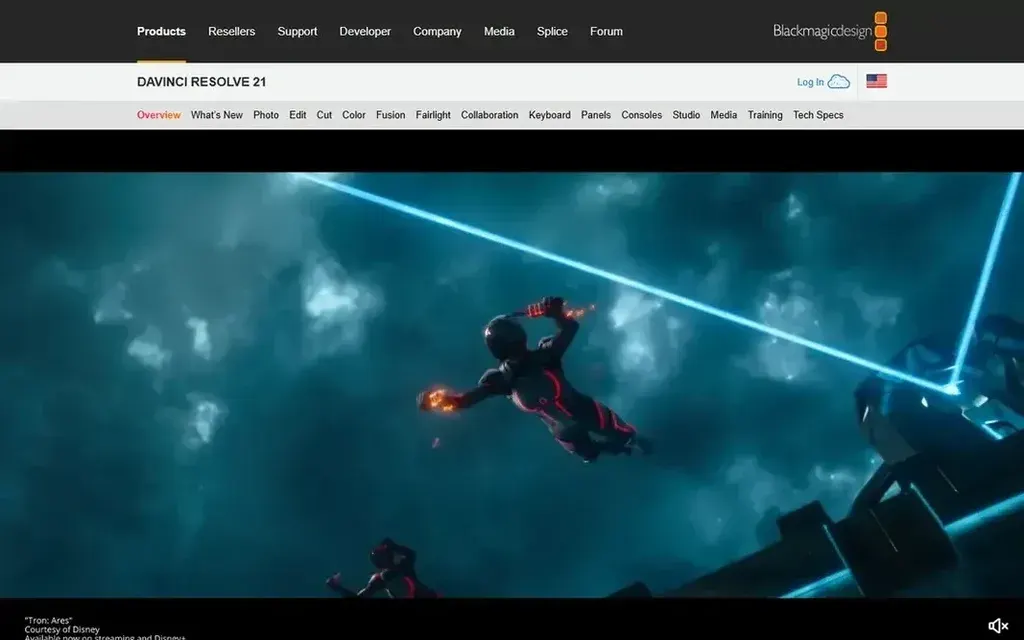
DaVinci Resolve targets all-in-one editing, color and effects. DaVinci Resolve is a professional application that brings video editing, color correction, visual effects and audio post production together in one place.
In daily use, choose Resolve when you want effects integrated with editing and color. Choose a standalone compositor when shot complexity is the central focus. DaVinci Resolve does not show a starting price in this comparison, so check the vendor site for current pricing. On free options: Not stated.
Drawbacks to consider: Deep feature set can feel overwhelming at first.
- Windows and Linux
- Effects and audio in one application
- Heavier effects work may need a dedicated compositor
Choose Vegas Pro for Windows editing with built-in VFX. Pick Vegas Pro when you want an editor with practical built-in effects.
Downsides: Windows-focused platform.
Vegas Pro is centered on Windows, and its effects toolset is geared toward editing workflows instead of complicated shot compositing. This comparison lists no price for Vegas Pro; ask the vendor. Free plan details: Not stated.
- Contains color grading and VFX tools
- Audio tools built into the editor
- Effects depth differs from dedicated compositors
How the list was put together
Selection started from tools commonly considered for After Effects, then narrowed to 5 that have clear pricing information or a clear quote process. Treat prices as a snapshot: vendors change plans often, so check the vendor site for the figure that applies today. The ranking is editorial: typical fit first, then clear pricing, then free access. If your needs are unusual, read the profiles rather than relying on position.
Before you commit
- Ask each vendor, from Cinema 4D to Vegas Pro, for a written quote; none of them publishes a starting price.
- Read the limits listed for Cinema 4D first: not a video editor.
- Map your must-have features to a specific DaVinci Resolve plan before you compare prices.
- Price Vegas Pro for your actual team size; headline prices rarely include add-ons or overage.
- Ask Motion whether prices are locked for the first term and what happens at renewal.
FAQ
Do these tools publish their prices?
No. None of the tools, from Cinema 4D to Vegas Pro, shows a fixed starting price here, so budget time for quotes.
Is Cinema 4D a replacement for After Effects?
Cinema 4D is a 3D motion design tool instead of a video editor. So it complements an editor or compositor rather than replacing one. Pair it with an editing application for full workflows.
Can I try these tools before paying?
Not by default. None of the tools, from Cinema 4D to Vegas Pro, lists a free plan or a free trial here, so ask each vendor for a demo before committing.
Is Cinema 4D the right pick for everyone comparing After Effects?
No single tool suits every team. Cinema 4D comes first because it fits 3D motion design and animation, while Motion suits Mac motion graphics and titles and Nuke suits node-based film and TV compositing. Match the tool to your own size, budget and workflow before deciding.
Does any tool for After Effects here have a free plan?
A permanent free plan is not offered by Cinema 4D, Vegas Pro or the other tools here. Plan a short evaluation period instead.
Sources
- https://www.maxon.net/en/cinema-4d
- https://www.apple.com/final-cut-pro/motion
- https://www.foundry.com/products/nuke-family/nuke
- https://www.blackmagicdesign.com/products/davinciresolve
- https://www.vegascreativesoftware.com/us/vegas-pro