Aero Workflow Alternatives in 2026: 8 Tools Compared
aero workflow alternatives compared: eight accounting practice tools for workflows, client portals, billing, and tax work, with clear pricing notes today.
- Editor's choice
 Karbon
Growing firms where work runs through email
Starts at$59 per user per monthVisit karbonhq.comFull review - Great alternative
 Jetpack Workflow
Firms that need recurring task tracking only
Starts at$40 per user per monthVisit jetpackworkflow.comFull review - Also consider
 Financial Cents
Small firms that want to start this week
Starts at$19 per monthVisit financialcents.comFull review
TL;DR:
- The cheapest starting price on this list is $59 per user per month, but the best value depends on how much you send, seat, or use each month.
- Karbon leads for growing firms where work runs through email, while Jetpack Workflow suits buyers who want a simpler setup.
- Check the full cost before you sign, including add-ons, per-seat charges, and any annual billing terms on the vendor pricing page.
- A free plan or trial is worth using with real data, since setup effort and daily ease matter as much as the headline price.
Quick comparison
| Tool | Best for | Starts at | Free plan? | |
|---|---|---|---|---|
| Karbon | Growing firms where work runs through email | $59 per user per month | Free trial | Visit |
| Jetpack Workflow | Firms that need recurring task tracking only | $40 per user per month | Free trial | Visit |
| Financial Cents | Small firms that want to start this week | $19 per month | Free trial | Visit |
 Canopy | Tax-heavy practices and resolution work | $74 per user per month | Free trial | Visit |
 TaxDome | Tax firms that want one client portal | $800 per seat per year | No | Visit |
 Tidyflow | Growing firms that want transparent pricing | $39 per user per month | Free trial | Visit |
 Uku | Small firms watching profitability closely | $19 per member per month | Free trial | Visit |
 Firm360 | Firms that want a balanced all-in-one suite | $49 per user per month | Free trial | Visit |
The best Aero Workflow alternatives
We compared official pricing pages, feature pages, and public documentation for each tool below, and we focused on what a buyer actually gets at the entry price. Use the list to shortlist two or three options, then test them with your own data before you commit.

Karbon ties email to tasks and client work, so a manager can see a job, its owner, and the last client message without opening five apps. If you need Karbon is worth a shortlist spot when growing firms where work runs through email is the main job, and the entry price makes it easy to trial without a large contract.
It fits firms of ten or more staff that will use the depth, and it can feel like too much platform for a solo practice. The honest catch is tied to the limits above, so buyers should test the exact workflow they run most often, not just the demo path, before moving a team across.
Our pick logic for Karbon is simple: if the strengths above match your daily work and the limits do not block your main workflow, it earns a place on a shortlist of two or three tools for a trial.
- Email, tasks, and clients in one timeline
- Deep workflow automation
- Many integrations
- Entry plan omits some automation extras
- Setup takes weeks for larger firms

Jetpack Workflow does one job well, which is tracking recurring client work through the month and the tax season. Our view is that Jetpack Workflow is worth a shortlist spot when firms that need recurring task tracking only is the main job, and the entry price makes it easy to trial without a large contract.
Firms that already have a portal and billing tool elsewhere will like the focus, while firms wanting one suite should look higher on this list. The honest catch is tied to the limits above, so buyers should test the exact workflow they run most often, not just the demo path, before moving a team across.
Our pick logic for Jetpack Workflow is simple: if the strengths above match your daily work and the limits do not block your main workflow, it earns a place on a shortlist of two or three tools for a trial.
- Simple recurring workflows
- Clear job lists
- Fast setup for small teams
- No client portal or billing depth
- Reporting is basic
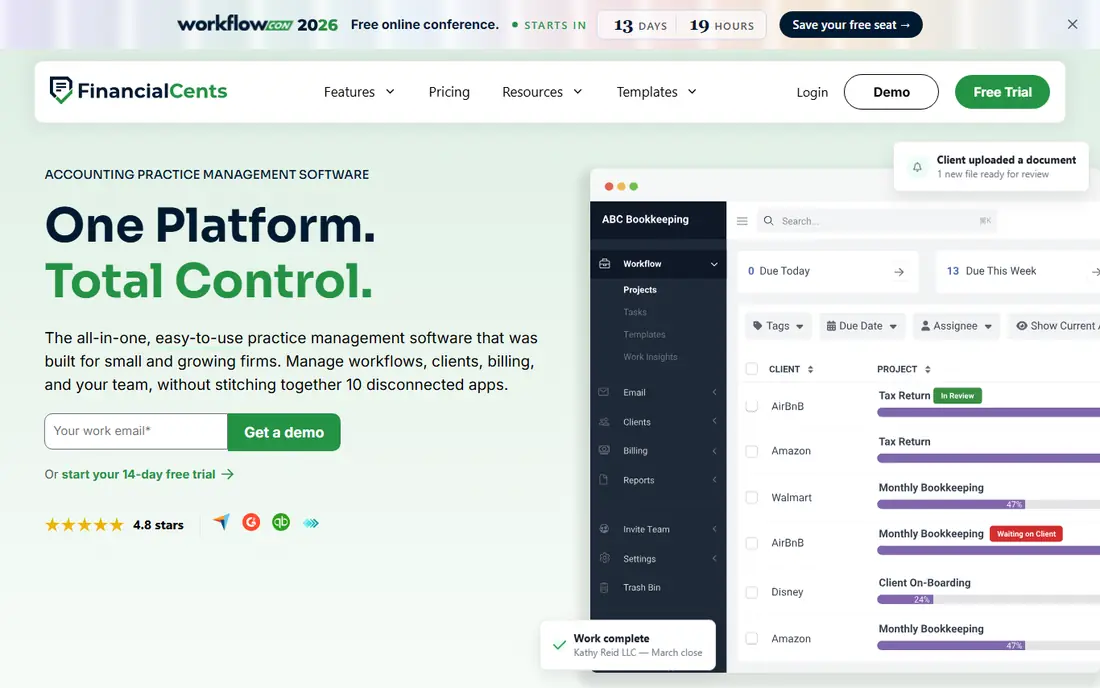
Financial Cents aims at small firms with a workflow tool that can be running in days, including client tasks and a portal. In practice, Financial Cents is worth a shortlist spot when small firms that want to start this week is the main job, and the entry price makes it easy to trial without a large contract.
It is a practical first suite for a firm outgrowing spreadsheets, even if large firms may later need deeper reporting. The honest catch is tied to the limits above, so buyers should test the exact workflow they run most often, not just the demo path, before moving a team across.
Our pick logic for Financial Cents is simple: if the strengths above match your daily work and the limits do not block your main workflow, it earns a place on a shortlist of two or three tools for a trial.
- Low Solo entry price
- Workflow, portal, and time tools
- Gentle learning curve
- Some features are limited on lower plans
- Fewer enterprise controls
Canopy pairs practice workflows with tax-specific tools, which suits firms where tax work drives the calendar. For buyers who Canopy is worth a shortlist spot when tax-heavy practices and resolution work is the main job, and the entry price makes it easy to trial without a large contract.
Buyers should price the modules they need, not just the headline tier, since the full setup can cost more than the first quote suggests. The honest catch is tied to the limits above, so buyers should test the exact workflow they run most often, not just the demo path, before moving a team across.
Our pick logic for Canopy is simple: if the strengths above match your daily work and the limits do not block your main workflow, it earns a place on a shortlist of two or three tools for a trial.
- Practice management plus tax tools
- Client portal and e-signatures
- Modular add-ons
- Modular pricing can lift the real total
- Setup help may cost extra
TaxDome gives tax and bookkeeping firms a single portal for messages, documents, signatures, and payments. When we compared TaxDome is worth a shortlist spot when tax firms that want one client portal is the main job, and the entry price makes it easy to trial without a large contract.
The annual upfront term is the main catch, so firms should trial the workflow with a small client group before committing a full seat count. The honest catch is tied to the limits above, so buyers should test the exact workflow they run most often, not just the demo path, before moving a team across.
Our pick logic for TaxDome is simple: if the strengths above match your daily work and the limits do not block your main workflow, it earns a place on a shortlist of two or three tools for a trial.
- All-in-one portal, CRM, billing, and e-signatures
- Polished client experience
- Annual upfront billing only
- Setup can take weeks
Tidyflow offers workflow, portal, invoicing, and e-signatures at a flat per-user price that is easy to budget. For teams that Tidyflow is worth a shortlist spot when growing firms that want transparent pricing is the main job, and the entry price makes it easy to trial without a large contract.
It suits growing firms that want Karbon-style depth at a lower price and prefer monthly billing to an annual lock-in. The honest catch is tied to the limits above, so buyers should test the exact workflow they run most often, not just the demo path, before moving a team across.
Our pick logic for Tidyflow is simple: if the strengths above match your daily work and the limits do not block your main workflow, it earns a place on a shortlist of two or three tools for a trial.
- All-in-one practice tools at a clear price
- Monthly billing
- Fast setup
- Smaller integration library than the biggest suites
- Newer brand
Uku combines time tracking, billing, and workflows in one tool, with a Solo plan that keeps costs low for tiny firms. If you need Uku is worth a shortlist spot when small firms watching profitability closely is the main job, and the entry price makes it easy to trial without a large contract.
It helps owners see which clients take the most hours, though firms tied to US tax tools should check integrations first. The honest catch is tied to the limits above, so buyers should test the exact workflow they run most often, not just the demo path, before moving a team across.
Our pick logic for Uku is simple: if the strengths above match your daily work and the limits do not block your main workflow, it earns a place on a shortlist of two or three tools for a trial.
- Low entry price
- Time, billing, and workflow together
- Monthly billing option
- Smaller US presence
- Fewer third-party integrations
Firm360 covers the usual practice jobs in one account, from task lists to client documents and billing. Our view is that Firm360 is worth a shortlist spot when firms that want a balanced all-in-one suite is the main job, and the entry price makes it easy to trial without a large contract.
It sits in the middle on price and depth, which makes it a steady choice for firms that want one suite without enterprise complexity. The honest catch is tied to the limits above, so buyers should test the exact workflow they run most often, not just the demo path, before moving a team across.
Our pick logic for Firm360 is simple: if the strengths above match your daily work and the limits do not block your main workflow, it earns a place on a shortlist of two or three tools for a trial.
- Workflow, portal, billing, and documents in one system
- US-focused support
- Reporting depth is modest
- Onboarding varies by plan
How we picked these
We started with the topic in the brief and listed only products that exist today and truly fit that topic, using vendor pricing pages, feature pages, app store listings, and public documentation as the main sources. We left out tools that are retired, that need a workaround to fit the topic, or that could not be verified on an official homepage.
We then compared entry prices, free plans, and the features that matter at the starting tier, not just on the top tier. Where a vendor does not publish a price, we say so with See website rather than guessing a number, and we note when a low headline price rises with seats, usage, or add-ons.
How to pick practice software for an accounting firm
Start with the job you run every week, not the longest feature list. Write down the three tasks that must work on day one, then check those tasks on the entry plan, since many tools gate useful features behind higher tiers. A tool that covers your core job well will beat a broader tool that makes that job harder.
Check the full price, not just the headline
Add seats, usage, and add-ons to the entry price, and ask whether annual billing is required for the quoted rate. Some tools look cheap until a second seat, a text message bundle, or an AI add-on is added, so a written quote for your team size is worth the extra email.
Trial with real work
Run a trial with real records, real messages, or real files, and invite the people who will use the tool daily. A trial that only covers the demo path can hide slow setup, awkward permissions, or missing exports, and those issues tend to appear in the first busy week after launch.
Plan the move
Before you switch, list what must move across, including contacts, history, templates, and integrations, and check export options on both sides. A clean move with a short overlap period costs less time than a rushed cutover, and it gives staff a chance to learn the new tool while the old one still runs.
FAQ
What is the best aero workflow alternatives option for most people?
There is no single winner, since the best pick depends on team size, budget, and the job you run most often. Start with the top three tools on this list, compare their entry plans, and trial the one whose strengths match your daily work.
Are there free aero workflow alternatives options?
Yes, several tools on this list offer a free plan or a free trial, though limits on seats, sends, or features apply. Use the free tier to test the core workflow, and check the paid price for the team size you will reach in a year.
How much should I expect to pay?
Entry prices vary widely, from free plans to quote-based enterprise pricing, and the total depends on seats and usage. Price the plan you will need in twelve months, not just the first month, and include add-ons in that total.
Can I switch later if I pick the wrong tool?
In most cases yes, but the ease of switching depends on export options and integrations. Check how to export your data before you sign, and keep a copy of templates and records outside the tool during the trial.
Do I need a paid plan to start?
Not always, since a free plan or trial covers many small teams at the start. Paid plans become worth it when you need more seats, higher limits, automation, or support, so upgrade when a limit starts to slow real work.