Best Alternatives to Tray for Workflow Automation in 2026: 9 Tools Compared
Looking for the best alternatives to tray for workflow automation? We compared 9 platforms on price, ease of use, governance, and app coverage before you buy.

- Editor's choice
 Zapier
Teams that want the widest app coverage with minimal learning
Starts at$19.99 per monthVisit zapier.comFull review - Great alternative
 Make
Visual multi-step workflows on a budget
Starts at$9 per monthVisit make.comFull review - Also consider
 n8n
Developers and teams that want self-hosting and full control
Starts atFreeVisit n8n.ioFull review
TL;DR:
- Tray, now Tray.ai, suits teams that need governed, AI-assisted automation across many SaaS apps, but its quote-based pricing puts it out of reach for small teams.
- Zapier is our pick for most teams leaving Tray, because it offers the widest app coverage and the gentlest learning curve.
- Make offers the best value for complex visual workflows, with generous credits at a low entry price.
- n8n is the best pick for developers and self-hosters who want full control without per-task vendor lock-in.
- Enterprise teams that need governance, approvals, and audit trails should shortlist Workato, Boomi, and MuleSoft rather than a consumer automation tool.
Quick comparison
| Tool | Best for | Starts at | Free plan? | |
|---|---|---|---|---|
| Zapier | Teams that want the widest app coverage with minimal learning | $19.99 per month | Yes | Visit |
| Make | Visual multi-step workflows on a budget | $9 per month | Yes | Visit |
| n8n | Developers and teams that want self-hosting and full control | Free | Yes | Visit |
 Workato | Enterprise teams needing governance and scale | See website | No | Visit |
 Boomi | Hybrid integration across cloud and on-premises systems | See website | Free trial (30 days) | Visit |
 MuleSoft | API-led integration in large enterprises | See website | No | Visit |
 Pipedream | Developers building code-first workflows and AI agents | See website | Yes | Visit |
 Activepieces | Open source automation with simple flat pricing | $25 per month | Yes | Visit |
 IFTTT | Simple personal and smart-home automations | $2.99 per month | Yes | Visit |
The best alternatives to Tray for workflow automation
Tray.ai focuses on connecting SaaS apps, building multi-step workflows, and adding AI agents with governance controls for larger teams. That enterprise focus is valuable, but many teams do not need it, or cannot justify quote-based pricing for their volume. The tools below span the full range: simple no-code automation, visual multi-step builders, code-first platforms, and enterprise integration suites. The right pick depends on who builds the workflows, how complex they are, and how much governance your organisation requires.
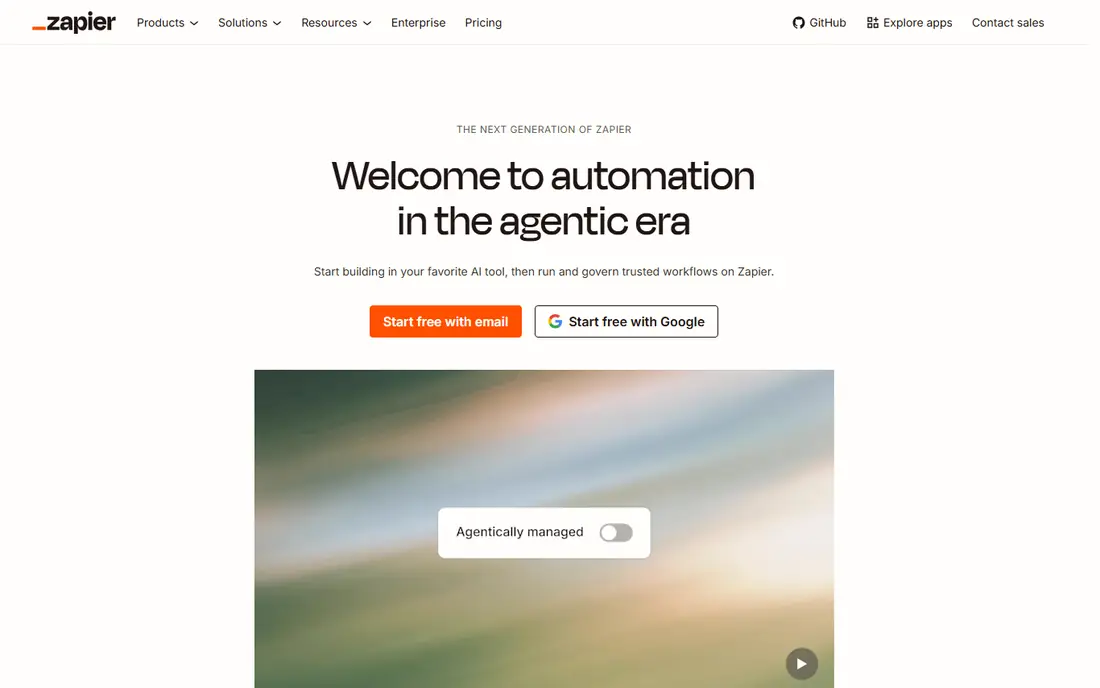
Zapier is the default automation tool for a reason: it connects more apps than most rivals, and its builder is easy enough for a non-technical team member to use on day one. You can start from a template, connect two apps, and have a working workflow in minutes, then expand it as needs grow. Its agent features and integrations with modern AI tools keep it relevant for teams exploring AI-assisted work.
The cost model is the main watch-out. Zapier charges per completed task step, so a workflow with many steps or high volume can become expensive faster than a credit-based rival such as Make. The free plan is also limited. For teams that value breadth, ease, and templates over raw volume value, Zapier remains our pick.
- Thousands of app integrations and ready-made templates
- Very easy builder for non-technical users
- Strong AI agent and MCP support
- Task-based pricing adds up for multi-step workflows
- Free plan limited to 100 tasks and two-step Zaps

Make, formerly Integromat, is the best value pick for teams that build complex workflows. Its visual builder shows data flowing between modules, which makes branching, filtering, and error handling easier to understand than a linear list of steps. The entry Core plan, at $9 per month billed annually, includes 10,000 credits, which goes further than Zapier task pricing for many multi-step workflows.
Make takes a little longer to learn than Zapier, and its app catalogue, while large, does not match Zapier breadth for niche apps. Teams that need a rare integration should check availability first. For operations teams building branching, data-heavy automations on a budget, Make is hard to beat.
- Visual scenario builder with branching, routing, and data tools
- Generous credits at the entry price
- Free plan with 1,000 credits
- Learning curve is steeper than Zapier for beginners
- App catalogue is smaller than Zapier, though still large
n8n is the developer favourite in this list, and its open approach is the reason. You can self-host the Community edition for free, build workflows with visual nodes and code steps, and avoid paying per task to a vendor. Its AI agent nodes let you build agents that use tools, call APIs, and work across apps, which suits teams experimenting with agentic automation.
Self-hosting is also the catch: you manage updates, security, backups, and scaling yourself. The hosted cloud plan removes that burden but charges per execution, starting at 20 euros per month billed annually. For a technical team that values control and low marginal cost, n8n is the strongest Tray alternative.
- Self-hosted Community edition is free with no vendor task meter
- Code nodes in JavaScript and Python
- AI agent nodes and MCP support
- Self-hosting needs server setup and maintenance
- Cloud pricing is in euros and scales with executions
Workato is the closest enterprise peer to Tray in this list. It is built for organisations that need governed automation across SaaS, data, and internal systems, with role-based access, approvals, and audit logs that satisfy IT and compliance teams. Its recipe builder is accessible to business users, while IT retains control over connectors and policies.
Pricing is quote-based and typically enterprise-level, so Workato is not a small-team tool. Implementation also benefits from IT planning, especially for complex integrations. For a large organisation replacing Tray with a governed, scalable platform, Workato is a leading candidate to evaluate in a proof of concept.
- Strong governance, approvals, and audit trails
- Large enterprise connector library
- AI agent studio for business teams
- Quote-based pricing is high for small teams
- Implementation often needs IT involvement
Boomi suits organisations that must connect cloud apps with on-premises systems, databases, and legacy software. Its runtime model lets integrations run where the data lives, which matters for regulated or hybrid environments. Visual mapping, reusable components, and monitoring help integration teams manage many flows in one place.
Boomi is an enterprise platform with quote-based pricing, so it is overkill for simple Zapier-style automations. Teams that only connect SaaS apps will find Zapier, Make, or n8n faster and cheaper. For hybrid integration with governance and scale, Boomi is a proven, mature choice.
- Hybrid runtimes for cloud and on-premises systems
- Visual mapping and data transformation
- Agent studio and MCP tooling
- Quote-based pricing
- Platform breadth can feel heavy for simple SaaS-to-SaaS automation
MuleSoft, part of Salesforce, takes an API-led approach: design reusable APIs once, then compose them into integrations and applications. That discipline suits large enterprises with many systems, strict governance, and a need to expose data safely to partners and internal teams. Its Anypoint Platform covers design, management, and monitoring in one suite.
MuleSoft is not a no-code tool for business users. It requires integration developers, planning, and enterprise budgets, and simple automations will be slower to build than in Zapier or Make. For a large enterprise standardising on APIs, it is a strong Tray alternative; for a small team, it is the wrong tool entirely.
- API-led design with reusable APIs and assets
- Strong data transformation with DataWeave
- Salesforce ecosystem integration
- Quote-based enterprise pricing
- Needs developer and integration expertise to use well
Pipedream is built for developers who prefer code to drag-and-drop builders. You can write Node or Python steps, use thousands of prebuilt app components, and build workflows that call APIs, transform data, and trigger AI agents. Its free tier lets you build without a card, which makes it easy to prototype.
The trade-off is accessibility. Non-technical team members will find Zapier or Make easier, and Pipedream pricing varies by plan, so confirm the current workflow and credit tiers before budgeting. For API-heavy work, webhooks, and agent prototypes, Pipedream offers developer speed that visual-only tools cannot match.
- Code steps in Node and Python with npm packages
- Huge API and app component library
- Strong for AI agents and API glue work
- Pricing has changed across plans, so confirm current tiers
- Less friendly for non-technical builders than Zapier or Make
Activepieces is an open source automation platform that aims to be simpler than n8n while still offering self-hosting. Its builder covers common SaaS automations with a clean interface, and its paid cloud plans use a flatter pricing approach that suits teams with steady volume. Self-hosting removes the vendor meter entirely for teams willing to run it themselves.
The app catalogue is smaller than Zapier or Make, so check your must-have apps first. Advanced features and AI tooling are also less mature than the enterprise leaders. For a small team that wants open source, low cost, and a gentle builder, Activepieces is a promising and affordable Tray alternative.
- Open source with self-hosting option
- Flat pricing approach on paid plans
- Easy builder for common SaaS automations
- Smaller app catalogue than Zapier or Make
- AI and advanced features are still maturing compared with larger rivals
IFTTT, short for If This Then That, is the simplest tool here, and that simplicity is its niche. You create applets that link a trigger in one service to an action in another, such as saving social posts to a spreadsheet or turning on lights at sunset. The Pro plan, at $2.99 per month, allows more applets than the free plan.
IFTTT cannot replace Tray for business workflows. It lacks complex branching, data mapping, error handling, and governance, and its business use is limited. For personal automations, smart-home routines, and simple cross-app triggers, it is cheap, fast, and easy. Treat it as a complement to a business tool, not a replacement for Tray.
- Very simple trigger-and-action setup
- Strong smart-home and personal app coverage
- Low entry price
- Limited to simple logic, with no complex branching or data transformation
- Not suited to business workflow governance
How we picked these
We compared official feature pages, pricing pages, and public documentation for workflow automation platforms that are actively sold in October 2026. We favoured tools that cover Tray core jobs: connecting SaaS apps, building multi-step workflows, and, where relevant, adding AI agents or governance. Pricing is marked See website where vendors use quote-based or frequently changing tiers.
What to check before you switch
List your current Tray workflows by volume, complexity, and owner. Simple two-app workflows move easily to Zapier or IFTTT, while branching, data-heavy workflows suit Make or n8n, and governed enterprise workflows suit Workato, Boomi, or MuleSoft. Check connector availability for every app in each workflow, since a missing connector can block a migration.
Model pricing on your real volume
Task, credit, and execution pricing are not comparable at face value. Run one month of real workflow volume through each pricing model, including multi-step counts, error retries, and polling frequency, before choosing the cheapest headline plan.
Test error handling and monitoring
A workflow that fails silently is worse than no workflow. Test retries, alerts, logs, and version history on each shortlisted tool, and confirm who gets notified when a business-critical flow breaks.
FAQ
What is the best Tray alternative for most teams?
Zapier is our pick for most teams, because it offers the widest app coverage and the easiest builder. Make is the better value pick for complex workflows, and n8n is the best pick for developers who want self-hosting and control.
Is there a free Tray alternative?
Yes, for light use. Zapier, Make, n8n self-hosted, Pipedream, Activepieces, and IFTTT all offer free plans or free self-hosting. Free tiers limit tasks, credits, or steps, so check limits against your real workflow volume before relying on them.
Which tool is best for enterprise governance?
Workato, Boomi, and MuleSoft lead for governance, approvals, audit trails, and scale. Workato suits SaaS-led automation, Boomi suits hybrid cloud and on-premises integration, and MuleSoft suits API-led enterprise architecture.
Can I migrate Tray workflows automatically?
There is no universal Tray-to-other-tool migration that preserves every workflow exactly. Expect to rebuild workflows in the new tool, reuse your connector credentials and logic, and test each flow with real data before switching it off in Tray.
Do these tools support AI agents?
Yes, to varying degrees. Tray, Workato, Boomi, MuleSoft, Zapier, n8n, and Pipedream all offer agent features or MCP support in 2026. Check whether agents are included in your plan, how they are metered, and what approvals guard agent actions in production.
How do I choose between Zapier and Make?
Choose Zapier if app breadth, templates, and ease matter most and your workflows are simple. Choose Make if your workflows branch, transform data, or run at high volume, since its credit pricing usually costs less for multi-step work.