5 Sakai Alternatives Worth Switching To in 2026
5 options for Sakai alternatives, with entry costs, free tiers and the buyer each one serves. Clear notes on pricing gaps and limits. Checked this month.
- Editor's choice
 Google Classroom
Straightforward classroom management in Google Workspace
Starts atPricing on requestVisit classroom.google.comFull review - Great alternative
 D2L Brightspace
AI, authoring and analytics in one product
Starts atPricing on requestVisit d2l.comFull review - Also consider
 Canvas LMS
Approachable teaching and learning
Starts atPricing on requestVisit instructure.comFull review
Direct answer
Google Classroom comes first here, mainly for straightforward classroom management in Google Workspace. If your case is different, D2L Brightspace suits AI, authoring and analytics in one product and Canvas LMS suits approachable teaching and learning. The other 2 tools in the list cover narrower or pricier cases. None of these vendors publish plan prices, so pricing is on request for every option.
TL;DR:
- Number one here is Google Classroom, a fit for straightforward classroom management in Google Workspace.
- Google Classroom, Moodle and the 3 others all need a premium plan or a trial, since no free plan is listed.
- Moodle suits configurable learning ecosystems.
- A fair warning about Canvas LMS: advanced customization may be restricted.
Last checked November 2026. Pricing on request: vendors did not publish plan prices when this guide was last checked (November 2026), so ask each vendor for a written quote.
Quick comparison
| Tool | Best for | Starts at | Free plan? | |
|---|---|---|---|---|
| Google Classroom | Straightforward classroom management in Google Workspace | Pricing on request | Not stated | Visit |
| D2L Brightspace | AI, authoring and analytics in one product | Pricing on request | Not stated | Visit |
| Canvas LMS | Approachable teaching and learning | Pricing on request | Not stated | Visit |
| Open edX | Open-source learning at scale | Pricing on request | Not stated | Visit |
 Moodle | Configurable learning ecosystems | Pricing on request | Not stated | Visit |
The full Sakai list
LinkVetted put together this guide to Sakai for readers who want a clear shortlist without reading every vendor page. It compares 5 tools on starting price, free plans, who each one suits and where each one falls short.
Google Classroom
Best for: Straightforward classroom management in Google Workspace
Google Classroom is aimed squarely at simple classroom management in Google Workspace. Google Classroom is described as a central hub for tools and resources built to help educators handle classrooms and enrich learning experiences.
Where it is weaker: Restricted advanced LMS depth.
Teams needing advanced authoring or analytics should look at D2L Brightspace, Moodle or Canvas LMS instead. Check the vendor site for Google Classroom pricing; none is listed in this comparison. Free options: Not stated.
- Easy for educators to adopt
- Familiar Google interface
- Tied closely to Google tools
Pick D2L Brightspace if this describes you: AI, authoring and analytics in one product. D2L Brightspace is a learning platform for higher education, K-12, associations and business, with D2L Lumi AI, Creator+ authoring and Performance+ analytics.
On top of that, the breadth of features can exceed what small teams need, and administrators may face a ramp-up time. D2L Brightspace shows no starting price here, so confirm the cost on the vendor site. Free plan details: Not stated.
Where it falls short: Ramp-up time for administrators.
- Performance+ analytics
- Built-in AI features
- Feature set may be more than needed
Canvas LMS serves approachable teaching and learning. Beyond that, institutions moving away from Sakai frequently value its approachable design for instructors and learners alike.
In daily use, since the emphasis is on simplicity, teams needing deep structural customization may find it less adaptable than more customizable products. Consider Moodle instead if you want extensive control over course structure and plugins, or Open edX if open-source scale matters more than polish. This comparison lists no price for Canvas LMS; ask the vendor. On free options: Not stated.
Trade-offs to know: Advanced customization may be restricted.
- Approachable interface
- Clean
- Feature depth varies by setup
Open edX
Best for: Open-source learning at scale
Open edX is a good fit for Open-source learning at scale. Running Open edX usually needs technical resources for setup and maintenance, and it is less plug-and-play than hosted choices.
Limits to weigh: Less plug-and-play than hosted tools.
From a buyer's view, Teams without engineering support may prefer Canvas LMS, Moodle or Google Classroom for quicker adoption. This comparison lists no price for Open edX; ask the vendor. Free access: Not stated.
- Open-source foundation
- Used by organizations worldwide
- Technical setup required
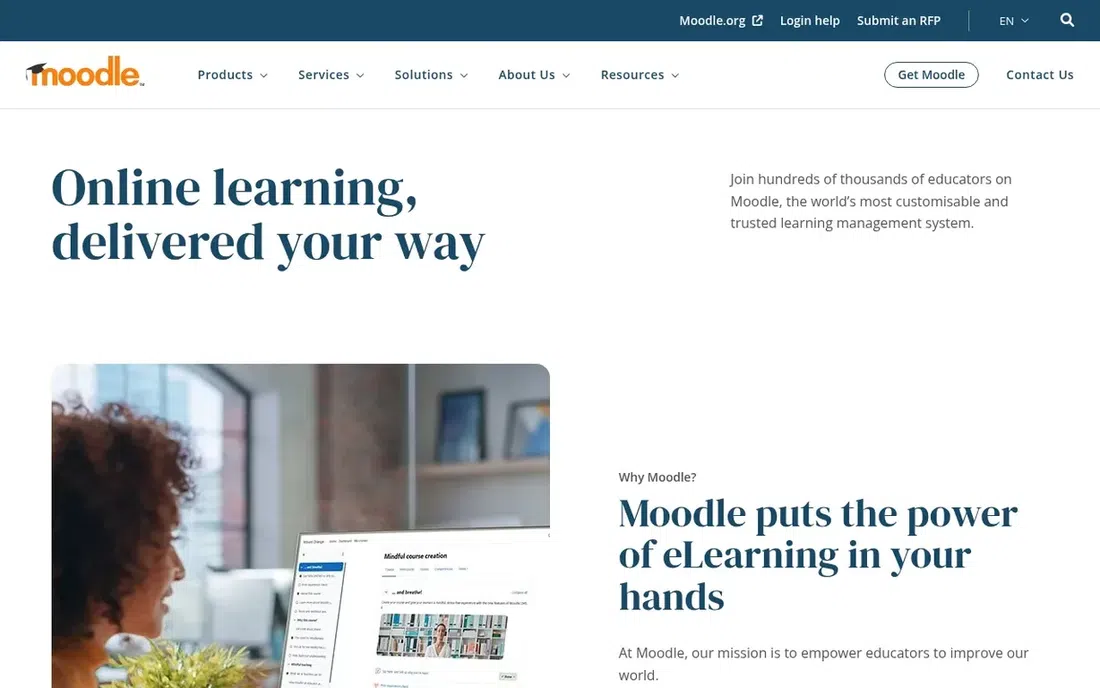
Moodle works best for configurable learning ecosystems. If you prefer minimal administration, Canvas LMS or Google Classroom may be more straightforward, whereas Open edX fits open-course publishing at scale.
Drawbacks to consider: Interface can feel complicated.
No starting price is listed for Moodle here; confirm pricing on the vendor site. On free options: Not stated.
- Serves education and enterprise
- Solid ecosystem of extras
- Setup and upkeep need expertise
How these tools were picked
LinkVetted used vendor pricing pages and product documentation as the base, then compared plans, free access and documented limits for 5 tools. Treat prices as a snapshot: vendors change plans often, so check the vendor site for the figure that applies today. The order reflects how well each tool fits the most common buying scenario for Sakai, then price clarity, then free plan access. It is a starting point, not a verdict.
Things to verify first
- Ask each vendor, from Google Classroom to Moodle, for a written quote; none of them publishes a starting price.
- Before choosing Google Classroom, weigh its main limit: tied closely to Google tools.
- Check whether D2L Brightspace bills monthly or annually, and what cancelling early costs.
- Work out what Google Classroom costs with your real seat count, add-ons and usage, not just the entry price.
- Run a one or two week pilot of Canvas LMS with the people who will use it every day.
FAQ
How are the tools for Sakai ordered?
Google Classroom sits first and Moodle last because the order follows typical fit for Sakai, then price clarity and free access. It is a judgement call, so read each profile for fit and limits.
Is Google Classroom the right pick for everyone comparing Sakai?
No single tool suits every team. Google Classroom comes first because it fits simple classroom management in Google Workspace, while D2L Brightspace suits AI, authoring and analytics in one platform and Canvas LMS suits user-friendly teaching and learning. Match the tool to your own size, budget and workflow before deciding.
What is the best Sakai alternative for most institutions?
Google Classroom comes first here and is built for straightforward classroom management in Google Workspace. Buyers with other needs may prefer D2L Brightspace (for AI, authoring and analytics in one system) or Canvas LMS (for approachable teaching and learning). Compare costs and limits first.
Do these tools publish their prices?
No. None of the tools, from Google Classroom to Moodle, shows a fixed starting price here, so budget time for quotes.
Can I try these tools before paying?
Not by default. None of the tools, from Google Classroom to Moodle, lists a free plan or a free trial here, so ask each vendor for a demo before committing.
Sources
- https://classroom.google.com
- https://www.d2l.com/brightspace
- https://www.instructure.com/canvas
- https://openedx.org
- https://moodle.com