5 Overleaf Alternatives Worth Switching To in 2026
Shortlisting Overleaf alternatives? 5 products compared on cost, free access and ideal buyer. The weak spots sit next to the strengths. Checked this month.
- Editor's choice
 Microsoft Word
General word processing with AI features
Starts atSee websiteVisit microsoft.comFull review - Great alternativeLyX
Graphical document processing with LaTeX
Starts atSee websiteVisit lyx.orgFull review - Also consider
 Google Docs
General document collaboration
Starts atSee websiteVisit docs.google.comFull review
Direct answer
For general word processing with AI features, Microsoft Word is where this list starts. Listed starting prices: ShareLaTeX from $8.25 per month and Papeeria from $5 per month. LyX fits graphical document processing with LaTeX; Google Docs fits general document collaboration. The remaining 2 options are covered below with prices and limits.
TL;DR:
- Microsoft Word sits first on this list: general word processing with AI features.
- The lowest published monthly entry price here is $5 per month, from Papeeria.
- A fair warning about Microsoft Word: no native LaTeX support.
- Only 2 of the 5 tools have a free plan (ShareLaTeX, Papeeria), so check the caps.
- For live collaboration and plots, Papeeria is worth a look.
Last checked November 2026. Prices and plan details were read from the vendors' own pages in November 2026; vendors change plans often, so confirm the current price on the vendor site before you buy.
Quick comparison
| Tool | Best for | Starts at | Free plan? | |
|---|---|---|---|---|
| Microsoft Word | General word processing with AI features | See website | Not stated | Visit |
| LyX | Graphical document processing with LaTeX | See website | Not stated | Visit |
| Google Docs | General document collaboration | See website | Not stated | Visit |
| ShareLaTeX | Full online LaTeX editing with collaboration | $8.25 per month | Yes | Visit |
| Papeeria | Live collaboration and plots | $5 per month | Yes | Visit |
Overleaf compared in detail
LinkVetted compared 5 tools for Overleaf. The goal is a practical shortlist: published prices, free plan facts, best-fit use cases and honest limits for every entry.
Microsoft Word was built for general word processing with AI features. Microsoft Word is a widely used word processor that gives you online document editing with AI-powered suggestions from Copilot for grammar, style, and clarity.
Where it is weaker: No native LaTeX support.
In practice, Word is right for general document creation and users who require advanced writing assistance. Microsoft Word does not show a starting price in this comparison, so check the vendor site for current pricing. Free access: Not stated.
- Broad availability
- AI-powered suggestions from Copilot
- May need a subscription for full features
LyX
Best for: Graphical document processing with LaTeX
LyX targets graphical document processing with LaTeX. LyX is a document processor that gives you a graphical interface for LaTeX, allowing users to produce structured documents without writing LaTeX code straight.
What to check first: Steeper ramp-up time.
Pricing for LyX is not stated here, so ask the vendor for current figures. On free options: Not stated.
- Structured document approach
- A good match for complicated documents
- Not a traditional LaTeX editor
Choose Google Docs for general document collaboration. It is right for general document creation and teamwork, particularly when LaTeX is not required.
What to check first: No native LaTeX support.
As for the details, Google Docs does not natively support LaTeX. So it is not a strong match for documents that need complicated mathematical typesetting or precise formatting. This comparison lists no price for Google Docs; ask the vendor. Free plan details: Not stated.
- Familiar interface
- Accessible from any device
- Restricted for complicated mathematical typesetting
ShareLaTeX
Best for: Full online LaTeX editing with collaboration
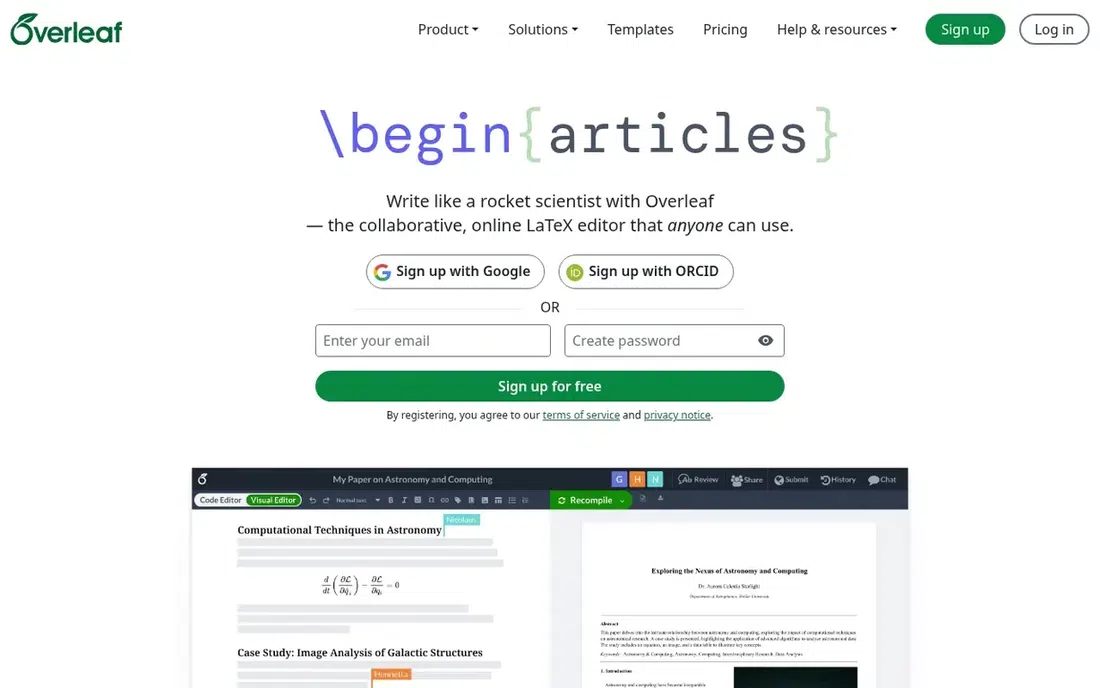
Think of ShareLaTeX for full online LaTeX editing with collaboration. ShareLaTeX is an online LaTeX editor that supplies a complete environment for writing and collaborating on LaTeX documents.
The main drawbacks: Restricted offline access.
It bundles live collaboration, version control, and a large collection of templates. That said, ShareLaTeX needs an internet connection and may not be a strong match for users who require offline access. Price to start with ShareLaTeX: $8.25 per month. A free plan is available with ShareLaTeX.
- Live collaboration
- Hundreds of LaTeX templates
- Needs internet connection
Papeeria
Best for: Live collaboration and plots
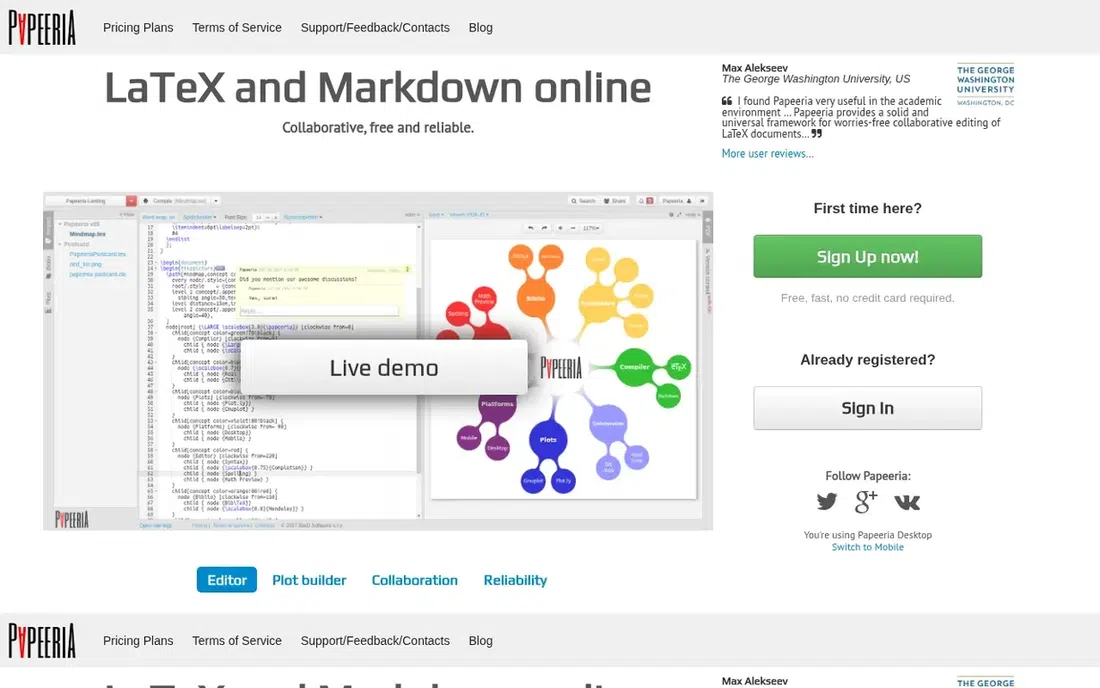
Papeeria serves live collaboration and plots. The tool is accessible straight from a web browser. While Papeeria spans common needs, it may not contain every advanced LaTeX feature found in more established editors.
Papeeria is an online editor that supports LaTeX, Markdown, and plots for scientific papers. It gives you unlimited live collaboration, making it right for teams and students who need to work together on documents. Papeeria pricing: $5 per month. Papeeria has a free plan.
Downsides: May lack advanced LaTeX features.
- Supports LaTeX, Markdown, plots
- Unlimited live collaboration
- Needs internet connection
How these tools were picked
Before you commit
- Confirm the entry price on the vendor page. For Microsoft Word, LyX and Google Docs that means a quote rather than a fixed price.
- Read the fine print on the free plans from ShareLaTeX and Papeeria; seat, project and feature caps differ.
- Read the limits listed for Microsoft Word first: no native LaTeX support.
- Ask Google Docs about contract length, onboarding fees and user minimums before you sign.
- Confirm you can export your data from LyX, so leaving later does not mean losing records.
FAQ
Is Microsoft Word the right pick for everyone comparing Overleaf?
No single tool suits every team. Microsoft Word comes first because it fits general word processing with AI features, while LyX suits graphical document processing with LaTeX and Google Docs suits general document collaboration. Match the tool to your own size, budget and workflow before deciding.
What is the cheapest option for Overleaf in this list?
On published monthly entry prices, Papeeria is the lowest here at $5 per month. Entry price is only part of the cost, because seats, add-ons and billing terms can change the total.
Can I try these tools before paying?
Often, yes. ShareLaTeX and Papeeria have a free plan. Use your own data and a real task during the test, and check what the free tier or trial limits before you rely on it.
Do these tools publish their prices?
Not all of them. Microsoft Word, LyX and Google Docs publish no starting price, so expect a quote request for those. The rest, ShareLaTeX included, show a starting price, though seats and billing terms still change the final cost.
Sources
- https://www.microsoft.com/en-us/microsoft-365/word
- https://www.lyx.org
- https://docs.google.com
- https://www.sharelatex.com
- https://papeeria.com