Best Nero AI Video Upscaler Alternatives for 2026 (5 Compared)
Nero AI Video Upscaler alternatives in 2026: 5 tools with starting prices, free plans and limits. Every pick gets a straight assessment. Narrow your shortlist.
- Editor's choice
 DVDFab Enlarger AI
AI video upscaling to 4K
Starts at$16.67Visit dvdfab.cnFull review - Great alternative
 CyberLink PowerDirector
AI-assisted editing for quicker workflows
Starts at$54.99 a monthVisit cyberlink.comFull review - Also consider
 DaVinci Resolve
All-in-one post-production with color and effects
Starts atSee websiteVisit blackmagicdesign.comFull review
Direct answer
If you need AI video upscaling to 4K, DVDFab Enlarger AI is the first tool to look at here. Listed starting prices: DVDFab Enlarger AI from $16.67 and CyberLink PowerDirector from $54.99 a month. CyberLink PowerDirector is better for AI-assisted editing for quicker workflows, and DaVinci Resolve is better for all-in-one post-production with color and effects. Prices, free plans and limits for all 5 tools follow.
TL;DR:
- DVDFab Enlarger AI takes the first slot, best suited to AI video upscaling to 4K.
- A fair warning about DVDFab Enlarger AI: restricted to enhancement tasks.
- Pixop is the one to check for broadcast-grade AI video enhancement.
- A permanent free plan is missing from all 5 tools, DVDFab Enlarger AI and Pixop included; plan for a trial or a premium start.
Last checked November 2026. Prices and plan details were read from the vendors' own pages in November 2026; vendors change plans often, so confirm the current price on the vendor site before you buy.
Quick comparison
| Tool | Best for | Starts at | Free plan? | |
|---|---|---|---|---|
| DVDFab Enlarger AI | AI video upscaling to 4K | $16.67 | Not stated | Visit |
| CyberLink PowerDirector | AI-assisted editing for quicker workflows | $54.99 a month | Not stated | Visit |
| DaVinci Resolve | All-in-one post-production with color and effects | See website | Not stated | Visit |
 Adobe Premiere Pro | Professional editing with AI enhancement | See website | Not stated | Visit |
 Pixop | Broadcast-grade AI video enhancement | See website | Not stated | Visit |
Nero AI Video Upscaler, one by one
LinkVetted compared 5 tools for Nero AI Video Upscaler. The goal is a practical shortlist: published prices, free plan facts, best-fit use cases and honest limits for every entry.
DVDFab Enlarger AI serves AI video upscaling to 4K. DVDFab Enlarger AI is an AI video enhancer that upscales video quality to 4K, cuts noise, and recovers lost detail. It is available as an online tool that works in the browser without requiring a download or GPU.
Main advantages: Online tool without GPU requirement.
Honest limits: Restricted to enhancement tasks.
This tool concentrates on enhancement and may lack advanced editing features. It is not a full video editor, so if you have to combine upscaling with editing, consider Premiere Pro or DaVinci Resolve. Check the vendor site for specific limitations. DVDFab Enlarger AI starts at: $16.67. Trial and free access: Not stated.
- Reduces noise and recovers detail
- Upscales video to 4K
- May not offer full editing
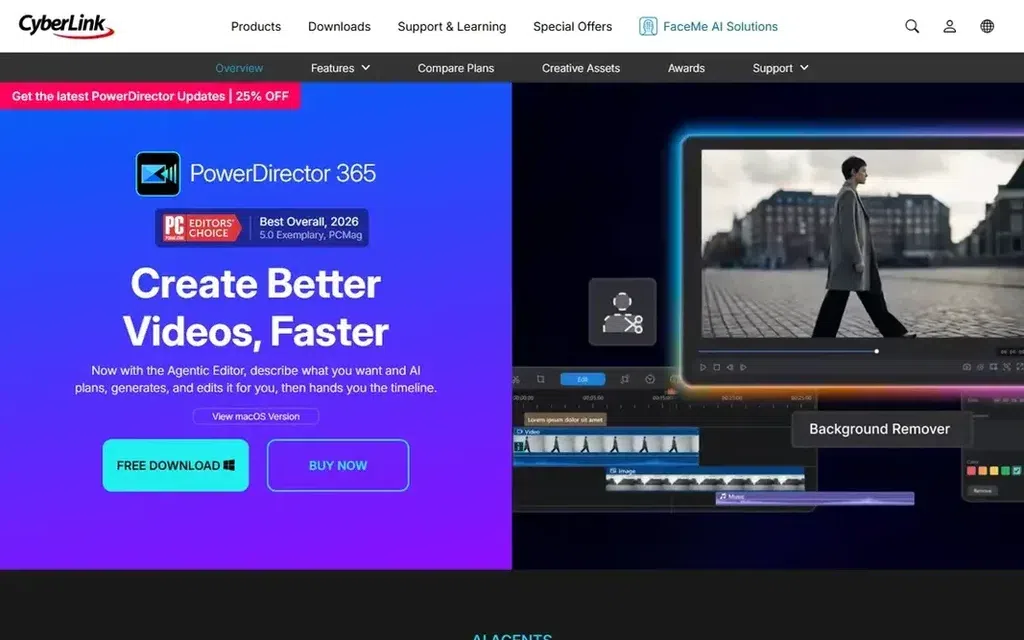
Think of CyberLink PowerDirector for AI-assisted editing for quicker workflows. PowerDirector may need a premium version to access all features, and it can be resource-intensive on older hardware. In daily use, CyberLink PowerDirector is a video editing software with AI tools, pro-grade effects, and a large collection of royalty-free assets.
It is aimed at users who want to build videos quicker with AI assistance. If you need specialized AI upscaling, a dedicated enhancer might offer more focused results. Starting cost for CyberLink PowerDirector: $54.99 per month. Free access: Not stated.
Where it falls short: Can be resource-intensive.
- Pro-grade effects
- AI tools for automatic editing
- Some features may need premium version
DaVinci Resolve
Best for: All-in-one post-production with color and effects
Pick DaVinci Resolve if this describes you: all-in-one post-production with color and effects. The software is available for Mac, Windows, and Linux, with free and premium versions.
In daily use, DaVinci Resolve demands significant hardware resources and has a complicated interface that can overwhelm beginners. It may not be the best choice if you only need fast AI upscaling. DaVinci Resolve does not show a starting price in this comparison, so check the vendor site for current pricing. Free access: Not stated.
Downsides: Complex interface for new users.
- Free version available
- Merges editing, color, VFX, audio
- High system requirements
Think of Adobe Premiere Pro for professional editing with AI enhancement. The software is widely used in film and video production.
Points against: Subscription-based.
Beyond that, Adobe Premiere Pro is a professional video editing software that includes editing, trimming, effects, audio mixing, and more. For everyday use, if you only need AI upscaling without editing, a dedicated tool like DVDFab Enlarger AI might be more straightforward. Adobe Premiere Pro shows no starting price here, so confirm the cost on the vendor site. Free access: Not stated.
- Full editing and post-production
- Connects with other Adobe tools
- Steeper ramp-up time
Pixop is built with broadcast-grade AI video enhancement in mind. Pixop helps broadcasters and media firms enhance video with AI. Its options integrate into existing workflows to deliver UHD HDR from HD pipelines without expensive infrastructure upgrades.
It is suited for professional media operations needing high-quality enhancement. As for the details, if you need simple upscaling, consider DVDFab Enlarger AI or a consumer editor. Pixop is tailored for enterprise and broadcast environments, so it may be overkill for individual users. It likely needs a more complicated setup than consumer tools. Pixop shows no starting price here, so confirm the cost on the vendor site. Free access: Not stated.
Honest limits: Geared toward media firms.
- AI enhancement for broadcasters
- Integrates into existing workflows
- May need infrastructure
How we built this list
LinkVetted used vendor pricing pages and product documentation as the base, then compared plans, free access and documented limits for 5 tools. Seat minimums, billing terms and add-ons can move the real cost, so the starting prices here are a guide and not a quote. The order reflects how well each tool fits the most common buying scenario for Nero AI Video Upscaler, then price clarity, then free plan access. It is a starting point, not a verdict.
Pre-purchase checklist
- Confirm the entry price on the vendor page. For DaVinci Resolve, Adobe Premiere Pro and Pixop that means a quote rather than a fixed price.
- Before choosing DVDFab Enlarger AI, weigh its main limit: limited to enhancement tasks.
- Get the contract term, renewal terms and any onboarding fees from Pixop in writing.
- Find out whether the entry plan of DVDFab Enlarger AI covers your must-haves or only a trimmed-down version.
- Look at the help docs and support options for DaVinci Resolve before you commit.
FAQ
Is DVDFab Enlarger AI the right pick for everyone comparing Nero AI Video Upscaler?
No single tool suits every team. DVDFab Enlarger AI comes first because it fits AI video upscaling to 4K, while CyberLink PowerDirector suits AI-assisted editing for faster workflows and DaVinci Resolve suits all-in-one post-production with color and effects. Match the tool to your own size, budget and workflow before deciding.
Can I upscale videos without a feature-rich GPU?
DVDFab Enlarger AI is an online tool that does not need a GPU. Other tools like Premiere Pro may benefit from a capable GPU.
What is the best alternative to Nero AI Video Upscaler for professional editing?
The first pick on this list is DVDFab Enlarger AI, because it suits AI video upscaling to 4K. CyberLink PowerDirector is better for AI-assisted editing for quicker workflows, and DaVinci Resolve for all-in-one post-production with color and effects. Check price and limits against your own needs before choosing.
How are the tools for Nero AI Video Upscaler ordered?
The order follows typical fit for Nero AI Video Upscaler, with DVDFab Enlarger AI first and Pixop last, then price clarity and free access. It is editorial judgement, not a score, so another team could rank the tools differently.
Are there free alternatives for AI video upscaling?
DaVinci Resolve supplies a free version with professional editing and effects. DVDFab Enlarger AI supplies an online tool that may be accessible without cost. Check vendor sites for current offerings.
Do these tools publish their prices?
Not all of them. DaVinci Resolve, Adobe Premiere Pro and Pixop publish no starting price, so expect a quote request for those. The rest, DVDFab Enlarger AI included, show a starting price, though seats and billing terms still change the final cost.
Sources
- https://www.dvdfab.cn/enlarger-ai.htm
- https://www.cyberlink.com/products/powerdirector/overview_en_US.html
- https://www.blackmagicdesign.com/products/davinciresolve
- https://www.adobe.com/products/premiere.html
- https://www.pixop.com