5 Jitsi Meet Alternatives Worth Switching To in 2026
Compare 5 picks for Jitsi Meet alternatives, with prices, free plans and who each fits. Strengths and gaps are listed per tool. Last reviewed November 2026.
- Editor's choice
 Microsoft Teams
Microsoft 365 organizations
Starts atSee websiteVisit microsoft.comFull review - Great alternative
 Livestorm
Marketing webinars and events
Starts at€2.50 per attendeeVisit livestorm.coFull review - Also consider
 Riverside
High-quality recording and editing
Starts at$24 a monthVisit riverside.fmFull review
Direct answer
For Microsoft 365 organizations, Microsoft Teams is where this list starts. Listed starting prices: Livestorm from €2.50 per attendee and Riverside from $24 a month. Livestorm is better for marketing webinars and events, and Riverside is better for high-quality recording and editing. The remaining 2 options are covered below with prices and limits.
TL;DR:
- This list starts with Microsoft Teams, which is built for Microsoft 365 organizations.
- Whereby suits embedded browser-based video calls.
- Riverside stands alone as the one tool in this list with a free plan.
- Before buying Riverside, weigh this: optimized for recording instead of live meetings.
Last checked November 2026. Prices and plan details were read from the vendors' own pages in November 2026; vendors change plans often, so confirm the current price on the vendor site before you buy.
Quick comparison
| Tool | Best for | Starts at | Free plan? | |
|---|---|---|---|---|
| Microsoft Teams | Microsoft 365 organizations | See website | Not stated | Visit |
| Livestorm | Marketing webinars and events | €2.50 per attendee | Not stated | Visit |
| Riverside | High-quality recording and editing | $24 a month | Yes | Visit |
 Zoom Workplace | All-in-one meetings and collaboration | See website | Not stated | Visit |
 Whereby | Embedded browser-based video calls | See website | Not stated | Visit |
The best Jitsi Meet
Short on time? The summary and table above give the quick view of 5 tools for Jitsi Meet, and the profiles that follow give the detail behind each entry.
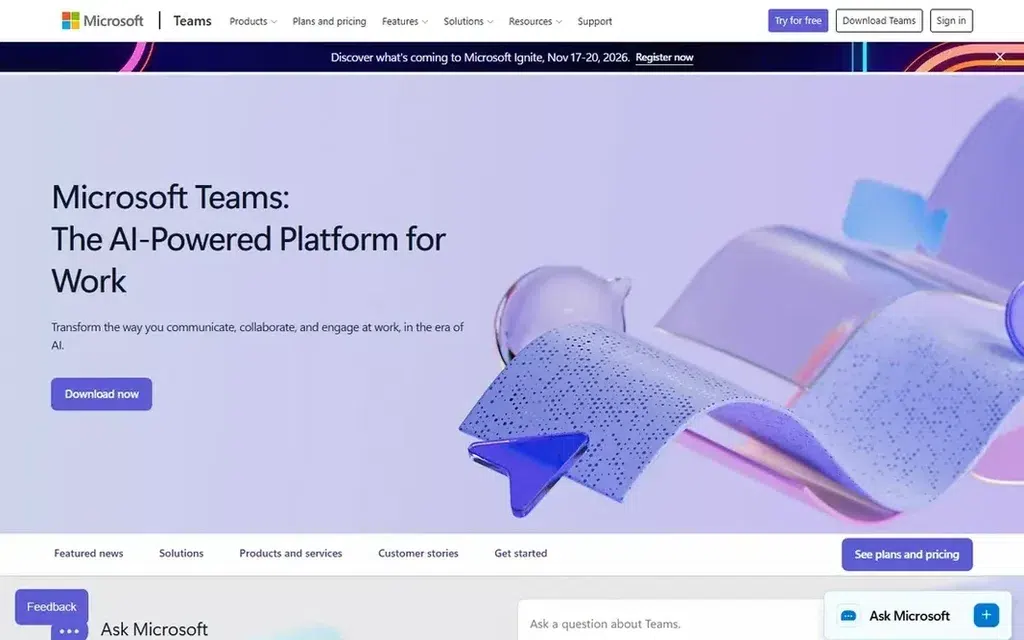
Think of Microsoft Teams for Microsoft 365 organizations. Its homepage emphasizes keeping tools and files available in one place so teams can link and stay organized. As for the details, if you need a standalone browser-based call tool with embedding, a specialized service may suit you better.
Best features of Microsoft Teams: files and meetings in one place.
The main drawbacks: Interface can feel dense for occasional users.
In daily use, Teams gives the most value inside the Microsoft ecosystem, and mixed environments may find it less convenient. In daily use, occasional guests can also find the interface busy. Microsoft Teams does not show a starting price in this comparison, so check the vendor site for current pricing. As for free access: Not stated.
- Built to keep teams organized
- Chat
- Best experience needs the Microsoft ecosystem
Pick Livestorm if this describes you: marketing webinars and events. Livestorm is an all-in-one webinar system for marketing teams, built to run branded events, capture engagement insights and sync data to a CRM to present return on investment.
In practice, the AI enhancements support running and analyzing events. Beyond that, Livestorm centers on webinars, so it is not intended for routine internal stand-ups or team chat. Entry price for Livestorm: €2.50 per attendee. On free options: Not stated.
Points against: Concentrated on webinars instead of daily meetings.
- AI-enhanced webinar workflows
- Branded webinar events
- Not a replacement for team chat
Riverside is aimed squarely at high-quality recording and editing. Riverside is built around recording and editing, so it is not the natural home for everyday team chat or large live webinars. As for the details, Teams leaving Jitsi Meet for content production frequently land here.
As for the details, if your priority is running internal meetings across an organization, a broader platform suits better. Pick Riverside when the output is refined audio or video content. Entry price for Riverside: $24 per month. Riverside includes a free tier.
Where it falls short: Not a general team collaboration hub.
- Editing built into the same workflow
- AI-assisted production features
- Optimized for recording instead of live meetings

Zoom Workplace makes the most sense for all-in-one meetings and collaboration. Zoom Workplace is a collaboration system that merges video meetings with chat, VoIP phone, webinars, whiteboard, contact center and events.
Zoom Workplace does not show a starting price in this comparison, so check the vendor site for current pricing. Free options: Not stated.
Watch-outs: Not built around open-source self-hosting.
- Phone and webinars in one product
- Contact center and events
- Feature breadth can feel overwhelming

Whereby was built for embedded browser-based video calls. Organizations planning large branded events should look at webinar-focused tools instead.
Watch-outs: Not targeted at large webinar production.
In daily use, choose it when embedding and quick browser calls matter more than breadth. Whereby does not show a starting price in this comparison, so check the vendor site for current pricing. As for free access: Not stated.
- Video conferencing API and SDK for embedding
- Configurable and steady WebRTC calls
- Narrower scope than full collaboration suites
How we compared the tools
Pricing pages, product documentation and feature lists were the main sources, and every entry carries at least one honest drawback. Figures are shown as the vendors publish them. Billing terms, seat minimums and add-ons can change the real cost. Tools are placed by general fit for Jitsi Meet, with price clarity and free access as tie-breakers. A different team can reasonably rank them differently.
What to confirm before you sign up
- Confirm the entry price on the vendor page. For Microsoft Teams, Zoom Workplace and Whereby that means a quote rather than a fixed price.
- Test the free plan from Riverside against your real workload before relying on it.
- Before choosing Microsoft Teams, weigh its main limit: best experience needs the Microsoft ecosystem.
- Get the contract term, renewal terms and any onboarding fees from Zoom Workplace in writing.
- Work out what Microsoft Teams costs with your real seat count, add-ons and usage, not just the entry price.
FAQ
Is Microsoft Teams the right pick for everyone comparing Jitsi Meet?
No single tool suits every team. Microsoft Teams comes first because it fits Microsoft 365 organizations, while Livestorm suits marketing webinars and events and Riverside suits high-quality recording and editing. Match the tool to your own size, budget and workflow before deciding.
Can I embed video calls into my own website instead?
Whereby is aimed at that use case, offering a video conferencing API and SDK alongside fast instant meetings. Bigger suites are less centred on embedding.
What is the cheapest option for Jitsi Meet in this list?
On published monthly entry prices, Riverside is the lowest here at $24 per month. Entry price is only part of the cost, because seats, add-ons and billing terms can change the total. Prices, free plan details and limits for all 5 tools in this Jitsi Meet alternatives roundup sit on the individual cards above.
Can I try these tools before paying?
Often, yes. Riverside has a free plan. Use your own data and a real task during the test, and check what the free tier or trial limits before you rely on it.
How are the tools for Jitsi Meet ordered?
Microsoft Teams sits first and Whereby last because the order follows typical fit for Jitsi Meet, then price clarity and free access. It is a judgement call, so read each profile for fit and limits.
Sources
- https://www.microsoft.com/en-us/microsoft-teams/group-chat-software
- https://livestorm.co
- https://riverside.fm
- https://www.zoom.com
- https://whereby.com