Best Hub Planner Alternatives for 2026 (5 Compared)
Hub Planner alternatives, compared. 5 tools with published prices, free plans and limits. Price notes and drawbacks come with each one. Read before you buy.
- Editor's choice
 Float
Visual scheduling and workload management
Starts atSee websiteVisit float.comFull review - Great alternativeHarvest Forecast
Straightforward team scheduling and workload tracking
Starts atSee websiteVisit getharvest.comFull review - Also consider
 BigTime
Integrated project and resource management
Starts at$20 per user a monthVisit bigtime.netFull review
Direct answer
Start with Float if you need visual scheduling and workload management. Listed starting prices: BigTime from $20 per user a month and Resource Guru from $5 per person a month. If your case is different, Harvest Forecast suits straightforward team scheduling and workload tracking and BigTime suits integrated project and resource management. Prices, free plans and limits for all 5 tools follow.
TL;DR:
- Float takes the first slot, best suited to visual scheduling and workload management.
- Starting prices begin at $5 per person per month with Resource Guru.
- Resource Guru suits clear resource scheduling and management.
- A permanent free plan is missing from all 5 tools, Float and Resource Guru included; plan for a trial or a premium start.
- The main caution on Harvest Forecast: limited advanced resource management features.
Last checked November 2026. Prices and plan details were read from the vendors' own pages in November 2026; vendors change plans often, so confirm the current price on the vendor site before you buy.
Quick comparison
| Tool | Best for | Starts at | Free plan? | |
|---|---|---|---|---|
| Float | Visual scheduling and workload management | See website | Free trial | Visit |
| Harvest Forecast | Straightforward team scheduling and workload tracking | See website | Not stated | Visit |
| BigTime | Integrated project and resource management | $20 per user a month | Not stated | Visit |
| Mavenlink | Professional services automation and resource management | See website | Not stated | Visit |
 Resource Guru | Clear resource scheduling and management | $5 per person a month | Free trial | Visit |
Hub Planner, one by one
This LinkVetted guide covers 5 options for Hub Planner. Each profile lists a starting price, free plan details, strengths and drawbacks, so you can drop poor fits quickly.
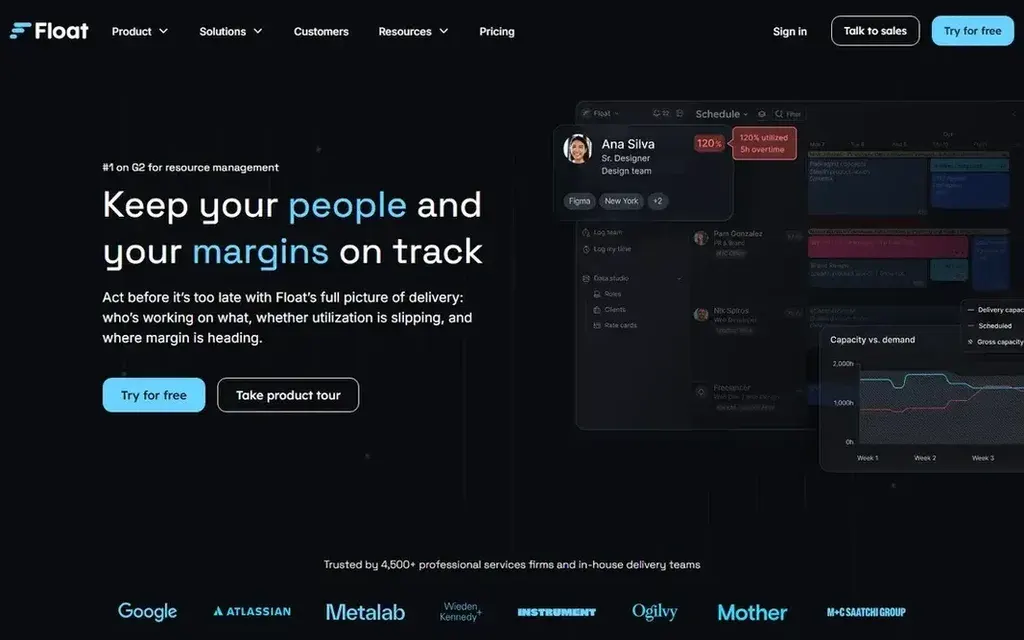
Float is built with visual scheduling and workload management in mind. Float is a resource management software that supplies a clear visual overview of team workloads and project schedules. It permits managers to see who is working on what and whether projects are on track, making it simpler to plan for upcoming work.
On top of that, the tool is well suited to creative agencies and professional services teams that require a straightforward, visual way to handle resources and capacity. Whereas Float excels at visual scheduling, it may not offer the deep financial management or project accounting features some organizations need. Float shows no starting price here, so confirm the cost on the vendor site. Free plan details: Free trial.
Where it falls short: May lack in-depth financial features.
- Visual timeline for task allocation
- Simple to see who is working on what
- Restricted customization for complicated workflows
Harvest Forecast
Best for: Straightforward team scheduling and workload tracking
Harvest Forecast makes the most sense for straightforward team scheduling and workload tracking. The tool is well suited to small to mid-size teams that require a straightforward scheduling option, notably those already using Harvest for time tracking.
It is best for teams seeking simplicity in scheduling and workload management. Pricing for Harvest Forecast is not stated here, so ask the vendor for current figures. Free plan details: Not stated.
Where it is weaker: Restricted advanced resource management features.
- Easy-to-learn scheduling across projects
- Clear workload visibility
- May not suit complicated project portfolios
Pick BigTime if this describes you: integrated project and resource management. The tool is suited for organizations that require a thorough option to run both project delivery and financial performance.
Whereas BigTime gives you deep features, it may be more complicated than necessary for teams focused solely on resource scheduling. BigTime cost at the entry level: $20 per user per month. On free options: Not stated.
Limits to weigh: Needs setup for full utilization.
- Merges project portfolio and resource management
- Comes with financial management
- May be complicated for straightforward scheduling needs
Mavenlink
Best for: Professional services automation and resource management
Mavenlink targets professional services automation and resource management. The tool supplies solid capabilities for planning, scheduling, and tracking resources across multiple projects, making it a good match for bigger teams with complicated needs.
Consider Mavenlink (Kantata) if you need an integrated PSA option with capable resource management. In daily use, Mavenlink, now merged into Kantata, is a professional services automation system that contains resource management among its features. Check the vendor site for Mavenlink pricing; none is listed in this comparison. On free options: Not stated.
Trade-offs to know: Complicated setup and ramp-up time.
Reasons to shortlist it: Now part of Kantata.
- Integrated resource management
- Full PSA capabilities
- May be overkill for small teams
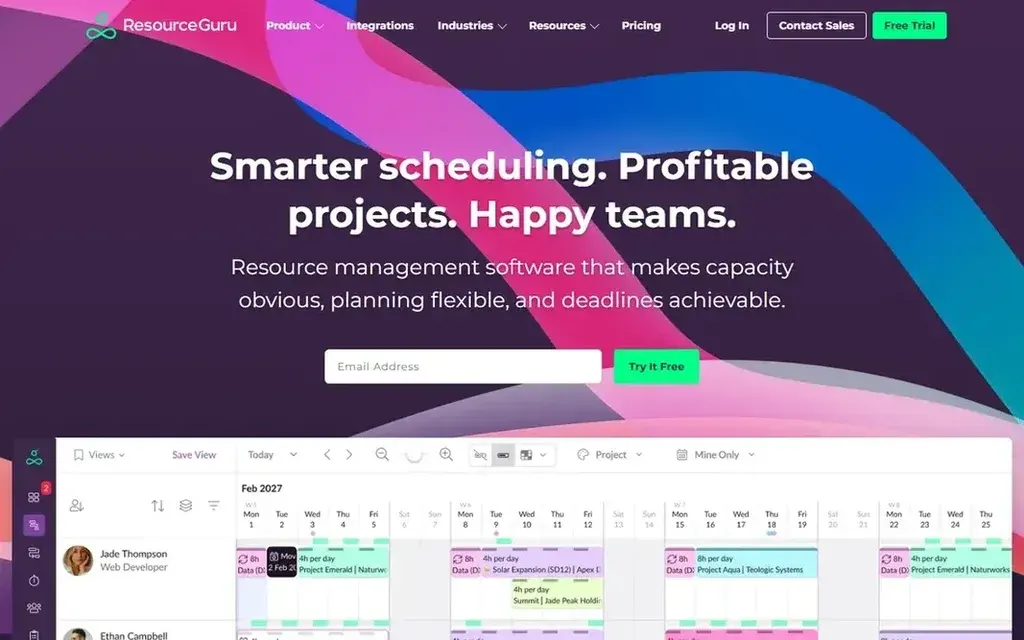
Think of Resource Guru for clear resource scheduling and management. Resource Guru is a resource management and scheduling software meant to offer adaptability and accuracy.
It gives you a clear view of who is working on what, helping teams avoid overallocation and stay productive. Even so, Resource Guru may not contain broad project management or financial features found in broader PSA systems. Price to start with Resource Guru: $5 per person per month. Free access: Free trial.
Watch-outs: May lack advanced project management features.
- Clear visibility of resource allocation
- Adaptable and accurate scheduling
- Limited financial management capabilities
How we built this list
The comparison looks at four things: starting price, free access, how well the feature set matches Hub Planner, and the main limit of each tool. Where a vendor does not publish a price, the entry says quote. Where a price depends on seats or billing term, the entry says so. The order reflects how well each tool fits the most common buying scenario for Hub Planner, then price clarity, then free plan access. It is a starting point, not a verdict.
Pre-purchase checklist
- Get a written quote from Float, Harvest Forecast and Mavenlink; the list shows no starting price for them.
- Take the trial from Float and Resource Guru and push a live task through it before you pay.
- Before choosing Float, weigh its main limit: may lack in-depth financial features.
- Get the contract term, renewal terms and any onboarding fees from Mavenlink in writing.
- Check the support hours and onboarding help BigTime offers; smaller vendors vary a lot here.
FAQ
How are the tools for Hub Planner ordered?
Float sits first and Resource Guru last because the order follows typical fit for Hub Planner, then price clarity and free access. It is a judgement call, so read each profile for fit and limits.
Do these tools publish their prices?
Not all of them. Float, Harvest Forecast and Mavenlink publish no starting price, so expect a quote request for those. The rest, BigTime included, show a starting price, though seats and billing terms still change the final cost.
Are there free choices among these alternatives?
Pricing varies by tool and is not covered here. We recommend checking each vendor's website for current pricing and any available trial or free versions.
Is Float the right pick for everyone comparing Hub Planner?
No single tool suits every team. Float comes first because it fits visual scheduling and workload management, while Harvest Forecast suits simple team scheduling and workload tracking and BigTime suits integrated project and resource management. Match the tool to your own size, budget and workflow before deciding.
Can these tools manage both resource management and financials?
Some tools like Mavenlink (Kantata) and BigTime offer integrated financial management alongside resource scheduling. Others like Resource Guru and Float focus more on scheduling and may need integrations for financial features.
Does any tool for Hub Planner here have a free plan?
A permanent free plan is not offered by Float, Resource Guru or the other tools here. Float, Resource Guru offer a trial. Plan a short evaluation period instead.
Sources
- https://www.float.com
- https://www.getharvest.com/forecast
- https://www.bigtime.net
- https://www.mavenlink.com
- https://resourceguruapp.com