Best HVAC Dispatch Software for Small Teams for 2026: Our 6 Vetted Picks
Best HVAC dispatch software for small teams in 2026: 6 tools with starting prices, free plans and limits. Each profile ends with a plain caveat. Easy to scan.
- Editor's choice
 Kickserv
Managing jobs, customers, and payments
Starts at$60 per monthVisit kickserv.comFull review - Great alternative
 Jobber
Quoting, scheduling, and invoicing in one place
Starts atSee websiteVisit getjobber.comFull review - Also consider
 FieldPulse
Scheduling, invoicing, and team management
Starts atSee websiteVisit fieldpulse.comFull review
Direct answer
Kickserv is the first pick on this list for managing jobs, customers, and payments. Listed starting prices: Kickserv from $60 per month, Housecall Pro from $59 a month and Service Fusion from $220 a month. Look at Jobber for quoting, scheduling, and invoicing in one place, and at FieldPulse for scheduling, invoicing, and team management. The remaining 3 options are covered below with prices and limits.
TL;DR:
- Number one here is Kickserv, a fit for managing jobs, customers, and payments.
- Check the limits for Kickserv before you commit: basic feature set compared with competitors.
- None of the 6 tools, from Kickserv to Service Fusion, has a free plan, so budget for a subscription or use a trial.
- Service Fusion is the one to check for all-in-one field service management.
- Housecall Pro is the lowest-priced starter here at $59 per month.
Last checked November 2026. Prices and plan details were read from the vendors' own pages in November 2026; vendors change plans often, so confirm the current price on the vendor site before you buy.
Quick comparison
| Tool | Best for | Starts at | Free plan? | |
|---|---|---|---|---|
| Kickserv | Managing jobs, customers, and payments | $60 per month | Free trial | Visit |
| Jobber | Quoting, scheduling, and invoicing in one place | See website | Not stated | Visit |
| FieldPulse | Scheduling, invoicing, and team management | See website | Not stated | Visit |
 ServiceTitan | All-in-one dispatch and project management | See website | Free trial | Visit |
 Housecall Pro | Home service firms seeking simple scheduling | $59 a month | Free trial | Visit |
 Service Fusion | All-in-one field service management | $220 a month | No | Visit |
The best HVAC dispatch software for small teams
If you are comparing HVAC dispatch software for small teams, this page covers 6 tools in one place: what each is best for, what it costs to start, whether it has a free plan, and the main limit to know about.
Kickserv targets managing jobs, customers, and payments. It is a straightforward choice for small HVAC teams that require a no-frills tool to handle daily dispatch and invoicing without a complicated setup.
On top of that, if you need more solid features, consider Housecall Pro or Service Fusion. Kickserv cost at the entry level: $60 per month. On free options: Free trial.
Downsides: Limited advanced dispatch features.
- Aimed at home service firms
- Runs jobs and customers
- Entry-level feature set compared to competitors
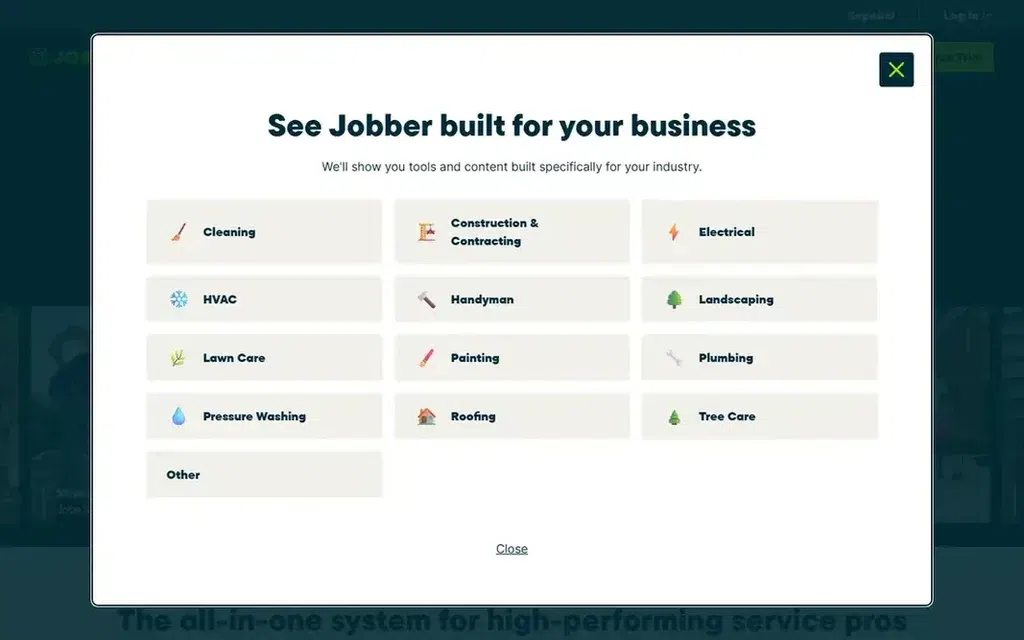
Jobber serves quoting, scheduling, and invoicing in one place. Jobber gives you home and commercial service software that organizes your business by combining quoting, scheduling, invoicing, and payments.
Its easy-to-use app is meant to simplify sales, operations, and customer service, making it a decent choice for small HVAC teams that want a straightforward tool to run daily tasks without a steep ramp-up time. Pricing for Jobber is not stated here, so ask the vendor for current figures. Free access: Not stated.
Honest limits: May not manage complicated dispatch scenarios.
- Integrated quoting and invoicing
- Powers sales and customer service
- Restricted advanced reporting features
FieldPulse makes the most sense for scheduling, invoicing, and team management. For small teams seeking simplicity, FieldPulse is a solid contender.
Watch-outs: Restricted customization choices.
For everyday use, FieldPulse helps handle field service firms with tools for scheduling, invoicing, communication, and team management, all in one place. This comparison lists no price for FieldPulse; ask the vendor. On free options: Not stated.
- Approachable interface
- Contains communication and team management
- May not scale well for very large teams

ServiceTitan was built for all-in-one dispatch and project management. It could need significant setup and training.
Where it is weaker: Needs commitment to learn full features.
In daily use, if you need a more straightforward, more focused dispatch tool, consider other choices like Jobber or Housecall Pro that offer simplified scheduling without the broad feature set. No starting price is listed for ServiceTitan here; confirm pricing on the vendor site. As for free access: Free trial.
- Designed for home and commercial contractors
- Full all-in-one software
- May be complicated for very small teams

Where Housecall Pro fits: home service firms seeking simple scheduling. It is meant to be approachable, making it well suited to small HVAC teams that require to handle appointments and communicate with customers efficiently. With its focus on home services, it suits businesses primarily handling residential calls.
Drawbacks to consider: Can be more pricey for bigger teams.
From a buyer's view, Whereas Housecall Pro excels in residential scheduling, it might not provide the depth needed for complicated commercial HVAC projects. Worth adding: teams with deep commercial work may find it restricted. Entry price for Housecall Pro: $59 per month. As for free access: Free trial.
- Integrated payments and customer communication
- Simple scheduling and dispatching
- May lack some advanced features for commercial work
Pick Service Fusion if this describes you: all-in-one field service management. Service Fusion supplies all-in-one field service management software made for service firms and contractors.
Drawbacks to consider: Customer support can be slow during peak times.
If you need a more straightforward option with less upfront training, Jobber or Kickserv could be more suitable. Price to start with Service Fusion: $220 per month. Service Fusion has no free tier.
- Made for contractors
- All-in-one product for service firms
- May have a ramp-up time for new users
How we built this list
Pre-purchase checklist
- Confirm the entry price on the vendor page. For Jobber, FieldPulse and ServiceTitan that means a quote rather than a fixed price.
- Use real work to test the free trial from Kickserv, ServiceTitan and Housecall Pro, rather than a demo project.
- Before choosing Kickserv, weigh its main limit: entry-level feature set compared with competitors.
- Test the integrations you rely on with Service Fusion before committing; some connectors sit on upper tiers.
- Ask Jobber which support channels and response times come with the plan you would buy.
FAQ
Can I try these tools before paying?
Often, yes. Kickserv, ServiceTitan and Housecall Pro offer a free trial. Use your own data and a real task during the test, and check what the free tier or trial limits before you rely on it. All 6 picks in this HVAC dispatch software for small teams comparison list a starting price, free plan details and the main limits on their cards above.
Is Kickserv the right pick for everyone comparing HVAC dispatch software for small teams?
No single tool suits every team. Kickserv comes first because it fits managing jobs, customers, and payments, while Jobber suits quoting, scheduling, and invoicing in one place and FieldPulse suits scheduling, invoicing, and team management. Match the tool to your own size, budget and workflow before deciding.
What features should small HVAC teams look for in dispatch software?
Small HVAC teams should prioritize scheduling, dispatching, customer management, and invoicing. Mobile access for technicians and integration with payment systems are also important. Simplicity and scalability matter to accommodate growth without overwhelming staff.
How are the tools for HVAC dispatch software for small teams ordered?
The order follows typical fit for HVAC dispatch software for small teams, with Kickserv first and Service Fusion last, then price clarity and free access. It is editorial judgement, not a score, so another team could rank the tools differently.
Do these tools publish their prices?
Not all of them. Jobber, FieldPulse and ServiceTitan publish no starting price, so expect a quote request for those. The rest, Kickserv included, show a starting price, though seats and billing terms still change the final cost.
Sources
- https://www.kickserv.com
- https://www.getjobber.com
- https://www.fieldpulse.com
- https://www.servicetitan.com
- https://www.housecallpro.com
- https://www.servicefusion.com