Top EPLAN Electric P8 Alternatives in 2026: 5 Picks Ranked
EPLAN Electric P8 alternatives: 5 tools compared on price, free plans and fit. Top pick: KiCad, aimed at open-source PCB and schematic design. Start here.
- Editor's choiceKiCad
Open-source PCB and schematic design
Starts atSee websiteVisit kicad.orgFull review - Great alternativeSkyCAD
Electrical CAD for small teams
Starts at$99 a monthVisit skycad.caFull review - Also considerQElectroTech
Free electrical diagram creation
Starts atSee websiteVisit qelectrotech.orgFull review
Direct answer
KiCad comes first here, mainly for open-source PCB and schematic design. Listed starting prices: SkyCAD from $99 a month. Alternatives: SkyCAD for electrical CAD for small teams, and QElectroTech for free electrical diagram creation. Details, prices and limits for the rest of the 5 tools are below.
TL;DR:
- The list opens with KiCad, aimed at open-source PCB and schematic design.
- SkyCAD is the lowest-priced starter here at $99 per month.
- Altium Designer is the one to check for professional PCB design and manufacturing.
- Zuken E3.series comes with a trade-off: may be complicated for new users.
- KiCad, Altium Designer and the 3 others all need a premium plan or a trial, since no free plan is listed.
Last checked November 2026. Prices and plan details were read from the vendors' own pages in November 2026; vendors change plans often, so confirm the current price on the vendor site before you buy.
Quick comparison
| Tool | Best for | Starts at | Free plan? | |
|---|---|---|---|---|
| KiCad | Open-source PCB and schematic design | See website | Not stated | Visit |
| SkyCAD | Electrical CAD for small teams | $99 a month | No | Visit |
| QElectroTech | Free electrical diagram creation | See website | Not stated | Visit |
| Zuken E3.series | Electrical wiring and control system design | See website | Not stated | Visit |
| Altium Designer | Professional PCB design and manufacturing | See website | Not stated | Visit |
The best EPLAN Electric P8
Short on time? The summary and table above give the quick view of 5 tools for EPLAN Electric P8, and the profiles that follow give the detail behind each entry.
KiCad
Best for: Open-source PCB and schematic design
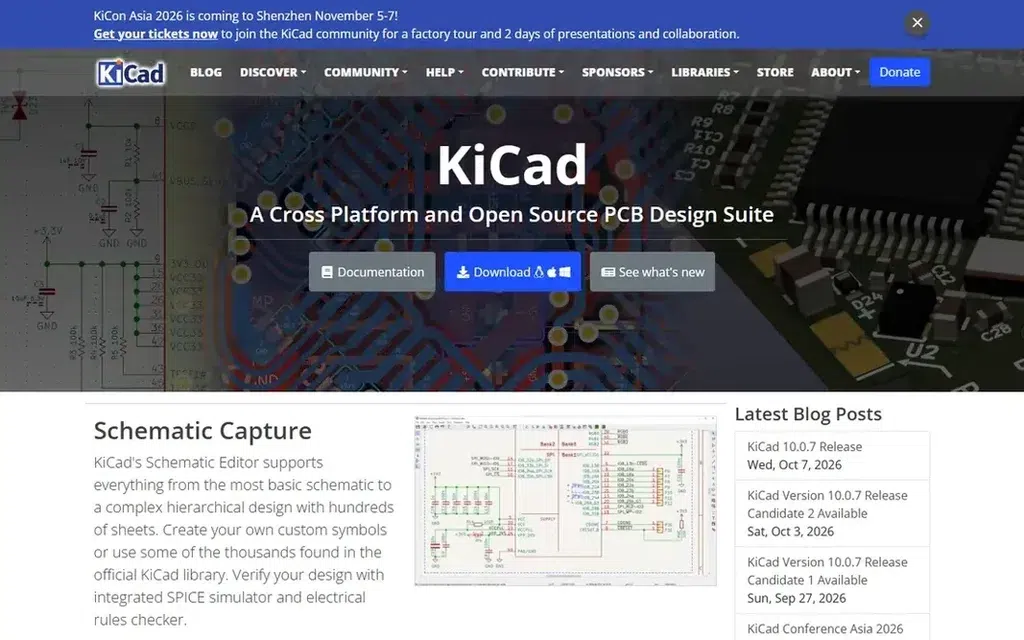
KiCad is built with open-source PCB and schematic design in mind. It runs on Windows, macOS and Linux and contains features for creating PCB layouts and viewing them in 3D. It is well-suited for electronics engineers and hobbyists who require a free, capable PCB design tool without licensing costs.
Beyond that, if you need dedicated electrical CAD with symbol libraries for industrial diagrams, look at QElectroTech or commercial choices. On top of that, support comes from community forums and documentation. Worth adding: KiCad centres on electronics instead of electrical panel or control system design, so it may not replace EPLAN for those tasks. KiCad does not show a starting price in this comparison, so check the vendor site for current pricing. Free options: Not stated.
Where it is weaker: Not tailored for electrical control panels.
- Open source and free to use
- Schematic capture and 3D PCB viewing
- Community-based support
SkyCAD
Best for: Electrical CAD for small teams
Where SkyCAD fits: electrical CAD for small teams. It is positioned as a tool for small to medium teams looking for an alternative to bigger suites. Its focus on electrical design makes it a candidate for those seeking a more simplified option.
Where it is weaker: May lack advanced features.
Public details about SkyCAD are restricted, so it is wise to verify current features and compatibility straight. In practice, for open-source needs, QElectroTech is a free choice. Price to start with SkyCAD: $99 per month. SkyCAD has no permanent free option.
- Aimed at electrical CAD
- May offer an accessible entry point
- Restricted public information
QElectroTech
Best for: Free electrical diagram creation
In short, QElectroTech is for free electrical diagram creation. QElectroTech is a free, open-source software for creating complicated industrial electrical diagrams.
On top of that, support is community-driven. If you need deep libraries and vendor support, a commercial alternative like Zuken E3.series might be better. QElectroTech shows no starting price here, so confirm the cost on the vendor site. As for free access: Not stated.
Limits to weigh: May lack specialized features.
- Cross-platform (Windows, Mac, Linux)
- Large built-in symbol library
- Restricted advanced automation
Zuken E3.series
Best for: Electrical wiring and control system design

Zuken E3.series is aimed squarely at electrical wiring and control system design. Zuken E3.series is an electrical design software for electrical engineering, focusing on electrical wiring, control systems and fluid engineering.
Where it falls short: Commercial licensing required.
It provides an integrated environment for creating and managing complicated electrical designs. Zuken E3.series does not show a starting price in this comparison, so check the vendor site for current pricing. On free options: Not stated.
- Integrated design environment
- Wiring and fluid engineering
- May be complicated for new users
Altium Designer
Best for: Professional PCB design and manufacturing

Altium Designer targets professional PCB design and manufacturing. For electrical diagrams, consider Zuken E3.series or QElectroTech instead.
Beyond that, Altium Designer is a PCB design tool that includes schematics, simulation, layout and manufacturing. It is pitched at high-performance product teams and supplies a complete environment for electronics development. Altium Designer does not show a starting price in this comparison, so check the vendor site for current pricing. On free options: Not stated.
The main drawbacks: Primarily electronics-focused.
- Solid for product teams
- Thorough PCB design flow
- Commercial license required
Our selection method
We compared the tools on published pricing, free plan or trial availability, feature coverage for EPLAN Electric P8, and the limits each vendor documents. Where a price is missing, the vendor does not list one publicly or ties it to a quote. Always confirm before budgeting. Tools are placed by general fit for EPLAN Electric P8, with price clarity and free access as tie-breakers. A different team can reasonably rank them differently.
Pre-purchase checklist
- Ask KiCad, QElectroTech, Zuken E3.series and Altium Designer for a written quote, since no starting price is shown.
- Before choosing KiCad, weigh its main limit: not tailored for electrical control panels.
- Ask KiCad whether prices are locked for the first term and what happens at renewal.
- Add up seats, add-ons and usage charges for SkyCAD before comparing it with cheaper entries.
- Before rolling out Altium Designer, verify the integrations your workflow depends on.
FAQ
Can I try these tools before paying?
Not by default. None of the tools, from KiCad to Altium Designer, lists a free plan or a free trial here, so ask each vendor for a demo before committing.
What is the best free alternative to EPLAN Electric P8?
Start with KiCad if you need open-source PCB and schematic design. SkyCAD is the better match for electrical CAD for small teams, and QElectroTech for free electrical diagram creation. The best choice depends on budget, team size and workflow.
Can KiCad replace EPLAN for control panel design?
It lacks the specialized features for electrical wiring and cabinet design that EPLAN gives you. For control panels, consider Zuken E3.series or QElectroTech.
What is the cheapest option for EPLAN Electric P8 in this list?
On published monthly entry prices, SkyCAD is the lowest here at $99 per month. Entry price is only part of the cost, because seats, add-ons and billing terms can change the total.
Is KiCad the right pick for everyone comparing EPLAN Electric P8?
No single tool suits every team. KiCad comes first because it fits open-source PCB and schematic design, while SkyCAD suits electrical CAD for small teams and QElectroTech suits free electrical diagram creation. Match the tool to your own size, budget and workflow before deciding.
Does any tool for EPLAN Electric P8 here have a free plan?
No tool in this list, KiCad and Altium Designer included, has a permanent free plan. Trials and quotes are the usual route, so plan a short evaluation period.
Sources
- https://www.kicad.org
- https://www.skycad.ca
- https://qelectrotech.org
- https://www.zuken.com/en/product/e3series
- https://www.altium.com/altium-designer