Switching From Bolt? 5 Alternatives for 2026
Bolt alternatives in 2026: 5 tools with starting prices, free plans and limits. We put v0 first for full-stack web app design and iteration. Decide faster.
- Editor's choice
 v0
Full-stack web app design and iteration
Starts at$30 per user a monthVisit v0.devFull review - Great alternative
 GitHub Copilot
AI assistance across GitHub workflows
Starts atSee websiteVisit github.comFull review - Also consider
 Cursor
AI agent inside a code editor
Starts at$8 a monthVisit cursor.comFull review
Direct answer
v0 comes first here, mainly for full-stack web app design and iteration. Listed starting prices: v0 from $30 per user a month, Cursor from $8 a month and Claude Code from $17 per month. For a different need, GitHub Copilot covers AI assistance across GitHub workflows and Cursor covers AI agent inside a code editor. All 5 tools are compared below on price, free plan and limits.
TL;DR:
- This list starts with v0, which is built for full-stack web app design and iteration.
- v0, Cursor, Claude Code: these are the 3 tools out of 5 that offer a free plan.
- Before buying GitHub Copilot, weigh this: best value if you use GitHub.
- Starting prices begin at $8 per month with Cursor.
Last checked November 2026. Prices and plan details were read from the vendors' own pages in November 2026; vendors change plans often, so confirm the current price on the vendor site before you buy.
Quick comparison
| Tool | Best for | Starts at | Free plan? | |
|---|---|---|---|---|
| v0 | Full-stack web app design and iteration | $30 per user a month | Yes | Visit |
| GitHub Copilot | AI assistance across GitHub workflows | See website | Not stated | Visit |
| Cursor | AI agent inside a code editor | $8 a month | Yes | Visit |
 Claude Code | Agentic coding in terminal and IDE | $17 per month | Yes | Visit |
 Replit | No-code app and website building | $18 per month, billed yearly | Not stated | Visit |
5 options for Bolt in detail
LinkVetted compared 5 tools for Bolt. The goal is a practical shortlist: published prices, free plan facts, best-fit use cases and honest limits for every entry.
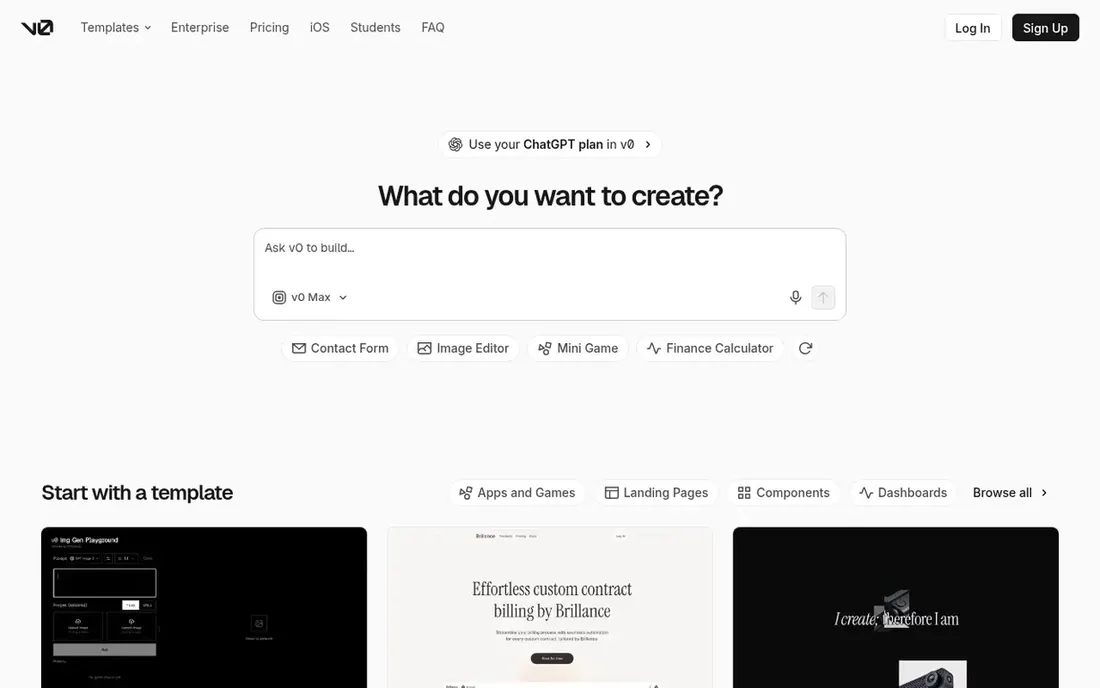
In short, v0 is for full-stack web app design and iteration. v0 by Vercel is described as a collaborative AI assistant to design, iterate, and scale full-stack applications for the web. It targets developers and product teams building web applications who want AI help across the design and iteration cycle.
From a buyer's view, teams already comfortable with modern web frameworks will get the most from it. Since v0 is centered on web applications, it may not be the best fit for non-web software, embedded systems, or heavy backend services outside a web stack. On top of that, the homepage positions it around full-stack web development instead of general-purpose coding. Starting cost for v0: $30 per user per month. A free plan is available with v0.
Drawbacks to consider: May need familiarity with modern web stacks.
- Collaborative AI assistant
- Made for iteration and scaling
- Web-centric scope
GitHub Copilot is a good fit for AI assistance across GitHub workflows. If you need a standalone no-code builder, a tool like Replit may be a better starting point.
Copilot is oriented toward code and repository workflows, so it is not pitched at non-coders who want to describe an app and get a finished product. Its value relies on working within the GitHub ecosystem. Check the vendor site for GitHub Copilot pricing; none is listed in this comparison. As for free access: Not stated.
What to check first: Best value if you use GitHub.
- Integrated with GitHub
- Covers issue to pull request steps
- Less centred on no-code building
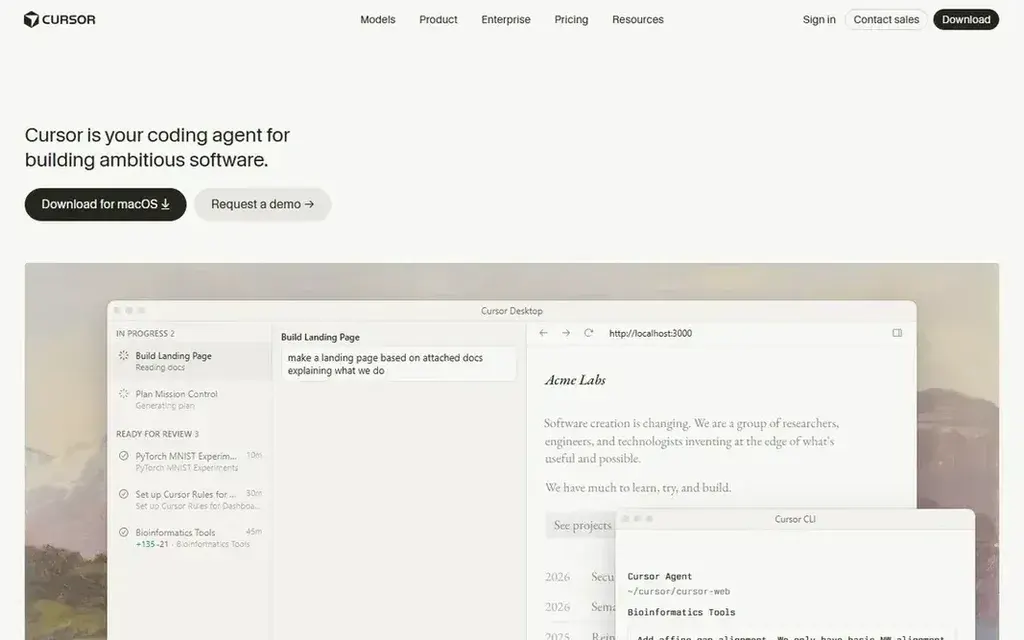
Where Cursor fits: AI agent inside a code editor. Cursor is an AI coding agent for building ambitious software, positioned to make developers extraordinarily productive.
Downsides: Needs coding knowledge.
In daily use, pick Cursor when deep code work and task delegation to an agent are the priority. Entry price for Cursor: $8 per month. Cursor offers a free plan.
- Aimed at developer productivity
- Agents turn ideas into code
- Editor-centric workflow
Claude Code serves agentic coding in terminal and IDE. Claude Code by Anthropic is an agentic coding tool for the terminal and IDE. As for the details, the tool is built around developer workflows, so it is not a no-code app builder for non-technical users.
Where it falls short: Command-line oriented.
Those who prefer a graphical, description-first experience may find it less approachable. Choose Claude Code when you want an agentic assistant close to your code and command line. Starting cost for Claude Code: $17 per month. A free plan is available with Claude Code.
- Understands the codebase
- Edits files and runs commands
- Needs developer context

Choose Replit for no-code app and website building. Replit presents itself as an AI app and website builder where you describe what you want and it builds it. Beyond that, the no-code emphasis can limit fine-grained control for complicated or highly customized applications.
The homepage emphasizes getting a working app or website in minutes without coding. Also, choose Replit when speed and accessibility matter more than low-level control. As for the details, developers who require deep integration with existing repositories or advanced debugging may prefer an editor-based AI agent. Replit cost at the entry level: $18 per month, billed annually. Trial and free access: Not stated.
Limits to weigh: May suit prototyping more than complicated systems.
- Builds apps from plain descriptions
- Works in the browser
- Less control for advanced customization
How we built this list
For each of the 5 tools we noted price, free plan or trial, fit for Bolt and the main limit, using vendor pages and documentation. Treat prices as a snapshot: vendors change plans often, so check the vendor site for the figure that applies today. Tools are placed by general fit for Bolt, with price clarity and free access as tie-breakers. A different team can reasonably rank them differently.
Before you commit
- Ask GitHub Copilot for a written quote, since no starting price is shown.
- Check what the free option really includes: v0, Cursor and Claude Code offer a free plan, and usage caps differ.
- Read the limits listed for v0 first: web-centric scope.
- Ask Cursor about contract length, onboarding fees and user minimums before you sign.
- Confirm the exact Claude Code plan that includes your must-have features.
FAQ
Is v0 the right pick for everyone comparing Bolt?
No single tool suits every team. v0 comes first because it fits full-stack web app design and iteration, while GitHub Copilot suits AI assistance across GitHub workflows and Cursor suits AI agent inside a code editor. Match the tool to your own size, budget and workflow before deciding.
Can I try these tools before paying?
Often, yes. v0, Cursor and Claude Code have a free plan. Use your own data and a real task during the test, and check what the free tier or trial limits before you rely on it.
How are the tools for Bolt ordered?
The order follows typical fit for Bolt, with v0 first and Replit last, then price clarity and free access. It is editorial judgement, not a score, so another team could rank the tools differently.
Do these tools publish their prices?
Not all of them. GitHub Copilot publishes no starting price, so expect a quote request for it. The rest, v0 included, show a starting price, though seats and billing terms still change the final cost.
Which alternative performs best inside a code editor?
v0 is the pick this page puts first, mainly for full-stack web app design and iteration. If your situation differs, GitHub Copilot suits AI assistance across GitHub workflows, and Cursor suits AI agent inside a code editor. Compare price and limits before you decide.
Sources
- https://v0.dev
- https://github.com/features/copilot
- https://cursor.com
- https://www.anthropic.com/claude-code
- https://replit.com