Best WordPress Hosting Platforms for Startups for 2026: Our 5 Vetted Picks
Best WordPress hosting platforms for startups: 5 contenders ranked by fit, with entry costs and free tiers. Short verdicts, no fluff. Jump to the table.
- Editor's choice
 SiteGround
Well-rounded hosting for early startups
Starts atSee websiteVisit siteground.comFull review - Great alternative
 Kinsta
Performance-focused managed WordPress
Starts at$17.50 a monthVisit kinsta.comFull review - Also consider
 WP Engine
Managed WordPress with capable support
Starts at$28.00 a monthVisit wpengine.comFull review
Direct answer
If you need well-rounded hosting for early startups, SiteGround is the first tool to look at here. Listed starting prices: Kinsta from $17.50 a month, WP Engine from $28.00 a month and DreamHost from $1.49 per mailbox per month. Kinsta fits performance-focused managed WordPress; WP Engine fits managed WordPress with capable support. The remaining 2 options are covered below with prices and limits.
TL;DR:
- The list opens with SiteGround, aimed at well-rounded hosting for early startups.
- A permanent free plan is missing from all 5 tools, SiteGround and Cloudways included; plan for a trial or a premium start.
- For the cheapest start, look at DreamHost: $1.49 per mailbox per month.
- Cloudways suits managed cloud hosting adaptability.
- What to know about DreamHost first: wide offering instead of specialist depth.
Last checked November 2026. Prices and plan details were read from the vendors' own pages in November 2026; vendors change plans often, so confirm the current price on the vendor site before you buy.
Quick comparison
| Tool | Best for | Starts at | Free plan? | |
|---|---|---|---|---|
| SiteGround | Well-rounded hosting for early startups | See website | Not stated | Visit |
| Kinsta | Performance-focused managed WordPress | $17.50 a month | Free trial | Visit |
| WP Engine | Managed WordPress with capable support | $28.00 a month | Not stated | Visit |
 DreamHost | Growth-ready hosting with email and domains | $1.49 per mailbox per month | Not stated | Visit |
 Cloudways | Managed cloud hosting adaptability | $20 a month | Free trial | Visit |
WordPress Hosting Platforms for Startups compared in detail
LinkVetted put together this guide to WordPress hosting platforms for startups for readers who want a clear shortlist without reading every vendor page. It compares 5 tools on starting price, free plans, who each one suits and where each one falls short.

SiteGround serves well-rounded hosting for early startups. For startups early in their journey, the appeal is a hosting foundation that spans typical needs without requiring deep infrastructure work. In practice, shared hosting tiers come with resource limits, so startups expecting rapid, heavy growth may outgrow entry choices and have to move up or migrate.
Teams that want a WordPress-only managed product may prefer a specialist. Consider SiteGround when you want a versatile hosting base and value support alongside performance. SiteGround is a web hosting company offering services pitched at speed, security, and support. SiteGround does not show a starting price in this comparison, so check the vendor site for current pricing. Trial and free access: Not stated.
What to check first: Managed WordPress is one choice among numerous.
- Wide hosting range
- Emphasis on speed and security
- Shared hosting has resource limits

Kinsta was built for performance-focused managed WordPress. The system is targeted at teams that prefer a managed environment over hand-built servers, letting developers focus on the application instead of infrastructure upkeep.
Where it is weaker: WordPress-centric offering.
On top of that, Kinsta presents itself as managed hosting designed for WordPress, emphasizing speed, security, and support. Price to start with Kinsta: $17.50 per month. Free plan details: Free trial.
- Enterprise-grade speed and security
- Support included
- Less fit for non-WordPress apps
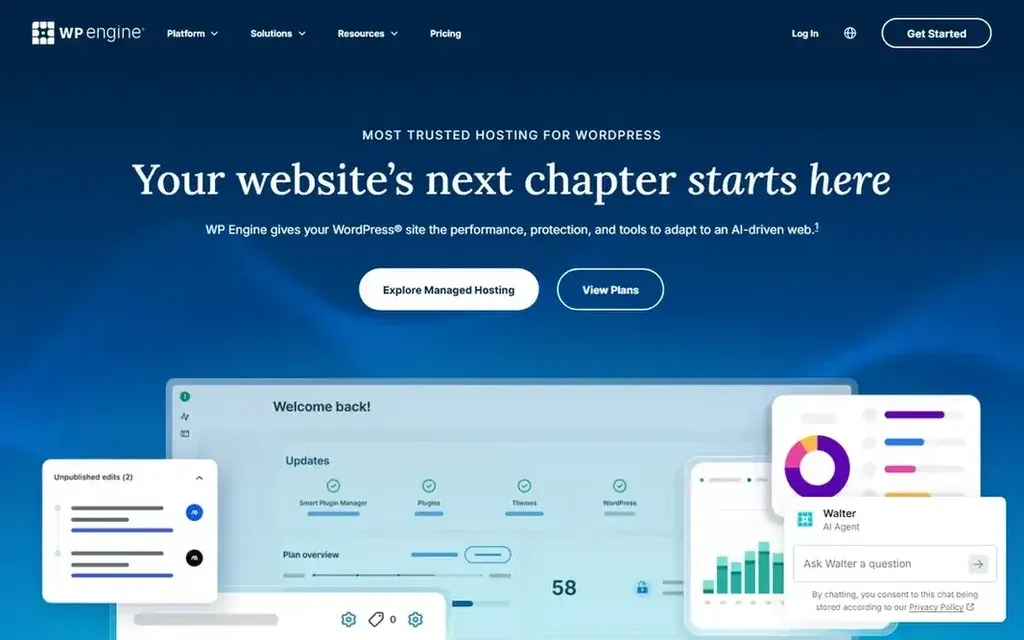
In short, WP Engine is for managed WordPress with solid support. WP Engine is a managed WordPress hosting system built around performance, security, and round-the-clock support. Startups that want to offload server maintenance and focus on building their product will find the managed model appealing, since updates, caching, and security tooling are handled for the customer.
What to check first: Less suited to non-WordPress workloads.
As for the details, choose WP Engine when WordPress is core to your product and managed support matters more than raw configurability. Startups with very tight technical requirements may also prefer infrastructure they can configure straight. The starting price for WP Engine: $28.00 per month. As for free access: Not stated.
- Managed WordPress focus
- Security and support included
- WordPress-only scope
DreamHost works best for growth-ready hosting with email and domains. DreamHost provides domain names, web hosting, managed WordPress hosting, and business email, positioning itself as hosting made for growth.
Choose DreamHost when you want a single provider for domains, hosting, and email and your needs are relatively straightforward. Teams with complicated infrastructure requirements should evaluate more specialized providers. Entry price for DreamHost: $1.49 per mailbox per month. Trial and free access: Not stated.
Downsides: Managed WordPress is one of multiple services.
- Support available around the clock
- Hosting plus domains and email
- Wide offering instead of specialist depth
In short, Cloudways is for managed cloud hosting adaptability. The product sits between completely managed WordPress hosts and raw cloud providers, giving teams room to scale whereas keeping operational tasks handled by the service.
The main drawbacks: Not a WordPress-only platform.
In daily use, choose Cloudways when adaptability and cloud infrastructure matter and you have someone to own the setup choices. Cloudways starts at: $20 per month. Free access: Free trial.
- Choice of cloud infrastructure
- Managed cloud hosting model
- Needs more setup decisions
Our selection method
Before you commit
- Get a written quote from SiteGround; the list shows no starting price for them.
- Run a trial of Kinsta and Cloudways with real work before paying for a year; your own workflow is the best test.
- Read the limits listed for SiteGround first: shared hosting has resource limits.
- Run a one or two week pilot of DreamHost with the people who will use it every day.
- Test the integrations you rely on with Cloudways before committing; some connectors sit on upper tiers.
FAQ
Can I try these tools before paying?
Often, yes. Kinsta and Cloudways offer a free trial. Use your own data and a real task during the test, and check what the free tier or trial limits before you rely on it. Each of the 5 options in this WordPress hosting platforms for startups guide has its own card above with the price, free plan and limits.
Does any tool for WordPress hosting platforms for startups here have a free plan?
No tool in this list, SiteGround and Cloudways included, has a permanent free plan. Kinsta, Cloudways offer a trial. Trials and quotes are the usual route, so plan a short evaluation period.
How are the tools for WordPress hosting platforms for startups ordered?
SiteGround sits first and Cloudways last because the order follows typical fit for WordPress hosting platforms for startups, then price clarity and free access. It is a judgement call, so read each profile for fit and limits.
Is SiteGround the right pick for everyone comparing WordPress hosting platforms for startups?
No single tool suits every team. SiteGround comes first because it fits well-rounded hosting for early startups, while Kinsta suits performance-focused managed WordPress and WP Engine suits managed WordPress with strong support. Match the tool to your own size, budget and workflow before deciding.
Should a startup choose managed WordPress hosting or general hosting?
Startups that have committed to WordPress typically benefit from the managed model. Consider general or cloud hosting if you run custom applications alongside your site.
Sources
- https://www.siteground.com
- https://kinsta.com
- https://wpengine.com
- https://www.dreamhost.com
- https://www.cloudways.com