Best Webinar Software for Continuing Education Credits for 2026: Our 6 Vetted Picks
Searching for the best webinar software for continuing education credits? Here are 6 options with prices and free plans. Compare costs and catches in one place.
- Editor's choice
 WebinarJam
Live and automatic events with sales focus
Starts atSee websiteVisit webinarjam.comFull review - Great alternative
 Zoho Webinar
Integrated planning and management
Starts atSee websiteVisit zoho.comFull review - Also consider
 Livestorm
Marketing teams needing CRM integration
Starts at€2.50 per attendeeVisit livestorm.coFull review
Direct answer
WebinarJam comes first here, mainly for live and automated events with sales focus. Listed starting prices: Livestorm from €2.50 per attendee. Zoho Webinar fits integrated planning and management; Livestorm fits marketing teams needing CRM integration. The other 3 tools in the list cover narrower or pricier cases.
TL;DR:
- The list opens with WebinarJam, aimed at live and automated events with sales focus.
- For WebinarJam, Zoho Webinar, ClickMeeting and others, you have to request a quote because no starting price is shown.
- Just one of the 6 tools, ClickMeeting, has a free plan.
- What to know about Zoho Webinar first: may need Zoho ecosystem buy-in.
Last checked November 2026. Prices and plan details were read from the vendors' own pages in November 2026; vendors change plans often, so confirm the current price on the vendor site before you buy.
Quick comparison
| Tool | Best for | Starts at | Free plan? | |
|---|---|---|---|---|
| WebinarJam | Live and automatic events with sales focus | See website | Not stated | Visit |
| Zoho Webinar | Integrated planning and management | See website | Free trial | Visit |
| Livestorm | Marketing teams needing CRM integration | €2.50 per attendee | Not stated | Visit |
 ClickMeeting | Browser-based webinars with on-demand access | See website | Yes | Visit |
 Zoom Webinars | Steady attendance tracking and large events | See website | Not stated | Visit |
 GoTo Webinar | Engaging virtual conferences and events | See website | Free trial | Visit |
The full webinar software for continuing education credits list
Short on time? The summary and table above give the quick view of 6 webinar software for continuing education credits, and the profiles that follow give the detail behind each entry.
In short, WebinarJam is for live and automatic events with sales focus. WebinarJam centres on turning presentations into revenue with live or evergreen events, HD streaming, and built-in marketing.
Downsides: Restricted credit tracking features.
Whereas it can host continuing education sessions, its sales-driven design may not align with the administrative needs of credit-based programs. Also, programs that require in-depth reporting should consider a system built for training and education. No starting price is listed for WebinarJam here; confirm pricing on the vendor site. On free options: Not stated.
- HD streaming quality
- Built-in marketing tools
- Sales-oriented, not education-focused
Zoho Webinar was built for integrated planning and management. Zoho Webinar helps you plan, host, and handle webinars, expanding your reach through virtual conferences and events. It plugs into the broader Zoho ecosystem, which can be advantageous for organizations already using Zoho tools for CRM or email marketing.
Also, if your program needs in-depth attendance verification for credits, you may have to supplement with extra software. Beyond that, Zoho Webinar does not prominently feature continuing education credit tracking or accreditation tools. Zoho Webinar shows no starting price here, so confirm the cost on the vendor site. Free access: Free trial.
What users get: Virtual conference support.
The main drawbacks: May need Zoho ecosystem buy-in.
- Plan, host
- Part of Zoho ecosystem
- Credit features not highlighted
Livestorm targets marketing teams needing CRM integration. Livestorm is an all-in-one webinar product for marketing teams, enabling branded events and engagement insights that sync to your CRM. Organizations that prioritize accreditation workflows should look for a system with dedicated training features.
Drawbacks to consider: Marketing-oriented, not training-specific.
For continuing education providers with a marketing focus, it can help promote courses and track participant engagement. It is not purpose-built for credit management. In practice, Livestorm's marketing orientation means it may lack native tools for issuing continuing education credits. Livestorm pricing: €2.50 per attendee. Free access: Not stated.
- Engagement insights
- CRM synchronization
- May need extras for credits
In short, ClickMeeting is for browser-based webinars with on-demand access. ClickMeeting runs in your browser without installation, offering live, automatic, and on-demand webinars that can capture leads long after the event.
Points against: May lack deep analytics.
Whereas ClickMeeting is convenient, it may not supply specialized features for credit verification or accreditation reporting. This comparison lists no price for ClickMeeting; ask the vendor. ClickMeeting includes a free tier.
- Automatic webinar choices
- Supports live and on-demand
- Restricted advanced credit tools
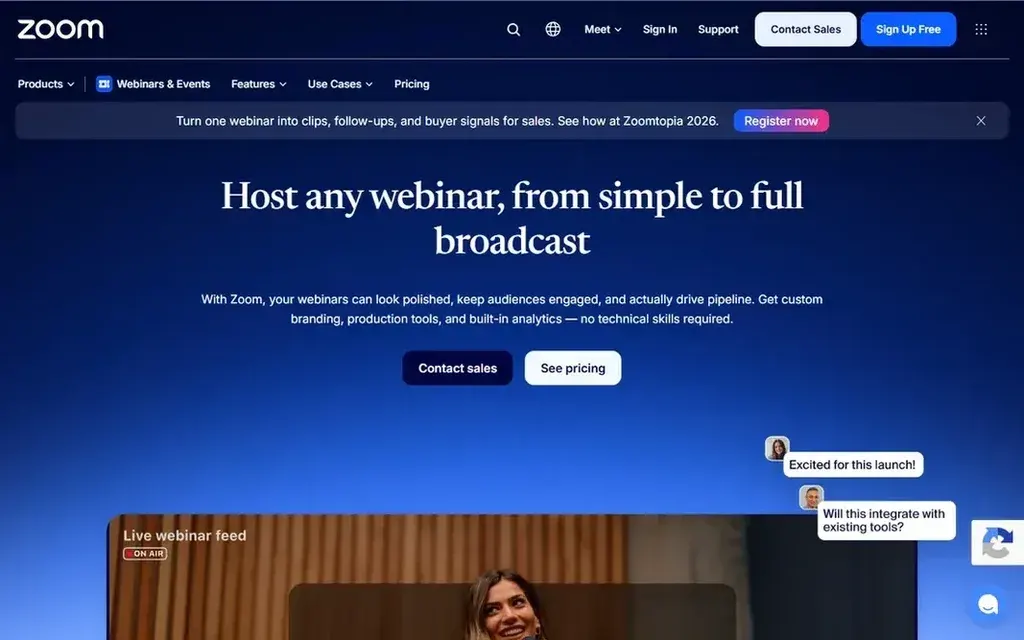
Think of Zoom Webinars for dependable attendance tracking and large events. Organizations that already use Zoom for meetings will find the interface familiar and the reporting straightforward for verifying participation.
Downsides: Less training-specific tools.
Also, programs needing deeper engagement analytics or automatic credit issuance might consider a training-focused system instead. Zoom Webinars does not show a starting price in this comparison, so check the vendor site for current pricing. Trial and free access: Not stated.
- Professional event experience
- Scalable for large audiences
- Advanced features may require extras
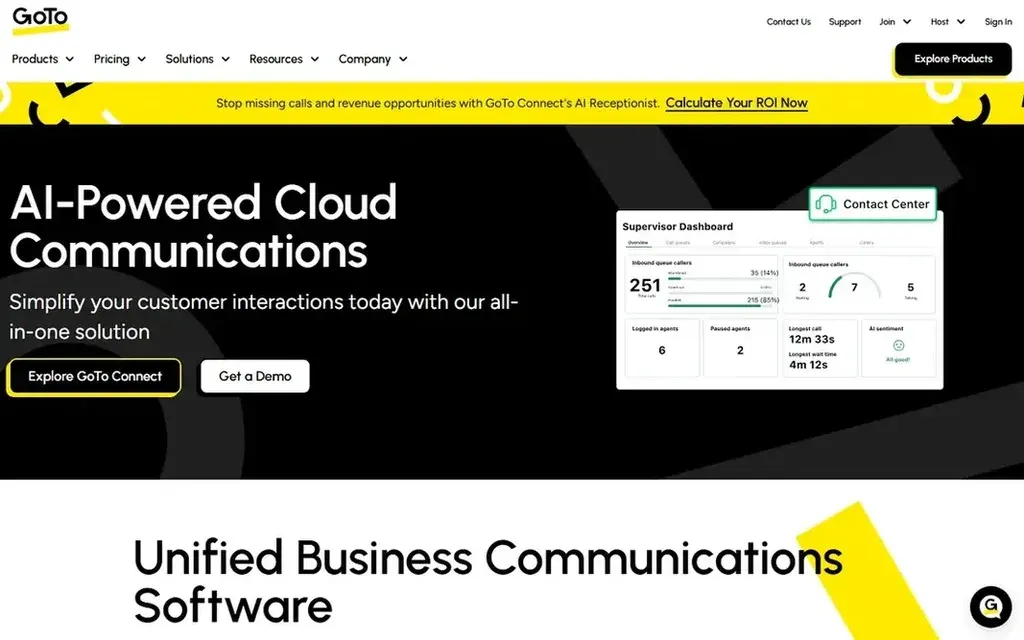
GoTo Webinar is designed for engaging virtual conferences and events. GoTo Webinar is meant to engage audiences through virtual conferences and events, with features that help keep participants involved during continuing education sessions.
GoTo Webinar does not show a starting price in this comparison, so check the vendor site for current pricing. Free options: Free trial.
Drawbacks to consider: Ramp-up time for advanced options.
- Customer-recommended product
- Engagement features for audiences
- May need separate tools for credits
How we chose
The comparison looks at four things: starting price, free access, how well the feature set matches webinar software for continuing education credits, and the main limit of each tool. Treat prices as a snapshot: vendors change plans often, so check the vendor site for the figure that applies today. The order reflects how well each tool fits the most common buying scenario for webinar software for continuing education credits, then price clarity, then free plan access. It is a starting point, not a verdict.
Before you commit
- Confirm the entry price on the vendor page. For WebinarJam, Zoho Webinar, ClickMeeting and others that means a quote rather than a fixed price.
- Look at the free plan from ClickMeeting closely: its caps decide whether it is usable for real work.
- Use real work to test the free trial from Zoho Webinar and GoTo Webinar, rather than a demo project.
- Before choosing WebinarJam, weigh its main limit: sales-oriented, not education-focused.
- List the apps you already depend on and check that Zoom Webinars supports each one on the plan you would buy.
- Map your must-have features to a specific GoTo Webinar plan before you compare prices.
FAQ
Do these tools publish their prices?
Not all of them. WebinarJam, Zoho Webinar, ClickMeeting and others publish no starting price, so expect a quote request for those. The rest, Livestorm included, show a starting price, though seats and billing terms still change the final cost.
Is on-demand access important for continuing education webinars?
On-demand access permits learners to view recorded sessions at their convenience, which can be crucial for completing credit requirements. Products like ClickMeeting and Livestorm support on-demand webinars, though credit tracking may need extra setup.
How are the tools for webinar software for continuing education credits ordered?
The order follows typical fit for webinar software for continuing education credits, with WebinarJam first and GoTo Webinar last, then price clarity and free access. It is editorial judgement, not a score, so another team could rank the tools differently.
Which options for webinar software for continuing education credits have a free plan?
ClickMeeting is the only tool in this list with a free plan. Free plans usually cap users, projects or features, so check the limits on the vendor page. Several others offer a trial instead.
Can I try these tools before paying?
Often, yes. ClickMeeting has a free plan and Zoho Webinar and GoTo Webinar offer a free trial. Use your own data and a real task during the test, and check what the free tier or trial limits before you rely on it.
Sources
- https://www.webinarjam.com
- https://www.zoho.com/webinar
- https://www.livestorm.co
- https://www.clickmeeting.com
- https://zoom.us/webinar
- https://www.goto.com/webinar