The 6 Best VR Visualization Software for Enterprise in 2026, Ranked
Best VR visualization software for enterprise: 6 tools compared on price, free plans and fit. Limits and pricing notes included. Pick with confidence.
- Editor's choiceDassault Systèmes 3DEXPERIENCE
Unified product development environments
Starts atSee websiteVisit 3ds.comFull review - Great alternative
 Unity
Cross-platform XR and industrial application development
Starts at$210.00 a monthVisit unity.comFull review - Also considerVarjo
VR and XR headsets for simulation training
Starts atSee websiteVisit varjo.comFull review
Direct answer
This list puts Dassault Systèmes 3DEXPERIENCE first for unified product development environments. Listed starting prices: Unity from $210.00 a month, NVIDIA Omniverse from $1 per hour per GPU and Cesium from $149 a month. Alternatives: Unity for cross-platform XR and industrial application development, and Varjo for VR and XR headsets for simulation training. The other 3 tools in the list cover narrower or pricier cases.
TL;DR:
- Dassault Systèmes 3DEXPERIENCE is the opening pick, best for unified product development environments.
- For the cheapest start, look at Cesium: $149 per month.
- Only 2 of the 6 tools have a free plan (NVIDIA Omniverse, Cesium), so check the caps.
- The main caution on NVIDIA Omniverse: requires technical integration work.
Last checked November 2026. Prices and plan details were read from the vendors' own pages in November 2026; vendors change plans often, so confirm the current price on the vendor site before you buy.
Quick comparison
| Tool | Best for | Starts at | Free plan? | |
|---|---|---|---|---|
| Dassault Systèmes 3DEXPERIENCE | Unified product development environments | See website | Not stated | Visit |
| Unity | Cross-platform XR and industrial application development | $210.00 a month | Free trial | Visit |
| Varjo | VR and XR headsets for simulation training | See website | Not stated | Visit |
 NVIDIA Omniverse | Industrial digital twins and robotics simulation | $1 per hour per GPU | Yes | Visit |
 Cesium | 3D geospatial visualization and analytics | $149 a month | Yes | Visit |
 PTC Vuforia | Enterprise augmented reality options | See website | Not stated | Visit |
Our 6 picks for VR visualization software for enterprise
Short on time? The summary and table above give the quick view of 6 tools for VR visualization software for enterprise, and the profiles that follow give the detail behind each entry.
Dassault Systèmes 3DEXPERIENCE
Best for: Unified product development environments
Dassault Systèmes 3DEXPERIENCE is designed for unified product development environments. Consider Unity for custom builds or PTC Vuforia for AR-first deployments.
In practice, for enterprises, it is a collaborative product where visualization and VR experiences sit inside a wider product lifecycle context, making it relevant to manufacturers that want design review and simulation tied to the same environment as their engineering data. Dassault Systèmes 3DEXPERIENCE shows no starting price here, so confirm the cost on the vendor site. On free options: Not stated.
Limits to weigh: Wide system can be complicated to scope.
- Science-grade AI support stated
- Unified environment for product development
- VR is one part of a bigger suite
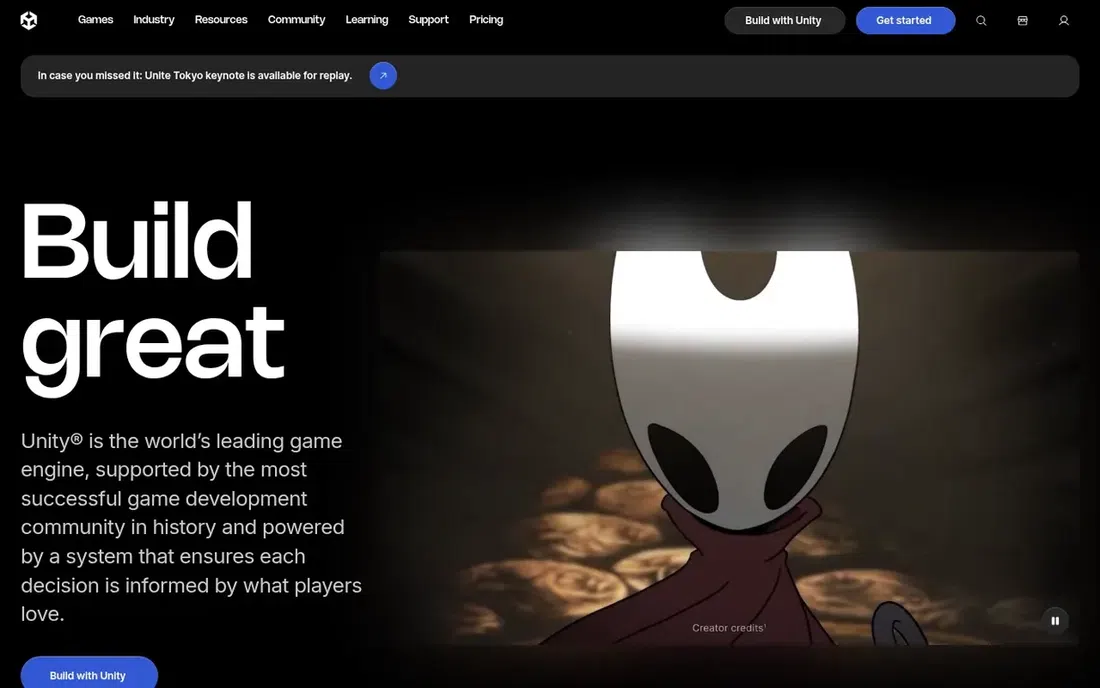
Pick Unity if this describes you: cross-platform XR and industrial application development. Unity is a 3D engine used to develop, deploy and grow applications across mobile, PC, console and XR. Its homepage notes that it also powers industrial applications, which makes it a practical choice for enterprises building custom VR visualization experiences rather than buying a finished tool.
Reasons to shortlist it: Builds for XR plus mobile; Wide system coverage from one engine.
Organizations seeking a packaged enterprise AR option should look at PTC Vuforia. Those needing simulation-specific libraries may prefer NVIDIA Omniverse. Also, Unity supplies the engine, not the enterprise content or data integrations, so AR workflows and digital twin pipelines must be built or added. Unity pricing: $210.00 per month. Free plan details: Free trial. Downsides: Needs development expertise.
- PC and console
- Extends beyond games to industrial applications
- Not a turnkey enterprise AR product
Varjo
Best for: VR and XR headsets for simulation training
Think of Varjo for VR and XR headsets for simulation training. Varjo provides VR and XR headsets and options geared toward simulation training. From a buyer's view, instead of a content authoring system, it supplies the immersive hardware layer that enterprise training and simulation programs build around.
Choosing Varjo means committing to a hardware path, so software compatibility and content pipelines matter. Beyond that, teams that only need software-based visualization should start with a product like NVIDIA Omniverse or Unity. Varjo does not show a starting price in this comparison, so check the vendor site for current pricing. Free options: Not stated.
Downsides: Hardware-centric rather than a software platform.
- Positioned for simulation training
- Hardware and option combination
- Needs compatible content and integrations

NVIDIA Omniverse is designed for industrial digital twins and robotics simulation. NVIDIA Omniverse is a system for building industrial digital twins and robotics simulation applications. It is described as a collection of libraries and microservices, which means teams assemble capabilities instead of adopt a single monolithic application.
Since Omniverse is organized as libraries and microservices, it assumes development resources and a clear technical plan. Beyond that, if your priority is enterprise AR content or a general-purpose XR engine, evaluate PTC Vuforia or Unity instead before committing. Worth adding: teams without simulation or robotics needs may find it heavier than required. Starting cost for NVIDIA Omniverse: $1 per hour per GPU. NVIDIA Omniverse includes a free tier.
Drawbacks to consider: Needs technical integration work.
- Aimed at industrial digital twin projects
- Robotics simulation focus
- Narrower fit for general AR use
Cesium targets 3D geospatial visualization and analytics. Cesium is a system for 3D geospatial work, offering the foundations an application needs to use 3D geospatial data through visualization, data pipelines, curated data and analytics. In daily use, check data format support and API details on the vendor site.
Honest limits: Geospatial focus limits general VR use.
Cesium is specialized around geospatial data, so it is not a general VR authoring environment. Those needing industrial twins should look at NVIDIA Omniverse. What you pay to start with Cesium: $149 per month. Free access exists with Cesium.
- Curated 3D geospatial data included
- Visualization
- Needs data integration effort
In short, PTC Vuforia is for enterprise augmented reality options. Vuforia is oriented toward augmented reality, so completely immersive VR simulation is not its center of gravity.
What to check first: AR-centric instead of full VR simulation.
No starting price is listed for PTC Vuforia here; confirm pricing on the vendor site. Free plan details: Not stated.
- Positioned for market leaders adopting AR
- Geared toward building options and transforming firms
- Needs content and workflow planning
How these tools were picked
LinkVetted looked at what each vendor publishes: pricing, plan limits, feature coverage for VR visualization software for enterprise and stated drawbacks. No hands-on testing is claimed. Where a price is missing, the vendor does not list one publicly or ties it to a quote. Always confirm before budgeting. Order on the page follows fit for the typical buyer first, then price transparency and free access. Your own requirements should decide the final pick.
What to confirm before you sign up
- Confirm the entry price on the vendor page. For Dassault Systèmes 3DEXPERIENCE, Varjo and PTC Vuforia that means a quote rather than a fixed price.
- Read the fine print on the free plans from NVIDIA Omniverse and Cesium; seat, project and feature caps differ.
- Take the trial from Unity and push a live task through it before you pay.
- Before choosing Dassault Systèmes 3DEXPERIENCE, weigh its main limit: broad product can be complicated to scope.
- Confirm that PTC Vuforia connects to the apps your team already uses, on the plan you would actually buy.
- Compare total cost, not headline price: for Cesium, add extra seats, add-ons and any usage-based charges.
FAQ
What is the cheapest option for VR visualization software for enterprise in this list?
On published monthly entry prices, Cesium is the lowest here at $149 per month. Entry price is only part of the cost, because seats, add-ons and billing terms can change the total.
Do these tools publish their prices?
Not all of them. Dassault Systèmes 3DEXPERIENCE, Varjo and PTC Vuforia publish no starting price, so expect a quote request for those. The rest, Unity included, show a starting price, though seats and billing terms still change the final cost.
Can I try these tools before paying?
Often, yes. NVIDIA Omniverse and Cesium have a free plan and Unity offers a free trial. Use your own data and a real task during the test, and check what the free tier or trial limits before you rely on it.
How do geospatial needs change the choice?
If your visualization relies on maps, terrain or location data, Cesium is built around 3D geospatial data with open standards and APIs.
What is the difference between VR visualization products and AR tools?
VR visualization products focus on immersive, headset-based environments for example digital twins and simulation training. AR tools like PTC Vuforia overlay digital content onto real equipment.
What should we check before selecting a platform?
Confirm device and headset support, data format compatibility, integration with existing engineering systems and the deployment model you need. Also review documentation and support resources, since enterprise rollouts rely on internal teams being able to build and maintain the visualization content.
Sources
- https://www.3ds.com/3dexperience
- https://unity.com
- https://varjo.com
- https://www.nvidia.com/en-us/omniverse
- https://cesium.com
- https://www.ptc.com/en/products/vuforia
Related guides
- Best Augmented Reality Visualization Software for Enterprise for 2026: Our 6 Vetted Picks
- 6 Best Augmented Reality Visualization Software for 2026, Vetted and Compared
- Best BI Data Visualization Tools for 2026: Our 6 Vetted Picks
- Big Data Analytics Software for Enterprise in 2026: The 5 Best Options Side by Side