5 Video Call Software for Financial Advisors Worth Shortlisting in 2026
5 best video call software for financial advisors, with entry costs, free tiers and the buyer each one serves. Pros and cons for every tool. Choose faster.
- Editor's choice
 Zoho Meeting
Small practices wanting meeting basics
Starts atPricing on requestVisit zoho.comFull review - Great alternative
 GoTo Meeting
Straightforward web conferencing
Starts atPricing on requestVisit goto.comFull review - Also consider
 Cisco Webex
Security-minded businesses with device needs
Starts atPricing on requestVisit webex.comFull review
Direct answer
Zoho Meeting is the first pick on this list for small practices wanting meeting basics. For a different need, GoTo Meeting covers straightforward web conferencing and Cisco Webex covers security-minded businesses with device needs. Details, prices and limits for the rest of the 5 tools are below. None of these vendors publish plan prices, so pricing is on request for every option.
TL;DR:
- Zoho Meeting takes the first slot, best suited to small practices wanting meeting basics.
- Check the limits for GoTo Meeting before you commit: narrower scope than full collaboration suites.
- Every tool from Zoho Meeting to Google Meet works by quote, with no list price shown.
- Only Cisco Webex offers a free plan among these 5 tools.
- Google Meet is the one to check for advisors using Google Workspace.
Last checked November 2026. Pricing on request: vendors did not publish plan prices when this guide was last checked (November 2026), so ask each vendor for a written quote.
Quick comparison
| Tool | Best for | Starts at | Free plan? | |
|---|---|---|---|---|
| Zoho Meeting | Small practices wanting meeting basics | Pricing on request | Not stated | Visit |
| GoTo Meeting | Straightforward web conferencing | Pricing on request | Not stated | Visit |
| Cisco Webex | Security-minded businesses with device needs | Pricing on request | Yes | Visit |
 Zoom Workplace | All-around client and team meetings | Pricing on request | Not stated | Visit |
 Google Meet | Advisors using Google Workspace | Pricing on request | Not stated | Visit |
Video Call Software for Financial Advisors, one by one
This LinkVetted guide covers 5 video call software for financial advisors. Each profile lists a starting price, free plan details, strengths and drawbacks, so you can drop poor fits quickly.
Where Zoho Meeting fits: small practices wanting meeting basics. Zoho Meeting is online meeting software for hosting virtual meetings and web and video conferences for remote collaboration.
Where it falls short: Feature depth varies by product edition.
Feature depth relies on the edition, so confirm what your practice needs before committing. Choose Zoho Meeting when you already use Zoho products or want a meeting tool from a broader business software family. Pricing for Zoho Meeting is not stated here, so ask the vendor for current figures. Trial and free access: Not stated.
- Hosts virtual meetings and web conferences
- Targeted at remote collaboration
- Less known among clients than major products
GoTo Meeting makes the most sense for straightforward web conferencing. GoTo Meeting is a web conferencing system built to offer the virtual meeting features companies need. Since it centers on meetings, practices that want chat, phone and webinar tools from the same vendor may need extra products.
Drawbacks to consider: Fewer adjacent tools for chat and phone.
As for the details, advisors with deep ties to a productivity suite may prefer the meeting tool built into it. Choose GoTo Meeting when straightforward, dedicated web conferencing is the priority and you do not need a wider collaboration stack. Check the vendor site for GoTo Meeting pricing; none is listed in this comparison. Trial and free access: Not stated.
- Designed for business meetings
- Straightforward web conferencing experience
- Narrower scope than full collaboration suites
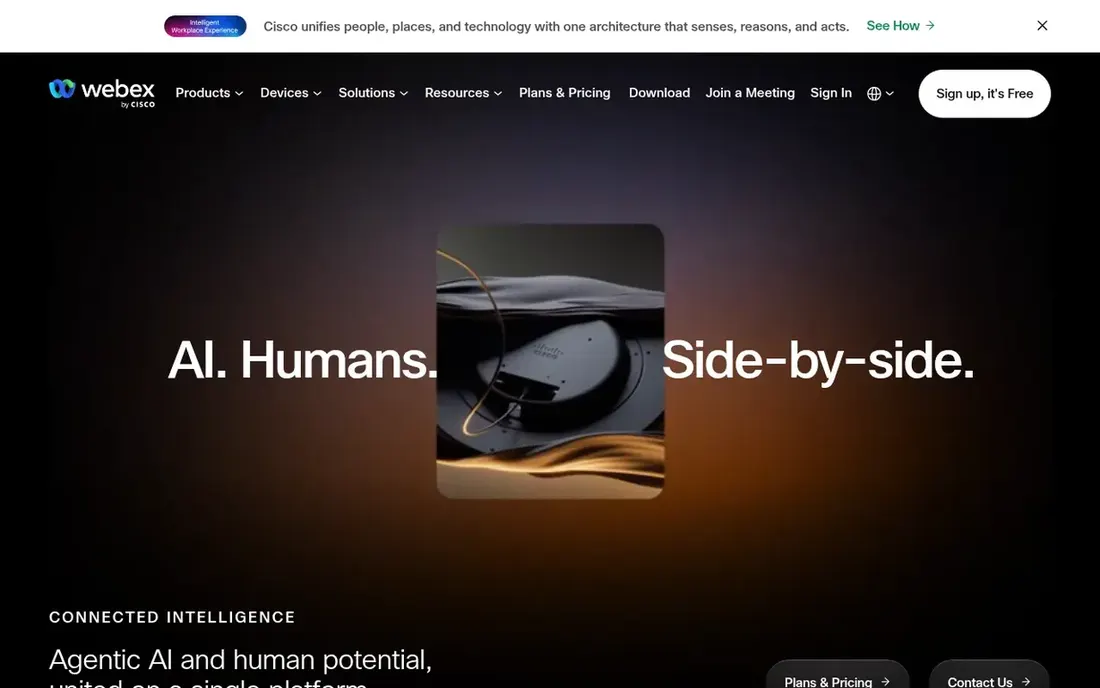
Cisco Webex targets security-minded businesses with device needs. Beyond that, consider Webex when security posture and device integration matter more than a minimal setup, and confirm the details your firm needs on the vendor site.
Downsides: Setup and administration take planning.
Beyond that, practices without technical support may prefer a more straightforward product. Cisco Webex shows no starting price here, so confirm the cost on the vendor site. Free access exists with Cisco Webex.
- AI-powered collaboration features
- Wide product and device choices
- Feature depth can overwhelm new users
For all-around client and team meetings, Zoom Workplace is a natural candidate. For financial advisors, that breadth means client review calls, internal team check-ins and client education sessions can all run on one familiar system.
Where Zoom Workplace stands out: Meetings, chat.
Points against: Security settings need careful setup. More specifically, practices that chiefly want entry-level video inside an existing productivity suite may prefer a lighter choice. Also, the broad feature set can feel heavy if you only need straightforward one-to-one client calls, and administrators should review security and meeting settings carefully. Check the vendor site for Zoom Workplace pricing; none is listed in this comparison. Free plan details: Not stated.
- Familiar interface for most clients
- Phone and webinars in one platform
- Plenty of features can feel complicated for small practices
Google Meet is built with advisors using Google Workspace in mind. Advisors who already use Google email and calendars can schedule and join client calls without adding another vendor, and clients usually find the joining process straightforward.
In practice, the experience is most complete when the practice uses Google Workspace, and standalone meeting extras are more restricted than in dedicated conferencing suites. Pick Google Meet when your practice already lives in Google tools and wants straightforward client video calls. Google Meet shows no starting price here, so confirm the cost on the vendor site. Trial and free access: Not stated.
Watch-outs: Fewer standalone meeting extras.
- Straightforward joining for clients
- Runs inside Google Workspace
- Best value needs Google Workspace
Selection criteria
Pre-purchase checklist
- Confirm the entry price with every vendor: no tool from Zoho Meeting to Google Meet shows a fixed starting price.
- Test the free plan from Cisco Webex against your real workload before relying on it.
- Before choosing Zoho Meeting, weigh its main limit: less known among clients than major systems.
- Check the integration list for Google Meet against the tools you run today, and note which ones need a higher plan.
- Test how quickly Zoom Workplace answers a pre-sales question; it hints at how support will feel later.
FAQ
Can I try these tools before paying?
Often, yes. Cisco Webex has a free plan. Use your own data and a real task during the test, and check what the free tier or trial limits before you rely on it.
Do these tools publish their prices?
No. None of the tools, from Zoho Meeting to Google Meet, shows a fixed starting price here, so budget time for quotes.
Is Zoho Meeting the right pick for everyone comparing video call software for financial advisors?
No single tool suits every team. Zoho Meeting comes first because it fits small practices wanting meeting basics, while GoTo Meeting suits straightforward web conferencing and Cisco Webex suits security-minded firms with device needs. Match the tool to your own size, budget and workflow before deciding.
How are the tools for video call software for financial advisors ordered?
The order follows typical fit for video call software for financial advisors, with Zoho Meeting first and Google Meet last, then price clarity and free access. It is editorial judgement, not a score, so another team could rank the tools differently.
Is Zoom Workplace a solid fit for client meetings?
Zoom Workplace merges meetings with chat, phone and webinar tools, and most clients already recognize the interface. That familiarity can cut friction when clients join review calls.
Sources
- https://www.zoho.com/meeting
- https://www.goto.com/meeting
- https://www.webex.com
- https://www.zoom.com
- https://meet.google.com