Best App for Financial Independence in 2026: 8 Apps Compared
Best app for financial independence compared for 2026: net worth, budgeting, investing and retirement planning across 8 apps, with honest limits with care.
- Editor's choice
 Empower Personal Dashboard
Free net worth tracking
Starts atFreeVisit empower.comFull review - Great alternative
 YNAB
Zero-based budgeting
Starts at$14.99 per monthVisit ynab.comFull review - Also consider
 Monarch Money
Household money dashboard
Starts at$14.99 per monthVisit monarchmoney.comFull review
TL;DR:
- Empower Personal Dashboard is the best free starting point for net worth and investment tracking.
- YNAB and Monarch Money are the strongest budgeting apps for households that want to control spending and saving.
- PocketSmith and Copilot Money suit users who want forecasting and a clear view of future cash flow.
- Tiller, ProjectionLab and Boldin suit planners who want spreadsheets, retirement scenarios or a full plan.
- No app creates financial independence on its own; saving rate, investing and debt control matter more than software.
Quick comparison
| Tool | Best for | Starts at | Free plan? | |
|---|---|---|---|---|
| Empower Personal Dashboard | Free net worth tracking | Free | Yes | Visit |
| YNAB | Zero-based budgeting | $14.99 per month | Free trial | Visit |
| Monarch Money | Household money dashboard | $14.99 per month | Free trial | Visit |
 PocketSmith | Cash flow forecasting | See website | Free trial | Visit |
 Copilot Money | Apple money tracking | $13 per month | Free trial | Visit |
 Tiller | Spreadsheet budgeting | See website | Free trial | Visit |
 ProjectionLab | Retirement scenarios | See website | Free trial | Visit |
 Boldin | Full retirement planning | See website | Free trial | Visit |
The best app for financial independence
Financial independence means your investments and passive income can cover your living costs, so you no longer need to work for income. An app cannot make that happen, but it can track the numbers that matter: savings rate, spending, net worth, investment growth and the date when work becomes optional. The apps below cover those jobs in different ways, from free tracking to detailed retirement planning.
Disclaimer: This is general information, not financial advice. Investing carries risk, including loss of capital, and retirement projections are estimates based on assumptions that may not hold. Consider advice from a qualified financial adviser for decisions about investing, debt, tax or retirement.
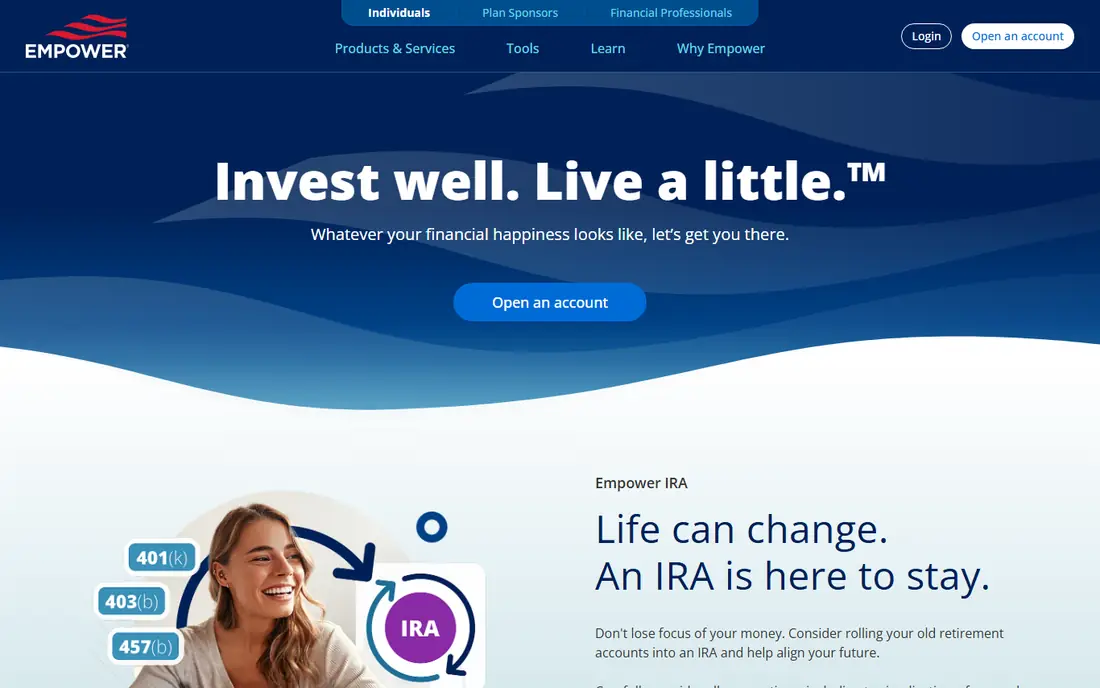
Empower Personal Dashboard, formerly Personal Capital, is the best free place to see your whole financial picture. You link bank, investment and retirement accounts, and the dashboard shows net worth, asset allocation, fees and a retirement projection. For financial independence tracking, that net worth trend is the number that matters most, and Empower shows it clearly at no cost.
The catch is that Empower is a tracker, not a budget. It will not force a spending plan the way YNAB does, and Empower also offers paid wealth management, which is a separate service with its own fees. Use the free dashboard for tracking, ignore the wealth management pitch unless you want it, and pair Empower with a budgeting app if spending is your weak spot.
- Free dashboard for net worth and investments
- Account aggregation in one view
- Retirement planner tools
- Not a full budgeting app
- Wealth management services are sold separately and cost more
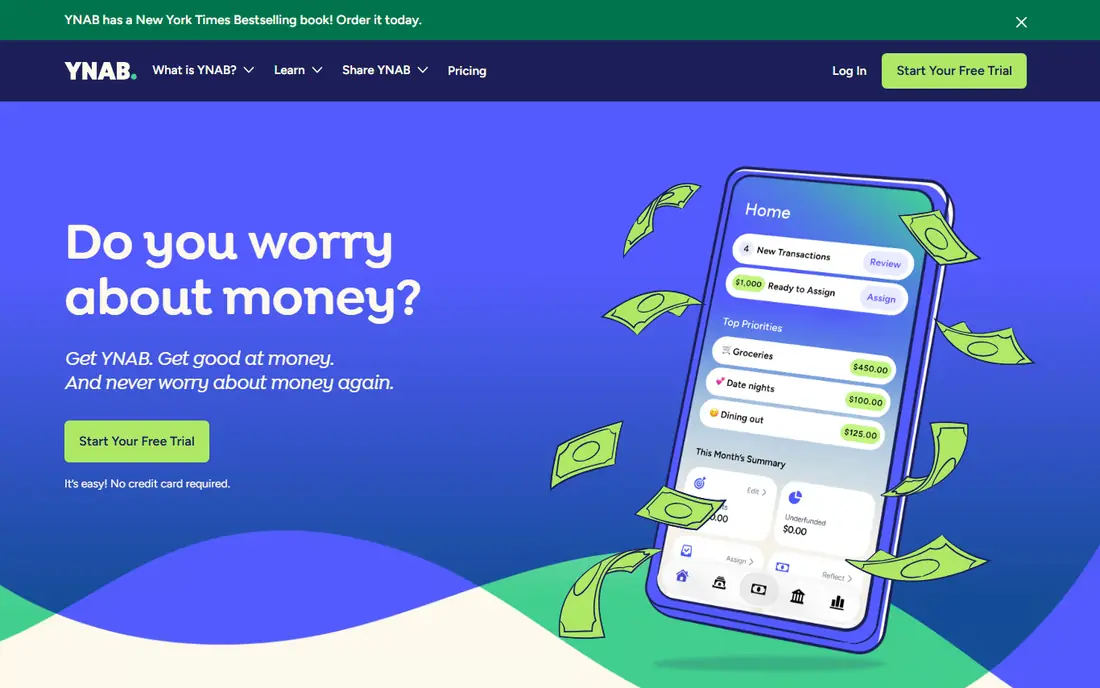
YNAB, short for You Need A Budget, is built around giving every dollar a job before the month starts. That method suits financial independence seekers because it raises the savings rate, which is the main lever for an earlier independence date. The app links accounts, tracks categories, and helps you plan for irregular expenses and debt payoff.
The downside is cost and effort. YNAB costs $14.99 per month or $109 per year, with a 34-day trial and no free plan, and the first two weeks feel like homework for many users. If you stick with it, the method often pays for itself in reduced spending. If you want simple tracking, Empower or Monarch will feel easier, but neither enforces a budget as firmly as YNAB.
- Zero-based budgeting method that changes spending habits
- Debt payoff tools
- Strong community and learning resources
- No free plan, only a 34-day trial
- Learning curve in the first weeks
- $109 per year when billed annually

Monarch Money is the most complete household dashboard in this list, combining budgeting, net worth, investments, goals and cash flow in one app. It suits couples and households who want one place to see spending, savings and investments, with sharing that lets a partner view the plan without sharing every detail. The goals view also helps track progress toward an independence target.
The catch is price and trial length. Monarch Core costs $14.99 per month or $99.99 per year, with only a 7-day trial, and Plus costs $199 per year for advanced forecasting. That short trial means you should test bank connections and the dashboard in the first week. For a household that will use it daily, the cost is reasonable. For a single tracker, Empower free may be enough.
- Budget, net worth and investments in one dashboard
- Household sharing
- Goals and cash flow views
- No free plan, only a 7-day trial
- Core costs $99.99 per year, Plus costs $199 per year
PocketSmith stands out for forecasting. You can project cash flow, budgets and net worth years ahead, test scenarios such as a lower income or a larger investment contribution, and see the effect on future balances in a calendar view. That forward view is exactly what financial independence planning needs, since the question is not just where you are, but when you can stop working.
The downside is complexity. PocketSmith has a learning curve, and bank connection coverage varies by region, so check your banks before you pay. It is best for users who enjoy planning and want to model scenarios, rather than users who want a simple daily budget. Pair it with YNAB for budgeting, or use it alone if forecasting is your priority.
- Cash flow forecasting up to decades ahead
- Budget calendars
- Net worth and account tracking
- Interface takes learning
- Pricing and bank connections vary by plan and region
Copilot Money suits Apple users who want a beautiful, clear money app. It aggregates accounts, categorises spending intelligently, and shows cash flow, net worth and budgets in a design that is easier to read than most rivals. For a user who checks money on an iPhone or Mac daily, that clarity encourages regular review.
The limit is platform. Copilot has no Android app, so Android households should choose Monarch or YNAB instead. Pricing is $13 per month or $95 per year, with a one-month trial and no free plan. If you are in the Apple ecosystem and want tracking plus light budgeting, Copilot is a polished pick. If you need deep planning, add ProjectionLab or Boldin.
- Clean design and clear cash flow views
- Account aggregation
- Smart categorisation
- Apple devices and web only, no Android app
- $95 per year when billed annually
- No free plan beyond trial
Tiller feeds bank transactions into Google Sheets or Excel, giving spreadsheet users full control over budgeting and financial independence tracking. You can build your own savings rate tracker, net worth sheet and independence date calculator, without being limited to an app dashboard. That flexibility is why many independence-focused users prefer Tiller.
The catch is effort. Tiller needs spreadsheet comfort, and setup, categorisation rules and reports take time to build. It is not a plug-and-play app for a user who wants a ready dashboard. For a user who already lives in spreadsheets, however, Tiller is the most flexible tool in this list, and your data stays in a format you own.
- Bank feeds into Google Sheets and Excel
- Full control over categories and reports
- No locked-in app format
- Needs spreadsheet comfort
- Setup takes time
- Subscription required after trial
ProjectionLab is a planning tool for testing retirement and independence scenarios in detail. You can model income, spending, taxes, account types and withdrawal plans, and compare scenarios such as retiring five years earlier or saving an extra amount each month. That what-if power is the core of financial independence planning.
The limit is daily use. ProjectionLab is not a budgeting app, so you still need YNAB, Monarch or Tiller for spending control. Use ProjectionLab quarterly or yearly to update your independence date, and use a budgeting app weekly for the habits that move that date. Check the current plan price on the site, since planning features vary by tier.
- Detailed retirement and independence scenarios
- Tax and account modelling
- What-if planning
- Planning-focused, not a daily budget app
- Pricing and features vary by plan
Boldin, formerly NewRetirement, offers a full retirement planning platform that covers income, spending, taxes, healthcare and estate basics in one plan. It suits users who want a complete plan, not just a net worth number, and it offers planner tools plus adviser options for users who want professional help. That breadth makes it a strong final planning step.
The downside is complexity. A full plan takes time to build, with many inputs, and full features need a paid plan. Boldin is also US-focused, so users outside the United States should check tax and account assumptions carefully. For a US household approaching independence, Boldin is a thorough, honest planning tool.
- Full retirement and independence planning
- Income, tax and healthcare modelling
- Planner and adviser options
- Depth can feel complex at first
- Full features need a paid plan
- US-focused planning
How we picked these
We compared official app pages, pricing, account aggregation, budgeting methods, forecasting tools and retirement planning features for each app, and we checked that each service is still operating in October 2026. We favoured apps with clear pricing, real bank connections, and a specific job in independence planning, from free tracking to full retirement modelling, rather than a general finance app with no planning depth. We did not test investing advice ourselves, and projections in any app are estimates, not guarantees.
How to track financial independence in three numbers
Start with your savings rate: the share of after-tax income you save and invest each month. A higher savings rate shortens the time to independence more than a higher return in most cases, because it both builds investments and lowers the spending those investments must cover. Track it monthly in YNAB, Monarch or Tiller, and aim for a steady rise rather than a perfect figure.
Next, track net worth monthly in Empower or Monarch, including investments, cash and debts. Net worth alone does not tell you if you are independent, but the trend shows whether your plan is working. Compare it with your annual spending: a common rule of thumb is 25 times annual spending as a rough independence target, though your own needs, tax and healthcare costs will change that figure.
Finally, update a projection yearly in ProjectionLab or Boldin, with realistic returns, inflation and spending assumptions. A projection is not a promise, so test a lower return and a higher spending scenario as well. If the date moves a lot under a modest change, your plan needs a larger buffer, lower spending or a longer timeline. That yearly check keeps the plan honest.
FAQ
What is the best app for financial independence?
Empower Personal Dashboard is the best free starting point for tracking net worth, while YNAB is best for raising your savings rate through budgeting, and ProjectionLab or Boldin are best for retirement scenarios. Most independence seekers use two apps: one for daily budgeting and tracking, and one for yearly planning.
How do I calculate my financial independence number?
A common starting point is 25 times your annual spending, based on a 4 percent withdrawal rule of thumb, but that figure is only a guide. Your tax, healthcare, housing and family costs, plus market returns, change the real number. Use ProjectionLab or Boldin with your own spending and assumptions, and consider professional advice for a final plan.
Is YNAB or Monarch better for financial independence?
YNAB is better if spending control is your main problem, since its zero-based method forces a plan for every dollar. Monarch is better if you want a household dashboard with budgeting, net worth and investments in one view. Both cost a similar amount per year, so choose based on whether you need discipline or a dashboard.
Can I reach financial independence with a free app?
Yes, for tracking. Empower Personal Dashboard is free and covers net worth, investments and retirement projections, while Tiller and planning tools add depth for a fee. Free tracking works if you also control spending and invest regularly, since the app is a tracker, not the investment itself.
Does financial independence mean never working again?
Not necessarily. For many people, it means work becomes optional, so you can choose part-time work, a passion project or a career change without needing the income. Some people keep working after reaching their number, while others retire fully. The app should help you test both versions of the plan.