Top 5 Telemedicine Software for Pediatrics for 2026 (Prices and Free Plans)
Compare 5 best telemedicine software for Pediatrics, with prices, free plans and who each fits. Where a tool struggles is spelled out. Checked this month.

- Editor's choice
 Zoom for Healthcare
Secure virtual care and team collaboration
Starts atPricing on requestVisit zoom.usFull review - Great alternativePediatric Telehealth by PM Pediatrics
Pediatric urgent care and mental health support
Starts atPricing on requestVisit pmpediatrics.comFull review - Also consider
 Doxy.me
Straightforward browser-based pediatric video visits
Starts atPricing on requestVisit doxy.meFull review
Direct answer
For secure virtual care and team collaboration, Zoom for Healthcare is where this list starts. If your case is different, Pediatric Telehealth by PM Pediatrics suits Pediatric urgent care and mental health support and Doxy.me suits straightforward browser-based pediatric video visits. Free plan facts and limits for all 5 tools follow. None of these vendors publish plan prices, so pricing is on request for every option.
TL;DR:
- Number one here is Zoom for Healthcare, a fit for secure virtual care and team collaboration.
- Teladoc Health suits wide virtual care and specialty support.
- Neither Zoom for Healthcare nor Teladoc Health, nor any of the other 3 tools, has a permanent free plan; trials and quotes are the norm.
- Pricing across the list, from Zoom for Healthcare to Teladoc Health, is by quote only.
- A fair warning about Pediatric Telehealth by PM Pediatrics: service model instead of customizable software.
Last checked November 2026. Pricing on request: vendors did not publish plan prices when this guide was last checked (November 2026), so ask each vendor for a written quote.
Quick comparison
| Tool | Best for | Starts at | Free plan? | |
|---|---|---|---|---|
| Zoom for Healthcare | Secure virtual care and team collaboration | Pricing on request | Not stated | Visit |
| Pediatric Telehealth by PM Pediatrics | Pediatric urgent care and mental health support | Pricing on request | Not stated | Visit |
| Doxy.me | Straightforward browser-based pediatric video visits | Pricing on request | Not stated | Visit |
| Mend Family | Behavioral health operations and engagement | Pricing on request | Not stated | Visit |
| Teladoc Health | Wide virtual care and specialty support | Pricing on request | Free trial | Visit |
Telemedicine Software for Pediatrics, one by one
Short on time? The summary and table above give the quick view of 5 telemedicine software for Pediatrics, and the profiles that follow give the detail behind each entry.

Zoom for Healthcare is designed for secure virtual care and team collaboration. Zoom for Healthcare provides physicians and healthcare providers a secure telehealth product for virtual care, collaboration and innovation. Practices wanting an all-in-one clinical tool should pair it with their existing systems or choose a more specialized choice.
Drawbacks to consider: Needs configuration for clinical workflows.
In daily use, Pediatric teams already comfortable with video meetings may find it a natural fit for consultations, multidisciplinary case discussions and parent education sessions where group collaboration matters. It is a communication system instead of a pediatric practice management system, so scheduling, documentation and billing usually come from other software. Check the vendor site for Zoom for Healthcare pricing; none is listed in this comparison. Trial and free access: Not stated.
- Supports collaboration and virtual care
- Secure telehealth product for providers
- Not a pediatric-specific EHR or scheduling tool
Pediatric Telehealth by PM Pediatrics
Best for: Pediatric urgent care and mental health support
Choose Pediatric Telehealth by PM Pediatrics for Pediatric urgent care and mental health support. Pediatric Telehealth by PM Pediatrics reflects a pediatric urgent care organization offering a mix of medical care, including behavioral and mental health care for children and young adults.
Practices and families looking for pediatric-focused virtual care delivered by pediatric experts can view it as a service-oriented choice instead of software they configure themselves. In practice, since it centers on a care service instead of a customizable system, it does not replace practice management or EHR software. Pediatric Telehealth by PM Pediatrics shows no starting price here, so confirm the cost on the vendor site. Free options: Not stated.
Honest limits: Service model instead of customizable software.
- Oriented to children and young adults
- Range of medical and behavioral care
- Not a system for running your own practice
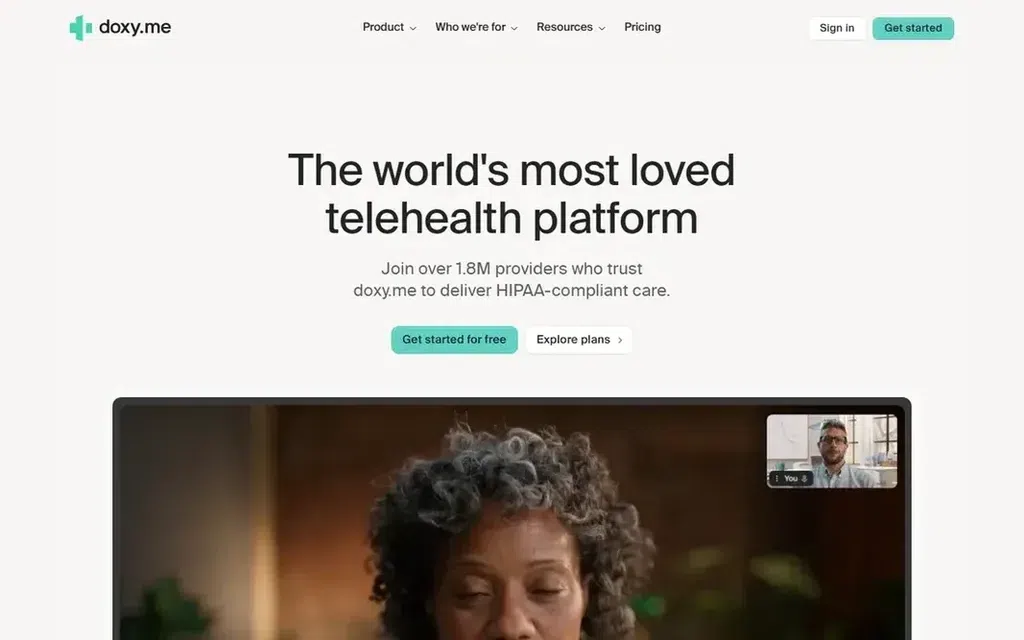
Doxy.me works best for straightforward browser-based pediatric video visits. Doxy.me is a telehealth system built around straightforward, secure video visits that patients join from a browser.
As for the details, the product emphasizes simplicity, so practices needing deep scheduling, billing or behavioral health operations may find it entry-level. As for the details, for pediatric practices that want to move routine follow-ups, triage conversations and parent consultations online without heavy setup, it is a practical starting point. Doxy.me does not show a starting price in this comparison, so check the vendor site for current pricing. Free options: Not stated.
Watch-outs: Restricted advanced clinical workflow features.
- Fast provider sign-up
- Runs in the browser without patient downloads
- Not designed for pediatric scheduling
Mend Family
Best for: Behavioral health operations and engagement
Mend Family works best for behavioral health operations and engagement. It is positioned around behavioral health operations instead of pediatric primary care video visits, so general pediatric clinics may not need it.
No starting price is listed for Mend Family here; confirm pricing on the vendor site. Free options: Not stated.
Downsides: Operations focus instead of video-first design.
- Made for behavioral health organizations
- Focus on reducing no-shows and filling schedules
- Not a general pediatric primary care system
Teladoc Health
Best for: Wide virtual care and specialty support

In short, Teladoc Health is for wide virtual care and specialty support. Teladoc Health offers virtual healthcare and telehealth solutions handling medical support, mental health and specialty care for individuals and organizations.
Since it serves a broad set of care needs, the product is not designed specifically around pediatric practice management. Pediatric groups that want a wide virtual care offering, including mental health support for children and young adults, can consider it as part of a wider telehealth strategy instead of a single-purpose video tool. Teladoc Health does not show a starting price in this comparison, so check the vendor site for current pricing. On free options: Free trial.
Watch-outs: Less tailored to pediatric-specific workflows.
- Virtual access to medical and mental health support
- Specialty care choices
- Wide product may feel complicated for small practices
How the list was put together
The comparison looks at four things: starting price, free access, how well the feature set matches telemedicine software for Pediatrics, and the main limit of each tool. Treat prices as a snapshot: vendors change plans often, so check the vendor site for the figure that applies today. Position on the page reflects fit for a typical buyer first, with price clarity and free access breaking ties. Treat it as a guide, not a ruling.
What to check before you buy
- Ask each vendor, from Zoom for Healthcare to Teladoc Health, for a written quote; none of them publishes a starting price.
- Use real work to test the free trial from Teladoc Health, rather than a demo project.
- Before choosing Zoom for Healthcare, weigh its main limit: needs configuration for clinical workflows.
- Ask Zoom for Healthcare about contract length, onboarding fees and user minimums before you sign.
- Let daily users try Mend Family on real work; their feedback beats any feature checklist.
FAQ
Is a general telehealth system enough for pediatric care?
General products like Doxy.me or Zoom for Healthcare can manage video visits, whereas pediatric-focused services add clinical expertise for urgent care needs.
Does any tool for telemedicine software for Pediatrics here have a free plan?
No tool in this list, Zoom for Healthcare and Teladoc Health included, has a permanent free plan. Teladoc Health offer a trial. Trials and quotes are the usual route, so plan a short evaluation period.
Do these tools publish their prices?
No. None of the tools, from Zoom for Healthcare to Teladoc Health, shows a fixed starting price here, so budget time for quotes.
Can I try these tools before paying?
Often, yes. Teladoc Health offers a free trial. Use your own data and a real task during the test, and check what the free tier or trial limits before you rely on it. For the full picture, the cards above cover all 5 entries of this Telemedicine software for Pediatrics list, including price, free plan and limits.
Is Zoom for Healthcare the right pick for everyone comparing telemedicine software for Pediatrics?
No single tool suits every team. Zoom for Healthcare comes first because it fits secure virtual care and team collaboration, while Pediatric Telehealth by PM Pediatrics suits Pediatric urgent care and mental health support and Doxy.me suits simple browser-based pediatric video visits. Match the tool to your own size, budget and workflow before deciding.
How do behavioral health features fit into pediatric telemedicine?
Tools for example Mend Family focus on scheduling and patient engagement for behavioral health organizations, which can complement a video visit system.
Sources
- https://zoom.us/healthcare
- https://www.pmpediatrics.com
- https://doxy.me
- https://www.mendfamily.com
- https://www.teladochealth.com