6 Best Software for Schedule Childcare Center Staff for 2026, Vetted and Compared
Best software for schedule childcare center staff in 2026: 6 contenders with entry costs and free tiers. Weaknesses are named for every tool. Prices included.
- Editor's choiceChildCareCRM
Enrollment and family engagement
Starts atSee websiteVisit childcarecrm.comFull review - Great alternative
 Deputy
Scheduling with HR and labor forecasting
Starts at$5 per user a monthVisit deputy.comFull review - Also consider
 When I Work
Dedicated shift scheduling and time tracking
Starts at$2.50 per user a monthVisit wheniwork.comFull review
Direct answer
For enrollment and family engagement, ChildCareCRM is where this list starts. Listed starting prices: Deputy from $5 per user a month, When I Work from $2.50 per user a month and Famly from £79 a month. Deputy is the stronger choice for scheduling with HR and labor forecasting, while When I Work suits dedicated shift scheduling and time tracking. The remaining 3 options are covered below with prices and limits.
TL;DR:
- ChildCareCRM is the opening pick, best for enrollment and family engagement.
- Lillio is the one to check for daycare centers wanting messaging and check in.
- Check the limits for Deputy before you commit: general workforce tool, not childcare-specific.
- None of the 6 tools, from ChildCareCRM to Lillio, has a free plan, so budget for a subscription or use a trial.
- Starting prices begin at $2.50 per user per month with When I Work.
Last checked November 2026. Prices and plan details were read from the vendors' own pages in November 2026; vendors change plans often, so confirm the current price on the vendor site before you buy.
Quick comparison
| Tool | Best for | Starts at | Free plan? | |
|---|---|---|---|---|
| ChildCareCRM | Enrollment and family engagement | See website | Not stated | Visit |
| Deputy | Scheduling with HR and labor forecasting | $5 per user a month | Free trial | Visit |
| When I Work | Dedicated shift scheduling and time tracking | $2.50 per user a month | Free trial | Visit |
 Brightwheel | All-in-one childcare management with scheduling | See website | Not stated | Visit |
 Famly | Early years settings of any size | £79 a month | Free trial | Visit |
 Lillio | Daycare centers wanting messaging and check in | See website | Not stated | Visit |
The 6 tools in detail
If you are comparing software for schedule childcare center staff, this page covers 6 tools in one place: what each is best for, what it costs to start, whether it has a free plan, and the main limit to know about.
ChildCareCRM
Best for: Enrollment and family engagement
ChildCareCRM is aimed squarely at enrollment and family engagement. ChildCareCRM, presented as LineLeader, is childcare software that helps boost enrollment and family engagement with tools for registration, CRM, and center management.
Administrators commonly use it to organize the enrollment pipeline. Worth adding: staff scheduling is not the headline capability, so centers needing in-depth shift planning should pair it with a dedicated scheduling tool. No starting price is listed for ChildCareCRM here; confirm pricing on the vendor site. On free options: Not stated.
The main drawbacks: Best paired with a dedicated scheduler.
- Tools for registration and center management
- Focus on enrollment and family engagement
- Scheduling is not the headline focus
Deputy is aimed squarely at scheduling with HR and labor forecasting. Deputy is easy-to-use employee scheduling, HR, AI labor forecasting, and payroll software. As a general workforce tool, it does not deal with childcare-specific needs like parent messaging or ratio compliance from day one.
Points against: General workforce tool, not childcare-specific.
More specifically, smaller centers may find it broader than necessary. In practice, managers who forecast staffing needs across rooms or locations commonly find the combined view handy. Entry price for Deputy: $5 per user per month. Trial and free access: Free trial.
- Employee scheduling with HR features
- Labor forecasting included
- May need setup for center workflows
For dedicated shift scheduling and time tracking, When I Work is a natural candidate. Pair it with your existing management tool if needed. Also, centers wanting billing and parent communication in the same system should look at the childcare products here.
As for the details, managers who want staff to see and swap shifts rapidly commonly find it straightforward. It is not made for childcare specifically, so ratio rules and licensing requirements are not native features. When I Work pricing: $2.50 per user per month. As for free access: Free trial.
Drawbacks to consider: Ratios and licensing rules not native.
- Team messaging built in
- Schedule shifts and track time in one app
- Not childcare-specific
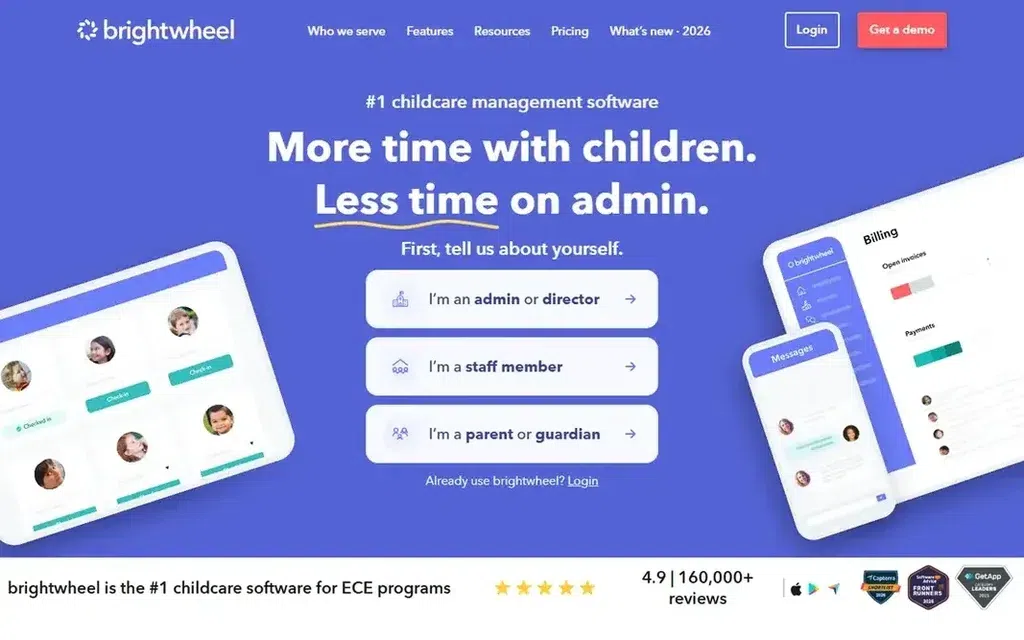
Brightwheel is built with all-in-one childcare management with scheduling in mind. Brightwheel is an all-in-one childcare management system that includes billing, communication, attendance, and more, which means staff scheduling sits alongside the rest of your center operations.
In daily use, confirm how staff scheduling and ratio tracking work for your room structure before committing. Brightwheel does not show a starting price in this comparison, so check the vendor site for current pricing. Free access: Not stated.
Highlights: Designed for childcare centers. Limits to weigh: Wide product may be more than shift-only needs need.
- Attendance in one system
- Billing, communication
- Dedicated scheduling depth varies by setup
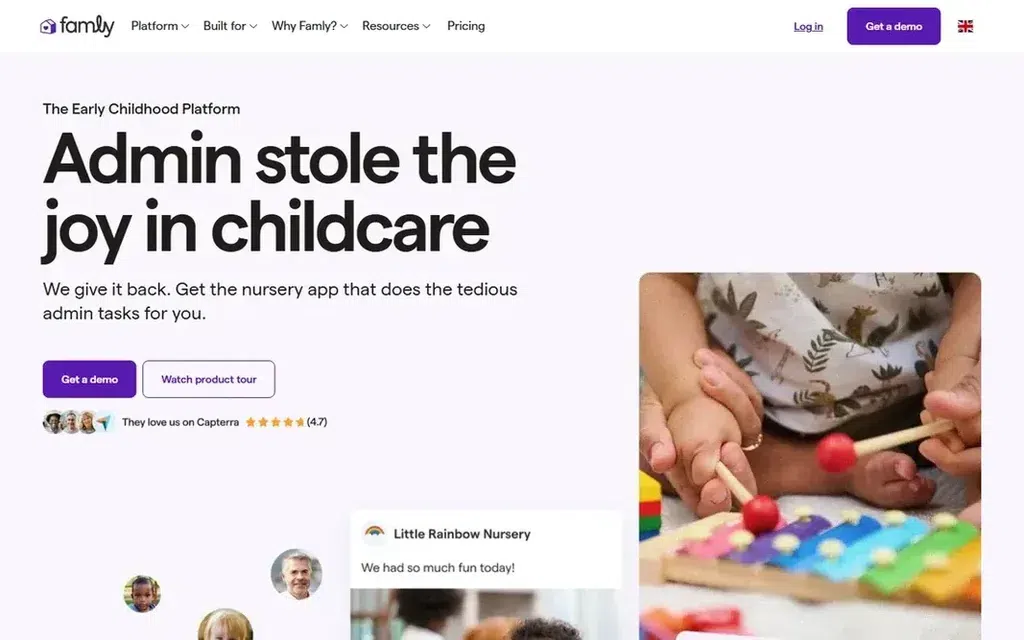
Famly targets early years settings of any size. Famly is an early childhood system for nurseries of every size, described as an all-in-one nursery app for the UK and Ireland.
Watch-outs: Positioned for UK and Ireland providers.
From a buyer's view, check that its scheduling features match your staffing model. The starting price for Famly: £79 per month. Free options: Free trial.
- Pitched at settings of every size
- All-in-one nursery app approach
- US centers should confirm local fit
Lillio is designed for daycare centers wanting messaging and check in. Lillio is an all-in-one daycare option with parent messaging, daily reports, check in, and more, positioned as childcare management made simple.
More specifically, centers with intricate shift and ratio rules may need a dedicated scheduler. No starting price is listed for Lillio here; confirm pricing on the vendor site. On free options: Not stated.
Points against: Scheduling specifics need confirmation.
- Check in features included
- Marketed as simple childcare management
- Overlaps with HiMama branding
What went into this list
We compared the tools on published pricing, free plan or trial availability, feature coverage for software for schedule childcare center staff, and the limits each vendor documents. Where a vendor does not publish a price, the entry says quote. Where a price depends on seats or billing term, the entry says so. Position on the page reflects fit for a typical buyer first, with price clarity and free access breaking ties. Treat it as a guide, not a ruling.
What to check before you buy
- Ask ChildCareCRM, Brightwheel and Lillio for a written quote, since no starting price is shown.
- Use real work to test the free trial from Deputy, When I Work and Famly, rather than a demo project.
- Before choosing ChildCareCRM, weigh its main limit: scheduling is not the headline focus.
- Check whether Brightwheel bills monthly or annually, and what cancelling early costs.
- Work out what Famly costs with your real seat count, add-ons and usage, not just the entry price.
FAQ
Is ChildCareCRM the right pick for everyone comparing software for schedule childcare center staff?
No single tool suits every team. ChildCareCRM comes first because it fits enrollment and family engagement, while Deputy suits scheduling with HR and labor forecasting and When I Work suits dedicated shift scheduling and time tracking. Match the tool to your own size, budget and workflow before deciding.
What is the cheapest option for software for schedule childcare center staff in this list?
On published monthly entry prices, When I Work is the lowest here at $2.50 per user per month. Entry price is only part of the cost, because seats, add-ons and billing terms can change the total. Prices, free plan details and limits for all 6 tools in this software for schedule childcare center staff roundup sit on the individual cards above.
Can general scheduling tools deal with childcare ratios?
General tools like When I Work and Deputy focus on shifts, time tracking, and labor planning instead of licensing ratios. You may have to configure rules manually or keep ratio checks in your childcare system.
Should a childcare center use a childcare product or a dedicated scheduler?
A dedicated scheduler frequently goes deeper on shifts and time tracking. Plenty of centers combine one of each if their product's scheduling is light.
How are the tools for software for schedule childcare center staff ordered?
The order follows typical fit for software for schedule childcare center staff, with ChildCareCRM first and Lillio last, then price clarity and free access. It is editorial judgement, not a score, so another team could rank the tools differently.
Do these tools publish their prices?
Not all of them. ChildCareCRM, Brightwheel and Lillio publish no starting price, so expect a quote request for those. The rest, Deputy included, show a starting price, though seats and billing terms still change the final cost.
Sources
- https://www.childcarecrm.com
- https://www.deputy.com
- https://wheniwork.com
- https://mybrightwheel.com
- https://www.famly.co
- https://www.lillio.com