Best Software for Recording Livestreams in HD in 2026: 5 Tools Compared
Compare 5 picks for the best software for recording livestreams in HD, with prices, free plans and who each fits. Notes on cost and gaps for each tool.
- Editor's choice
 Adobe Premiere Pro
Professional editing after recording
Starts atSee websiteVisit adobe.comFull review - Great alternative
 Camtasia
Recording plus instructional editing
Starts at$20 a yearVisit techsmith.comFull review - Also considerXSplit Broadcaster
Guided recording and live streaming
Starts atSee websiteVisit xsplit.comFull review
Direct answer
Adobe Premiere Pro comes first here, mainly for professional editing after recording. Listed starting prices: Camtasia from $20 a year and Restream from $239 per month. For a different need, Camtasia covers recording plus instructional editing and XSplit Broadcaster covers guided recording and live streaming. All 5 tools are compared below on price, free plan and limits.
TL;DR:
- This list starts with Adobe Premiere Pro, which is built for professional editing after recording.
- Restream is the lowest-priced starter here at $239 per month.
- One limit worth knowing about Camtasia: focused on instruction over live broadcast.
- None of the 5 tools, from Adobe Premiere Pro to OBS Studio, has a free plan, so budget for a subscription or use a trial.
- OBS Studio fits open source HD recording and streaming.
Last checked November 2026. Prices and plan details were read from the vendors' own pages in November 2026; vendors change plans often, so confirm the current price on the vendor site before you buy.
Quick comparison
| Tool | Best for | Starts at | Free plan? | |
|---|---|---|---|---|
| Adobe Premiere Pro | Professional editing after recording | See website | Not stated | Visit |
| Camtasia | Recording plus instructional editing | $20 a year | Not stated | Visit |
| XSplit Broadcaster | Guided recording and live streaming | See website | Not stated | Visit |
 Restream | Multistreaming live video to channels | $239 per month | Not stated | Visit |
 OBS Studio | Open source HD recording and streaming | See website | Not stated | Visit |
Tool-by-tool breakdown
If you are comparing software for recording livestreams in HD, this page covers 5 tools in one place: what each is best for, what it costs to start, whether it has a free plan, and the main limit to know about.
In short, Adobe Premiere Pro is for professional editing after recording. Adobe Premiere Pro sits in Adobe's creative and document management lineup and is widely used for professional video editing.
Choose Premiere Pro when refined editing is the priority. In a livestream recording workflow it serves as the post production step, where captured footage is cut, cleaned and finished. Check the vendor site for Adobe Premiere Pro pricing; none is listed in this comparison. On free options: Not stated.
What to check first: Needs editing knowledge.
- Industry-standard editing environment
- Suits creative and marketing workflows
- Not a livestream capture tool
Camtasia is a good fit for recording plus instructional editing. Pick Camtasia when the recording will become structured instructional video. For someone recording a livestream to repurpose it as a lesson or explainer, that editing-first design is the central draw.
Trade-offs to know: Concentrated on instruction over live broadcast.
Main advantages: Screen recording and video editing together. It is not primarily a live streaming application, so broadcasters who require to send a feed to products should pair it with OBS Studio or XSplit Broadcaster. Camtasia merges screen recording with video editing and is positioned for training content creation. It helps teams build screen recordings, video tutorials, how-to guides and instructional content that makes complicated information simpler to understand. Camtasia starts at: $20 per year. As for free access: Not stated.
- Helps teams produce how-to guides
- Aimed at tutorials and training content
- Editing workflow takes learning
XSplit Broadcaster
Best for: Guided recording and live streaming
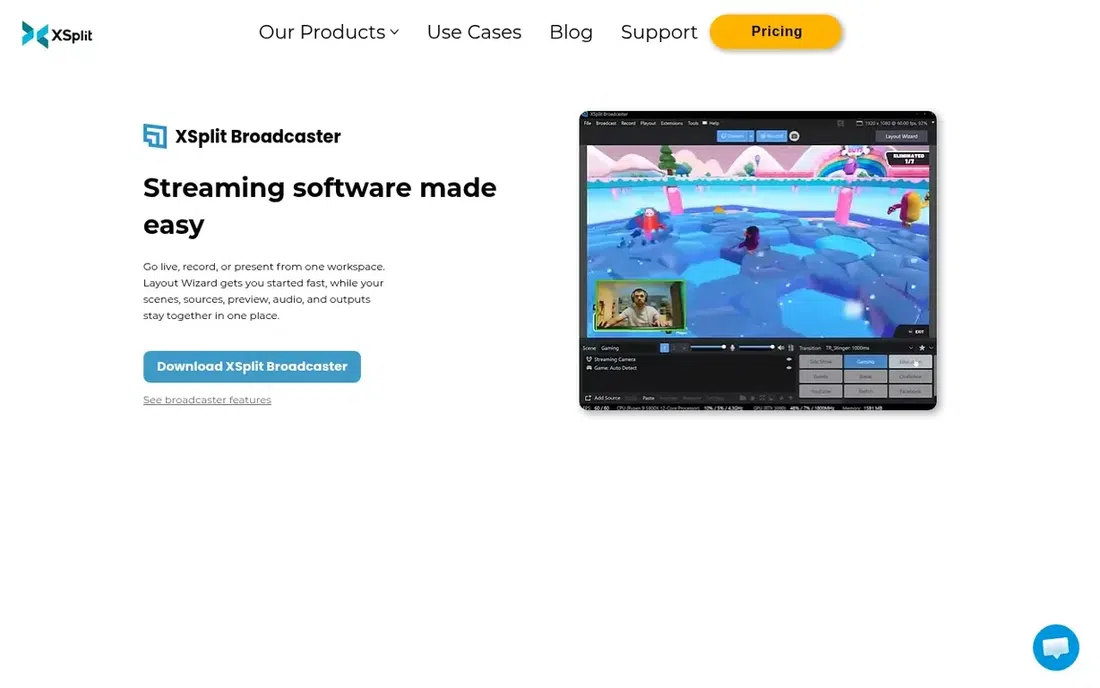
XSplit Broadcaster serves guided recording and live streaming. XSplit Broadcaster is recording and live streaming software targeted at games, podcasts and presentations. Its stated goal is creating professional recordings and live streams, which makes it a reasonable fit for creators who want a structured application instead of a bare capture engine.
It includes both the broadcast and the saved recording in one workflow. As for the details, pick XSplit Broadcaster when a guided, presentation-friendly recording and streaming setup is the priority. Beyond that, users who prefer open source tools or want to avoid a separate account ecosystem commonly look at OBS Studio instead. XSplit Broadcaster shows no starting price here, so confirm the cost on the vendor site. Free access: Not stated.
What to check first: Less open than OBS Studio.
- Professional output focus
- Fits games
- May feel heavy for straightforward screen capture
For Multistreaming live video to channels, Restream is a natural candidate. Restream is a live video product that lets you build videos and multistream them to your favorite channels. Choose Restream when distribution across multiple channels is the central requirement.
Worth adding: in an HD recording workflow it deals with distribution, sending one feed to multiple destinations while a local tool records the archive. Users who broadcast to a single channel may not need multistreaming at all. Entry price for Restream: $239 per month. Free options: Not stated.
What works well: Multistreams to favorite channels.
Downsides: Centred on distribution.
- Straightforward live video product
- Complements local recording tools
- Not a local HD recorder
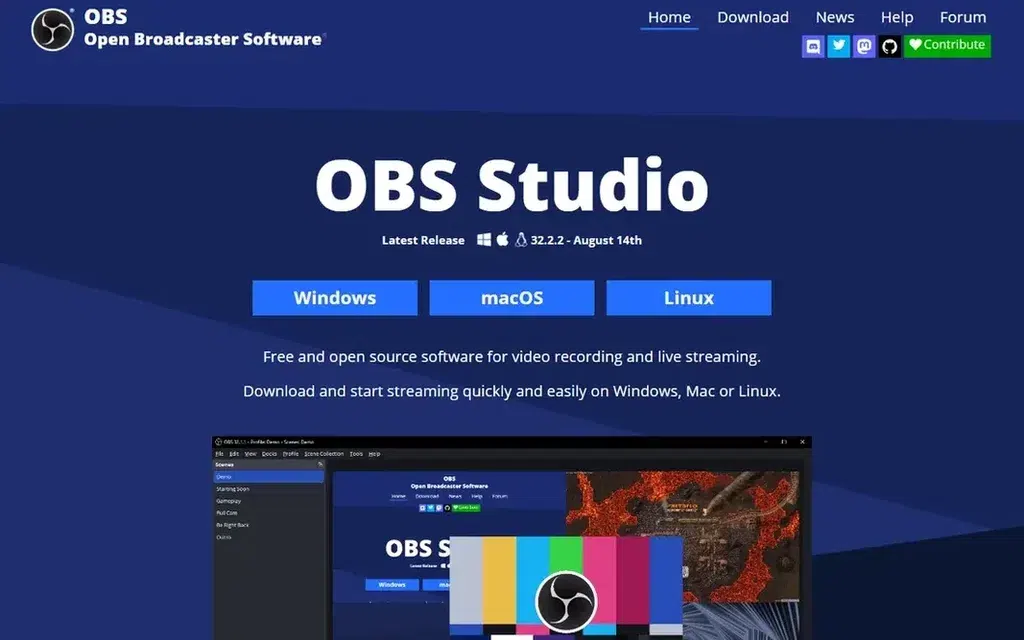
OBS Studio works best for open source HD recording and streaming. It can send a stream to Twitch, YouTube and numerous other providers, or record your own videos using high quality H264 and AAC encoding. Choose OBS Studio when adaptability and open source status matter more than a refined onboarding flow.
What to check first: Interface has a ramp-up time.
Since it manages both broadcasting and local capture in one place, it suits creators who want a single tool for livestreams and archived recordings without licensing concerns. From a buyer's view, the tradeoff is complexity: scenes, sources and encoding settings reward users who take time to learn them. No starting price is listed for OBS Studio here; confirm pricing on the vendor site. On free options: Not stated.
- Streams to numerous providers
- High quality H264 and AAC encoding
- Setup can feel technical
How we built this list
For each of the 5 tools we noted price, free plan or trial, fit for software for recording livestreams in HD and the main limit, using vendor pages and documentation. Plan names, prices and limits change often. Treat the figures here as a starting point and verify them with the vendor. We ordered the tools by general fit, then by how clearly pricing is shown, then by free access. A buyer with unusual needs may reorder them.
Pre-purchase checklist
- Ask Adobe Premiere Pro, XSplit Broadcaster and OBS Studio for a written quote, since no starting price is shown.
- Before choosing Adobe Premiere Pro, weigh its main limit: not a livestream capture tool.
- Look at the renewal terms for Camtasia: auto-renewal, notice periods and price changes can matter more than the first-year price.
- The entry price of Adobe Premiere Pro is only the starting point; model the full cost with seats and extras.
- Check the support hours and onboarding help OBS Studio offers; smaller vendors vary a lot here.
FAQ
How are the tools for software for recording livestreams in HD ordered?
Adobe Premiere Pro sits first and OBS Studio last because the order follows typical fit for software for recording livestreams in HD, then price clarity and free access. It is a judgement call, so read each profile for fit and limits.
What is the cheapest option for software for recording livestreams in HD in this list?
On published monthly entry prices, Restream is the lowest here at $239 per month. Entry price is only part of the cost, because seats, add-ons and billing terms can change the total. All 5 picks in this software for recording Livestreams in HD comparison list a starting price, free plan details and the main limits on their cards above.
Do these tools publish their prices?
Not all of them. Adobe Premiere Pro, XSplit Broadcaster and OBS Studio publish no starting price, so expect a quote request for those. The rest, Camtasia included, show a starting price, though seats and billing terms still change the final cost.
Can OBS Studio record a livestream in HD?
OBS Studio is designed for video recording and live streaming and supports high quality H264 and AAC encoding. It can record locally whereas sending the same feed to providers for example Twitch and YouTube.
Can I try these tools before paying?
Not by default. None of the tools, from Adobe Premiere Pro to OBS Studio, lists a free plan or a free trial here, so ask each vendor for a demo before committing.
Sources
- https://www.adobe.com
- https://www.techsmith.com
- https://www.xsplit.com
- https://restream.io
- https://obsproject.com