Best Software for Quantity Surveying for 2026: Our 6 Vetted Picks
Best software for quantity surveying: 6 contenders ranked by fit, with entry costs and free tiers. Strengths and gaps are listed per tool. Choose faster.

- Editor's choice
 PlanSwift
Quick, straightforward takeoffs
Starts atSee websiteVisit planswift.comFull review - Great alternativeRIB CostX
Cost management across project stages
Starts atSee websiteVisit rib-software.comFull review - Also consider
 Procore
Project management and site visibility
Starts atSee websiteVisit procore.comFull review
Direct answer
Start with PlanSwift if you need quick, straightforward takeoffs. Listed starting prices: Stack from $49 per user per month. If your case is different, RIB CostX suits cost management across project stages and Procore suits project management and site visibility. The full list of 6 tools follows, with prices and free plan facts.
TL;DR:
- The list opens with PlanSwift, aimed at quick, straightforward takeoffs.
- For takeoff and estimating from bid to closeout, Stack is worth a look.
- A fair warning about Procore: not a dedicated quantity takeoff tool.
- Stack has the lowest monthly starting price in this list: $49 per user per month.
Last checked November 2026. Prices and plan details were read from the vendors' own pages in November 2026; vendors change plans often, so confirm the current price on the vendor site before you buy.
Quick comparison
| Tool | Best for | Starts at | Free plan? | |
|---|---|---|---|---|
| PlanSwift | Quick, straightforward takeoffs | See website | Free trial | Visit |
| RIB CostX | Cost management across project stages | See website | Not stated | Visit |
| Procore | Project management and site visibility | See website | Not stated | Visit |
 Autodesk Construction Cloud | Connected design and construction data | See website | Not stated | Visit |
 Bluebeam Revu | Drawing review and measurement | See website | Free trial | Visit |
 Stack | Takeoff and estimating from bid to closeout | $49 per user per month | Free trial | Visit |
The best software for quantity surveying
This LinkVetted guide covers 6 options for software for quantity surveying. Each profile lists a starting price, free plan details, strengths and drawbacks, so you can drop poor fits quickly.
Choose PlanSwift for fast, straightforward takeoffs. PlanSwift is takeoff software for construction estimating that the vendor positions around saving time and money and producing quicker, more accurate estimates.
In practice, quantity surveyors use it for digital takeoffs from plans before building priced estimates. On top of that, PlanSwift is a takeoff and estimating tool instead of a full construction management system, so collaboration and project controls come from other software. Check the vendor site for PlanSwift pricing; none is listed in this comparison. As for free access: Free trial.
Where it is weaker: Narrower than full project systems.
Where it shines: Aims at quicker.
- More accurate estimates
- Takeoff software built for estimating
- Estimating depth varies by setup
RIB CostX
Best for: Cost management across project stages

RIB CostX is aimed squarely at cost management across project stages. RIB CostX sits within RIB Software's construction options, which are positioned around managing a building's lifecycle, reducing costs and supporting sustainability.
For everyday use, the breadth of a lifecycle system can mean a steeper learning curve and more setup than a small team needs. If you only need fast drawing takeoffs, a lighter estimating tool may be the better fit. Check the vendor site for RIB CostX pricing; none is listed in this comparison. Free options: Not stated.
Downsides: May be more than small teams need.
- Suited to structured estimating workflows
- Pitched at cost control and resource savings
- Wide product can take time to learn
Procore is built with project management and site visibility in mind. Procore is a construction management platform that links the site and the office and provides teams live visibility to deliver projects on time.
On top of that, quantity surveyors use it for project communication, document control and progress tracking alongside cost-related workflows. If measurement and priced bills are your central need, start with a takeoff-focused choice and consider Procore for overall project control. Pricing for Procore is not stated here, so ask the vendor for current figures. On free options: Not stated.
Drawbacks to consider: Not a dedicated quantity takeoff tool.
- Live visibility into project status
- Links the site and the office
- Estimating depth relies on integrations

Choose Autodesk Construction Cloud for connected design and construction data. Autodesk's strength is design and project data instead of dedicated quantity surveying or cost estimating.
Autodesk Construction Cloud is part of Autodesk's 3D design, engineering and construction software family. It links project data across design and construction, which helps quantity surveyors work from coordinated models and shared project information. Pricing for Autodesk Construction Cloud is not stated here, so ask the vendor for current figures. On free options: Not stated.
Where it is weaker: Setup across teams can be involved.
- Wide ecosystem of design tools
- Capable fit for BIM-centered projects
- Cost estimating is not its core focus
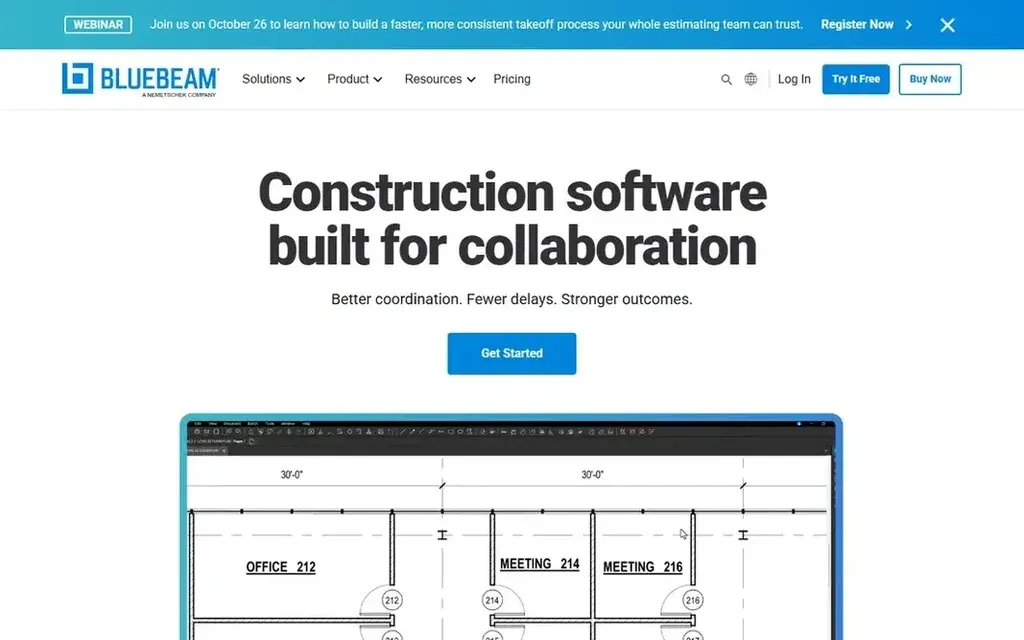
In short, Bluebeam Revu is for drawing review and measurement. If your priority is cost planning and priced takeoff, pair it with a cost-focused tool or choose a dedicated estimating package instead.
In daily use, Bluebeam Revu is construction collaboration and document management software for working with drawings and project files in live. Quantity surveyors use it to review plans, mark up drawings and take measurements during takeoff. No starting price is listed for Bluebeam Revu here; confirm pricing on the vendor site. Free options: Free trial.
Downsides: May need pairing with estimating tools.
- Document management from design to completion
- Performs well for marking up drawings
- Not a full cost estimating suite
Stack is designed for takeoff and estimating from bid to closeout. Stack is cloud-based construction software that the vendor says saves time, raises accuracy and boosts collaboration from bid decision to project closeout.
Honest limits: Depends on stable internet access.
Where Stack stands out: Aims at accuracy and collaboration.
If your work leans toward lifecycle cost management, a broader product may suit you better. Stack centers on takeoff and estimating instead of deep cost planning or full contract administration. Stack pricing: $49 per user per month. Free options: Free trial.
- Cloud-based takeoff and estimating
- Includes bid decision through closeout
- Less suited to heavy cost planning
How these tools were picked
The comparison looks at four things: starting price, free access, how well the feature set matches software for quantity surveying, and the main limit of each tool. Figures are shown as the vendors publish them. Billing terms, seat minimums and add-ons can change the real cost. Tools are placed by general fit for software for quantity surveying, with price clarity and free access as tie-breakers. A different team can reasonably rank them differently.
Things to verify first
- Get a written quote from PlanSwift, RIB CostX, Procore and others; the list shows no starting price for them.
- Take the trial from PlanSwift, Bluebeam Revu and Stack and push a live task through it before you pay.
- Before choosing PlanSwift, weigh its main limit: narrower than full project products.
- Confirm you can export your data from Bluebeam Revu, so leaving later does not mean losing records.
- Map your must-have features to a specific Autodesk Construction Cloud plan before you compare prices.
FAQ
Does any tool for software for quantity surveying here have a free plan?
A permanent free plan is not offered by PlanSwift, Stack or the other tools here. PlanSwift, Bluebeam Revu, Stack offer a trial. Plan a short evaluation period instead.
Do these tools publish their prices?
Not all of them. PlanSwift, RIB CostX, Procore and others publish no starting price, so expect a quote request for those. The rest, Stack included, show a starting price, though seats and billing terms still change the final cost.
What software do quantity surveyors use most?
Quantity surveyors frequently combine takeoff and estimating tools with document and project management products. The right mix relies on whether your focus is measurement, cost planning or project control.
How are the tools for software for quantity surveying ordered?
PlanSwift sits first and Stack last because the order follows typical fit for software for quantity surveying, then price clarity and free access. It is a judgement call, so read each profile for fit and limits.
What is the cheapest option for software for quantity surveying in this list?
On published monthly entry prices, Stack is the lowest here at $49 per user per month. Entry price is only part of the cost, because seats, add-ons and billing terms can change the total. All 6 picks in this software for quantity Surveying comparison list a starting price, free plan details and the main limits on their cards above.
Can these tools work together?
In practice, quantity surveyors frequently combine a takeoff tool for measurement with a project management system for coordination and a cost tool for estimating. Check integrations on each vendor site, since compatibility varies. Choosing tools that exchange data cleanly reduces duplicate work.
Sources
- https://www.planswift.com
- https://www.rib-software.com
- https://www.procore.com
- https://www.autodesk.com
- https://www.bluebeam.com
- https://www.stackct.com