The 6 Best Software for Food Blogging in 2026, Ranked
Searching for the best software for food blogging? Here are 6 options with prices and free plans. Notes on cost and gaps for each tool. Reviewed this month.
- Editor's choice
 Canva
Recipe and social visuals
Starts atSee websiteVisit canva.comFull review - Great alternative
 Shopify
Selling food products alongside content
Starts at$19 a monthVisit shopify.comFull review - Also consider
 Squarespace
Design-forward food blogs
Starts at$12 a monthVisit squarespace.comFull review
Direct answer
If you need recipe and social visuals, Canva is the first tool to look at here. Listed starting prices: Shopify from $19 a month, Squarespace from $12 a month and WordPress.com from $4 a month. Alternatives: Shopify for selling food products alongside content, and Squarespace for design-forward food blogs. All 6 tools are compared below on price, free plan and limits.
TL;DR:
- Top of the list is Canva, which targets recipe and social visuals.
- The cheapest monthly starting price in the list is $4 per month, offered by WordPress.com.
- Just one of the 6 tools, WordPress.com, has a free plan.
- Canva comes with a trade-off: not a website or hosting tool.
- WP Engine is the one to check for managed WordPress performance.
Last checked November 2026. Prices and plan details were read from the vendors' own pages in November 2026; vendors change plans often, so confirm the current price on the vendor site before you buy.
Quick comparison
| Tool | Best for | Starts at | Free plan? | |
|---|---|---|---|---|
| Canva | Recipe and social visuals | See website | Not stated | Visit |
| Shopify | Selling food products alongside content | $19 a month | Free trial | Visit |
| Squarespace | Design-forward food blogs | $12 a month | Free trial | Visit |
 Wix | Adaptable drag-and-drop building | See website | Not stated | Visit |
 WordPress.com | All-in-one blog publishing | $4 a month | Yes | Visit |
 WP Engine | Managed WordPress performance | $28.00 a month | Not stated | Visit |
6 options for software for food blogging in detail
LinkVetted put together this guide to software for food blogging for readers who want a clear shortlist without reading every vendor page. It compares 6 tools on starting price, free plans, who each one suits and where each one falls short.
Pick Canva if this describes you: recipe and social visuals. Treat it as a supporting design tool and choose a separate product for your actual site.
Trade-offs to know: Not a website or hosting tool.
Worth adding: Canva is an online graphic design tool for creating social media posts, presentations, posters, videos and logos. From a buyer's view, Canva does not host or publish your blog, so it cannot replace WordPress.com, Squarespace, Wix or a hosting setup. Canva shows no starting price here, so confirm the cost on the vendor site. On free options: Not stated.
- Works alongside any blog system
- Online graphic design tool
- Designs still need your own content
Where Shopify fits: selling food products alongside content. It suits creators whose content supports a product line instead of a purely editorial site.
Points against: Overkill for content-only blogs.
Its blogging features are less central than its commerce tools, so a content-first food blog may find it limiting. Shopify pricing: $19 per month. On free options: Free trial.
- Commerce tools built in
- AI-assisted business features
- Blogging is secondary to commerce
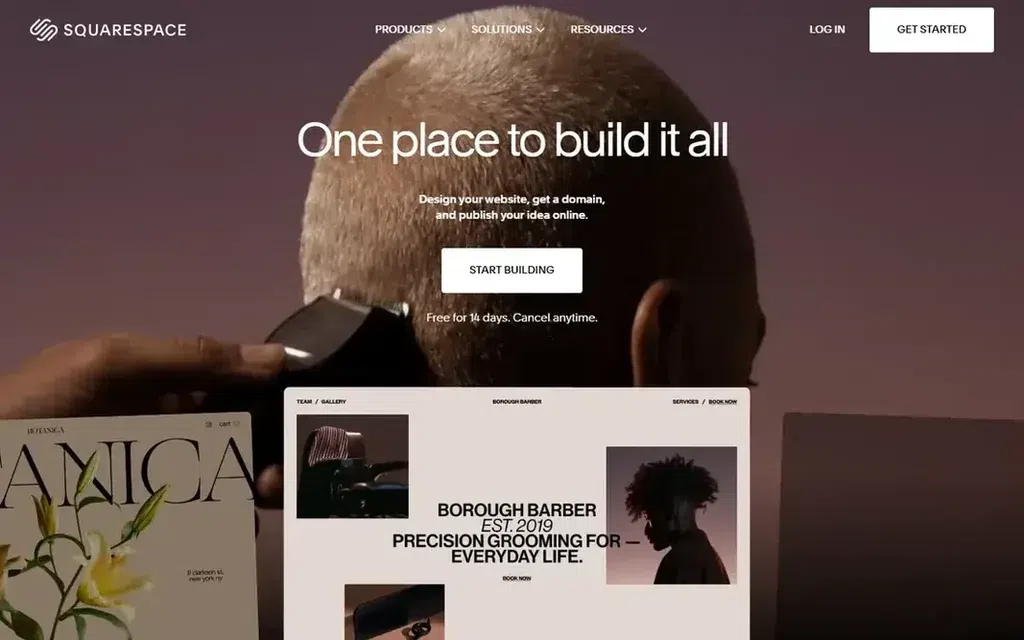
Squarespace targets design-forward food blogs. Food bloggers who care about a clean, magazine-style look for recipe photography frequently find its template approach appealing.
Drawbacks to consider: Less extensible than open systems.
It fits people who want a polished site rapidly without assembling separate hosting, design and publishing pieces. Starting cost for Squarespace: $12 per month. Free plan details: Free trial.
- Configurable templates
- Domain choices available
- Template switching can need rework

Wix makes the most sense for adaptable drag-and-drop building. For food blogs, it gives you freedom to lay out recipe pages, photo galleries and newsletter signups visually.
Watch-outs: Can feel complicated as sites grow.
Check the vendor site for Wix pricing; none is listed in this comparison. Free plan details: Not stated.
- Drag-and-drop editor
- Marketing tools included
- Restricted portability of the design

WordPress.com serves all-in-one blog publishing. WordPress.com is a hosted publishing system that brings together built-in hosting, premium themes and site-building tools.
From a buyer's view, since it is a managed service, you have less freedom to install arbitrary plugins or edit code compared to self-hosted WordPress. For a food blogger, that means you can publish recipes, organize categories and grow an archive without managing servers yourself. Price to start with WordPress.com: $4 per month. A free plan is available with WordPress.com.
The main drawbacks: Less control than self-hosted WordPress.
- Adaptable publishing tools
- No technical setup required
- Advanced customization may need upgrades
In short, WP Engine is for managed WordPress performance. A food blog with an expanding recipe archive and steady traffic can benefit from managed hosting that takes care of updates and server care. It is not a fit if you plan to build on Squarespace, Wix or another product.
It does not replace your theme or recipe plugin decisions. Bloggers who want an all-in-one publishing service may prefer WordPress.com instead. What you pay to start with WP Engine: $28.00 per month. On free options: Not stated.
Where it is weaker: Focused only on WordPress.
- Managed WordPress hosting
- Security options
- Less a good match for non-WordPress sites
How these tools were picked
Before you commit
- Get a written quote from Canva and Wix; the list shows no starting price for them.
- Test the free plan from WordPress.com against your real workload before relying on it.
- Use real work to test the free trial from Shopify and Squarespace, rather than a demo project.
- Read the limits listed for Canva first: not a website or hosting tool.
- Look at the renewal terms for Squarespace: auto-renewal, notice periods and price changes can matter more than the first-year price.
- Total up the real monthly cost of Shopify, including add-ons, extra users and usage-based fees.
FAQ
What is the cheapest option for software for food blogging in this list?
On published monthly entry prices, WordPress.com is the lowest here at $4 per month. Entry price is only part of the cost, because seats, add-ons and billing terms can change the total. Each of the 6 options in this software for food Blogging guide has its own card above with the price, free plan and limits.
Can I sell products from my food blog?
Shopify is built around commerce and bundles tools for managing a store, which fits bloggers selling ebooks or food products. On top of that, content-first products for example WordPress.com or Squarespace focus on publishing and would need separate commerce extras.
Do these tools publish their prices?
Not all of them. Canva and Wix publish no starting price, so expect a quote request for those. The rest, Shopify included, show a starting price, though seats and billing terms still change the final cost.
Is Canva the right pick for everyone comparing software for food blogging?
No single tool suits every team. Canva comes first because it fits recipe and social visuals, while Shopify suits selling food products alongside content and Squarespace suits design-forward food blogs. Match the tool to your own size, budget and workflow before deciding.
Can I try these tools before paying?
Often, yes. WordPress.com has a free plan and Shopify and Squarespace offer a free trial. Use your own data and a real task during the test, and check what the free tier or trial limits before you rely on it.
Sources
- https://www.canva.com
- https://www.shopify.com
- https://www.squarespace.com
- https://www.wix.com
- https://wordpress.com
- https://wpengine.com