Best Blogging Platform to Make Money in 2026: 8 Platforms Compared
Discover the best blogging platform to make money in 2026, with WordPress, Substack, Ghost, and more, plus platform fees, ownership, and monetization options.
- Editor's choice
 WordPress.org
Full ownership and growth
Starts atFreeVisit wordpress.orgFull review - Great alternative
 WordPress.com
Managed WordPress for beginners
Starts at$4 per monthVisit wordpress.comFull review - Also consider
 Substack
Newsletter monetization
Starts atFreeVisit substack.comFull review
TL;DR:
- Self hosted WordPress gives the most monetization freedom and full ownership, with hosting from around $3 per month.
- Substack and Ghost are the strongest newsletter first options, with Substack taking 10 percent of paid subscriptions and Ghost taking no cut on hosted plans.
- Medium offers a built in audience but limited control and payout rules set by the platform.
- Beginners should weigh ease of setup against long term ownership, since migrating a successful blog later costs time and traffic.
Quick comparison
| Tool | Best for | Starts at | Free plan? | |
|---|---|---|---|---|
| WordPress.org | Full ownership and growth | Free | Yes | Visit |
| WordPress.com | Managed WordPress for beginners | $4 per month | Yes | Visit |
| Substack | Newsletter monetization | Free | Yes | Visit |
 Ghost | Paid memberships with no cut | $15 per month | Free trial | Visit |
 Squarespace | Design led blogs | $16 per month | Free trial | Visit |
 Wix | Visual beginners | Free | Yes | Visit |
 Medium | Built in readership | Free | Yes | Visit |
 Blogger | Simple free blogging | Free | Yes | Visit |
The best blogging platforms to make money
A blogging platform to make money needs more than a nice editor. It needs ownership of your content and audience, room for ads, affiliate links, products, or subscriptions, and SEO control that lets readers find you. These eight platforms meet those needs in different ways, and the best one depends on how you plan to earn.
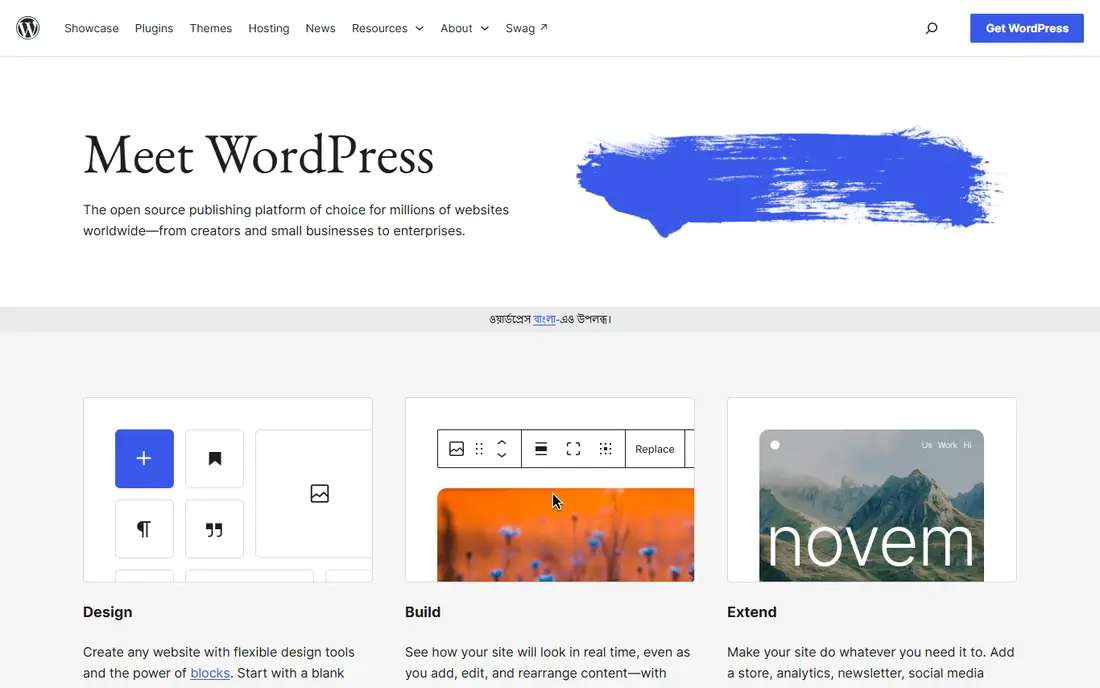
WordPress.org is self hosted WordPress software, and it remains the best blogging platform for beginners who plan to grow and for pros who need full control. The software itself is free, and hosting commonly starts around $3 per month. You own your domain, content, and subscriber data, and you can run ads, affiliate links, digital products, memberships, or a store without a platform taking a cut.
The trade off is setup. You need hosting, a domain, and basic site care, including updates and backups, though most hosts now offer one click installs and managed help. The plugin ecosystem covers SEO, email, payments, and almost every monetization method, which is why so many money making blogs run on WordPress. If you are serious about blogging income over years, this is the safest long term home.
- Full control over content, SEO, and monetization
- Huge plugin and theme ecosystem
- No platform revenue cut
- Needs separate hosting from around $3 per month
- Setup takes longer than hosted platforms

WordPress.com is the hosted version of WordPress, and it suits beginners who want WordPress without managing hosting. A free plan lets you publish right away, and paid plans start at $4 per month for a personal site. You get a familiar editor, themes, and basic SEO tools, with the host handling security and updates.
Monetization is the limit. Full options, including plugins, advanced ads, and payment tools, sit on higher plans, with the Business tier offering the most. If you plan to monetize heavily, compare the cost of a higher WordPress.com plan against self hosted WordPress plus hosting. For a beginner blog that may grow, WordPress.com is a low friction start with a clear upgrade path.
- No hosting to manage
- Free plan to start
- Easy upgrade path within WordPress
- Full monetization needs higher plans
- Less control than self hosted WordPress
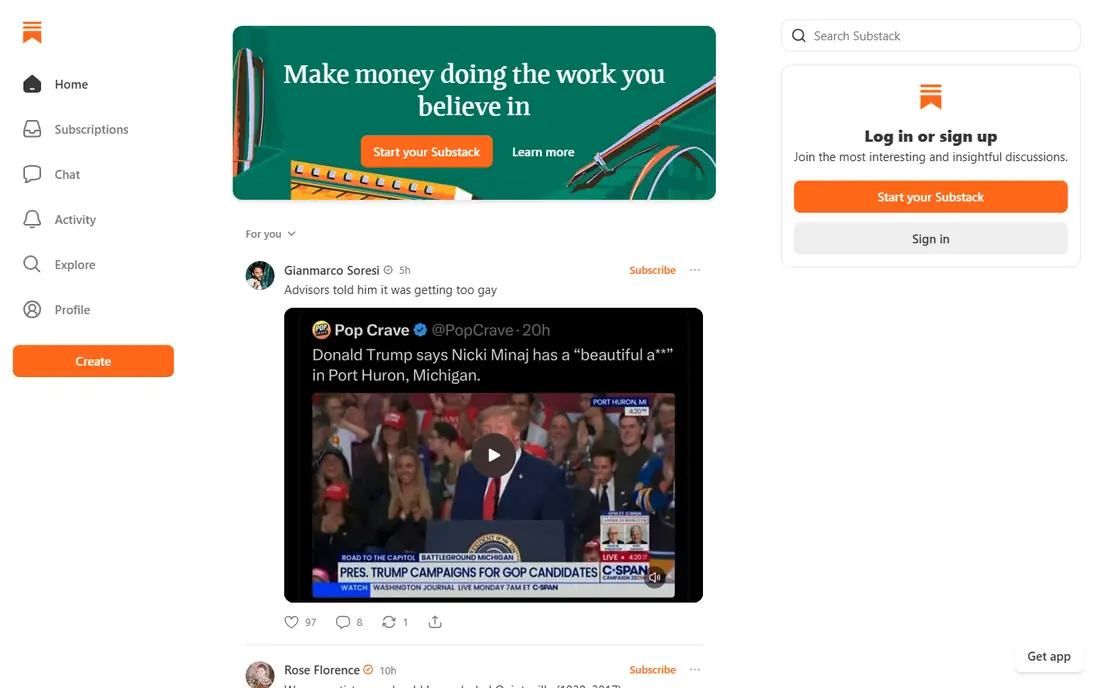
Substack is the simplest way to turn writing into subscription income. You publish posts, readers subscribe by email, and you can switch on paid subscriptions without setting up a store or payment system. The platform is free to start, and its discovery features can bring new readers who already use Substack.
The cost is the 10 percent cut of paid subscription revenue, plus payment processing fees, which adds up as income grows. Design and SEO control are also limited compared with WordPress, and your audience lives partly inside Substack's system. For a writer whose main product is a newsletter, that trade is often worth it. For a blog that needs ads, affiliate content, and full SEO, it is limiting.
- Free to publish
- Built in paid subscriptions
- Simple writing and email flow
- Takes 10 percent of paid subscription revenue
- Limited site design and SEO control
Ghost is a publishing platform built for independent writers who sell memberships and newsletters. Hosted Ghost Pro plans start at $15 per month, and Ghost takes no cut of your subscription revenue, which makes it cheaper than Substack once paid subscribers pass a modest level. Self hosting is also free if you have the technical skill to run it.
Ghost includes newsletters, membership tiers, and paid content gating without plugins, and the editor is clean and fast. The ecosystem is smaller than WordPress, so complex stores or advanced features need custom work or integrations. For a writer focused on paid readers, Ghost offers a strong balance of simplicity, ownership, and low revenue fees.
- Native memberships and newsletters
- No revenue cut on hosted plans
- Full content ownership
- Hosted plans start at $15 per month
- Smaller theme and plugin ecosystem than WordPress
Squarespace suits bloggers who care about design and want a site that looks professional from day one. Templates are polished, the editor is visual, and built in tools cover stores, email campaigns, and scheduling. Paid plans start at $16 per month, with a 14 day trial to test the builder.
Flexibility is the limit. You cannot add the same range of plugins as WordPress, and advanced SEO or custom monetization setups are harder. Migration away from Squarespace is also less clean than from WordPress. For a design forward blog, portfolio, or small business blog with a store, Squarespace is a strong, low hassle choice.
- Polished templates out of the box
- Built in store and email tools
- No design skill needed
- Less plugin flexibility than WordPress
- Higher starting price for a simple blog
Wix is one of the easiest blogging platforms for beginners, with a drag and drop editor that lets you place text, images, and sections visually. A free plan lets you publish and learn the builder, and paid plans start at $17 per month for a custom domain and more features. Built in SEO tools, analytics, and app integrations cover most beginner needs.
The free plan carries Wix branding and a Wix subdomain, which looks less professional for a money making blog. Moving a Wix site elsewhere is also harder than moving WordPress content, so think of Wix as a longer term home, not a trial. For a small business site with a blog, or a beginner who values visual control over plugin depth, Wix works well.
- Drag and drop builder
- Free plan to start
- Built in SEO and marketing tools
- Free plan shows Wix branding
- Migration is harder than WordPress
- Paid plans from $17 per month
Medium is best for writers who want readers without building an audience from zero. You publish inside a large reading network, and the Partner Program pays based on member reading time and engagement, with rules set by Medium. The editor is simple, and posts can reach readers through recommendations and publications.
The downside is control. You do not own the platform, you cannot run your own ads or affiliate setup in the same way as WordPress, and payout rules can change. Medium works well as a second channel for a writer who already has a main blog, or as a starting point to test topics. As a sole home for a money making blog, it leaves too much in the platform's hands.
- Free to publish
- Built in audience and distribution
- Simple, distraction free editor
- Payouts set by the Partner Program
- No real site ownership
- Limited monetization control
Blogger, from Google, is the simplest free blogging option still running. It costs nothing, setup takes minutes with a Google account, and it can connect to AdSense for ad income. For a hobby blog or a first test of whether you enjoy writing regularly, Blogger removes every cost barrier.
Growth is the problem. Templates and features feel dated, SEO control is basic, and the platform has seen little development compared with WordPress or Ghost. A blog that starts to earn real money will usually outgrow Blogger and face a migration. Start here only if cost is the main concern and you accept that a move may come later.
- Completely free
- Google account sign in
- Simple setup with AdSense option
- Dated design and features
- Limited growth path
- Google controls the platform
How we picked these
We compared official pricing pages, monetization terms, and ownership policies for each platform, focusing on how a blogger actually earns: ads, affiliate links, subscriptions, memberships, products, and services. We favored platforms with clear pricing, export options, and a real path from free or cheap start to paid income. We left out social only platforms that do not function as a blog home, since they do not give a writer a site to own.
How to choose a blogging platform to make money
Start with your income model. If you plan to sell subscriptions, Substack or Ghost fit best. If you plan to run ads, affiliate content, and products, WordPress.org gives the most freedom. If design matters more than plugin depth, Squarespace or Wix may be enough. Write down your top two income streams before comparing features, since that choice narrows the list fast.
Ownership, fees, and SEO
Ownership means you can export posts, subscriber lists, and your domain and move elsewhere. Fees mean the platform cut plus payment processing, which compounds as income grows. SEO control means editing URLs, meta descriptions, redirects, and site structure. A platform that is easy today but locks your audience and takes a growing cut can cost far more than a slightly harder setup with full ownership.
Beginner path that still grows
Beginners who plan to grow often do best starting on WordPress.com or Ghost, then moving to self hosted WordPress or Ghost Pro as income rises. That path keeps early costs low while preserving an upgrade route. Whatever you choose, buy your own domain from the start, collect email subscribers from day one, and back up your content regularly. Your email list is the asset no platform change can take away.
FAQ
What is the best blogging platform for beginners to make money?
WordPress.org is the best long term pick for beginners who plan to earn, with hosting from around $3 per month and full monetization freedom. WordPress.com and Ghost are easier starts if you want managed hosting. Avoid choosing on ease alone, since ownership and fees matter more once income starts.
What are the best blogging platforms for beginners?
WordPress.com, Wix, Squarespace, and Blogger are the easiest for beginners, with visual editors and managed hosting. WordPress.org takes more setup but grows further. Substack and Medium are easiest for writers who only want to publish and build an audience, with less site control.
Can you make money blogging on Substack?
Yes, through paid subscriptions, with Substack taking 10 percent of subscription revenue plus payment fees. Success depends on building a loyal email audience willing to pay for regular writing. Substack suits newsletter writers better than bloggers who rely on ads or affiliate income.
Is WordPress free to blog and make money?
WordPress.org software is free, but you pay for hosting and a domain, commonly from around $3 per month for hosting. You keep all revenue, with no platform cut, and you can use ads, affiliate links, products, and memberships. WordPress.com has a free plan, but full monetization needs a paid plan.
How long does it take to make money blogging?
Most blogs take months of consistent publishing before income becomes regular, and many never earn much. Traffic, email list growth, and a clear offer matter more than platform choice alone. Treat the first six months as building an audience and a body of work, not as a reliable income period.