Best Software for Corporate Event Budget Tracking for 2026: Our 5 Vetted Picks
Best software for corporate event budget tracking: 5 contenders ranked by fit, with entry costs and free tiers. Limits and pricing notes included. No hype.
- Editor's choice
 RainFocus
Data-driven B2B events with budget oversight
Starts atSee websiteVisit rainfocus.comFull review - Great alternative
 Eventbrite
Ticketed events with entry-level budget awareness
Starts at$15 a monthVisit eventbrite.comFull review - Also considerAventri
Event management with budget control features
Starts at$1,995 per registrationVisit aventri.comFull review
Direct answer
For data-driven B2B events with budget oversight, RainFocus is where this list starts. Listed starting prices: Eventbrite from $15 a month and Aventri from $1,995 per registration. Eventbrite is better for ticketed events with entry-level budget awareness, and Aventri is better for event management with budget control features. Details, prices and limits for the rest of the 5 tools are below.
TL;DR:
- The list opens with RainFocus, aimed at data-driven B2B events with budget oversight.
- Cvent is the one to check for wide event system with sourcing and budget oversight.
- Only Eventbrite offers a free plan among these 5 tools.
- Eventbrite has the lowest monthly starting price in this list: $15 per month.
- Whova comes with a trade-off: not a dedicated budget tracking platform.
Last checked November 2026. Prices and plan details were read from the vendors' own pages in November 2026; vendors change plans often, so confirm the current price on the vendor site before you buy.
Quick comparison
| Tool | Best for | Starts at | Free plan? | |
|---|---|---|---|---|
| RainFocus | Data-driven B2B events with budget oversight | See website | Not stated | Visit |
| Eventbrite | Ticketed events with entry-level budget awareness | $15 a month | Yes | Visit |
| Aventri | Event management with budget control features | $1,995 per registration | No | Visit |
 Whova | Event apps with community and engagement features | See website | Not stated | Visit |
 Cvent | Wide event system with sourcing and budget oversight | See website | Not stated | Visit |
Software for Corporate Event Budget Tracking compared in detail
Choosing software for corporate event budget tracking usually comes down to price, fit and limits. This LinkVetted guide sets 5 tools side by side on those three points, with the facts kept short and checkable.
RainFocus is built with data-driven B2B events with budget oversight in mind. RainFocus is oriented toward B2B events, so teams running largely internal or small meetings may find it more than needed. Budget tracking is part of a broader event management system, so confirm the specific financial workflows you need.
From a buyer's view, RainFocus is event management software for B2B events, built to accelerate growth and demand by simplifying events with feature-rich options. Worth adding: for budget tracking, it can help teams run event spend within a data-rich product that links event activity to business outcomes. This comparison lists no price for RainFocus; ask the vendor. Trial and free access: Not stated.
Honest limits: May need onboarding for full feature use.
- Simplifies event data and planning
- Made for B2B events and demand growth
- Centred on B2B events instead of all event types
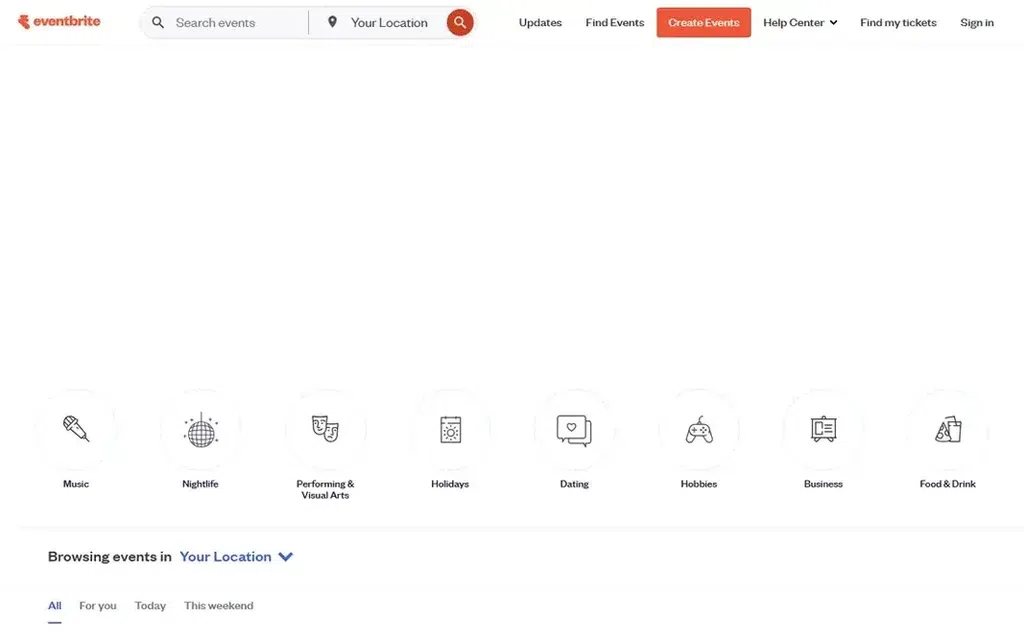
Eventbrite is built with ticketed events with entry-level budget awareness in mind. Eventbrite is a product for discovering local events and things to do, and it is widely used for ticketing and event promotion.
Eventbrite is not built as a full corporate budget management system, so in-depth expense tracking and reconciliation may need extra tools. Price to start with Eventbrite: $15 per month. A free plan is available with Eventbrite.
Where it is weaker: Not designed for complicated enterprise event programs.
- Can help track ticket revenue against costs
- Straightforward setup for public or ticketed events
- Restricted corporate budget management features
Aventri
Best for: Event management with budget control features
For event management with budget control features, Aventri is a natural candidate. Aventri, now presented as part of Stova, offers event management options for organizing successful events from virtual to in-person.
Downsides: May need configuration for complicated budgets.
In daily use, for corporate budget tracking, it can help planners run event costs within a system that simplifies planning. Worth adding: teams seeking a standalone budgeting tool may prefer a dedicated finance option. Aventri starts at: $1,995 per registration. Aventri has no permanent free option.
- Part of the Stova event management suite
- Simplifies planning workflows
- Budget features are part of a bigger system
Whova works best for event apps with community and engagement features. Whova is widely known for its event app and community features that help organizers engage attendees and handle event logistics. Worth adding: for corporate budget tracking, it can serve as part of a broader event stack, supporting engagement whereas other tools manage financial details.
In practice, pick Whova when attendee engagement and event community are top priorities. As for the details, organizations concentrated on budget control should confirm how Whova suits with their financial workflows. In daily use, Whova is not primarily a budget tracking tool, so in-depth expense management may require a dedicated finance or event management system. Whova does not show a starting price in this comparison, so check the vendor site for current pricing. Free access: Not stated.
The main drawbacks: Budget features may be restricted.
- Widely known for event app and community tools
- Supports attendee engagement
- Not a dedicated budget tracking product

For wide event product with sourcing and budget oversight, Cvent is a natural candidate. It suits organizations that run frequent or complicated events and want a single product to oversee planning and spending.
As for the details, smaller teams or one-off events may find lighter tools simpler to adopt. Pricing for Cvent is not stated here, so ask the vendor for current figures. On free options: Not stated.
Trade-offs to know: May be more than small teams need.
- Bundles sourcing tools that link planners with hotels
- Hybrid events
- Large feature set may need training
How we compared the tools
For each of the 5 tools we noted price, free plan or trial, fit for software for corporate event budget tracking and the main limit, using vendor pages and documentation. Where a price is missing, the vendor does not list one publicly or ties it to a quote. Always confirm before budgeting. Tools are placed by general fit for software for corporate event budget tracking, with price clarity and free access as tie-breakers. A different team can reasonably rank them differently.
A buyer's checklist
- Confirm the entry price on the vendor page. For RainFocus, Whova and Cvent that means a quote rather than a fixed price.
- Look at the free plan from Eventbrite closely: its caps decide whether it is usable for real work.
- Read the limits listed for RainFocus first: may need onboarding for full feature use.
- A short pilot of Cvent with your real workflow tells you more than a feature table.
- Confirm minimum seats and billing terms with Eventbrite before you commit to an annual plan.
FAQ
What should I look for in corporate event budget tracking software?
Look for tools that let you set budgets, track expenses, and compare planned compared with actual spend. Consider whether you need a dedicated budgeting tool or budget features within a broader event product.
Can I try these tools before paying?
Often, yes. Eventbrite has a free plan. Use your own data and a real task during the test, and check what the free tier or trial limits before you rely on it. All 5 picks in this software for corporate event budget tracking comparison list a starting price, free plan details and the main limits on their cards above.
Is RainFocus the right pick for everyone comparing software for corporate event budget tracking?
No single tool suits every team. RainFocus comes first because it fits data-driven B2B events with budget oversight, while Eventbrite suits ticketed events with basic budget awareness and Aventri suits event management with budget control features. Match the tool to your own size, budget and workflow before deciding.
Which options for software for corporate event budget tracking have a free plan?
Eventbrite is the only tool in this list with a free plan. Free plans usually cap users, projects or features, so check the limits on the vendor page. For the full picture, the cards above cover all 5 entries of this software for corporate event budget tracking list, including price, free plan and limits.
What is the cheapest option for software for corporate event budget tracking in this list?
On published monthly entry prices, Eventbrite is the lowest here at $15 per month. Entry price is only part of the cost, because seats, add-ons and billing terms can change the total. Prices, free plan details and limits for all 5 tools in this software for corporate event budget tracking roundup sit on the individual cards above.
Sources
- https://www.rainfocus.com
- https://www.eventbrite.com
- https://www.aventri.com
- https://whova.com
- https://www.cvent.com