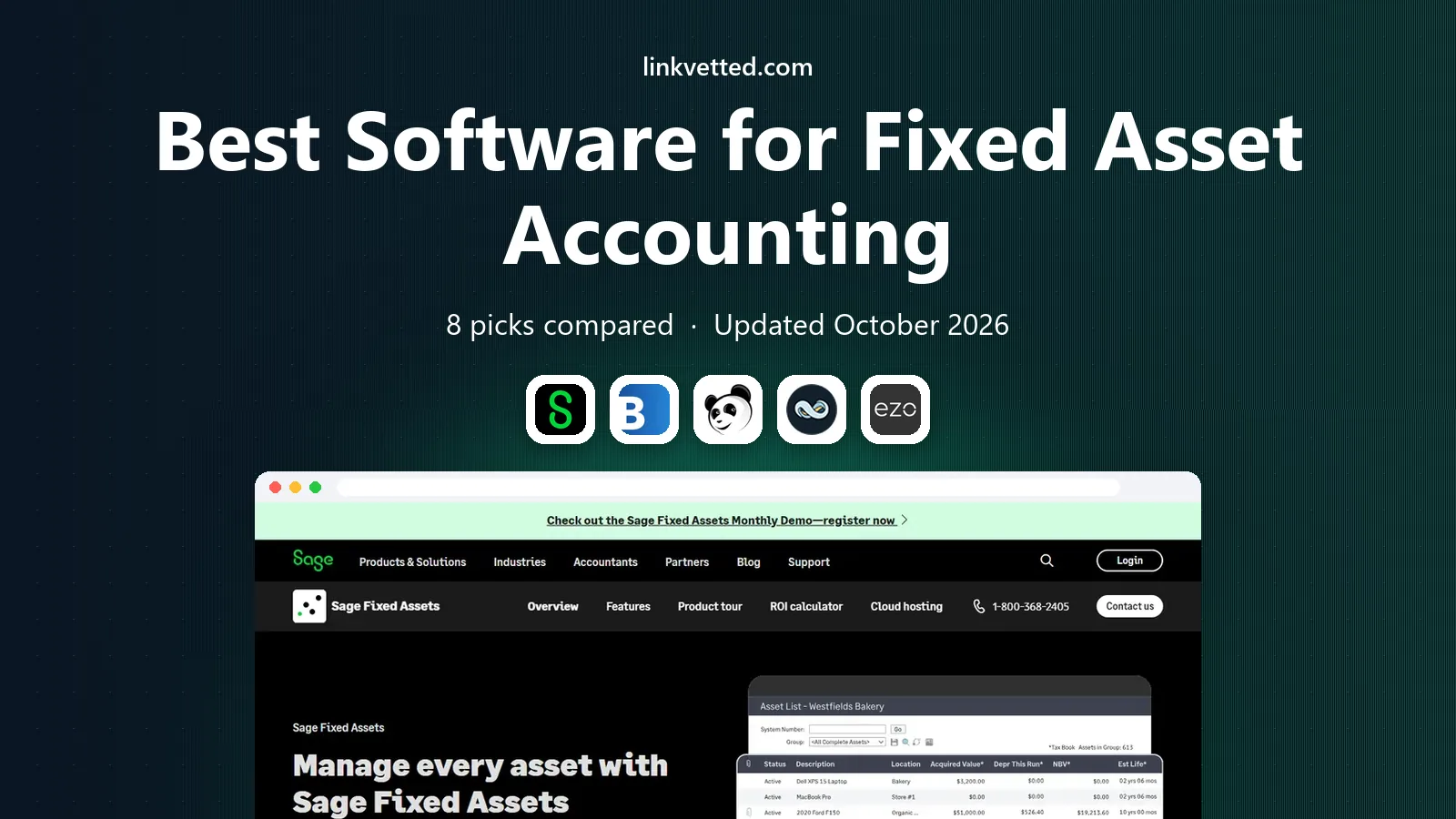
Best Software for Fixed Asset Accounting in 2026: 8 Tools Compared
Compare the best software for fixed asset accounting, with depreciation, tax books, disposals, tracking, and audit reporting compared in detail for 2026.
- Editor's choice
 Sage Fixed Assets
Depreciation for mid-sized firms
Starts atSee websiteVisit sage.comFull review - Great alternative
 Bloomberg Tax Fixed Assets
Tax depreciation depth
Starts atSee websiteVisit pro.bloombergtax.comFull review - Also consider
 Asset Panda
Mobile physical asset tracking
Starts atSee websiteVisit assetpanda.comFull review
TL;DR:
- Fixed asset accounting splits into two jobs: depreciation and tax books, led by Sage and Bloomberg Tax, and physical tracking, led by Asset Panda.
- Most dedicated depreciation tools are quote-only, so request a price tied to asset count, users, and tax books needed.
- ERP modules suit firms already on NetSuite, Xero, or Sage, while standalone tools suit firms that need deeper tax or tracking features.
- Depreciation errors distort financials and tax filings, so test book versus tax depreciation, disposals, and transfers before buying.
Quick comparison
| Tool | Best for | Starts at | Free plan? | |
|---|---|---|---|---|
| Sage Fixed Assets | Depreciation for mid-sized firms | See website | No | Visit |
| Bloomberg Tax Fixed Assets | Tax depreciation depth | See website | No | Visit |
| Asset Panda | Mobile physical asset tracking | See website | Free trial | Visit |
 NetSuite Fixed Assets Management | NetSuite users needing asset books | See website | No | Visit |
 EZOfficeInventory | Flexible tracking for many industries | See website | Free trial | Visit |
 AssetCloud by Wasp | Barcode tracking and audits | See website | Free trial | Visit |
 Xero Fixed Assets | Small firms already on Xero | See website | Free trial | Visit |
 QuickBooks Enterprise Fixed Assets | QuickBooks firms needing asset tracking | See website | Free trial | Visit |
The best software for fixed asset accounting
We compared vendor feature pages and public review listings for tools that record, depreciate, track, and report fixed assets. These eight cover depreciation specialists, tracking platforms, and ERP modules.
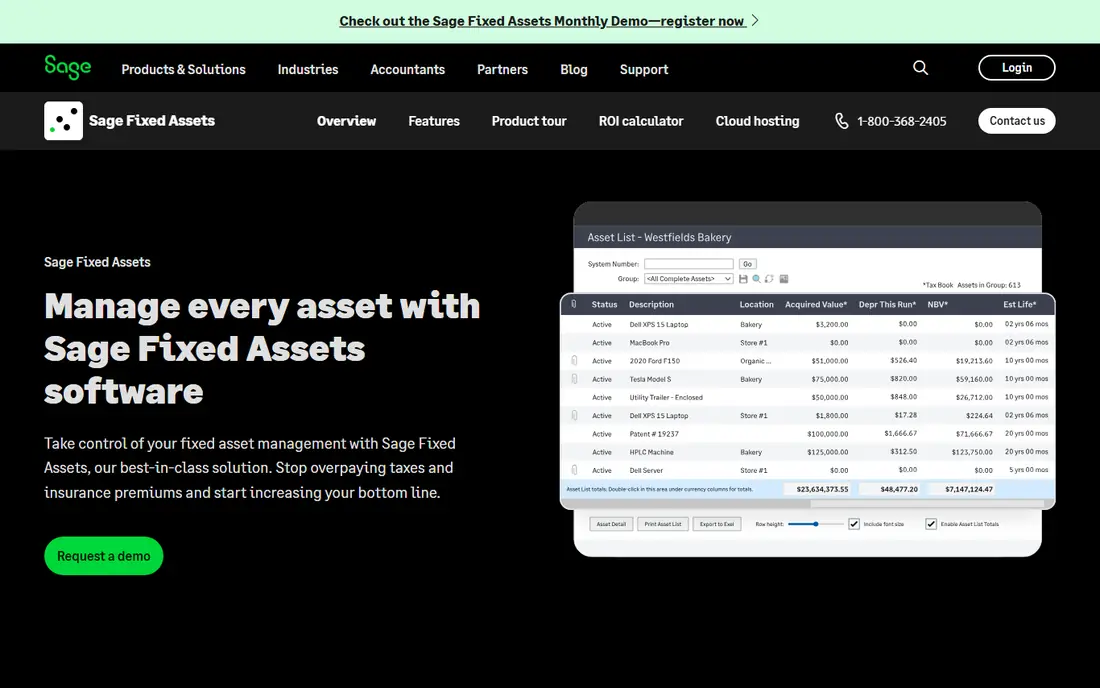
Sage Fixed Assets is the long-standing depreciation tool for small to mid-sized distributors, manufacturers, and service firms, handling acquisition, depreciation, disposals, and transfers with book and tax books kept separate. It supports many depreciation methods and tax rules, which matters when book depreciation and tax depreciation must differ and both must be auditable. Reporting covers asset registers, depreciation forecasts, and compliance needs that spreadsheets handle poorly at scale.
Pricing is not published, so buyers should request a quote tied to asset count and users. Sage Fixed Assets is also a traditional desktop-leaning product in feel, so firms wanting a fully cloud, mobile-first tracker should compare it with Asset Panda. For depreciation accuracy, it remains a benchmark.
- Long-standing depreciation standard
- Book and tax books
- Detailed reporting and compliance support
- Pricing is not published
- Setup and learning take time
Bloomberg Tax Fixed Assets, formerly BNA Fixed Assets, is built for tax depreciation depth, covering complex tax rules, bonus depreciation, and compliance reporting for larger organizations. Tax teams use it when fixed asset tax books must stand up to audit and when law changes need to flow into calculations without manual rework. Its reporting and compliance focus sets it apart from general accounting modules.
The trade-off is scope and cost. Bloomberg Tax is quote-only and aimed at firms with complex tax requirements, so a small firm with a few dozen assets will find it more than needed. For a firm where tax depreciation is the main risk, its depth justifies the enterprise process.
- Deep tax depreciation and compliance coverage
- Formerly BNA Fixed Assets
- Strong for complex tax books
- Pricing is on request
- Too deep and costly for firms with simple asset needs
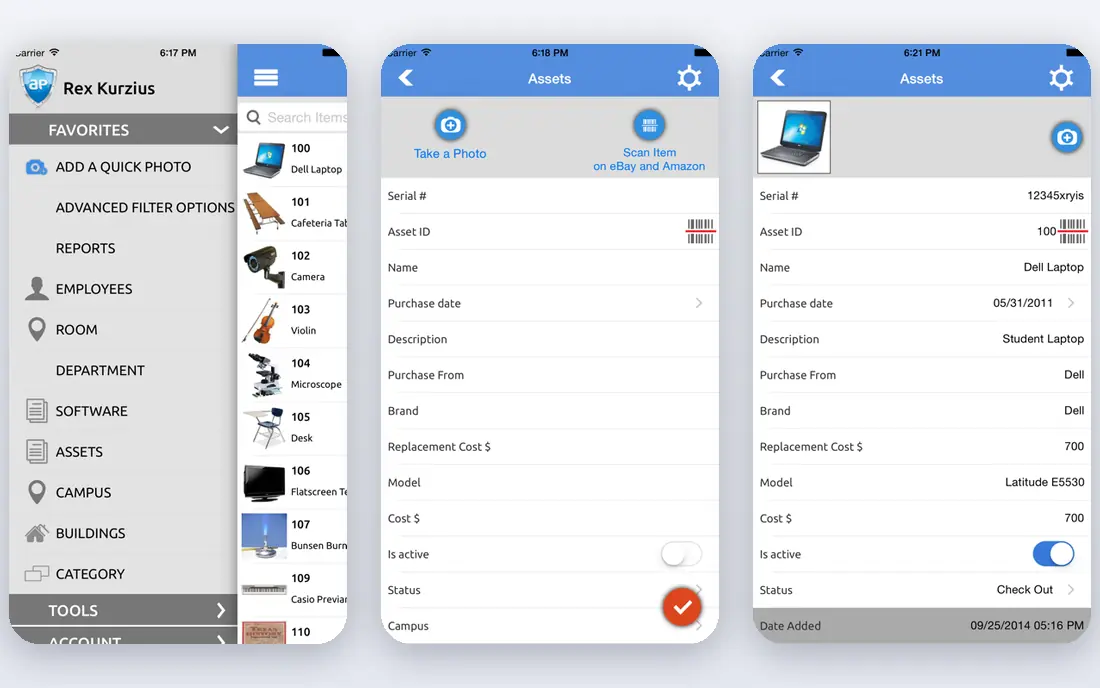
Asset Panda is a flexible, mobile-first asset tracking platform for organizations that need to know where physical assets are, who holds them, and what condition they are in. Staff scan barcodes from phones, update locations, and run custom reports, while admins configure fields, workflows, and permissions without code. It suits schools, hospitals, nonprofits, government, and firms with equipment spread across sites.
Asset Panda is stronger on physical tracking than on deep tax depreciation, so firms that need both should pair it with a depreciation tool or an ERP module. Pricing is based on asset count and quoted on request, so buyers should get a quote at their current asset total plus expected growth.
- Mobile-first tracking with barcode scanning
- Highly customizable fields and reports
- Cloud access
- Depreciation accounting is lighter than Sage and Bloomberg Tax
- Pricing is on request
NetSuite Fixed Assets Management keeps asset records, depreciation, and disposals inside the NetSuite ERP, so asset values flow directly to the general ledger without manual journals. Multi-subsidiary firms gain consistent books across entities, and finance teams can report asset values alongside other financial data in one system. For a firm already running NetSuite, that integration removes a whole layer of reconciliation.
The limit is obvious: it only makes sense inside NetSuite, and pricing is part of a NetSuite quote. Firms not on NetSuite should choose Sage, Bloomberg Tax, or a tracking tool instead. NetSuite users should test depreciation methods and tax book support against their specific requirements before assuming the module covers every case.
- Asset books inside NetSuite financials
- Depreciation tied to the general ledger
- Multi-subsidiary support
- Requires NetSuite
- Quote-only as part of a NetSuite license
EZOfficeInventory is a cloud asset tracking platform used across education, healthcare, IT, and services, with check-in and check-out, maintenance tracking, and reporting. It suits firms that lend equipment, manage IT hardware, or track tools across teams, because custody and availability are visible at a glance. Its flexibility, with custom fields and workflows, helps firms replace spreadsheets without adopting a rigid system.
EZOfficeInventory is a tracking tool first, not a tax depreciation specialist, so finance teams needing deep book and tax depreciation should pair it with Sage or an ERP module. Buyers should confirm pricing at their asset and user counts, because plans vary by scale.
- Flexible asset tracking across industries
- Check-in and check-out
- Maintenance and reporting tools
- Depreciation depth is lighter than dedicated accounting tools
- Pricing varies by plan
AssetCloud by Wasp focuses on barcode-based asset tracking, audits, and location control, with hardware options including scanners and labels from the same vendor. Firms that run regular physical audits benefit from mobile scanning, discrepancy reports, and location histories that show where each asset was last seen. That audit discipline matters for compliance, insurance, and loss prevention.
AssetCloud is a tracking platform, not a full depreciation accounting system, so firms should pair it with accounting software for book and tax values. Buyers should get a quote that includes software, hardware, and support together, because hardware costs change the total.
- Barcode and RFID tracking
- Audit and location tools
- Hardware options from the same vendor
- Pricing is on request for many configurations
- Accounting depth is lighter than Sage
Xero includes a fixed asset register that lets small firms record assets, calculate depreciation, and post journals to the ledger without a separate system. For a firm already on Xero with a modest asset list, that integration is convenient and low-cost, because there is no new vendor to learn and no reconciliation between systems. Depreciation methods cover the common cases for small businesses.
The limit is depth. Xero fixed assets will not match Sage or Bloomberg Tax for complex tax books, multiple depreciation books, or large asset portfolios. Small firms should start here when asset counts are low, and move to a dedicated tool when tax complexity or asset volume grows.
- Fixed asset register inside Xero
- Depreciation journals posted automatically
- Simple and integrated
- Limited compared with dedicated tools
- Not suited to complex tax depreciation needs
QuickBooks Enterprise Fixed Assets
Best for: QuickBooks firms needing asset tracking
QuickBooks Enterprise includes fixed asset management tools that let firms track assets, calculate depreciation, and report values inside the QuickBooks ledger they already use. That integration suits mid-sized firms on QuickBooks Enterprise that want asset books without a separate depreciation system, and it keeps asset journals consistent with other financial data. Reporting covers asset lists, depreciation, and disposals for owners and accountants.
QuickBooks Enterprise fixed assets will not match Sage or Bloomberg Tax for complex tax depreciation, and it requires the Enterprise edition rather than QuickBooks Online. Firms on QuickBooks Online with complex needs should consider Sage as a standalone addition instead.
- Fixed asset tracking inside QuickBooks Enterprise
- Depreciation and reporting tied to the ledger
- Familiar to QuickBooks users
- Requires QuickBooks Enterprise
- Less tax depth than dedicated specialists
How we picked these
We compared vendor feature pages and public review listings for tools that handle fixed asset accounting as a core job, including acquisition, depreciation, disposals, transfers, and reporting. We favored tools still sold in 2026, with clear book or tax depreciation or physical tracking, and we excluded general inventory tools without depreciation or asset register features. Prices marked as See website mean the vendor does not publish a starting price.
How to choose between depreciation and tracking
Start by naming your main risk. If the risk is wrong depreciation, tax exposure, or audit findings, choose a depreciation specialist like Sage or Bloomberg Tax, or an ERP module like NetSuite. If the risk is lost, misplaced, or unaccounted equipment, choose a tracking platform like Asset Panda, EZOfficeInventory, or AssetCloud. Many mid-sized firms need both, and should budget for a pair rather than forcing one tool to do both jobs poorly.
Next, test the hard cases: a partial disposal, a transfer between locations, a change in useful life, and a tax law change. Watch how book and tax values diverge and how the audit trail records each change. Finally, check imports and counts. A tool that cannot import your current asset list cleanly, or cannot handle your asset volume at a sensible price, will fail at rollout no matter how good its features look.
Audit and compliance checks
Confirm that the system keeps a full history for each asset, from acquisition through depreciation, transfers, and disposal, with user and date stamps. Check that reports can be exported for auditors and tax preparers, and that depreciation forecasts are available for budgeting. If your firm is audited, ask your auditor which reports they expect before you buy, not after.
FAQ
What is the best accounting software for fixed assets?
Sage Fixed Assets leads for dedicated depreciation, Bloomberg Tax Fixed Assets leads for tax depth, and Asset Panda leads for physical tracking. The best choice depends on whether depreciation accuracy or asset location is your main risk.
What is the best fixed asset accounting software for small businesses?
Xero Fixed Assets suits small firms already on Xero, while QuickBooks Enterprise suits firms already on QuickBooks Enterprise. Both cover common depreciation needs without a separate system, and both should be replaced by Sage when tax complexity grows.
What is top accounting software for fixed assets in an ERP?
NetSuite Fixed Assets Management leads for NetSuite users, because asset books live inside the ERP and flow to the general ledger. Sage and Bloomberg Tax remain the standalone alternatives for firms outside NetSuite.
How does fixed asset depreciation work in software?
Software records cost, placed-in-service date, useful life, and method, then calculates periodic depreciation for book and tax books, posts journals, and adjusts for disposals and transfers. Dedicated tools handle multiple books and tax rules that general ledgers simplify or omit.
Do I need barcode tracking for fixed assets?
Barcode tracking helps when assets move between people and locations, or when audits must prove existence and location. It is less important for a small firm with few fixed assets in one office, where a simple register in Xero or QuickBooks may suffice.