5 Best Software for Construction Financial Control for 2026, Vetted and Compared
5 products for the best software for construction financial control, ranked by fit, with starting costs and free tiers. Weak spots flagged for every entry.
- Editor's choice
 CMiC
Unified accounting and project management
Starts atSee websiteVisit cmicglobal.comFull review - Great alternative
 Foundation Software
Contractor-focused accounting and payroll
Starts atSee websiteVisit foundationsoft.comFull review - Also considerJonas Construction Software
Construction management and accounting integration
Starts atSee websiteVisit jonassoftware.comFull review
Direct answer
CMiC comes first here, mainly for unified accounting and project management. Listed starting prices: Knowify from $19 per unit a month. Foundation Software is the stronger choice for contractor-focused accounting and payroll, while Jonas Construction Software suits Construction management and accounting integration. All 5 tools are compared below on price, free plan and limits.
TL;DR:
- Number one here is CMiC, a fit for unified accounting and project management.
- Neither CMiC nor Viewpoint Vista, nor any of the other 3 tools, has a permanent free plan; trials and quotes are the norm.
- The cheapest monthly starting price in the list is $19 per unit per month, offered by Knowify.
- For thorough construction ERP and accounting, Viewpoint Vista is worth a look.
Last checked November 2026. Prices and plan details were read from the vendors' own pages in November 2026; vendors change plans often, so confirm the current price on the vendor site before you buy.
Quick comparison
| Tool | Best for | Starts at | Free plan? | |
|---|---|---|---|---|
| CMiC | Unified accounting and project management | See website | Not stated | Visit |
| Foundation Software | Contractor-focused accounting and payroll | See website | Not stated | Visit |
| Jonas Construction Software | Construction management and accounting integration | See website | Not stated | Visit |
 Knowify | Trade contractors seeking job management | $19 per unit a month | Free trial | Visit |
 Viewpoint Vista | Thorough construction ERP and accounting | See website | Not stated | Visit |
Software for Construction Financial Control profiles
Short on time? The summary and table above give the quick view of 5 tools for software for construction financial control, and the profiles that follow give the detail behind each entry.
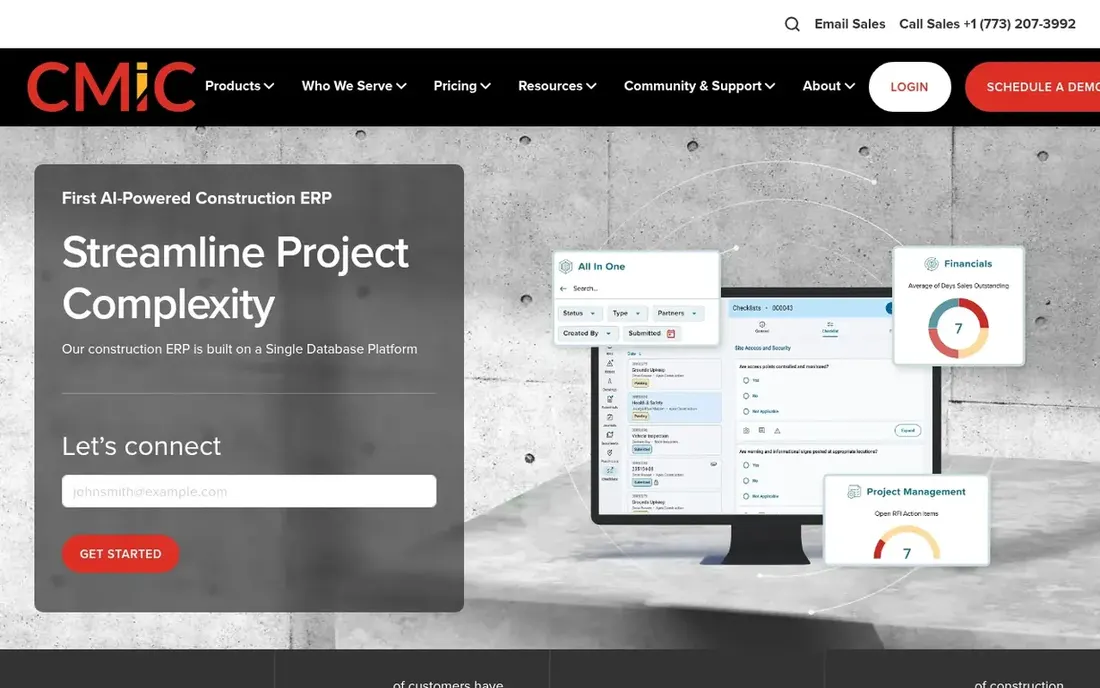
CMiC is a good fit for unified accounting and project management. The software is well-suited for mid-sized to large contractors that require a single source of truth for financial control and project delivery. More specifically, CMiC's full nature may result in a more involved setup and training process.
CMiC provides construction management software that merges accounting, project management, and people management in one simplified system. It is positioned as an industry standard for construction firms looking to better run their financials and operations. Pricing for CMiC is not stated here, so ask the vendor for current figures. Free options: Not stated.
Where it is weaker: May need training to fully utilize.
- Handles people and financials together
- Industry-standard for construction
- Potentially higher cost for full features
Foundation Software works best for contractor-focused accounting and payroll. The software helps simplify financial operations and job costing, making it a solid choice for small to mid-sized construction businesses. It is primarily an accounting option, so firms needing integrated project management might need extra tools.
What to check first: May lack advanced ERP features.
Also, Foundation Software offers construction accounting software designed for contractors, with a focus on managing jobs, payroll, and finances from anywhere. It is a strong match for contractors who require solid accounting and payroll capabilities without the broader ERP complexity. For a more full ERP, consider Viewpoint Vista or CMiC. Check the vendor site for Foundation Software pricing; none is listed in this comparison. Free plan details: Not stated.
- Accessible from anywhere
- Handles job costs and payroll
- Less emphasis on project management
Jonas Construction Software
Best for: Construction management and accounting integration
Jonas Construction Software serves Construction management and accounting integration. While specific details about its construction financial control features are not completely in-depth on the homepage, it is known in the industry as a construction management and accounting option.
Trade-offs to know: May need consultation for specifics.
From a buyer's view, since in-depth feature information is not readily available on the homepage, it is advisable to contact the vendor for specifics. Jonas Construction Software shows no starting price here, so confirm the cost on the vendor site. Free plan details: Not stated.
- Integrated construction management
- Focus on accounting and operations
- Restricted public information on features
For trade contractors seeking job management, Knowify is a natural candidate. Knowify is construction management software for trade contractors, helping them bid, handle, and invoice commercial and residential jobs on time and on budget. It supplies financial control features tailored to the needs of specialty trades, for example tracking job costs and invoicing.
In practice, for broader financial control, explore Foundation Software or Viewpoint Vista. From a buyer's view, Knowify may not offer the full accounting or ERP features needed by bigger construction firms. It is built for trade contractors, so general contractors might find it limiting. Starting cost for Knowify: $19 per unit per month. As for free access: Free trial.
Points against: May not scale for bigger businesses. Where Knowify stands out: Focus on trade contractors.
- On-time and on-budget tracking
- Invoice jobs
- Restricted to trade contractors

Where Viewpoint Vista fits: comprehensive construction ERP and accounting. Viewpoint Vista is a construction ERP option that emphasizes accounting, resource planning, and project collaboration. It is made for contractors seeking a unified system to handle financials and operations.
Viewpoint Vista may involve a steeper ramp-up time and longer implementation compared with more straightforward tools. It might not be the best fit for very small contractors with restricted accounting needs. Viewpoint Vista does not show a starting price in this comparison, so check the vendor site for current pricing. Trial and free access: Not stated.
Points against: Potentially complicated for smaller firms.
- Designed for construction operations
- Integrated accounting and resource planning
- May need significant setup time
How we built this list
The comparison looks at four things: starting price, free access, how well the feature set matches software for construction financial control, and the main limit of each tool. Where a vendor does not publish a price, the entry says quote. Where a price depends on seats or billing term, the entry says so. Order on the page follows fit for the typical buyer first, then price transparency and free access. Your own requirements should decide the final pick.
A buyer's checklist
- Ask CMiC, Foundation Software, Jonas Construction Software and Viewpoint Vista for a written quote, since no starting price is shown.
- Use real work to test the free trial from Knowify, rather than a demo project.
- Read the limits listed for CMiC first: may need training to completely utilize.
- Confirm you can export your data from Knowify, so leaving later does not mean losing records.
- The entry price of Jonas Construction Software is only the starting point; model the full cost with seats and extras.
FAQ
What is the cheapest option for software for construction financial control in this list?
On published monthly entry prices, Knowify is the lowest here at $19 per unit per month. Entry price is only part of the cost, because seats, add-ons and billing terms can change the total. All 5 picks in this software for construction financial control comparison list a starting price, free plan details and the main limits on their cards above.
Is Foundation Software right for small contractors?
Yes, Foundation Software is made for contractors and gives you accounting, payroll, and job cost management. It is especially right for small to mid-size businesses that require solid financial features without the complexity of a full ERP.
Can I try these tools before paying?
Often, yes. Knowify offers a free trial. Use your own data and a real task during the test, and check what the free tier or trial limits before you rely on it. For the full picture, the cards above cover all 5 entries of this software for construction financial control list, including price, free plan and limits.
Is CMiC the right pick for everyone comparing software for construction financial control?
No single tool suits every team. CMiC comes first because it fits unified accounting and project management, while Foundation Software suits contractor-focused accounting and payroll and Jonas Construction Software suits Construction management and accounting integration. Match the tool to your own size, budget and workflow before deciding.
Does any tool for software for construction financial control here have a free plan?
A permanent free plan is not offered by CMiC, Viewpoint Vista or the other tools here. Knowify offer a trial. Plan a short evaluation period instead.
What should I look for in construction financial control software?
Look for features like job costing, payroll integration, invoicing, and live financial reporting. In daily use, simplicity and vendor support are also important factors.
Sources
- https://www.cmicglobal.com
- https://www.foundationsoft.com
- https://www.jonassoftware.com
- https://www.knowify.com
- https://www.viewpoint.com/products/vista