Choosing Software for Construction Cost Optimization in 2026: 6 Options Compared
Best software for construction cost optimization, compared. 6 tools with published prices, free plans and limits. Read the caveats before you buy. Plain facts.
- Editor's choice
 Autodesk Construction Cloud
Collaborative, budget-aware project delivery
Starts atPricing on requestVisit autodesk.comFull review - Great alternative
 CoConstruct
Custom builders and remodelers
Starts atPricing on requestVisit coConstruct.comFull review - Also consider
 Procore
Connecting field and office cost data
Starts atPricing on requestVisit procore.comFull review
Direct answer
Start with Autodesk Construction Cloud if you need collaborative, budget-aware project delivery. If your case is different, CoConstruct suits custom builders and remodelers and Procore suits connecting field and office cost data. The other 3 tools in the list cover narrower or pricier cases. None of these vendors publish plan prices, so pricing is on request for every option.
TL;DR:
- Autodesk Construction Cloud takes the first slot, best suited to collaborative, budget-aware project delivery.
- Before buying Viewpoint Vista, weigh this: ERP setup needs commitment.
- Pricing across the list, from Autodesk Construction Cloud to Trimble Viewpoint Spectrum, is by quote only.
- Neither Autodesk Construction Cloud nor Trimble Viewpoint Spectrum, nor any of the other 4 tools, has a permanent free plan; trials and quotes are the norm.
- Trimble Viewpoint Spectrum fits simplified construction ERP from field to office.
Last checked November 2026. Pricing on request: vendors did not publish plan prices when this guide was last checked (November 2026), so ask each vendor for a written quote.
Quick comparison
| Tool | Best for | Starts at | Free plan? | |
|---|---|---|---|---|
| Autodesk Construction Cloud | Collaborative, budget-aware project delivery | Pricing on request | Not stated | Visit |
| CoConstruct | Custom builders and remodelers | Pricing on request | Not stated | Visit |
| Procore | Connecting field and office cost data | Pricing on request | Not stated | Visit |
 Viewpoint Vista | Construction ERP and job costing | Pricing on request | Not stated | Visit |
 Oracle Primavera P6 | Large-project scheduling and portfolio controls | Pricing on request | Not stated | Visit |
| Trimble Viewpoint Spectrum | Simplified construction ERP from field to office | Pricing on request | Not stated | Visit |
Software for Construction Cost Optimization, one by one
Choosing software for construction cost optimization usually comes down to price, fit and limits. This LinkVetted guide sets 6 tools side by side on those three points, with the facts kept short and checkable.
Autodesk Construction Cloud
Best for: Collaborative, budget-aware project delivery
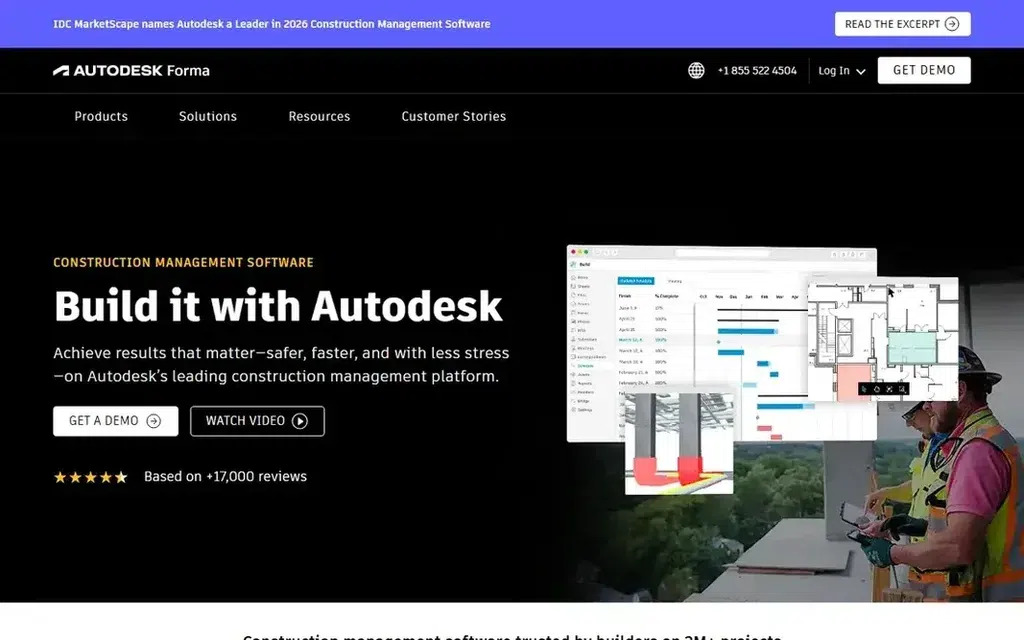
In short, Autodesk Construction Cloud is for collaborative, budget-aware project delivery. Autodesk Construction Cloud, now presented as Autodesk Forma, is construction management software built around secure, quick collaboration so project teams can deliver on time and on budget. Its design and construction data connections help teams coordinate scope and cost.
The main drawbacks: Cost workflows may need configuration.
Beyond that, the product covers plenty of disciplines, so implementation can take planning. Also, businesses seeking a narrow job-costing system may find it broader than needed. Autodesk Construction Cloud does not show a starting price in this comparison, so check the vendor site for current pricing. Free options: Not stated.
- On-budget delivery
- Focus on on-time
- Breadth can complicate rollout
CoConstruct serves custom builders and remodelers. CoConstruct is oriented toward residential and remodeling work instead of heavy civil or large commercial projects.
For everyday use, the brand unification means some resources may reference Buildertrend. CoConstruct shows no starting price here, so confirm the cost on the vendor site. Free access: Not stated.
Honest limits: Brand transition may affect resources.
- Designed for builder workflows
- Unified with Buildertrend
- Less suited to heavy civil work

Procore works best for connecting field and office cost data. Procore is a construction management system that links the site and the office.
Where it is weaker: Wide product may feel heavy for small crews.
Teams that primarily need estimating or accounting depth may prefer a specialized tool. Choose Procore when connected project data across field and office is the priority. No starting price is listed for Procore here; confirm pricing on the vendor site. Free access: Not stated.
- Live project visibility
- Links site and office teams
- Cost detail relies on configured workflows
Pick Viewpoint Vista if this describes you: Construction ERP and job costing. Viewpoint Vista by Trimble is construction ERP and project management software made for contractors to run projects, people and profits. Its stated strengths bundle job costing, simplified workflows and reporting.
From a buyer's view, as an ERP, Vista involves implementation effort and process change. Beyond that, very small crews may not need its depth. Check the vendor site for Viewpoint Vista pricing; none is listed in this comparison. Free options: Not stated.
Watch-outs: ERP setup needs commitment.
- Simplifies workflows
- Made for contractors
- May be more than small businesses need
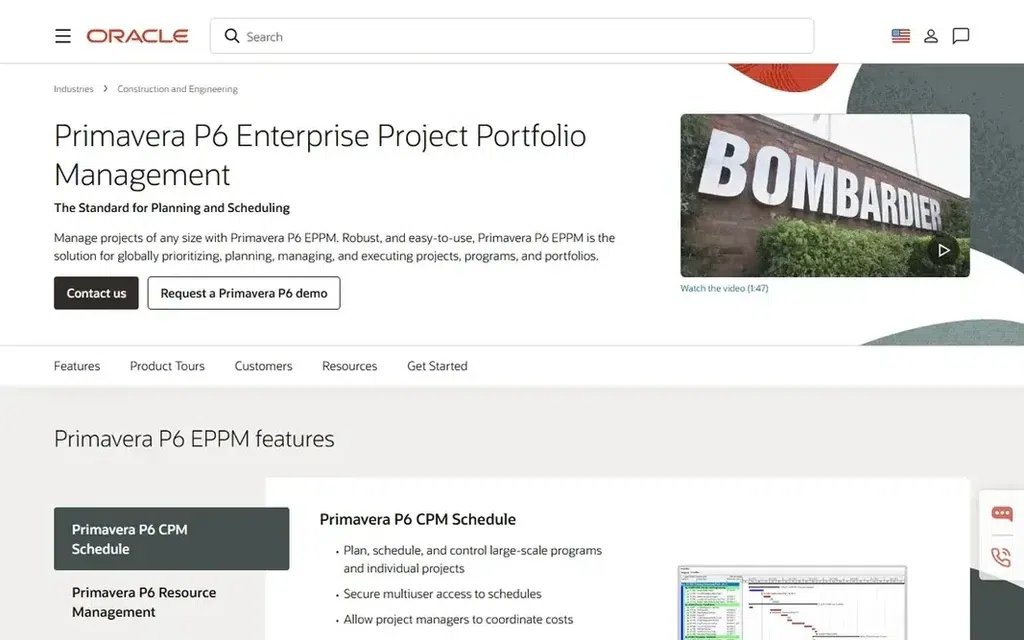
Oracle Primavera P6 is a good fit for large-project scheduling and portfolio controls. Oracle Primavera P6 is enterprise project portfolio management software for construction and engineering. As for the details, choose Primavera P6 when schedule-driven project controls on large or multi-project programs matter most.
Trade-offs to know: Heavy for small contractors.
From a buyer's view, Primavera P6 is feature-rich but complicated, and it is not a light tool for small teams. Beyond that, Oracle states it handles construction projects of any size. Contractors wanting more straightforward daily cost tracking may prefer a construction ERP. No starting price is listed for Oracle Primavera P6 here; confirm pricing on the vendor site. As for free access: Not stated.
- Enterprise project portfolio management
- Deals with projects of any size
- Steep ramp-up time
Trimble Viewpoint Spectrum
Best for: Simplified construction ERP from field to office
Trimble Viewpoint Spectrum is designed for simplified construction ERP from field to office. It supports core construction management and financial workflows that feed cost control.
Trade-offs to know: ERP rollout takes planning.
As for the details, teams needing only estimating or scheduling may find it broader than necessary. Trimble Viewpoint Spectrum shows no starting price here, so confirm the cost on the vendor site. Free access: Not stated.
- Aims to speed project completion
- Construction management focus
- Feature depth varies by role
How the list was put together
We compared the tools on published pricing, free plan or trial availability, feature coverage for software for construction cost optimization, and the limits each vendor documents. Plan names, prices and limits change often. Treat the figures here as a starting point and verify them with the vendor. We ordered the tools by general fit, then by how clearly pricing is shown, then by free access. A buyer with unusual needs may reorder them.
Things to verify first
- Request quotes from Autodesk Construction Cloud, Trimble Viewpoint Spectrum and the others; the list shows no fixed prices.
- Read the limits listed for Autodesk Construction Cloud first: breadth can complicate rollout.
- Compare total cost, not headline price: for Viewpoint Vista, add extra seats, add-ons and any usage-based charges.
- Check how data leaves Oracle Primavera P6: formats, limits and whether exports are available on every plan.
- Find out whether the entry plan of Trimble Viewpoint Spectrum covers your must-haves or only a trimmed-down version.
FAQ
Is Primavera P6 right for smaller contractors?
Primavera P6 is enterprise project portfolio software designed for projects of any size but with substantial scheduling depth. Smaller contractors may find it complicated and better suited to businesses with dedicated planners.
Can I try these tools before paying?
Not by default. None of the tools, from Autodesk Construction Cloud to Trimble Viewpoint Spectrum, lists a free plan or a free trial here, so ask each vendor for a demo before committing.
Is Autodesk Construction Cloud the right pick for everyone comparing software for construction cost optimization?
No single tool suits every team. Autodesk Construction Cloud comes first because it fits collaborative, budget-aware project delivery, while CoConstruct suits custom builders and remodelers and Procore suits connecting field and office cost data. Match the tool to your own size, budget and workflow before deciding.
Do these tools publish their prices?
No. None of the tools, from Autodesk Construction Cloud to Trimble Viewpoint Spectrum, shows a fixed starting price here, so budget time for quotes.
Does any tool for software for construction cost optimization here have a free plan?
No tool in this list, Autodesk Construction Cloud and Trimble Viewpoint Spectrum included, has a permanent free plan. Trials and quotes are the usual route, so plan a short evaluation period.
Sources
- https://www.autodesk.com/construction
- https://www.coConstruct.com
- https://www.procore.com
- https://www.viewpoint.com
- https://www.oracle.com/construction-engineering/primavera-p6
- https://www.viewpoint.com/products/spectrum