Best Self-Checkout Software for Quick Service Restaurants for 2026: Our 5 Vetted Picks
Best Self-Checkout software for quick service restaurants: 5 tools compared on price, free plans and fit. With pricing notes and limits. Skim the table first.
- Editor's choiceNCR Voyix
Unified commerce system
Starts atSee websiteVisit ncrvoyix.comFull review - Great alternative
 Clover
Adaptable payment hardware
Starts atSee websiteVisit clover.comFull review - Also consider
 Square for Restaurants
Integrated POS and payments
Starts atSee websiteVisit squareup.comFull review
Direct answer
Our first pick is NCR Voyix, best for unified commerce system. Listed starting prices: TouchBistro from $69 a month. For a different need, Clover covers adaptable payment hardware and Square for Restaurants covers integrated POS and payments. Details, prices and limits for the rest of the 5 tools are below.
TL;DR:
- This list starts with NCR Voyix, which is built for unified commerce system.
- The lowest published monthly entry price here is $69 per month, from TouchBistro.
- Square for Restaurants comes with a trade-off: may require Square hardware for full functionality.
- NCR Voyix, TouchBistro and the 3 others all need a premium plan or a trial, since no free plan is listed.
Last checked November 2026. Prices and plan details were read from the vendors' own pages in November 2026; vendors change plans often, so confirm the current price on the vendor site before you buy.
Quick comparison
| Tool | Best for | Starts at | Free plan? | |
|---|---|---|---|---|
| NCR Voyix | Unified commerce system | See website | Not stated | Visit |
| Clover | Adaptable payment hardware | See website | Not stated | Visit |
| Square for Restaurants | Integrated POS and payments | See website | Not stated | Visit |
| Grubbrr | Self-ordering kiosks | See website | Not stated | Visit |
 TouchBistro | All-in-one restaurant management | $69 a month | Not stated | Visit |
Self-Checkout Software for Quick Service Restaurants profiles
LinkVetted compared 5 Self-Checkout software for quick service restaurants. The goal is a practical shortlist: published prices, free plan facts, best-fit use cases and honest limits for every entry.
NCR Voyix
Best for: Unified commerce system
In short, NCR Voyix is for unified commerce system. NCR Voyix supplies a unified commerce product for retail and restaurants, integrating POS, payments, operations, and loyalty.
Where it is weaker: Complicated implementation.
As for the details, quick service restaurants with multi-location operations or enterprise needs may benefit from its full approach. Check the vendor site for NCR Voyix pricing; none is listed in this comparison. As for free access: Not stated.
- Aimed at retail and restaurants
- Platform-powered approach for scalability
- May be geared toward bigger enterprises
Where Clover fits: adaptable payment hardware. Clover gives you point-of-sale systems and credit card readers with a focus on adaptable hardware and payment processing.
It provides a variety of devices a good match for fast service restaurants, along with an app marketplace to extend functionality. Clover is a solid fit for companies that want configurable hardware and integrated payments. Pricing for Clover is not stated here, so ask the vendor for current figures. Free access: Not stated.
Drawbacks to consider: Restaurant-specific features may need extras.
- Integrated payment processing
- Wide range of POS hardware choices
- Hardware costs can add up
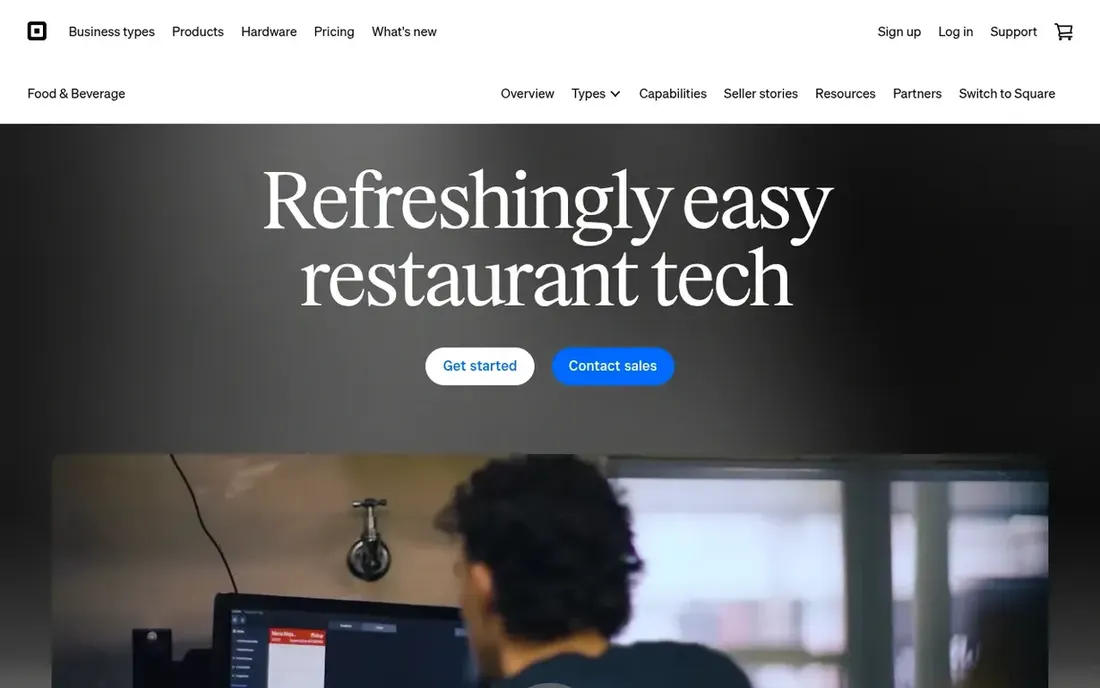
Square for Restaurants is built with integrated POS and payments in mind. The system may be less adaptable for firms needing highly specialized integrations or custom hardware.
Check the vendor site for Square for Restaurants pricing; none is listed in this comparison. Free access: Not stated.
Downsides: May need Square hardware for full functionality.
- Team tools
- Merges order management, payments
- Advanced customization may be restricted
Grubbrr
Best for: Self-ordering kiosks
Grubbrr makes the most sense for self-ordering kiosks. Grubbrr's focus is on kiosks, so it may not handle all POS needs, and integration with existing systems should be verified.
The main drawbacks: Hardware investment needed.
Beyond that, Grubbrr is a strong match for QSRs prioritizing self-ordering kiosks. Check the vendor site for Grubbrr pricing; none is listed in this comparison. Free access: Not stated.
- Concentrates on self-ordering kiosk systems
- Automates ordering processes
- Focus on kiosks may need separate POS
TouchBistro works best for all-in-one restaurant management. TouchBistro supplies an all-in-one POS and restaurant management system built to help restaurants increase sales, delight guests, and save time and money. From a buyer's view, the system may be more than needed for very small operations.
Trade-offs to know: Hardware and add-ons can increase cost.
Pricing details are not provided on the homepage. If you prefer a modular approach or have budget constraints, explore other choices. The starting price for TouchBistro: $69 per month. On free options: Not stated.
- Merges POS with restaurant management
- Aims to increase sales and save time
- May need long-term contract
What went into this list
The comparison looks at four things: starting price, free access, how well the feature set matches Self-Checkout software for quick service restaurants, and the main limit of each tool. Treat prices as a snapshot: vendors change plans often, so check the vendor site for the figure that applies today. Position on the page reflects fit for a typical buyer first, with price clarity and free access breaking ties. Treat it as a guide, not a ruling.
Things to verify first
- Confirm the entry price on the vendor page. For NCR Voyix, Clover, Square for Restaurants and Grubbrr that means a quote rather than a fixed price.
- Read the limits listed for NCR Voyix first: may be geared toward bigger enterprises.
- Test how quickly NCR Voyix answers a pre-sales question; it hints at how support will feel later.
- Compare total cost, not headline price: for Clover, add extra seats, add-ons and any usage-based charges.
- Check whether the features you need in Grubbrr sit on the entry plan or only on higher tiers.
FAQ
Do these tools publish their prices?
Not all of them. NCR Voyix, Clover, Square for Restaurants and Grubbrr publish no starting price, so expect a quote request for those. The rest, TouchBistro included, show a starting price, though seats and billing terms still change the final cost.
Can I try these tools before paying?
Not by default. None of the tools, from NCR Voyix to TouchBistro, lists a free plan or a free trial here, so ask each vendor for a demo before committing.
What is the cheapest option for Self-Checkout software for quick service restaurants in this list?
On published monthly entry prices, TouchBistro is the lowest here at $69 per month. Entry price is only part of the cost, because seats, add-ons and billing terms can change the total. All 5 picks in this Self-Checkout software for quick service restaurants comparison list a starting price, free plan details and the main limits on their cards above.
How are the tools for Self-Checkout software for quick service restaurants ordered?
NCR Voyix sits first and TouchBistro last because the order follows typical fit for Self-Checkout software for quick service restaurants, then price clarity and free access. It is a judgement call, so read each profile for fit and limits.
Which tool is a good match for self-ordering kiosks?
For most readers this guide would start with NCR Voyix, built for unified commerce system. Clover is the alternative for adaptable payment hardware, and Square for Restaurants for integrated POS and payments. The right answer depends on budget and workflow.
Sources
- https://www.ncrvoyix.com
- https://www.clover.com
- https://squareup.com/us/en/restaurants
- https://grubbrr.com
- https://www.touchbistro.com