Choosing Scheduling Software for Law Enforcement in 2026: 5 Options Compared
Best scheduling software for law enforcement: 5 contenders ranked by fit, with entry costs and free tiers. Weaknesses are named for every tool. Quick to scan.
- Editor's choice
 Deputy
Scheduling with HR and labor forecasting
Starts at$5 per user a monthVisit deputy.comFull review - Great alternative
 When I Work
Straightforward shift scheduling and team messaging
Starts at$2.50 per user a monthVisit wheniwork.comFull review - Also consider
 Shiftboard
Organizations evaluating a transition to UKG
Starts atSee websiteVisit shiftboard.comFull review
Direct answer
For scheduling with HR and labor forecasting, Deputy is where this list starts. Listed starting prices: Deputy from $5 per user a month and When I Work from $2.50 per user a month. When I Work is better for straightforward shift scheduling and team messaging, and Shiftboard is better for organizations evaluating a transition to UKG. Details, prices and limits for the rest of the 5 tools are below.
TL;DR:
- Deputy takes the first slot, best suited to scheduling with HR and labor forecasting.
- None of the 5 tools, from Deputy to InTime, has a free plan, so budget for a subscription or use a trial.
- The main caution on Shiftboard: transition context may complicate planning.
- InTime fits Police, fire, corrections and dispatch scheduling.
Last checked November 2026. Prices and plan details were read from the vendors' own pages in November 2026; vendors change plans often, so confirm the current price on the vendor site before you buy.
Quick comparison
| Tool | Best for | Starts at | Free plan? | |
|---|---|---|---|---|
| Deputy | Scheduling with HR and labor forecasting | $5 per user a month | Free trial | Visit |
| When I Work | Straightforward shift scheduling and team messaging | $2.50 per user a month | Free trial | Visit |
| Shiftboard | Organizations evaluating a transition to UKG | See website | Not stated | Visit |
| Axon Evidence | Agencies linking scheduling to evidence workflows | See website | Not stated | Visit |
| InTime | Police, fire, corrections and dispatch scheduling | See website | Not stated | Visit |
Our 5 picks for scheduling software for law enforcement
LinkVetted put together this guide to scheduling software for law enforcement for readers who want a clear shortlist without reading every vendor page. It compares 5 tools on starting price, free plans, who each one suits and where each one falls short.
Deputy serves scheduling with HR and labor forecasting. Departments needing dispatch and corrections scheduling from day one should look at InTime. Its positioning as simple to use makes it a candidate for teams moving off manual rosters.
Confirm how forecasting and pay rules map to your agency's agreements. Worth adding: Deputy is designed for general workplaces, so law enforcement-specific scheduling rules may need configuration or workarounds. Deputy cost at the entry level: $5 per user per month. Free plan details: Free trial.
Where it falls short: General-purpose instead of public-safety-specific.
- Employee scheduling with HR features
- AI labor forecasting
- Advanced features may need setup effort
When I Work serves simple shift scheduling and team messaging. It is a general-purpose tool, so specialized public safety requirements for example complicated shift bidding or dispatch coverage rules may need workarounds.
The main drawbacks: Not tailored to law enforcement rules.
- Simple shift scheduling and time tracking
- Straightforward employee-facing interface
- Restricted public-safety-specific features
Think of Shiftboard for organizations evaluating a transition to UKG. Shiftboard is scheduling software now associated with UKG, and its site directs customers to support, login links and next steps following the acquisition. It is most relevant to organizations already using Shiftboard or considering how their scheduling needs fit within the UKG family of workforce products.
Points against: Most useful for existing customers.
More specifically, plan for how any migration affects your scheduling data. More specifically, existing customers should follow the vendor's guidance for continuity. Pricing for Shiftboard is not stated here, so ask the vendor for current figures. Free options: Not stated.
- Scheduling focus with support resources
- Clear customer next steps guidance
- Transition context may complicate planning
Axon Evidence
Best for: Agencies linking scheduling to evidence workflows
Pick Axon Evidence if this describes you: agencies linking scheduling to evidence workflows. Agencies already standardized on Axon products may find the integration value outweighs a standalone scheduling tool.
More specifically, Axon Evidence is part of a connected product for law enforcement agencies, centered on managing digital evidence and case records. This comparison lists no price for Axon Evidence; ask the vendor. Trial and free access: Not stated.
Points against: Setup may require vendor guidance.
- Built around law enforcement use cases
- Supports records and evidence management
- Scheduling is not the core focus
InTime
Best for: Police, fire, corrections and dispatch scheduling
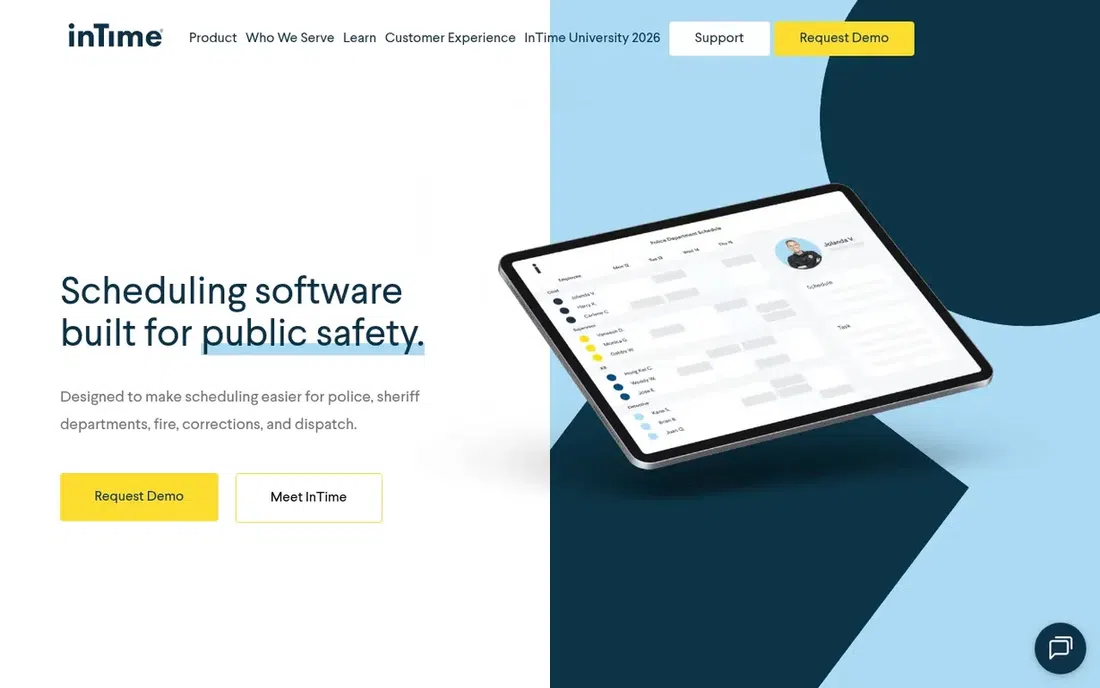
InTime is aimed squarely at Police, fire, corrections and dispatch scheduling. InTime is scheduling software made for law enforcement, sheriff departments, fire departments, corrections and dispatch.
Where it is weaker: Focused scope may not handle general HR.
It is designed around the realities of public safety staffing, where shifts, overtime and coverage rules differ from standard office work. InTime shows no starting price here, so confirm the cost on the vendor site. Free plan details: Not stated.
- Takes care of dispatch scheduling needs
- Made for public safety
- Best value for agencies with shift complexity
How we compared the tools
LinkVetted looked at what each vendor publishes: pricing, plan limits, feature coverage for scheduling software for law enforcement and stated drawbacks. No hands-on testing is claimed. Seat minimums, billing terms and add-ons can move the real cost, so the starting prices here are a guide and not a quote. The sequence is a judgement call: typical use case first, then pricing transparency, then free access. Use the profiles to check fit.
What to check before you buy
- Get a written quote from Shiftboard, Axon Evidence and InTime; the list shows no starting price for them.
- Run a trial of Deputy and When I Work with real work before paying for a year; your own workflow is the best test.
- Read the limits listed for Deputy first: general-purpose instead of public-safety-specific.
- Find out whether the entry plan of When I Work covers your must-haves or only a trimmed-down version.
- Test the integrations you rely on with Axon Evidence before committing; some connectors sit on upper tiers.
FAQ
Do these tools publish their prices?
Not all of them. Shiftboard, Axon Evidence and InTime publish no starting price, so expect a quote request for those. The rest, Deputy included, show a starting price, though seats and billing terms still change the final cost.
What is the cheapest option for scheduling software for law enforcement in this list?
On published monthly entry prices, When I Work is the lowest here at $2.50 per user per month. Entry price is only part of the cost, because seats, add-ons and billing terms can change the total. Each of the 5 options in this scheduling software for law enforcement guide has its own card above with the price, free plan and limits.
Is Deputy the right pick for everyone comparing scheduling software for law enforcement?
No single tool suits every team. Deputy comes first because it fits scheduling with HR and labor forecasting, while When I Work suits simple shift scheduling and team messaging and Shiftboard suits organizations evaluating a transition to UKG. Match the tool to your own size, budget and workflow before deciding.
How are the tools for scheduling software for law enforcement ordered?
Deputy sits first and InTime last because the order follows typical fit for scheduling software for law enforcement, then price clarity and free access. It is a judgement call, so read each profile for fit and limits.
How should an agency evaluate scheduling software?
Start by listing your must-have rules for shifts, overtime and coverage, then check each vendor's documented capabilities against them. Confirm integrations with payroll and records systems, review security requirements and ask about onboarding support for public-sector teams.
Sources
- https://www.deputy.com
- https://wheniwork.com
- https://www.shiftboard.com
- https://www.axon.com
- https://www.intimesoft.com