5 Best Retail POS System for Ecommerce for 2026, Vetted and Compared
5 tools for the best retail POS system for ecommerce, compared on pricing, free plans and best-fit use. Fit and flaws are laid out for each entry. Facts only.
- Editor's choiceVend
Inventory-based retailers across channels
Starts atSee websiteVisit vendhq.comFull review - Great alternative
 Clover
Adaptable POS hardware and software
Starts atSee websiteVisit clover.comFull review - Also considerBigCommerce POS
BigCommerce users seeking integrated POS
Starts atSee websiteVisit bigcommerce.comFull review
Direct answer
Start with Vend if you need inventory-based retailers across channels. Listed starting prices: WooCommerce POS from $29 a month. Look at Clover for adaptable POS hardware and software, and at BigCommerce POS for BigCommerce users seeking integrated POS. The full list of 5 tools follows, with prices and free plan facts.
TL;DR:
- Vend takes the first slot, best suited to inventory-based retailers across channels.
- None of the 5 tools, from Vend to Shopify POS, has a free plan, so budget for a subscription or use a trial.
- The main caution on Vend: transition to Lightspeed branding may confuse.
- Starting prices begin at $29 per month with WooCommerce POS.
- For ecommerce keeps using Shopify, Shopify POS is worth a look.
Last checked November 2026. Prices and plan details were read from the vendors' own pages in November 2026; vendors change plans often, so confirm the current price on the vendor site before you buy.
Quick comparison
| Tool | Best for | Starts at | Free plan? | |
|---|---|---|---|---|
| Vend | Inventory-based retailers across channels | See website | Not stated | Visit |
| Clover | Adaptable POS hardware and software | See website | Not stated | Visit |
| BigCommerce POS | BigCommerce users seeking integrated POS | See website | Not stated | Visit |
| WooCommerce POS | WooCommerce store owners | $29 a month | Not stated | Visit |
 Shopify POS | Ecommerce keeps using Shopify | See website | Not stated | Visit |
Retail POS System for Ecommerce, one by one
LinkVetted compared 5 tools for retail POS system for ecommerce. The goal is a practical shortlist: published prices, free plan facts, best-fit use cases and honest limits for every entry.
Vend
Best for: Inventory-based retailers across channels
Vend makes the most sense for inventory-based retailers across channels. It helps simplify operations and grow the business across all channels, from in-store to online.
Limits to weigh: May lack some ecommerce-specific features.
Vend is right for retailers who require solid inventory management and customer engagement tools in a unified system. This comparison lists no price for Vend; ask the vendor. On free options: Not stated.
- Simplified inventory management
- Supports several sales channels
- Transition to Lightspeed branding may confuse
Choose Clover for adaptable POS hardware and software. Clover supplies POS systems and credit card readers for retail businesses. It supplies a range of hardware and software combinations to accommodate different store sizes and needs.
Downsides: Features vary by plan.
Also, since Clover's offerings vary widely, it can be challenging to compare features across choices. Some advanced capabilities may need specific hardware or service levels. Worth adding: retailers should carefully assess their needs to ensure Clover's modular approach aligns with their requirements. Clover shows no starting price here, so confirm the cost on the vendor site. Free access: Not stated.
- Scalable for different business sizes
- Integrated payment processing
- Hardware selection can be overwhelming
BigCommerce POS
Best for: BigCommerce users seeking integrated POS
BigCommerce POS targets BigCommerce users seeking integrated POS. BigCommerce POS is a point-of-sale option that links up with the BigCommerce ecommerce product. It powers modern buying experiences across brands, regions, and channels from a single foundation.
Where BigCommerce POS stands out: Scalable for expanding firms.
From a buyer's view, consider BigCommerce POS if you are committed to the BigCommerce system. On top of that, for firms not on BigCommerce, the POS may not offer the same level of integration or value. It is primarily an extension of the BigCommerce ecosystem instead of a standalone POS. This comparison lists no price for BigCommerce POS; ask the vendor. Trial and free access: Not stated. The main drawbacks: Restricted standalone POS features.
- Unified commerce experience
- Integration with BigCommerce product
- Best for existing BigCommerce users
WooCommerce POS
Best for: WooCommerce store owners
Think of WooCommerce POS for WooCommerce store owners. WooCommerce POS is a point-of-sale option for keeps built on WooCommerce, the open-source ecommerce system. It helps merchants and developers build successful companies for the long term by supplying a POS interface that links with their online store.
What to check first: May need extra plugins for full POS features.
Setting up WooCommerce POS can need technical knowledge, and achieving full functionality may involve extra plugins or custom development. Even so, for those already on WooCommerce, it supplies an adaptable way to add in-person selling. WooCommerce POS starts at: $29 per month. As for free access: Not stated.
- Plugs into WordPress
- Open-source adaptability
- Requires technical setup
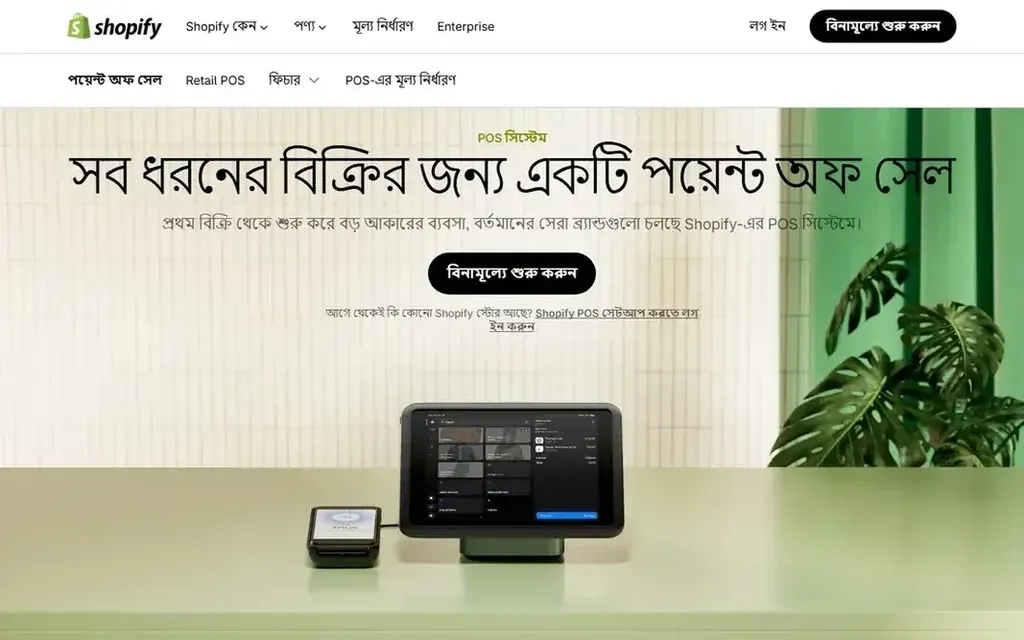
Shopify POS is built with ecommerce keeps using Shopify in mind. Shopify POS is a point-of-sale system meant to plug into Shopify's ecommerce system. It permits retailers to run inventory, process payments, and sync sales data across online and physical keeps.
This tool is well suited to firms already using Shopify or those planning to sell both online and in person, as it offers a cohesive view of operations. Even so, Shopify POS may not be the best fit for retailers not using Shopify, as its full benefits are tied to the ecosystem. On top of that, consider Shopify POS if you want tight integration with an online store. Worth adding: companies seeking a standalone POS without an ecommerce product might prefer other choices. Pricing for Shopify POS is not stated here, so ask the vendor for current figures. Free access: Not stated.
Watch-outs: Best value for existing Shopify users.
- Smooth integration with Shopify online store
- Supports in-person and online selling
- May need Shopify subscription
What went into this list
LinkVetted looked at what each vendor publishes: pricing, plan limits, feature coverage for retail POS system for ecommerce and stated drawbacks. No hands-on testing is claimed. Where a vendor does not publish a price, the entry says quote. Where a price depends on seats or billing term, the entry says so. Position on the page reflects fit for a typical buyer first, with price clarity and free access breaking ties. Treat it as a guide, not a ruling.
A buyer's checklist
- Ask Vend, Clover, BigCommerce POS and Shopify POS for a written quote, since no starting price is shown.
- Before choosing Vend, weigh its main limit: transition to Lightspeed branding may confuse.
- Find out what support BigCommerce POS includes on your plan, and whether onboarding help costs extra.
- The entry price of Clover is only the starting point; model the full cost with seats and extras.
- Look at which plan of Vend unlocks the features you need; entry tiers are often cut down.
FAQ
Can I try these tools before paying?
Not by default. None of the tools, from Vend to Shopify POS, lists a free plan or a free trial here, so ask each vendor for a demo before committing.
Do these tools publish their prices?
Not all of them. Vend, Clover, BigCommerce POS and Shopify POS publish no starting price, so expect a quote request for those. The rest, WooCommerce POS included, show a starting price, though seats and billing terms still change the final cost.
Is it better to choose a POS that plugs into my ecommerce product?
Usually, yes, since integration cuts manual work and errors. It offers a unified view of sales and inventory, which is notably important for multichannel retailers.
How are the tools for retail POS system for ecommerce ordered?
Vend sits first and Shopify POS last because the order follows typical fit for retail POS system for ecommerce, then price clarity and free access. It is a judgement call, so read each profile for fit and limits.
What is the cheapest option for retail POS system for ecommerce in this list?
On published monthly entry prices, WooCommerce POS is the lowest here at $29 per month. Entry price is only part of the cost, because seats, add-ons and billing terms can change the total.
Sources
- https://www.vendhq.com
- https://www.clover.com
- https://www.bigcommerce.com
- https://woocommerce.com
- https://www.shopify.com/pos