Best Retail POS Software for Small Business in 2026: 8 Systems Compared
Best retail POS software for small business in 2026: 8 retail POS systems compared on price, inventory, hardware, payments, online selling and support.

- Editor's choice
 Square for Retail
Most small shops
Starts atFreeVisit squareup.comFull review - Great alternative
 Shopify POS
Omnichannel retail
Starts at$39 per monthVisit shopify.comFull review - Also consider
 Lightspeed Retail
Inventory-heavy retail
Starts at$89 per monthVisit lightspeedhq.comFull review
TL;DR:
- Square for Retail is our pick for most small shops because it starts free, sets up fast, and covers payments, inventory, and online selling in one system.
- Shopify POS suits retailers who already sell online with Shopify, since inventory stays in sync across store and website.
- Lightspeed Retail suits inventory-heavy and multi-location shops, though its price and learning curve are higher than Square.
- Clover, Epos Now, and KORONA POS each solve a specific need: hardware choice, flat pricing, or freedom to choose a payment processor.
- Compare card processing rates and hardware costs, not just software fees, since those often drive the total monthly cost.
Quick comparison
| Tool | Best for | Starts at | Free plan? | |
|---|---|---|---|---|
| Square for Retail | Most small shops | Free | Yes | Visit |
| Shopify POS | Omnichannel retail | $39 per month | Free trial | Visit |
| Lightspeed Retail | Inventory-heavy retail | $89 per month | Free trial | Visit |
 Clover | Purpose-built hardware | $49.95 per month | No | Visit |
 Epos Now | Flat software pricing | $39 per month | Free trial | Visit |
 Heartland Retail | Multi-store inventory | $80 per month | No | Visit |
 KORONA POS | Processor choice | $59 per month | Free trial | Visit |
 Helcim | Low-cost processing | Free | Yes | Visit |
The best retail POS software for small business
Retail POS software does two jobs: it takes payment at the counter, and it keeps your stock, sales, and customer data in step. The best system for a small shop depends on how you sell, how much inventory you carry, and whether online sales matter as much as in-store sales.
Square for Retail is the default for most new and small shops, and for good reason. The free plan covers point of sale, basic inventory, customer profiles, and digital receipts, with in-person processing at 2.6 percent plus 15 cents in published pricing. Paid plans add deeper inventory, reporting, and lower processing rates on the Premium tier.
Setup is the real advantage. A shop can start selling the same day with a reader and a tablet, without a long contract or hardware order. The limit is specialty depth. A bike shop with matrix inventory or a multi-location apparel store may outgrow Square sooner, but for most single-location retail, Square is the safest starting point.
- Free plan with no monthly software fee
- Fast setup
- Integrated payments and online selling
- Less depth for complex specialty inventory than Lightspeed
- Processing rates apply per transaction
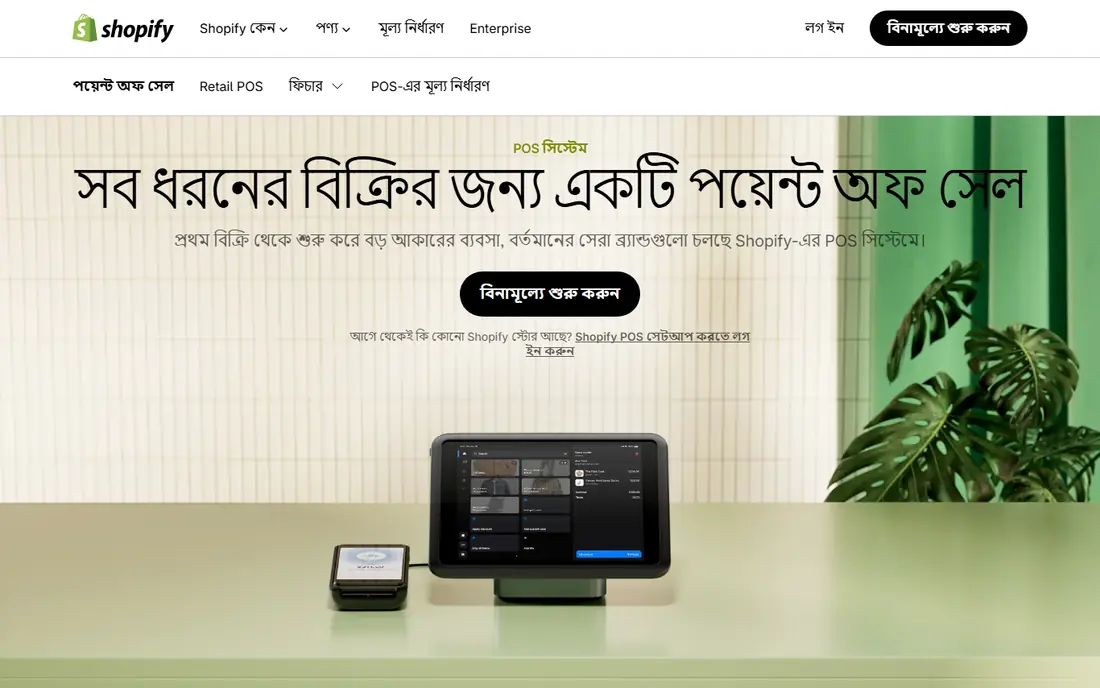
Shopify POS is the natural choice for retailers who already sell online with Shopify. Inventory, customers, and orders stay in one system, so a sale in store updates the website instantly and an online order does not sell an item that just left the shelf. POS Lite is included with Shopify plans, while POS Pro adds advanced inventory and staff features at $89 per month per location in published pricing.
The catch is the Shopify dependency. If you do not use Shopify online, the value drops sharply, and costs rise with each location. For omnichannel retailers, however, that single inventory truth is worth the price, since stock errors cost sales and customer trust.
- Inventory syncs across online and in-store
- Strong ecommerce tools
- POS Lite included with Shopify plans
- Requires a Shopify plan
- POS Pro costs extra per location
- No restaurant depth

Lightspeed Retail is built for shops where inventory is the business: apparel, footwear, specialty retail, and multi-location stores. It handles matrix variants, purchase orders, transfers between locations, and detailed reporting in a way that simpler POS systems do not. Published pricing starts at $89 per month billed annually for the Basic plan, with higher tiers for larger operations.
That depth comes with cost and training time. Small single-location shops may find Lightspeed more than they need, and staff will need time to learn inventory workflows. For inventory-heavy retailers, the control over stock, margins, and locations justifies the price.
- Deep inventory and multi-location tools
- Strong reporting
- Ecommerce included on many plans
- Higher price
- Steeper learning curve
- Payment processing terms vary by region
Clover appeals to shops that want purpose-built hardware rather than a tablet on a stand. Its counter registers, handhelds, and kiosks look professional and integrate tightly with the software. Published software pricing starts around $49.95 per month for Register plans, with hardware extra or bundled depending on the seller.
The main risk is pricing variation. Clover is sold through many resellers, and rates, fees, and contract terms can differ. Buy direct or compare reseller terms in writing, including processing rates, hardware costs, and contract length. For shops that value hardware design and counter presence, Clover is a strong choice once terms are clear.
- Wide hardware range
- Polished counter and handheld options
- Large app marketplace
- Pricing varies by reseller and plan
- Hardware costs add up
- Contract terms vary
Epos Now suits budget-conscious shops that want predictable software pricing. Software starts at $39 per month in published comparisons, with processing at 2.6 percent plus 10 cents through Epos Now Payments. That flat structure makes budgeting easier than systems where software, hardware, and add-ons stack up separately.
The ecosystem is smaller than Square or Shopify, so integrations and online selling depth are more limited. For a single-location shop that mainly needs a reliable counter system, inventory, and reporting, Epos Now delivers good value without complexity.
- One flat software fee
- Straightforward retail features
- 30-day trial in published terms
- Processing through Epos Now Payments at published rates
- Smaller ecosystem than Square or Shopify
Heartland Retail, formerly Springboard Retail, is built for multi-store retailers that live in inventory and purchasing data. Published pricing starts around $80 per month per selling station for the Plus plan, with Professional higher. It handles transfers, purchase orders, and vendor data in a way that helps growing chains keep stock accurate across locations.
Single-location shops will find it more expensive and more complex than Square. For retailers with two or more stores, or plans to open more, Heartland Retail gives the inventory control that simpler systems lack. Price it per station, not just per store, to get the true monthly cost.
- Strong multi-store inventory and purchasing
- Detailed reporting
- Good for growing retail chains
- Price per selling station adds up
- Setup and training take time
KORONA POS stands out because it does not lock you into one payment processor. Shops can choose a processor that fits their risk profile, volume, and rates, which matters for specialty and high-risk retail. Core pricing starts at $59 per month per terminal in published comparisons, with a free trial available.
The trade-off is that setup takes more work, since hardware, processor, and software choices are separate. Shops that want a single vendor for everything may prefer Square or Clover. Shops that want processor freedom, or that have been quoted poor rates elsewhere, will value KORONA POS.
- Choose your own payment processor
- Per-terminal pricing
- Strong for high-risk and specialty retail
- Hardware and setup need more planning
- Fewer built-in online selling tools than Shopify
Helcim is a low-cost option for shops that care most about card processing costs. There is no monthly software fee in published pricing, and interchange-plus pricing can lower costs for higher-volume or B2B sales compared with flat-rate processors. That model suits wholesalers and shops with larger average tickets.
Retail features are thinner than Lightspeed or Shopify POS, and hardware choice is narrower than Clover. For a small shop that wants a simple POS with honest processing pricing, Helcim is a credible free starting point. Compare your effective processing rate, not just the software fee, before switching.
- No monthly software fee
- Interchange-plus pricing
- Good for B2B and wholesale retail
- Smaller retail feature set than Lightspeed
- Hardware options are more limited
How we picked these
We compared official pricing pages and recent retail POS comparisons for systems still offered to US small businesses in 2026. We favored systems with real retail inventory, payment processing, hardware options, and reporting, rather than restaurant-only or generic payment apps. We checked starting software prices, free plans or trials, processing rates where published, and whether the system fits small retail rather than only large chains. Where pricing varies by reseller or location, we noted that variation.
How to choose retail POS software for a small business
Start with how you sell. A market stall needs a phone reader and no monthly fee. A single shop needs inventory and reporting. A multi-location retailer needs transfers and purchasing. An online-first retailer needs Shopify POS or a system with strong ecommerce sync. Buying for your current sales mix, not a future chain, keeps costs down.
Compare total cost, not just software price
Add software fees, card processing rates, hardware, and any per-location or per-terminal charges. A free software plan with a 2.6 percent processing rate can cost more than a $89 plan with lower rates, depending on volume. Run your last three months of sales through each option before choosing.
Test inventory workflows with real products
Import a sample of your real catalog, including variants, sizes, and barcodes, and test receiving, selling, returning, and counting stock. A POS that looks clean in a demo can fail on matrix variants or multi-location transfers. Staff should test the counter flow too, since speed at checkout affects customer experience.
Check offline mode and support
Ask what happens when internet drops, how offline sales sync, and what support hours cover your selling hours. A POS that stops working during an outage costs sales immediately. Also confirm data export, so you can leave if pricing or service changes.
FAQ
What is the best retail POS software for small business?
Square for Retail is our pick for most small shops because it starts free, sets up fast, and covers payments, inventory, and online selling. Shopify POS is better for online-first retailers, while Lightspeed Retail suits inventory-heavy and multi-location shops. The best choice depends on sales channels and inventory complexity.
What is the best POS software for a small retail business on a budget?
Square for Retail and Helcim both start with no monthly software fee, making them the cheapest credible starts. Epos Now offers flat $39 per month software pricing. Compare processing rates and hardware costs as well, since those often matter more than the software fee over a year.
Is Square POS free?
Square POS offers a free plan with no monthly software fee, though card processing fees apply per transaction. In-person processing on the free plan is 2.6 percent plus 15 cents in published pricing. Paid Square for Retail plans add deeper inventory and reporting, with Plus and Premium tiers for growing shops.
Do I need Shopify POS if I already use Shopify?
If you sell in person and online through Shopify, Shopify POS keeps inventory in sync and avoids stock errors. POS Lite is included with Shopify plans, while POS Pro adds advanced features per location. If you only sell online, you do not need Shopify POS.
How much does retail POS software cost?
Software costs range from free for Square and Helcim to $39 per month for Shopify Basic and Epos Now, $89 per month for Lightspeed Retail, and higher per-station or per-location fees for multi-store systems. Add processing rates, hardware, and add-ons to get the true monthly cost for your shop.