Best Retail POS Software for Convenience Stores (2026): 6 Picks Checked on Vendor Pages
6 best retail POS software for convenience stores, with entry costs, free tiers and the buyer each one serves. Every tool lists pros and cons. Pick by budget.
- Editor's choice
 Clover
Small counters needing POS and card readers
Starts atSee websiteVisit clover.comFull review - Great alternativeNCR Voyix
Bigger operations needing unified commerce
Starts atSee websiteVisit ncrvoyix.comFull review - Also considerVend
Inventory-based retailers on Lightspeed X-Series
Starts atSee websiteVisit vendhq.comFull review
Direct answer
For small counters needing POS and card readers, Clover is where this list starts. Listed starting prices: KORONA POS from $59 per terminal per month. NCR Voyix is the stronger choice for bigger operations needing unified commerce, while Vend suits inventory-based retailers on Lightspeed X-Series. All 6 tools are compared below on price, free plan and limits.
TL;DR:
- This list starts with Clover, which is built for small counters needing POS and card readers.
- What to know about Clover first: feature depth varies by configuration.
- A permanent free plan is missing from all 6 tools, Clover and Lightspeed Retail included; plan for a trial or a premium start.
- The cheapest monthly starting price in the list is $59 per terminal per month, offered by KORONA POS.
Last checked November 2026. Prices and plan details were read from the vendors' own pages in November 2026; vendors change plans often, so confirm the current price on the vendor site before you buy.
Quick comparison
| Tool | Best for | Starts at | Free plan? | |
|---|---|---|---|---|
| Clover | Small counters needing POS and card readers | See website | Not stated | Visit |
| NCR Voyix | Bigger operations needing unified commerce | See website | Not stated | Visit |
| Vend | Inventory-based retailers on Lightspeed X-Series | See website | Not stated | Visit |
 KORONA POS | Retailers and franchises wanting cloud POS | $59 per terminal per month | Free trial | Visit |
 Square for Retail | All-in-one sales, inventory and customer data | See website | Not stated | Visit |
 Lightspeed Retail | Inventory-led keeps needing wholesale buying | See website | Not stated | Visit |
The full retail POS software for convenience stores list
LinkVetted compared 6 retail POS software for convenience stores. The goal is a practical shortlist: published prices, free plan facts, best-fit use cases and honest limits for every entry.
Clover was built for small counters needing POS and card readers. Clover gives you POS systems and credit card readers for retail firms, with a counter-focused setup that fits convenience keeps handling steady card transactions. Keeps needing advanced inventory or unified commerce across plenty of locations may prefer a system such as NCR Voyix or Lightspeed Retail.
Watch-outs: Feature depth varies by configuration.
In practice, since configurations and available features can vary, confirm exactly what your setup bundles before committing. In daily use, store owners who prioritize a straightforward counter experience should contain it on a shortlist. This comparison lists no price for Clover; ask the vendor. Free plan details: Not stated.
- POS system with credit card readers
- Familiar counter setup
- Ecosystem choices need review
NCR Voyix
Best for: Bigger operations needing unified commerce
NCR Voyix works best for bigger operations needing unified commerce. NCR Voyix describes itself as a platform-powered provider of unified commerce for retail and restaurants, spanning POS, payments, operations and loyalty. As for the details, confirm which modules and integrations apply to convenience retail on the vendor site, and compare with more straightforward systems if you chiefly need checkout and entry-level inventory.
Main advantages: System approach to unified commerce; Includes POS, payments.
Points against: Pitched at bigger operations.
From a buyer's view, smaller single-site keeps may find the scope bigger than necessary. On top of that, for convenience keeps with several locations or more complicated operational needs, that breadth can keep systems coordinated. NCR Voyix shows no starting price here, so confirm the cost on the vendor site. Free options: Not stated.
- Operations and loyalty
- Serves retail and restaurant companies
- Implementation needs planning
Vend
Best for: Inventory-based retailers on Lightspeed X-Series
Vend targets inventory-based retailers on Lightspeed X-Series. Vend is now Lightspeed Retail (X-Series), and the vendor describes it as helping inventory-based retailers simplify operations and grow across channels.
For everyday use, convenience keeps weighing it should treat it as part of the Lightspeed family and review the current X-Series offering. In daily use, if you want the broadest Lightspeed retail feature set, compare with Lightspeed Retail as listed separately. Vend does not show a starting price in this comparison, so check the vendor site for current pricing. Free plan details: Not stated.
Limits to weigh: Brand transition may confuse buyers.
- Designed for inventory-based retailers
- Now part of Lightspeed Retail (X-Series)
- Feature set follows the Lightspeed line
KORONA POS is a good fit for retailers and franchises wanting cloud POS. Convenience keeps that want cloud access and a system that can extend to several sites or franchise setups may find it relevant.
What to check first: Fit relies on store complexity.
In practice, the vendor routes buyers through a demo and trial, which layers on time before rollout. On cost, KORONA POS starts like this: $59 per terminal per month. Free options: Free trial.
- Also spans ticketing operations
- Cloud-based point of sale
- Demo and trial steps add onboarding time
Square for Retail makes the most sense for all-in-one sales, inventory and customer data. That makes it a practical fit for convenience keeps that want checkout, stock visibility and customer records in one place without stitching together separate products.
Check device compatibility and feature limits on the vendor page, and compare with Lightspeed Retail if inventory workflows are your priority. Beyond that, owners who value a straightforward, unified setup frequently start here. No starting price is listed for Square for Retail here; confirm pricing on the vendor site. Trial and free access: Not stated.
Honest limits: Hardware choices matter.
- All-in-one system design
- Handles inventory
- Deeper inventory needs may outgrow it
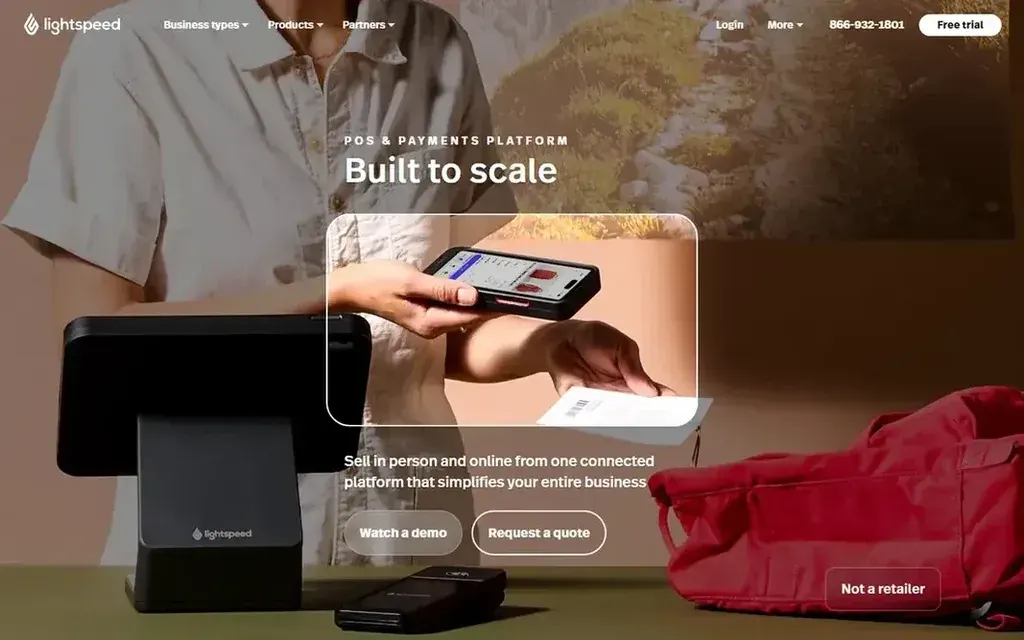
Lightspeed Retail was built for inventory-led keeps needing wholesale buying. For convenience keeps that carry plenty of SKUs and restock frequently, that combination keeps purchasing and selling connected.
The system is geared toward inventory-based retailers, so a very small store with simple stock may find more capability than it needs. Check the vendor site for Lightspeed Retail pricing; none is listed in this comparison. Free options: Not stated.
Honest limits: Feature depth may exceed small store needs.
- Aimed at in-person retail
- Built-in inventory management
- Setup needs planning
What went into this list
LinkVetted looked at what each vendor publishes: pricing, plan limits, feature coverage for retail POS software for convenience stores and stated drawbacks. No hands-on testing is claimed. Where a price is missing, the vendor does not list one publicly or ties it to a quote. Always confirm before budgeting. Position on the page reflects fit for a typical buyer first, with price clarity and free access breaking ties. Treat it as a guide, not a ruling.
Pre-purchase checklist
- Get a written quote from Clover, NCR Voyix, Vend and others; the list shows no starting price for them.
- Take the trial from KORONA POS and push a live task through it before you pay.
- Before choosing Clover, weigh its main limit: feature depth varies by configuration.
- Ask whether NCR Voyix integrates with your current software, and whether that comes standard or as an add-on.
- Before you load data into Lightspeed Retail, check what an export looks like and who can run it.
FAQ
Which POS is a good match for a convenience store with lots of SKUs?
This list starts with Clover, which fits small counters needing POS and card readers. For other needs, NCR Voyix is aimed at bigger operations needing unified commerce, and Vend at inventory-based retailers on Lightspeed X-Series. Check each tool's price and main limit first.
Is Clover the right pick for everyone comparing retail POS software for convenience stores?
No single tool suits every team. Clover comes first because it fits small counters needing POS and card readers, while NCR Voyix suits larger operations needing unified commerce and Vend suits inventory-based retailers on Lightspeed X-Series. Match the tool to your own size, budget and workflow before deciding.
What is the cheapest option for retail POS software for convenience stores in this list?
On published monthly entry prices, KORONA POS is the lowest here at $59 per terminal per month. Entry price is only part of the cost, because seats, add-ons and billing terms can change the total.
Can I try these tools before paying?
Often, yes. KORONA POS offers a free trial. Use your own data and a real task during the test, and check what the free tier or trial limits before you rely on it.
Do these tools publish their prices?
Not all of them. Clover, NCR Voyix, Vend and others publish no starting price, so expect a quote request for those. The rest, KORONA POS included, show a starting price, though seats and billing terms still change the final cost.
Sources
- https://www.clover.com
- https://www.ncrvoyix.com
- https://www.vendhq.com
- https://koronapos.com
- https://squareup.com/us/en/point-of-sale/retail
- https://www.lightspeedhq.com/retail