5 Best Redaction Software for FOIA Video Responses for 2026, Vetted and Compared
Best redaction software for FOIA video responses: 5 tools compared on price, free plans and fit. Trade-offs are spelled out for each entry. Pick by budget.
- Editor's choiceVidizmo
Enterprise video and document AI product
Starts atSee websiteVisit vidizmo.comFull review - Great alternativeCaseGuard Studio
High-volume redaction with transcription and translation
Starts at$279 per user per monthVisit caseguard.comFull review - Also considerVeritone Redact
Automatic PII redaction in video and audio
Starts atSee websiteVisit veritone.comFull review
Direct answer
Our first pick is Vidizmo, best for enterprise video and document AI system. Listed starting prices: CaseGuard Studio from $279 per user per month and Redactable from $19 a month. CaseGuard Studio is better for high-volume redaction with transcription and translation, and Veritone Redact is better for automatic PII redaction in video and audio. The other 2 tools in the list cover narrower or pricier cases.
TL;DR:
- Number one here is Vidizmo, a fit for enterprise video and document AI product.
- For AI-assisted document redaction, Redactable is worth a look.
- Redactable has the lowest monthly starting price in this list: $19 per month.
- Before buying Adobe Premiere Pro, weigh this: no FOIA-specific redaction automation.
- Only Redactable offers a free plan among these 5 tools.
Last checked November 2026. Prices and plan details were read from the vendors' own pages in November 2026; vendors change plans often, so confirm the current price on the vendor site before you buy.
Quick comparison
| Tool | Best for | Starts at | Free plan? | |
|---|---|---|---|---|
| Vidizmo | Enterprise video and document AI product | See website | Free trial | Visit |
| CaseGuard Studio | High-volume redaction with transcription and translation | $279 per user per month | Not stated | Visit |
| Veritone Redact | Automatic PII redaction in video and audio | See website | Not stated | Visit |
 Adobe Premiere Pro | Manual video editing and masking | See website | Not stated | Visit |
| Redactable | AI-assisted document redaction | $19 a month | Yes | Visit |
Redaction Software for FOIA Video Responses, one by one
LinkVetted compared 5 redaction software for FOIA video responses. The goal is a practical shortlist: published prices, free plan facts, best-fit use cases and honest limits for every entry.
Vidizmo
Best for: Enterprise video and document AI product
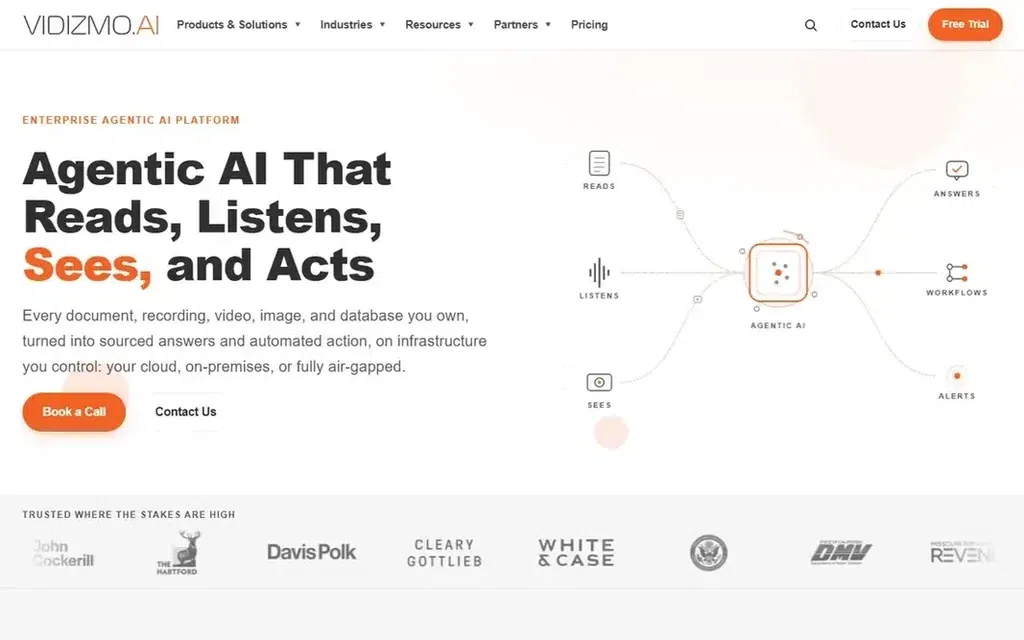
Vidizmo is a good fit for enterprise video and document AI product. Vidizmo is described as a multimodal enterprise agentic AI system that reads documents, hears audio, sees video, and acts, with deployment choices on major clouds or on-premises.
Watch-outs: Product scope may exceed straightforward redaction needs.
This comparison lists no price for Vidizmo; ask the vendor. On free options: Free trial.
- Supports enterprise-scale media workflows
- Multimodal AI for video, audio, documents
- Needs configuration for FOIA-specific rules
CaseGuard Studio
Best for: High-volume redaction with transcription and translation

CaseGuard Studio makes the most sense for high-volume redaction with transcription and translation. CaseGuard Studio presents itself as AI redaction software that automatically redacts PII and PHI from documents, videos, audio, and images. For everyday use, pick CaseGuard Studio when transcription, translation, and multi-format redaction are central to the workflow.
Trade-offs to know: Wide feature set may need training.
As for the details, the breadth of features can mean a ramp-up time for occasional users. The tool is oriented toward redaction and transcription instead of creative editing. Starting cost for CaseGuard Studio: $279 per user per month. Free access: Not stated.
- Redacts PII and PHI across documents, video, audio, images
- Contains transcription and translation capabilities
- Not a general-purpose video editor
Veritone Redact
Best for: Automatic PII redaction in video and audio
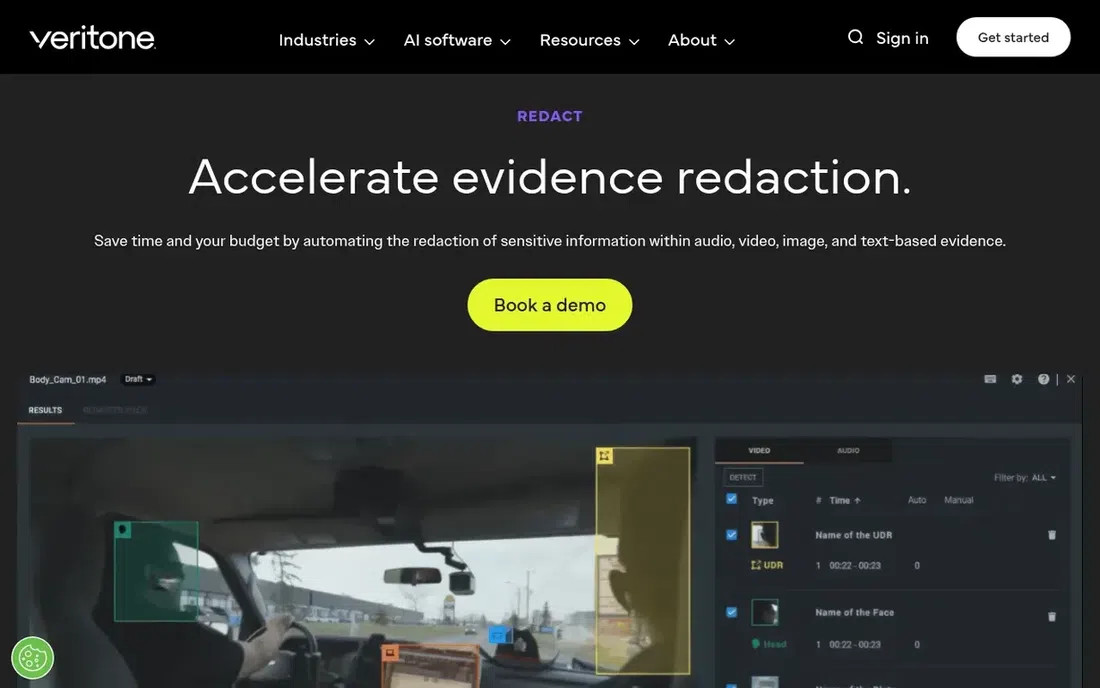
For automatic PII redaction in video and audio, Veritone Redact is a natural candidate. Choose Veritone Redact when automatic video and audio redaction with compliance documentation is the priority.
Check the vendor site for Veritone Redact pricing; none is listed in this comparison. Free options: Not stated.
Points against: May need setup for agency-specific rules.
- Supports audio, video
- Automates redaction of PII and sensitive content
- Concentrated on redaction instead of full editing
Pick Adobe Premiere Pro if this describes you: manual video editing and masking. In a FOIA context, it can be used to manually blur faces, mask areas, and remove audio segments when the volume of requests is restricted or when editorial control is essential.
It also lacks audit-ready redaction logs by default. Pricing for Adobe Premiere Pro is not stated here, so ask the vendor for current figures. As for free access: Not stated.
Trade-offs to know: No FOIA-specific redaction automation.
- Professional editing, trimming, effects
- Audio mixing and video extension tools
- Manual masking can be time-consuming
Redactable
Best for: AI-assisted document redaction
For AI-assisted document redaction, Redactable is a natural candidate. Redactable is AI-powered document redaction software that automatically finds and removes sensitive information, emphasizing speed and security. It can complement a video redaction tool when a request comes with both documents and video.
Where it is weaker: Video redaction may need a separate tool.
In practice, teams with largely video responses should look to a video-first tool. For everyday use, choose Redactable when document redaction speed and automation are the primary need and video is a secondary concern. On cost, Redactable starts like this: $19 per month. Redactable has a free plan.
- Secure workflow focus
- Automatically finds and removes sensitive information
- Primarily document-oriented
Selection criteria
Pricing pages, product documentation and feature lists were the main sources, and every entry carries at least one honest drawback. Where a price is missing, the vendor does not list one publicly or ties it to a quote. Always confirm before budgeting. Tools are placed by general fit for redaction software for FOIA video responses, with price clarity and free access as tie-breakers. A different team can reasonably rank them differently.
Things to verify first
- Ask Vidizmo, Veritone Redact and Adobe Premiere Pro for a written quote, since no starting price is shown.
- Look at the free plan from Redactable closely: its caps decide whether it is usable for real work.
- Use real work to test the free trial from Vidizmo, rather than a demo project.
- Read the limits listed for Vidizmo first: product scope may exceed straightforward redaction needs.
- A short pilot of Veritone Redact with your real workflow tells you more than a feature table.
- Ask Vidizmo about contract length, onboarding fees and user minimums before you sign.
FAQ
Can I try these tools before paying?
Often, yes. Redactable has a free plan and Vidizmo offers a free trial. Use your own data and a real task during the test, and check what the free tier or trial limits before you rely on it.
Is Vidizmo the right pick for everyone comparing redaction software for FOIA video responses?
No single tool suits every team. Vidizmo comes first because it fits enterprise video and document AI platform, while CaseGuard Studio suits high-volume redaction with transcription and translation and Veritone Redact suits automated PII redaction in video and audio. Match the tool to your own size, budget and workflow before deciding.
What should FOIA teams look for in video redaction software?
Look for automatic detection of faces, voices, and other exempt content, plus a clear audit trail that documents what was redacted. As for the details, a dedicated redaction tool is typically more efficient than manual editing for video responses.
How are the tools for redaction software for FOIA video responses ordered?
Vidizmo sits first and Redactable last because the order follows typical fit for redaction software for FOIA video responses, then price clarity and free access. It is a judgement call, so read each profile for fit and limits.
Do these tools publish their prices?
Not all of them. Vidizmo, Veritone Redact and Adobe Premiere Pro publish no starting price, so expect a quote request for those. The rest, CaseGuard Studio included, show a starting price, though seats and billing terms still change the final cost.
Sources
- https://www.vidizmo.com
- https://caseguard.com
- https://www.veritone.com/applications/redact
- https://www.adobe.com/products/premiere.html
- https://www.redactable.com