Best AI Generated Video Tools in 2026: 8 Tools Compared
Compare the best AI generated video tools that still work in October 2026, with avatar videos, cinematic clips, current prices, credit costs, and free plans.
- Editor's choice
 Runway
Cinematic generative clips
Starts at$12 per monthVisit runwayml.comFull review - Great alternative
 HeyGen
Avatar marketing videos
Starts at$29 per monthVisit heygen.comFull review - Also consider
 Synthesia
Corporate training videos
Starts at$19 per monthVisit synthesia.ioFull review
TL;DR:
- Runway is the best all-round choice for original, cinematic clips, with its own Gen-4.5 model and other models in one workspace.
- HeyGen and Synthesia lead for avatar and training videos, where a presenter matters more than generated footage.
- Credit pricing makes the headline monthly price misleading, so compare what a plan buys in seconds or minutes of video.
- OpenAI Sora is excluded from this list because its app closed in April 2026 and its API closed in September 2026.
- Free plans are useful for tests, but most watermark exports or limit credits, so budget for a paid plan for client work.
Quick comparison
| Tool | Best for | Starts at | Free plan? | |
|---|---|---|---|---|
| Runway | Cinematic generative clips | $12 per month | Yes | Visit |
| HeyGen | Avatar marketing videos | $29 per month | Yes | Visit |
| Synthesia | Corporate training videos | $19 per month | Yes | Visit |
 InVideo AI | Script-to-finished-video | $20 per month | Yes | Visit |
 Pictory | Repurposing scripts and recordings | $29 per month | No | Visit |
 Kling AI | Realistic motion and longer clips | See website | Yes | Visit |
 Luma Dream Machine | Fast cinematic ideation | See website | Yes | Visit |
 Pika | Short social clips and effects | $8 per month | Yes | Visit |
The best AI generated video tools
AI video tools now split into two clear jobs: avatar videos that present a script, and generative clips that create footage from a prompt or a photo. This list covers both, and every tool here was still accepting users in October 2026.
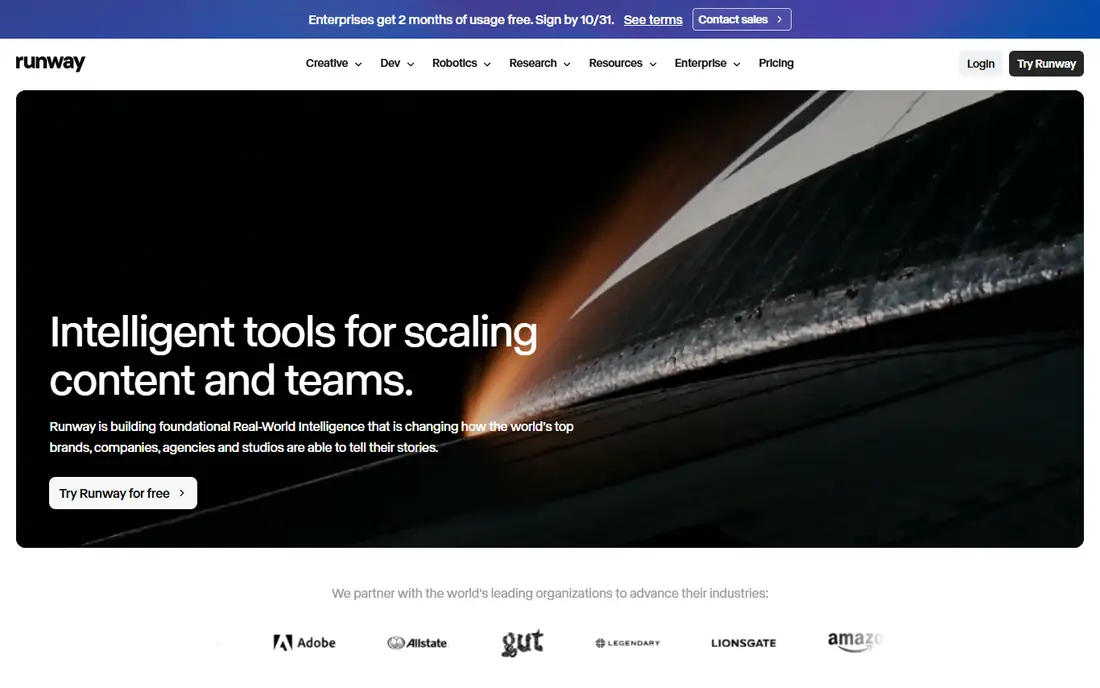
Runway is our pick for creators who want original footage, not just a talking head. Its Gen-4.5 model handles text-to-video and image-to-video, and the workspace also offers other models, so you can compare results without juggling subscriptions. Editing tools, inpainting, and upscaling mean a generated clip can be refined in the same place, rather than exported to another editor at once.
The catch is credit math. The Standard plan at $12 per month on annual billing includes 625 credits, which buys about 52 seconds of Gen-4.5 video at 12 credits per second. That is enough for tests and short clips, but a longer project needs a higher plan or careful planning. For cinematic work, Runway still sets the standard for control.
- Gen-4.5 model plus other models in one workspace
- Editing, upscaling, and lip sync tools
- 125 one-time free credits
- Credit costs rise fast with length and resolution
- No native avatar presenter

HeyGen is the best choice when you need a presenter without a shoot. You type a script, pick an avatar, and get a multilingual video that can be localized for different markets. Voice cloning and dubbing help marketing teams reuse one script across regions, and the workflow is fast enough for weekly content.
Avatar videos have limits. They suit explainers, ads, and product demos, but they can feel flat for storytelling that needs real emotion or complex action. The free plan allows three short videos a month, so use it to test avatar quality and lip sync before you pay. For presenter-led video at scale, HeyGen is hard to beat.
- Realistic avatars in many languages
- Voice cloning and dubbing
- Fast script-to-video workflow
- Avatar videos can feel formulaic
- Free plan allows only a few short videos a month

Synthesia is built for training, onboarding, and internal explainers. It offers a wide range of avatars and languages, templates that keep corporate videos consistent, and export options for learning management systems. When a policy changes, you can edit the script and regenerate the video instead of re-shooting a presenter.
It is not a cinematic clip generator, so do not pick Synthesia for B-roll or product motion. Long courses also need careful credit and minute planning, because costs grow with total video length. For teams that produce training in bulk, the consistency and speed are the real value.
- Large avatar and language range
- Templates for training
- SCORM support for learning systems
- Less suited to cinematic footage
- Per-minute costs add up for long courses
InVideo AI suits marketers who want a finished video from a prompt, not just a raw clip. It combines script generation, stock footage, voiceover, captions, and editing in one browser workflow, and newer plans offer access to several generative models. That all-in-one approach saves time when you publish often.
The trade-off is that prompt-to-video output still needs a human pass. Stock-heavy videos can look generic, and generative clips need checking for odd motion or text errors. Use the free plan to test whether the workflow fits your brand, then budget time for editing, not just generation.
- Prompt-to-video with stock footage and voiceover
- Access to several video models
- Editing in the browser
- Output needs human editing for quality
- Credit use varies by model
Pictory is the best pick for turning existing content into video. Paste a blog post, upload a recording, or start from a script, and Pictory builds a captioned video with stock footage and voiceover. That makes it useful for teams with a content backlog but no video team, and captions help on social feeds where sound is off.
Pictory does not offer the same generative control as Runway or Kling, and there is no ongoing free plan, so you need a trial or a paid month to test it properly. For repurposing, though, its speed is the point, and it keeps a consistent format across many videos.
- Turns blogs, scripts, and recordings into video
- Automatic captions
- Large stock library
- No persistent free plan
- Less generative footage control than Runway
Kling AI, from Kuaishou, is widely praised for realistic motion, especially for people walking, running, and interacting with a scene. Its newer models add native audio and longer generation limits, which helps for short stories and product scenes that need more than a five-second clip. Image-to-video is a strength when you start from a product photo.
Pricing is less stable than Runway or HeyGen, so check the current pricing page and credit rates before you plan a project. Free credits let you test motion quality, but a serious project needs a paid plan and a clear sense of cost per clip. For motion quality alone, Kling is a top contender.
- Strong human motion and physics
- Native audio on newer models
- Image-to-video and text-to-video
- Pricing and credit rates change often
- Longer clips cost many credits
Luma Dream Machine is a fast way to test visual ideas, camera moves, and scene concepts before committing to a longer production. It handles text-to-video and image-to-video with a focus on cinematic movement, which makes it useful for mood films, ads, and pre-visualization. The browser workflow is simple enough for a quick test.
It is not a training or avatar platform, so it will not replace Synthesia or HeyGen for presenter videos. Pricing and free credits vary, so confirm the current plan before you rely on it for client work. For ideation and short cinematic clips, Luma is a strong, fast option.
- Fast generation
- Strong camera movement
- Good for concepts and pre-visualization
- Pricing varies by plan
- Less avatar and training depth
Pika suits social creators who want quick, stylized clips and effects without a large subscription. You can generate from a prompt or a photo, apply effects to existing footage, and export short videos for feeds. The $8 per month entry price on annual billing is among the lowest here, and the free plan lets you test the style.
Pika is less suited to long, cinematic sequences or corporate training. Clips are short, and audio support varies by model, so check the current feature list if sound matters. For fast social content, its low price and speed are a genuine advantage.
- Low entry price
- Effects and edits on your own footage
- Fast social clips
- Shorter clips than some rivals
- No native audio generation on all models
How we picked these
We checked official pricing pages and product pages in October 2026, plus recent reviews, and we excluded any tool whose consumer access had ended. That exclusion matters: OpenAI Sora closed its app and web experience in April 2026 and its API in September 2026, so it does not appear here, even though older guides still list it. We favored tools with a clear free trial or free plan, a published price or a clear credit system, and a distinct job, whether avatar, cinematic, or repurposing.
How to compare AI video prices without getting fooled
Ignore the monthly price until you know what it buys. One plan may offer 625 credits, another may offer minutes, and a third may offer export minutes, and those units are not comparable. Work out the cost of one finished video in your usual format, such as a 30-second social clip or a two-minute training video, and compare that cost across tools.
Test with the same prompt and the same photo across two or three tools before you commit. Check motion, hands, text in the scene, and lip sync, because those flaws are where cheap plans fail. Also check commercial rights, watermark rules, and whether unused credits roll over, because those terms change the real cost of a project.
FAQ
What is the best AI generated video tool?
Runway is the best all-round pick for original footage, HeyGen leads for avatar marketing, and Synthesia leads for corporate training. The best tool depends on whether you need a presenter, cinematic footage, or a finished marketing video.
Is Sora still available in 2026?
No, OpenAI discontinued the Sora app and web experience in April 2026 and the Sora API in September 2026. Older tutorials that tell you to subscribe for Sora are out of date, and Runway, Kling, and Google video tools are the current alternatives.
What is the best AI generated video app for social media?
Pika and InVideo AI are strong for short social videos, because they are fast and low cost. Runway and Kling suit higher-quality cinematic clips, but they cost more in credits per finished video.
How much does AI video generation cost?
Entry prices here range from $8 per month for Pika to $29 per month for HeyGen and Pictory on annual billing, but credit costs matter more. A short clip may cost only a few dollars in credits, while a long or high-resolution project can use a whole monthly allowance.
Can I use AI generated video for commercial work?
Most paid plans allow commercial use, but check the terms for your plan, because free plans often watermark exports or limit commercial rights. Also check disclosure rules for your platform, because some publishers require AI-generated content to be labeled.
Which AI video tool is best for training videos?
Synthesia is the strongest training pick, with avatars, languages, templates, and learning system support. HeyGen is a good alternative when marketing polish and voice cloning matter more than formal training exports.