The 6 Best Product Analytics Software for Coaches in 2026, Ranked
Searching for the best product analytics software for coaches? Here are 6 options with prices and free plans. Plain-spoken summaries throughout. Pick by budget.
- Editor's choice
 Heap
Revealing unknown user behaviors
Starts atSee websiteVisit heap.ioFull review - Great alternative
 Pendo
Driving product adoption and revenue
Starts atSee websiteVisit pendo.ioFull review - Also consider
 Mixpanel
Deep product intelligence and experimentation
Starts at$100 a monthVisit mixpanel.comFull review
Direct answer
Heap is the first pick on this list for revealing unknown user behaviors. Listed starting prices: Mixpanel from $100 a month and Hotjar from $39 a month. Pendo is the stronger choice for driving product adoption and revenue, while Mixpanel suits deep product intelligence and experimentation. The full list of 6 tools follows, with prices and free plan facts.
TL;DR:
- Top of the list is Heap, which targets revealing unknown user behaviors.
- The main caution on Heap: less centred on experimentation.
- Starting prices begin at $39 per month with Hotjar.
- Hotjar is the one to check for behavior insights for small teams.
- Heap, Mixpanel, Hotjar: these are the 3 tools out of 6 that offer a free plan.
Last checked November 2026. Prices and plan details were read from the vendors' own pages in November 2026; vendors change plans often, so confirm the current price on the vendor site before you buy.
Quick comparison
| Tool | Best for | Starts at | Free plan? | |
|---|---|---|---|---|
| Heap | Revealing unknown user behaviors | See website | Yes | Visit |
| Pendo | Driving product adoption and revenue | See website | Not stated | Visit |
| Mixpanel | Deep product intelligence and experimentation | $100 a month | Yes | Visit |
 PostHog | Automatic problem diagnosis and fixes | See website | Not stated | Visit |
 Adobe Analytics | Enterprise digital experience analytics | See website | Not stated | Visit |
 Hotjar | Behavior insights for small teams | $39 a month | Yes | Visit |
The best product analytics software for coaches
If you are comparing product analytics software for coaches, this page covers 6 tools in one place: what each is best for, what it costs to start, whether it has a free plan, and the main limit to know about.
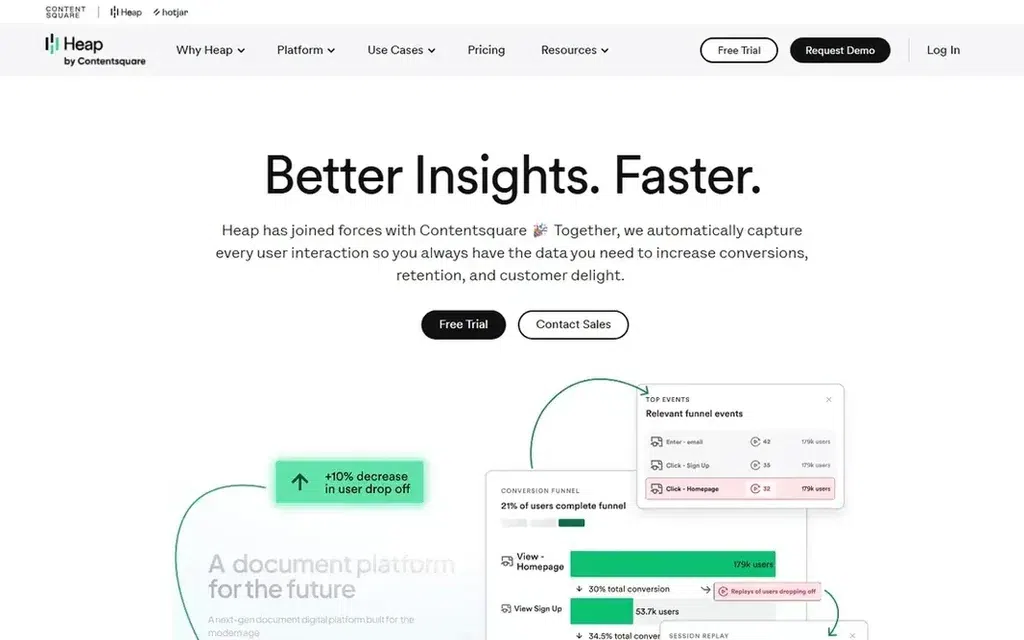
For revealing unknown user behaviors, Heap is a natural candidate. It suits teams that want wide automatic capture instead of manual event setup.
Since Heap emphasizes automatic capture, teams still need a plan for turning data into action. Check the vendor site for Heap pricing; none is listed in this comparison. Free access exists with Heap.
Trade-offs to know: Less concentrated on experimentation.
- Surfaces unknown unknowns
- Records everything users do on your site
- May need support to interpret data
In short, Pendo is for driving product adoption and revenue. Pendo is described as supplying product context for your apps and AI agents.
Downsides: May be complicated for straightforward coaching products.
So you can understand your users, act where it counts and drive adoption and revenue. Worth adding: consider a more straightforward analytics tool if adoption guidance is not a priority. Pendo does not show a starting price in this comparison, so check the vendor site for current pricing. On free options: Not stated.
- Centres on user understanding
- Feeds product context to apps and AI agents
- Needs integration planning
Mixpanel serves deep product intelligence and experimentation. Mixpanel is a product intelligence system that brings together analytics, session replay, experiments, feature flags and AI-powered insights. The product supplies wide capability, so smaller coaching firms may find the setup and ramp-up time heavier than needed.
Limits to weigh: Can be complicated for straightforward coaching products.
More specifically, for coaches who run a digital product like a course system or client portal, it can display how users move through key actions and where they drop off. Beyond that, choose Mixpanel when experimentation and in-depth behavioral analysis are central to your product. What you pay to start with Mixpanel: $100 per month. Free access exists with Mixpanel.
- Bundles experiments and feature flags
- Combines analytics with session replay
- Setup needs technical planning
PostHog makes the most sense for automatic problem diagnosis and fixes. PostHog is described as automatically diagnosing problems, fixing bugs and generating pull requests without you having to prompt it.
Limits to weigh: Developer-oriented setup.
Coaches with a technical team or a developer on hand can use it to link product analytics with engineering action. It may be more than needed for straightforward client portals. Check the vendor site for PostHog pricing; none is listed in this comparison. Free plan details: Not stated.
- Can produce pull requests
- Automatically diagnoses problems
- May be technical for non-technical coaches
In short, Adobe Analytics is for enterprise digital experience analytics. Coaches with bigger operations and several digital properties can use it to link marketing and product data. Choose it when your organization already runs on Adobe tools and needs unified journey measurement.
As for the details, Adobe Analytics is made for enterprise needs, so smaller coaching firms may find it complicated and resource-intensive. It may need dedicated analytics staff to use well. No starting price is listed for Adobe Analytics here; confirm pricing on the vendor site. On free options: Not stated.
Drawbacks to consider: May be excessive for small coaching teams.
- AI-powered journey insights
- Brings together customer data
- Enterprise-oriented complexity
In short, Hotjar is for behavior insights for small teams. Hotjar is a behavior insights product that Contentsquare has joined forces with, and it is positioned for the midsize and SMB market.
Where it is weaker: Narrower than full product analytics suites.
Hotjar concentrates on behavior insights instead of being a full product analytics suite. Hotjar pricing: $39 per month. Hotjar offers a free plan.
- Part of Contentsquare
- Behavior insights focus
- May need pairing with another tool
Our selection method
Before you commit
- Confirm the entry price on the vendor page. For Heap, Pendo, PostHog and Adobe Analytics that means a quote rather than a fixed price.
- Read the fine print on the free plans from Heap, Mixpanel and Hotjar; seat, project and feature caps differ.
- Before choosing Heap, weigh its main limit: less concentrated on experimentation.
- Run a one or two week pilot of Heap with the people who will use it every day.
- Compare total cost, not headline price: for Adobe Analytics, add extra seats, add-ons and any usage-based charges.
FAQ
How are the tools for product analytics software for coaches ordered?
The order follows typical fit for product analytics software for coaches, with Heap first and Hotjar last, then price clarity and free access. It is editorial judgement, not a score, so another team could rank the tools differently.
What is the cheapest option for product analytics software for coaches in this list?
On published monthly entry prices, Hotjar is the lowest here at $39 per month. Entry price is only part of the cost, because seats, add-ons and billing terms can change the total. All 6 picks in this product analytics software for Coaches comparison list a starting price, free plan details and the main limits on their cards above.
Can I try these tools before paying?
Often, yes. Heap, Mixpanel and Hotjar have a free plan. Use your own data and a real task during the test, and check what the free tier or trial limits before you rely on it.
What should coaches look for in product analytics software?
Coaches should prioritize ease of setup, integration with their course or booking product, and features that match their goals, for example behavior insight or adoption tracking. It also helps to consider how much technical support is available.
Which options for product analytics software for coaches have a free plan?
Heap, Mixpanel and Hotjar offer a free plan in this list. Free plans usually cap users, projects or features, so check the limits on the vendor page.
Sources
- https://heap.io
- https://www.pendo.io
- https://mixpanel.com
- https://posthog.com
- https://business.adobe.com/products/analytics/adobe-analytics.html
- https://www.hotjar.com